 Skip to content
For most small business owners, payroll is one of those necessary evils. It’s a high-stakes, time-consuming task that pulls your attention away from what you’re actually passionate about—growing your business. This is where payroll services for small businesses come in. Think of it not as an expense, but as a strategic investment in your own efficiency, compliance, and sanity.
Why Smart Businesses Stop Doing Their Own Payroll

Imagine a world-class chef who insists on scrubbing every single pot and pan by hand. They can do it, sure, but their real talent is in the kitchen creating incredible food. The same logic applies to you. Every hour you spend wrestling with payroll calculations, tax withholdings, and compliance deadlines is an hour you could have spent talking to customers, refining your product, or planning your next move.
The True Cost of Manual Payroll
Trying to manage payroll yourself isn’t just a drain on your time; it’s like walking through a minefield. One tiny miscalculation can lead to unhappy employees, not to mention steep penalties from the IRS. When you bring in a professional payroll service, you’re not just buying a piece of software. You’re getting an automated system built to catch and prevent those very mistakes.
Outsourcing payroll is a strategic move to safeguard your business’s financial health. It shifts the burden of accuracy and compliance from your shoulders to a dedicated team of experts.
And those errors aren’t cheap. According to a 2025 global payments report, a single payroll mistake can cost a business around $800 per mishandled check. The good news? Outsourced services can slash that risk by as much as 90%. This shift also massively reduces your administrative overhead, freeing up cash you can put right back into the company.
Reclaiming Your Time and Focus
Ultimately, the choice to outsource comes down to reclaiming your most valuable asset: your time. Today’s payroll platforms are designed for pure efficiency. In fact, many small business owners report cutting the time they spend on payroll tasks by 50% after making the switch.
By handing off these complex responsibilities, you get the freedom to actually lead your team and pursue your vision. For a deeper dive, check out the full breakdown of the benefits of outsourcing payroll in our detailed guide.
Key Benefits of Payroll Services at a Glance
To make it simple, here’s a quick look at how a dedicated payroll service can transform common business headaches into real, tangible advantages.
| Benefit Category | Impact on Your Business | Typical Result |
|---|---|---|
| Time Savings | Reduces hours spent on manual data entry and calculations. | Frees up leadership to focus on core business growth. |
| Compliance | Automates tax filings and adheres to changing regulations. | Minimizes risk of costly penalties and audits. |
| Cost Reduction | Eliminates expenses related to payroll errors and software. | Lowers administrative overhead and improves profitability. |
| Employee Experience | Provides accurate, on-time pay and self-service access. | Boosts team morale and reduces payroll-related inquiries. |
Moving from manual payroll to a dedicated service is one of the smartest operational upgrades a growing business can make. It replaces risk and tedious work with peace of mind and more time to focus on what truly matters.
Decoding What Payroll Services Actually Do

Many small business owners see payroll services as just a way to cut checks or send direct deposits. While that’s certainly part of it, thinking that way is like saying a smartphone is only for making calls. The truth is, modern payroll services for small businesses are more like an operational command center, built to handle the most complicated and error-prone parts of paying your team.
At its heart, a payroll service is your automated tax department. It goes way beyond calculating gross pay; it handles the tricky math of withholding federal, state, and local taxes, making sure every single paycheck is accurate down to the penny.
Once those taxes are calculated, the service automatically files the right forms and sends the payments to the correct government agencies for you. This one function alone can save you countless hours and lift a massive compliance weight off your shoulders. For a better feel of how this all starts, our guide on how to set up payroll for your small business shows where these systems fit into the bigger picture.
Empowering Your Team with Self Service
One of the first things you’ll notice is how many fewer administrative questions you get from your team. Modern payroll platforms give employees their own self-service portals, which gives them direct access to their personal pay information.
Through a secure online account or a mobile app, your staff can:
- View and download their pay stubs 24/7.
- Access year-end tax forms like W-2s and 1099s.
- Update personal details, like a new address or bank account information.
This doesn’t just empower your employees; it frees up a ton of time for you and your managers. No more digging up old documents or answering the same basic questions over and over.
Think of a payroll service as an ecosystem, not just a tool. It’s designed to handle money, manage compliance, and streamline the human side of your business operations, all from one central hub.
Beyond Paychecks: An Integrated HR Hub
The best payroll services have grown far beyond simple payment processing. They now act as the foundation for a unified HR and benefits system, creating a single, reliable source for all employee-related activities. This is where you start to see huge gains in efficiency.
Instead of trying to manage several different disconnected systems, a great platform pulls everything together under one roof.
Key Integrated Functions Often Include:
- Benefits Administration: Employees can enroll in health insurance, dental, vision, and 401(k) retirement plans right in the portal. The system then automatically calculates the deductions and applies them to payroll.
- Workers’ Compensation: Many services offer pay-as-you-go workers’ comp insurance, where premiums are based on actual payroll data from each pay period. This improves accuracy and helps with cash flow.
- Time Tracking: With integrated time tracking, employees can clock in and out, and their approved hours flow straight into the payroll run. This gets rid of manual data entry and cuts down on mistakes.
- Hiring and Onboarding: All the new hire paperwork—from I-9s to W-4s—can be filled out and stored digitally. This keeps you compliant and organized from day one.
By connecting these critical functions, a payroll service transforms what used to be a standalone task into the engine that powers your whole back-office operation. You get a powerful, interconnected system that’s ready to support your business as it grows.
How to Compare Payroll Features and Pricing
Choosing a payroll provider can feel like you’re trying to compare apples, oranges, and the occasional pineapple. With so many different feature lists and pricing structures, it’s easy to get lost in the details. The key is to look past the sticker price and figure out the true value each service brings to your specific business.
Think of it like choosing a cell phone plan. A cheap, basic plan might look good at first, but if it comes with slow data and spotty coverage, it quickly becomes a source of frustration. In the same way, the cheapest payroll service might lack the features or support you really need, costing you more in time and headaches down the road.
Understanding Common Pricing Models
Most payroll services for small businesses use one of a few common pricing models. Getting a handle on these is the first step to making a smart financial decision. It’s crucial to know what you’re paying for and how that cost might change as your team grows.
The most common model is Per-Employee-Per-Month (PEPM). This structure includes a monthly base fee plus an additional charge for each employee or contractor you pay.
- Example: A provider might charge a $40 base fee per month plus $6 per employee. If you have 10 employees, your monthly cost would be $40 + (10 x $6) = $100.
Another popular approach is tiered pricing. With this model, providers offer several different plans (like Basic, Plus, or Premium), each with a set price and an expanding list of features. This lets you pay only for what you need today while giving you the option to upgrade as your business evolves.
Uncovering Hidden Fees and True Costs
The advertised price is rarely the full story. Many providers tack on extra charges for services that small businesses assume are included. Knowing about these potential hidden fees is vital to calculating the real cost of a service.
A payroll provider’s value isn’t just in what they do, but also in what they prevent—costly errors, compliance penalties, and wasted time. Your goal is to find a partner whose total cost aligns with the total peace of mind they provide.
Keep an eye out for these common extra charges:
- Year-End Tax Filings: Some services charge extra to prepare and file your annual W-2 and 1099 forms.
- Off-Cycle Payrolls: Need to run an extra payroll for a bonus or a terminated employee? That could trigger an additional fee.
- Direct Deposit Setup: Believe it or not, some providers still charge a one-time fee to set up direct deposit.
- Amendments and Corrections: If you need to fix a mistake on a previous payroll run, you may have to pay for the correction.
This is a critical area to investigate. In fact, 66% of finance professionals report a lack of cost visibility in their payment processes. For more guidance on finding a transparent partner, our article on how to outsource payroll for your small business provides a useful framework for asking the right questions.
Comparing Popular Payroll Services
The payroll services market is crowded, but a few names consistently stand out for small businesses. This screenshot from G2 shows how users rate some of the top payroll solutions.
The high satisfaction scores for platforms like Gusto and QuickBooks Payroll highlight their strong focus on user experience and features tailored for small teams. To help you compare, here’s a breakdown of some popular options.
Comparing Popular Payroll Services for Small Businesses
Here’s a side-by-side look at some of the top payroll providers to help you see how their features, pricing, and ideal use cases stack up.
| Provider | Typical Pricing Model | Key Features | Best For |
|---|---|---|---|
| Gusto | Tiered (Base Fee + PEPM) | Full-service payroll, benefits administration, employee self-service, strong HR tools. | Startups and modern small businesses that want an all-in-one HR and payroll platform. |
| QuickBooks Payroll | Tiered (Base Fee + PEPM) | Seamless integration with QuickBooks Online, automated taxes, next-day direct deposit. | Businesses that already use QuickBooks for their accounting and want a unified system. |
| ADP Run | Quote-Based | Scalable payroll, HR support, compliance expertise, tax filing guarantees. | Established small businesses that anticipate significant growth and need robust support. |
This table is just a starting point. The best choice always comes down to your unique needs, from your team size to the complexity of your benefits.
The move toward digital payroll management is clear, with 80% of small businesses now using such tools for teams under 50. This shift helps cut manual errors by a staggering 70%. Features like employee self-service portals are now standard, boosting employee satisfaction significantly. To get these benefits without inflating your budget, choosing a transparent, all-in-one solution is essential. You can find out more about these payroll market trends by reviewing the latest software vendor analysis.
Staying Compliant with Tax and Labor Laws
For a lot of small business owners, just the thought of a letter from the IRS can keep you up at night. And honestly, that concern is completely valid. Trying to navigate the tangled web of payroll taxes and labor laws feels like solving a puzzle where the pieces keep changing shape.
This is exactly why professional payroll services for small businesses are less of a luxury and more of a core necessity.
Think of a good payroll service as your compliance shield. It’s built to protect you from the kinds of costly penalties and legal headaches that can pop up from even the smallest oversight. These platforms take the whole process off your plate, making sure your business stays on the right side of federal, state, and even local rules—without you needing to become a tax law expert.
Decoding the Alphabet Soup of Payroll Taxes
The world of payroll is swimming in acronyms that can feel pretty intimidating. FICA, FUTA, SUTA—it’s easy for your eyes to glaze over. A good payroll service translates this complex language into simple, automated actions you don’t have to worry about.
Here’s a quick breakdown of what these key taxes are and how a service handles them for you:
- FICA (Federal Insurance Contributions Act): This is the mandatory federal tax that funds Social Security and Medicare. It’s a shared contribution from both you and your employees, and a payroll service calculates, withholds, and pays the exact amounts automatically.
- FUTA (Federal Unemployment Tax Act): This federal tax funds unemployment benefits for workers who have lost their jobs. This one is paid only by you, the employer, and is calculated based on what you pay your employees.
- SUTA (State Unemployment Tax Act): Just like FUTA, but at the state level. The rates and rules can be wildly different from one state to the next, which is where having an automated system becomes a huge help.
A reliable payroll platform doesn’t just do the math. It ensures the right forms are filed and payments are sent on time, every single time. That consistency is your best defense against compliance trouble.
The real value of a payroll service isn’t just in cutting checks; it’s in taking the immense weight of tax compliance off your shoulders. It gives you the confidence to run your business, knowing a dedicated system is managing the risk.
Navigating Wage and Hour Laws
Staying compliant goes way beyond just taxes. Federal and state labor laws control everything from minimum wage and overtime pay to how you report new hires. A slip-up in any of these areas can be just as expensive as a tax error. For instance, getting the classification of an employee as exempt or non-exempt wrong can lead to major overtime pay issues down the road.
This decision tree gives you a simplified look at how to start thinking about your payroll needs based on who is on your team.
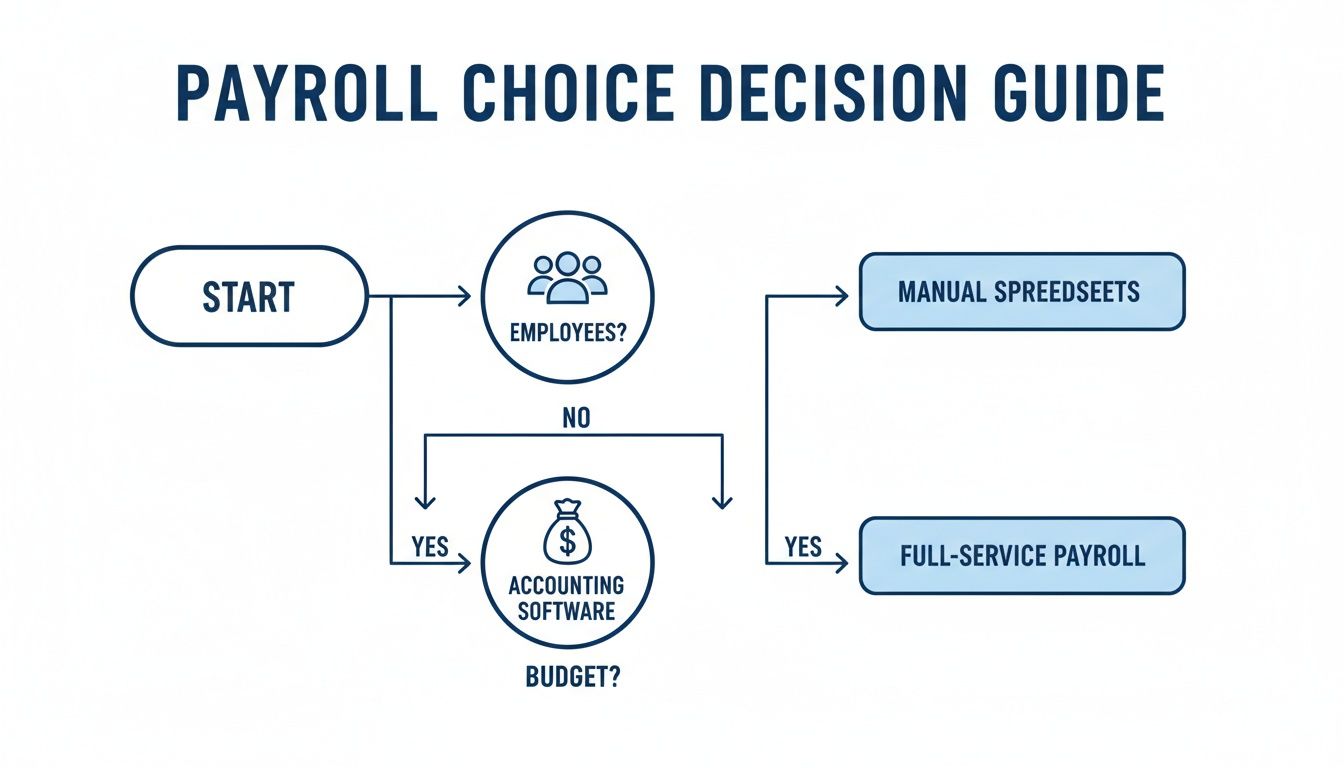
As the chart shows, the very first step is figuring out who you’re paying—employees, contractors, or a mix—because that defines your legal responsibilities from the start.
Payroll services help you manage all these moving parts by:
- Automating Overtime Calculations: The system can track hours and automatically apply the correct overtime rates, whether they’re based on federal or state rules.
- Managing New Hire Reporting: They make sure every new employee is reported to the proper state agencies, which is a legal requirement in all 50 states.
- Handling Complex Withholdings: Beyond taxes, these services precisely manage deductions for benefits, wage garnishments, and retirement contributions.
The global payroll services market is on track to hit $84.83 billion by 2029, a trend that’s being pushed by this growing complexity. With remote work becoming more common, 58% of companies now say they face challenges with multi-state payroll, making a solid service more important than ever. You can learn more about these trends and why small businesses are increasingly relying on outsourced solutions.
Your Step-By-Step Implementation Checklist

Making the switch to a new payroll service doesn’t have to be a headache. With a little bit of prep work, you can turn what feels like a huge project into a series of simple, manageable steps. Think of it like getting all your ingredients prepped before you start cooking—it just makes the whole process go smoother.
This checklist will walk you through everything, step-by-step. Follow it, and you’ll be set up for a seamless transition and a stress-free first payday.
Phase 1: Gather Your Business Information
First things first, your new payroll provider needs to get to know your business from a legal and tax standpoint. This information is the foundation for everything else, ensuring every tax payment and filing is handled correctly. You’ll want to have these details ready to go.
- Federal Employer Identification Number (EIN): This is the nine-digit tax ID for your business. It’s like a Social Security number, but for your company.
- State and Local Tax IDs: If you operate in a state with income or unemployment taxes, you’ll need those account numbers, too.
- Business Legal Name and Address: Make sure this matches exactly what’s registered with the IRS and state agencies. No abbreviations or typos!
- Bank Account Details: You’ll need the routing and account numbers for the business bank account you’ll be using to fund payroll.
Getting all this information together in one place before you start will save you a ton of time. It avoids that frustrating stop-and-start of having to dig through files mid-setup.
Phase 2: Collect All Employee and Contractor Data
Next up is your team. You’ll need to gather the right information for every single person you pay. Accuracy is absolutely critical here. A simple typo can lead to payment delays or tax headaches for your employees, which is the last thing anyone wants.
For each of your employees, you’ll need to input:
- Completed Form W-4: This is the form that tells you how much federal income tax to withhold.
- State Withholding Forms: Many states have their own version of the W-4, so be sure you have those as well.
- Direct Deposit Information: Get their bank routing and account numbers so they can get paid.
- Compensation Details: This covers their pay rate (whether it’s hourly or salary), how often they get paid (weekly, bi-weekly), and any deductions for things like health insurance.
For independent contractors, the key document is a completed Form W-9. This provides their legal name, address, and Taxpayer Identification Number (TIN).
Pro-Tip: Give your team a heads-up that you’re switching payroll systems. Let them know what info you’ll need from them and when. It’s also a great chance to highlight the benefits of the new system, like easier access to their pay stubs.
Phase 3: Plan Your Go-Live Strategy
Finally, a bit of planning can prevent some major hiccups down the road. Picking the right start date and doing a quick test run will help make your first official payroll a total success.
- Choose a Smart Start Date: The best time to make a switch is at the start of a new quarter (January 1, April 1, July 1, or October 1). This makes tax reporting so much cleaner because all your quarterly and annual forms will come from just one provider.
- Run a Parallel Payroll (Optional but Recommended): For the first pay period, think about running payroll on both your old system and the new one. This lets you compare the numbers side-by-side to catch any mistakes before they impact your team. It’s a fantastic safety net.
Frequently Asked Questions About Payroll Services
As you get closer to choosing a payroll service, some practical questions will pop up. It’s natural. Making a big change to how you operate can feel like a huge step, but having the right information makes it much easier. We’ve put together answers to the most common questions we hear to help clear things up.
Think of this as the final piece of the puzzle, designed to help you move forward with confidence.
When Is the Best Time to Switch Payroll Providers?
The cleanest time to switch payroll services is at the start of a new quarter—that’s January 1, April 1, July 1, or October 1. This timing keeps your tax filings simple because all your quarterly reports, like Form 941, will come from a single provider.
Switching on January 1 is the gold standard. It guarantees all your year-end forms, like W-2s and 1099s, are handled by one system from start to finish. That said, a good payroll partner can help you switch anytime. They’ll just need to collect your previous payroll data to make sure your year-end reporting is spot-on.
Think of switching at the start of a quarter like starting a new chapter in a book. It’s cleaner and easier to follow, but a skilled guide can help you jump in mid-story without missing a beat.
Can I Use a Payroll Service if I Only Have Contractors?
Absolutely. Many modern payroll platforms have affordable, contractor-only plans built for just this situation. These services make it easy to pay independent contractors with direct deposit and keep a record of all your payments in one place.
The best part? They automatically generate and file the necessary Form 1099-NEC at the end of the year. This feature alone is a massive time-saver and helps you stay compliant with IRS rules for paying contractors.
What Is the Difference Between a PEO and a Payroll Service?
This question comes up a lot, and the difference is pretty important. A standard payroll service is hired to manage specific administrative tasks—paying your team and filing payroll taxes. You are still the sole legal employer.
A Professional Employer Organization (PEO), however, creates a co-employment agreement with your business. You still manage your team’s day-to-day work, but the PEO becomes the official employer of record for tax and compliance purposes.
- Payroll Service: You hire an expert to handle a specific function (payroll).
- PEO: You partner with an organization that shares the legal responsibilities of being an employer.
PEOs usually offer a wider range of HR services, like access to better health benefits and workers’ comp rates, but they also mean a much deeper integration into your business and come at a higher cost.
How Secure Is My Data with an Online Payroll Service?
Reputable online payroll services take security very seriously and invest a lot to protect your sensitive information. They use the same kind of security protocols that banks do, including:
- Multi-factor authentication to make sure only authorized users can log in.
- Data encryption to protect your information while it’s being sent and while it’s stored.
- Secure, monitored data centers to house their servers.
These companies also go through regular security audits from outside firms to prove they meet strict industry standards. Honestly, using a secure online payroll service is almost always safer than keeping sensitive employee files on a local computer or in a filing cabinet.
You don’t have to figure out the complexities of payroll on your own. At Steingard Financial, we integrate with top platforms like Gusto and QuickBooks to give you a seamless back-office experience. We make sure your payroll is accurate, compliant, and completely stress-free so you can get back to growing your business. Discover how our expert payroll and advisory services can support your business.