 Skip to content
Before you can even think about paying your first employee, you’ve got to lay the proper groundwork. This isn’t the exciting part of running a business, but it’s non-negotiable. Getting your legal and financial house in order first is crucial. The entire setup process can take around two to three weeks, so don’t leave it to the last minute.
Building Your Payroll Foundation
Think of this early phase as pouring the concrete foundation for your business. You can’t build anything stable on top of a shaky base. This is all about getting the right identification numbers and registering with the necessary government agencies.
Trust me, you don’t want to skip these steps. I’ve seen businesses get hit with significant fines and administrative nightmares that can derail them before they even get going. The goal is simple: become a legitimate employer in the eyes of the IRS and your state. Get it right from day one.
Secure Your Employer Identification Number
First things first: you absolutely need an Employer Identification Number, or EIN. This is essentially a Social Security number for your business, and you can’t legally hire or pay anyone without it. The good news? It’s free and surprisingly easy to get.
The IRS has a simple online application that usually spits out your EIN the moment you finish. You’ll need this number for almost everything that comes next, like:
- Opening a dedicated business bank account for payroll.
- Applying for your state and local tax IDs.
- Filing federal payroll tax forms, such as Form 941.
This is the non-negotiable first step. Don’t fall for third-party sites that try to charge you for this—the official IRS process is completely free.
Register for State and Local Tax Accounts
Once you have your EIN, your next move is to tackle the state-level registrations. This is where a lot of new business owners get tripped up because the rules can change dramatically from state to state. Generally, you’ll be registering for two main accounts:
- State Income Tax Withholding: This account gives you the authority to withhold state income tax from your employees’ paychecks.
- State Unemployment Tax Act (SUTA): This is where you’ll pay state unemployment taxes. These funds are used to provide benefits for workers who lose their jobs. As a new employer, the state will assign you an initial SUTA tax rate.
But don’t stop there. Some cities and even counties have their own payroll taxes. It’s a smart move to check with your local department of revenue to make sure all your bases are covered.
For example, if you’re starting a new consulting firm in California, you’d register with the Employment Development Department (EDD). That single registration covers both state income tax withholding and unemployment insurance. Forgetting to do this can lead to penalties that add up fast.
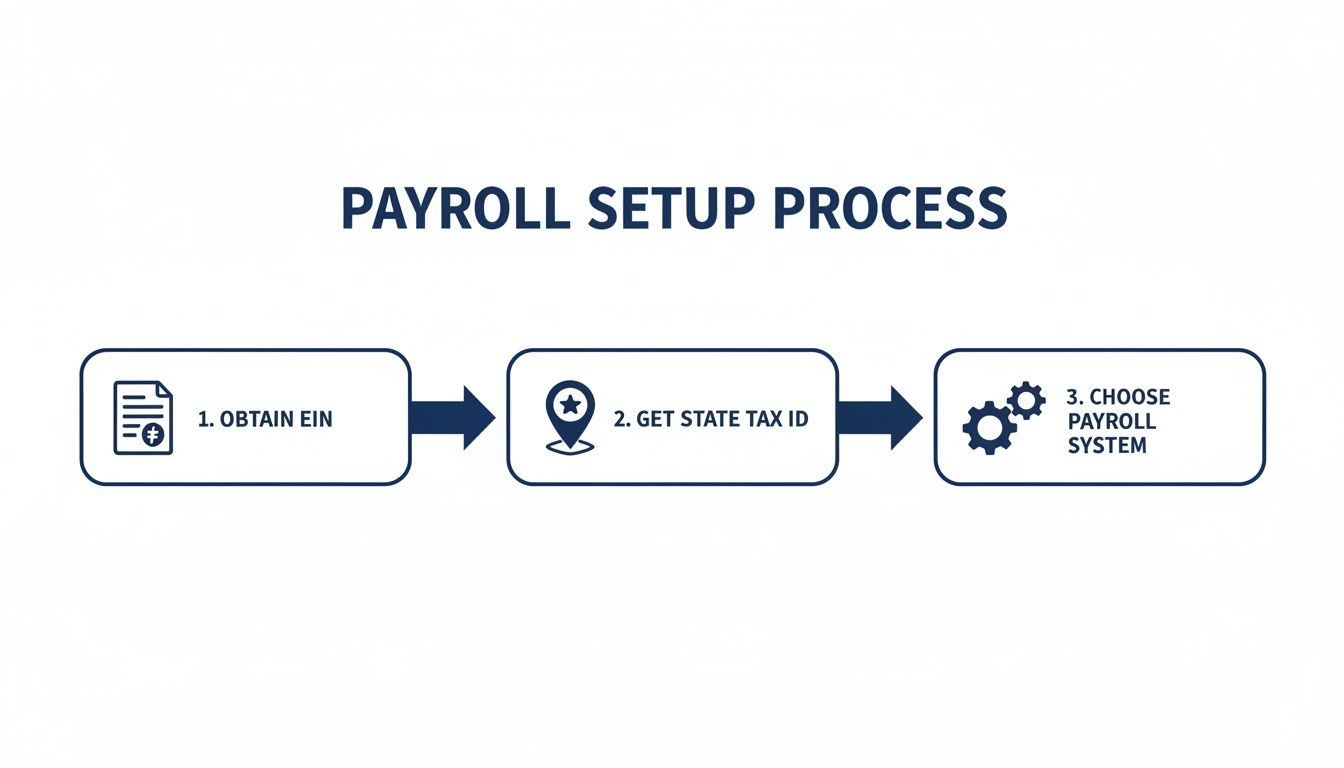
These foundational steps—getting your federal and state IDs in order—are the bedrock of a compliant payroll system. They must be done before you even start looking at payroll software.
To make it crystal clear, here are the absolute essentials you need to have in place.
Essential Payroll Setup Checklist
| Requirement | What It Is | Why It’s Critical |
|---|---|---|
| Employer Identification Number (EIN) | A unique nine-digit number assigned by the IRS to identify your business entity. | You legally cannot pay employees, file federal tax returns, or open a business bank account without one. |
| State Tax ID Number | A state-specific ID number used for reporting and paying state-level payroll taxes. | Required for withholding state income tax and paying into the state’s unemployment insurance fund. |
| Local Tax Registrations | Tax accounts required by certain cities, counties, or municipalities. | If applicable, failing to register can lead to local penalties and compliance issues. Not all locations have these. |
Getting these items checked off your list ensures you’re starting on the right foot with both federal and state authorities.
Classifying Workers and Defining Compensation
Alright, before you even think about running your first payroll, we need to tackle one of the most crucial decisions you’ll make: how you classify the people working for you. Getting this wrong is a fast track to some serious headaches, including significant financial penalties from the IRS and the Department of Labor.
This isn’t just about filling out a W-2 versus a 1099. It’s a fundamental legal distinction that ripples through everything from your tax obligations to the benefits you offer.
The whole thing really boils down to one word: control. The more control you have over how, when, and where someone does their work—dictating their hours, giving them company equipment, and managing the process—the more they look like a W-2 employee.
On the flip side, an independent contractor (1099) is running their own show. They bring their own tools, set their own schedule, and you’re paying them for a specific result, not for punching a clock.
Employee Versus Independent Contractor
Let’s walk through a real-world example. Imagine you run a growing marketing agency and you’re swamped with design work. You could hire a full-time graphic designer, or you could keep using a freelancer you like.
- Hiring a W-2 Employee: You bring a designer on board. You give them a company laptop with all the software, set their hours from 9 AM to 5 PM, and they work on the projects you assign each day. They are an integral part of your team.
- Engaging a 1099 Contractor: You stick with the freelancer. They use their own powerful computer and their personal Adobe Creative Cloud subscription. You give them projects with clear deadlines, but you aren’t managing their day-to-day schedule. They could be working at 2 AM for all you know.
The IRS has its own set of factors for this, but be warned: many states have even stricter tests. A big one is the “ABC test,” used in states like California. This test basically assumes everyone is an employee unless you, the business owner, can prove all three of the following things.
The ABC Test Essentials
A. The worker is free from your control and direction.
B. The work they do is outside the usual course of your business.
C. The worker is genuinely in business for themselves, doing similar work for other clients.
If you can’t prove all three, they’re an employee in the eyes of the state. Misclassifying someone can mean you’re on the hook for back taxes, hefty penalties, and any benefits (like overtime or unemployment) they should have received.
Structuring Pay: Hourly Versus Salary
Once you’ve figured out who your employees are, you need to decide how to pay them. The two most common ways are hourly and salaried, and the Fair Labor Standards Act (FLSA) has a lot to say about both.
Hourly (Non-Exempt): This is straightforward. You pay them for every hour they work. If they work more than 40 hours in a week, you generally owe them overtime pay, which is 1.5 times their regular rate.
Salaried (Exempt): These employees get a fixed salary, no matter if they work 35 hours or 50 hours in a week. But to be legally “exempt” from overtime, they have to meet specific criteria, including a minimum salary level and job duties that fall into specific professional, administrative, or executive categories defined by the FLSA.
The Department of Labor has a ton of guidance on this. I highly recommend bookmarking their page on FLSA requirements.
Getting this stuff right is fundamental to setting up a payroll that won’t come back to bite you. The good news is that modern payroll platforms are built to handle these complexities. A recent study found that cost efficiencies and digitalization are top priorities for 33% of companies each, while another 30% are focused on productivity. This just shows how businesses are leaning on technology to stay compliant. You can dig into more of these payroll statistics on SelectSoftwareReviews.com to see the trends for yourself.
Taking the time to build a clear and compliant compensation framework from day one is one of the smartest things you can do. It prevents confusion, keeps you out of legal trouble, and makes sure your pay practices are fair.
Choosing the Right Payroll Software
Think of your payroll software as the engine of your entire system. The right choice can turn a dreaded, complicated task into a smooth, almost automatic process. When you’re starting from scratch, the platform you pick will directly impact your time, your accuracy, and honestly, your sanity.
Instead of getting bogged down in a sea of features, let’s look at what really matters. We’ll compare two of the heavy hitters for small businesses, Gusto and QuickBooks Payroll, by putting them into real-world scenarios. This isn’t about which one is “best” overall, but which one is the best fit for you.
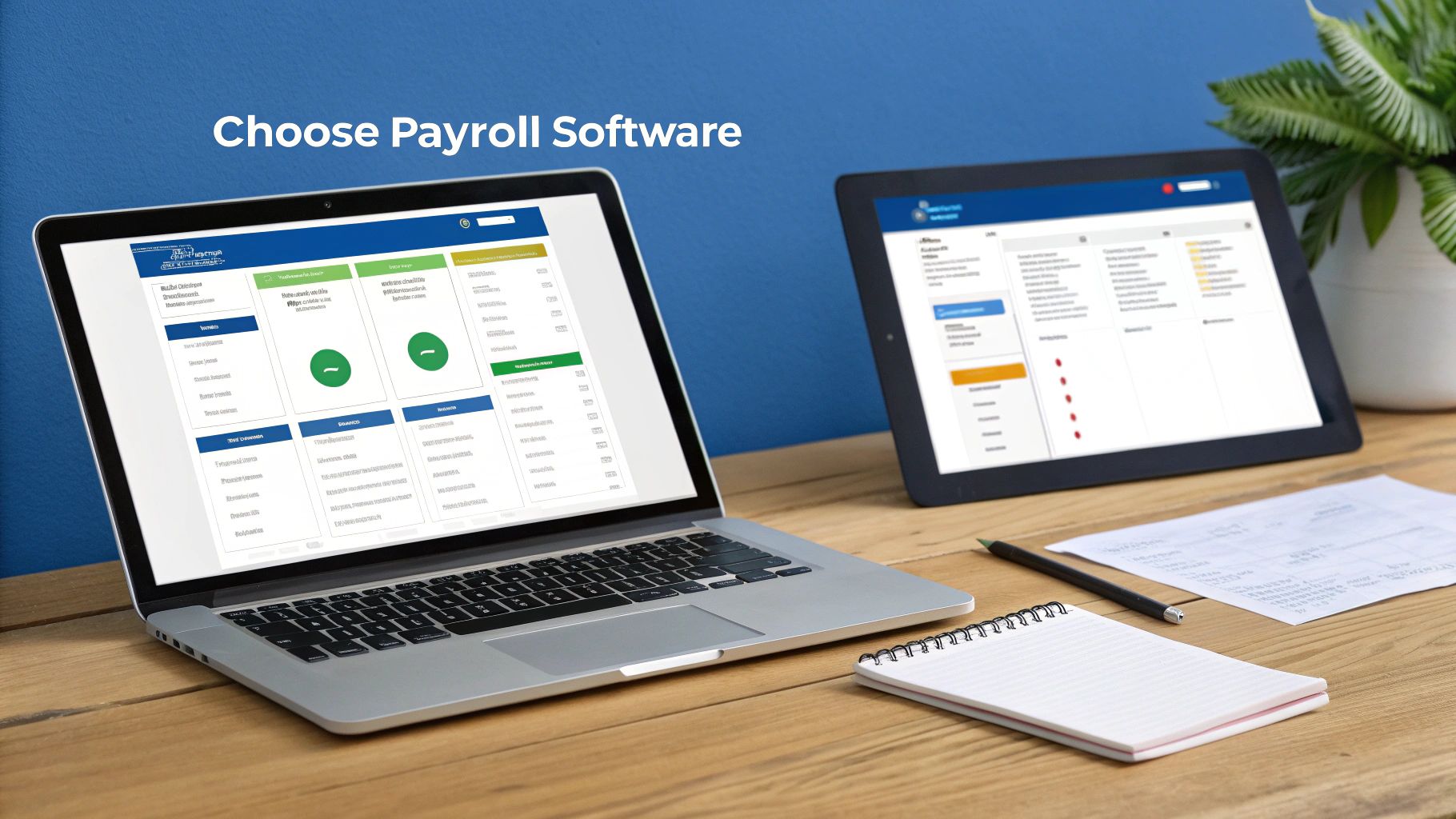
Matching the Platform to Your Business Needs
Your company’s unique structure and the tools you already use are the biggest clues here. A tech startup planning to offer a full suite of benefits has totally different needs than a local service business that’s been using QuickBooks for its accounting for a decade.
- For the All-in-One HR Hub (Gusto): Let’s say you’re running a growing creative agency. You’re not just cutting checks; you’re building a team and a culture. You need a single place to handle onboarding new hires, administering health benefits, and tracking time off. This is where a platform like Gusto really shines. It was designed from the ground up as a “people platform,” weaving payroll, benefits, and HR tools into one clean, modern interface. For a business that cares deeply about the employee experience, Gusto’s self-onboarding portal is a huge win.
- For Seamless Accounting Integration (QuickBooks Payroll): Now, imagine you run a contracting business. For years, you’ve relied on QuickBooks Online to manage your client invoices, track job costs, and categorize expenses. For you, adding QuickBooks Payroll is a no-brainer. The integration is flawless. Payroll expenses and tax liabilities sync right into your general ledger, which means no more manual data entry or painful reconciliation headaches. Plus, your team already knows the interface, so the learning curve is practically nonexistent.
The best payroll software isn’t the one with the longest feature list. It’s the one that plugs right into how you already operate and solves your biggest administrative headaches. Getting this right from the start will save you countless hours down the line.
If you’re still exploring all the possibilities, our guide on the best payroll software for small business takes a deeper look at even more options to help you find the perfect match.
To make the choice even clearer, here’s a side-by-side look at how these two platforms stack up for small businesses.
Gusto vs. QuickBooks Payroll for Small Businesses
| Feature | Gusto | QuickBooks Payroll |
|---|---|---|
| Primary Strength | All-in-one HR, benefits, and payroll with a focus on employee experience. | Deep integration with QuickBooks accounting software. |
| Ideal User | Startups and modern small businesses that need more than just payroll. | Businesses already using QuickBooks Online for their accounting. |
| User Experience | Clean, intuitive, and modern interface. Very easy for employees to use. | Familiar interface for existing QuickBooks users, but can feel more traditional. |
| HR Tools | Includes hiring, onboarding, time tracking, and performance management tools. | Basic HR features are available, but it’s not a full HR suite. |
| Benefits Admin | Strong, built-in benefits brokerage and administration. | Integrates with third-party providers; less of an all-in-one solution. |
| Pricing Structure | Per-employee, per-month fee with tiered plans (Simple, Plus, Premium). | Per-employee, per-month fee. Often bundled with QuickBooks subscriptions. |
| Accounting Sync | Integrates well with QuickBooks, Xero, and other accounting software. | Flawless, automatic sync with QuickBooks Online general ledger. |
| Standout Feature | The “people platform” approach that centralizes the entire employee lifecycle. | The unbeatable convenience and accuracy of its native QuickBooks integration. |
Both are fantastic tools, but they solve slightly different problems. Gusto is for building a comprehensive people operations system, while QuickBooks Payroll is for adding an incredibly efficient payroll function to your existing accounting world.
Initial Software Configuration and Setup
Once you’ve picked your platform, the initial setup is where the magic happens. This is where you feed the system all the core data it will use to calculate every single paycheck and tax payment. Rushing this part is a guaranteed recipe for future headaches.
Your first tasks will be to input your foundational company information.
- First, you’ll enter your legal business name, address, and your EIN. The software uses this to populate all your official tax forms.
- Next, you’ll set up the pay schedule you decided on earlier (weekly, bi-weekly, etc.). You need to define the pay period start and end dates and the actual payday. Consistency is everything for keeping your team happy.
- Finally, you’ll securely connect your business bank account. This is how the system will pay your employees via direct deposit and withdraw funds to make your tax payments to the government.
Onboarding Your First Employees into the System
With the company framework in place, it’s time to add your team. This used to be a mountain of paperwork, but modern platforms have made it incredibly simple. Many even let employees onboard themselves through a secure online portal.
Here’s the critical info you’ll need for each employee profile:
- W-4 Information: The details from each employee’s Form W-4 get entered directly into their profile. This tells the software their tax filing status and any adjustments, which is how it calculates the correct federal and state income tax withholding.
- Direct Deposit Details: For security and efficiency, employees can enter their own bank routing and account numbers for direct deposit, eliminating the need for paper checks.
- Pay Rate and Type: Lastly, you’ll add their compensation details. Are they hourly or salaried? What’s their specific rate of pay?
Take your time here. A single typo in a social security number or bank account can cause major delays and frustration for everyone. Double-check everything before you hit that button to run your first payroll.
Handling Payroll Taxes and Filings
Let’s be honest: managing payroll taxes is often the most intimidating part of the whole process. This is where the numbers get real and the stakes feel highest. But once you have the right system in place and a clear grasp of your obligations, it just becomes a regular, manageable part of your business rhythm.
The good news is that your payroll software will do most of the heavy lifting. It uses the information from an employee’s W-4 to calculate federal and state income tax withholdings—that’s the money you set aside from their paycheck on behalf of the government. Your job doesn’t stop there, though. You also have taxes to pay as the employer.
Understanding Your Employer Tax Responsibilities
For every single person on your payroll, you’re required to contribute your own share of specific taxes. These aren’t deducted from your employees’ pay; they are a direct cost of doing business and having a team. Think of it as your contribution to the social safety net that supports everyone.
These employer-side taxes include:
- Social Security and Medicare (FICA): You have to match, dollar for dollar, the amount withheld from your employee’s check. That means you pay 6.2% for Social Security (up to the annual wage limit) and 1.45% for Medicare on all employee wages.
- Federal Unemployment Tax (FUTA): This is your contribution to a federal fund that provides benefits for workers who have lost their jobs.
- State Unemployment Tax (SUTA): Just like FUTA, this tax goes to your state’s unemployment insurance fund. The SUTA rate you pay is assigned by your state and can go up or down depending on your company’s history.
Part of this process also involves looking into workers compensation insurance options to protect your team if they get hurt on the job. It’s another crucial cost directly tied to your payroll.
The Rhythm of Tax Deposits and Filings
Once all the taxes are calculated—both what’s withheld from employees and your employer share—you can’t just let that money sit in your bank account. You have to deposit those funds with the IRS and your state tax agency on a strict schedule. For most small businesses, you’ll be on either a monthly or semi-weekly deposit schedule, which is determined by your total tax liability.
Beyond just sending in the money, you also have to file specific forms to report the wages you paid and the taxes you collected. The big one for most businesses is Form 941, the Employer’s Quarterly Federal Tax Return.
Here’s a look at what the IRS page for this crucial form looks like.
This form is essentially a reconciliation. It makes sure the taxes you deposited throughout the quarter match up perfectly with your total liability for that period. On an annual basis, you’ll also file Form 940 to report your FUTA taxes.
Key Takeaway: The secret to tax compliance is consistency. A good payroll system should automate both the tax payments and the filing of these forms. This ensures you never miss a deadline and can avoid the painful penalties that come with late or inaccurate filings.
Leveraging Automation to Reduce Risk
The sheer number of rules, deadlines, and calculations is precisely why modern payroll software like Gusto is so valuable. It takes this tangled web of responsibilities and turns it into an automated process humming along in the background.
The system will automatically calculate the exact tax amounts, schedule the electronic payments to the IRS and state agencies, and even generate and file your quarterly and annual tax forms for you. This dramatically cuts down on the risk of human error. For a deep dive into this specific form, check out our guide on how to handle Form 941 electronic filing.
When you trust technology with these critical tasks, you free yourself up to focus on what you do best: running your business, confident that your tax obligations are being handled correctly and on time.
Managing Benefits and Other Deductions
Your payroll system is so much more than a check-cutting machine. Think of it as the central nervous system for your team’s entire compensation package. Once you’ve figured out gross pay, the next make-or-break step is handling all the deductions. These are what turn that big gross number into the actual take-home pay your employee sees.
This includes everything from health insurance premiums and retirement contributions to, in some tricky cases, legally mandated garnishments. Getting this part right isn’t just about good bookkeeping; it’s essential for staying compliant and protecting the tax-advantaged status of the benefits you offer.
Pre-Tax Versus Post-Tax Deductions
First things first, you need to get your head around the difference between pre-tax and post-tax deductions. They sound similar, but they have a very different impact on an employee’s taxable income.
- Pre-Tax Deductions: These amounts are pulled from an employee’s gross pay before any income taxes are calculated. This is a huge perk because it lowers their taxable income, meaning they pay less in taxes. Common examples are premiums for health, dental, and vision insurance, plus contributions to a 401(k) or a Health Savings Account (HSA).
- Post-Tax Deductions: These are taken out after all the taxes have been withheld. Because of this, they don’t lower an employee’s taxable income. Think Roth 401(k) contributions, disability insurance, and wage garnishments.
Setting these up correctly in your payroll software is a non-negotiable part of the process. If you’re a nonprofit, for instance, you might even look into specialized nonprofit retirement plan consulting services to make sure you’re handling those unique plans correctly.
Configuring a Health Insurance Deduction
Let’s walk through a real-world scenario. You just hired a new marketing manager, Sarah. She enrolls in the company health plan, and her slice of the monthly premium is $150.
Since your company runs payroll bi-weekly (twice a month), you’ll need to deduct $75 from each of her paychecks.
Inside your payroll platform, you’d hop in and create a new recurring deduction for Sarah. You’ll label it “Health Insurance,” tag it as a pre-tax deduction, and set the recurring amount to $75 per pay period. From then on, your software will automatically pull that amount before calculating her income tax, making sure she gets the tax savings she’s entitled to. For complex benefits packages, dedicated employee benefits management software can be a lifesaver for keeping all these details straight.
Handling Garnishments and Other Legal Deductions
Every so often, you might receive a legal order requiring you to withhold a portion of an employee’s wages for things like child support or unpaid taxes. These are called wage garnishments, and they are always post-tax. When you get one of these notices, you have to follow it to the letter.
Setting up these deductions correctly isn’t just an administrative task; it’s a critical compliance function. Mistakes can lead to incorrect tax filings and unhappy employees, undermining the trust you’ve worked hard to build.
A recent global survey found that 60% of respondents say their services are disrupted by staff shortages, which makes getting payroll right the first time more important than ever. This is only getting tougher, as 59% of companies now have remote workers scattered across different states with different tax rules. A payroll system that handles deductions flawlessly is your best defense against these growing complexities. You can find more insights about these global payroll challenges at ADP.com.
Running Your First Payroll with Confidence
You’ve done all the prep work, and now it’s time to see it in action. That first payroll run can feel like a final exam, but because you’ve set everything up methodically, it should be a smooth and straightforward process. This is the moment where all that careful configuration pays off.
The single most important habit to get into is the final review. I can’t stress this enough. Before you hit that big “Approve Payroll” button, just take a couple of minutes to run through a quick pre-flight check. You’re not redoing all your work; you’re just looking for any tiny data entry errors that could create a big headache later. It’s a simple quality control step that saves so much time in the long run.

Your Final Payroll Review Checklist
You don’t need to check every single line item. Just focus on the key areas where mistakes tend to hide. A quick scan here can prevent you from having to issue a corrected check or field questions from a confused employee.
- Employee Data Verification: Are all your new hires in the system correctly? A simple typo in a name or, more critically, a bank account number can cause a direct deposit to bounce.
- Pay Rates and Hours: Give this a quick once-over. Are the correct pay rates applied, especially if you have a mix of hourly and salaried folks? For your hourly team, make sure all their approved hours and any overtime have been entered properly.
- Tax and Deduction Accuracy: Pick one or two employees at random for a spot-check. Does their federal and state withholding look reasonable based on their W-4? Are deductions for things like health insurance showing up as you’d expect?
Once you’ve breezed through this review and everything looks good, you can confidently approve the payroll. This is what kicks off the process of processing direct deposits and queuing up your tax payments to the government.
The real goal of setting up a payroll system isn’t just to move money around. It’s to build a reliable, trustworthy process. An accurate, on-time paycheck is one of the most fundamental ways you show your team that you value their work.
Post-Payroll Responsibilities
Just because the money is on its way doesn’t mean you’re quite done. There are two final steps that officially close out the payroll cycle and keep your books clean.
- Fund Your Tax Payments: Your payroll platform will tell you exactly how much money needs to be set aside for all your tax liabilities. Make sure your business bank account has enough funds to cover these debits when they are scheduled to be withdrawn.
- Reconcile in Your Accounting Software: After the run is complete, the numbers need to make their way into your main accounting software, like QuickBooks. This step ensures your payroll expenses are properly recorded in your company’s financial statements, giving you an accurate picture of your labor costs.
Following these steps turns what could be a stressful task into a simple, repeatable system. It’s how you guarantee your team gets paid correctly and on time, every single time.
Common Questions About Setting Up Payroll
Even with a detailed guide in hand, it’s completely normal for questions to pop up when you’re dealing with something as critical as payroll. Getting clear, practical answers can be the difference between a smooth launch and a stressful one. Let’s tackle some of the most common questions business owners ask when they’re getting a payroll system off the ground.
What Is the Best Pay Schedule for a Small Business?
The usual suspects are weekly, bi-weekly (every two weeks), and semi-monthly (twice a month). While weekly pay can be great for hourly teams, we find that bi-weekly is often the most popular choice for small businesses.
This schedule really hits a sweet spot. It helps you manage company cash flow without making your employees wait too long between paychecks. It also makes overtime calculations a bit cleaner, since you’re always working with the same two-week block.
One thing to always remember, though, is to check your state’s laws. Some states have very specific rules that dictate pay frequency depending on the industry or type of employee.
Expert Insight: The golden rule of pay schedules is consistency. Whatever you choose, stick to it religiously. An on-time, predictable paycheck is one of the most basic ways you build trust and stability with your team.
What Are the Biggest Mistakes to Avoid?
If I had to narrow it down, the top three mistakes I see are misclassifying employees as contractors, botching tax deposits and filings, and keeping sloppy records. Any one of these can land you in some serious hot water.
Misclassification is a big one. It can lead to a nasty pile of back taxes, fines, and even benefit liabilities. And when it comes to tax deposits, missing a deadline can trigger penalties of up to 15% or more of what you owe. The fees add up fast.
Finally, federal law requires you to keep payroll records for at least three years. This is where a good payroll platform becomes your best friend; it creates a clean, automatic digital paper trail, protecting you from these common—and costly—errors.
Do I Really Need a Professional to Help Set Up Payroll?
It’s true that software like Gusto and QuickBooks Payroll have made DIY payroll much more manageable. But the stakes are still incredibly high. Between complex tax laws, the nuances of worker classification, and state-specific compliance rules, getting professional guidance is always a smart move.
An expert can make sure your initial setup is perfect, which stops small problems from snowballing into massive headaches later. They’re also essential if you run into more complex situations, like having employees in multiple states. Ultimately, bringing in a pro can turn payroll from a source of risk and anxiety into a streamlined, worry-free part of your business.
Navigating the world of setting up a payroll is much easier when you have a partner in your corner. The team at Steingard Financial offers expert bookkeeping, payroll, and HR support to make sure your system is accurate, compliant, and ready to grow with you from day one. Learn more about our services.