 Skip to content
You open your Profit and Loss statement, scan the top line, and think, “This looks fine.” Then the second thought hits. Can I trust it?
That doubt usually shows up when your business is growing faster than your bookkeeping process. You added a payroll tool. Your team started using company cards. QuickBooks has the summary, Gusto has the payroll detail, and your bank feed has its own version of events. The reports still print. That doesn't mean the numbers are right.
General ledger reconciliation is the process that answers that question. It's where you stop assuming the books are accurate and prove their accuracy. For a busy owner, that matters because every big decision rests on those numbers: hiring, pricing, taxes, cash planning, and investor conversations.
Your Financial Foundation or a House of Cards
A lot of owners don't realize they have a reconciliation problem until they're under pressure. Tax season arrives. A lender asks for financials. An investor wants clean statements. Suddenly a report you used every month starts to look shaky because nobody has verified whether the balances tie back to real support.
That's what makes general ledger reconciliation so important. It isn't just a bookkeeping task at month end. It's the control that confirms your financial statements reflect actual business activity, not a mix of imported transactions, partial integrations, and old assumptions.
For growing companies, the risk climbs quickly. UC Irvine's reconciliation guidance notes that omitting GL reconciliation leads to outdated balances, with a potential error rate increase of 30 to 40 percent for startups adding five or more new GL accounts per month without automated reconciliation workflows. If your service business is adding departments, tools, locations, or reporting categories, that should get your attention.
Why owners feel the pain late
The books can look stable for a while even when they aren't. Here's why:
- New accounts multiply: Payroll liabilities, contractor expenses, reimbursable costs, and software subscriptions create more places for errors to hide.
- Integrated tools don't always sync cleanly: One system may post by pay date while another posts by payroll period or cash movement.
- Small misses stack up: A duplicate transaction, an uncategorized fee, or a timing issue can roll forward month after month.
Practical rule: If you can't explain where a balance came from and what supports it, you don't really own that number yet.
If you're thinking about controls more broadly, this guide for modern audit readiness is useful context because reconciliation sits near the center of any credible close process.
A clean set of books gives you confidence. An unreconciled ledger gives you reports that might be right. Those are not the same thing.
What General Ledger Reconciliation Really Means
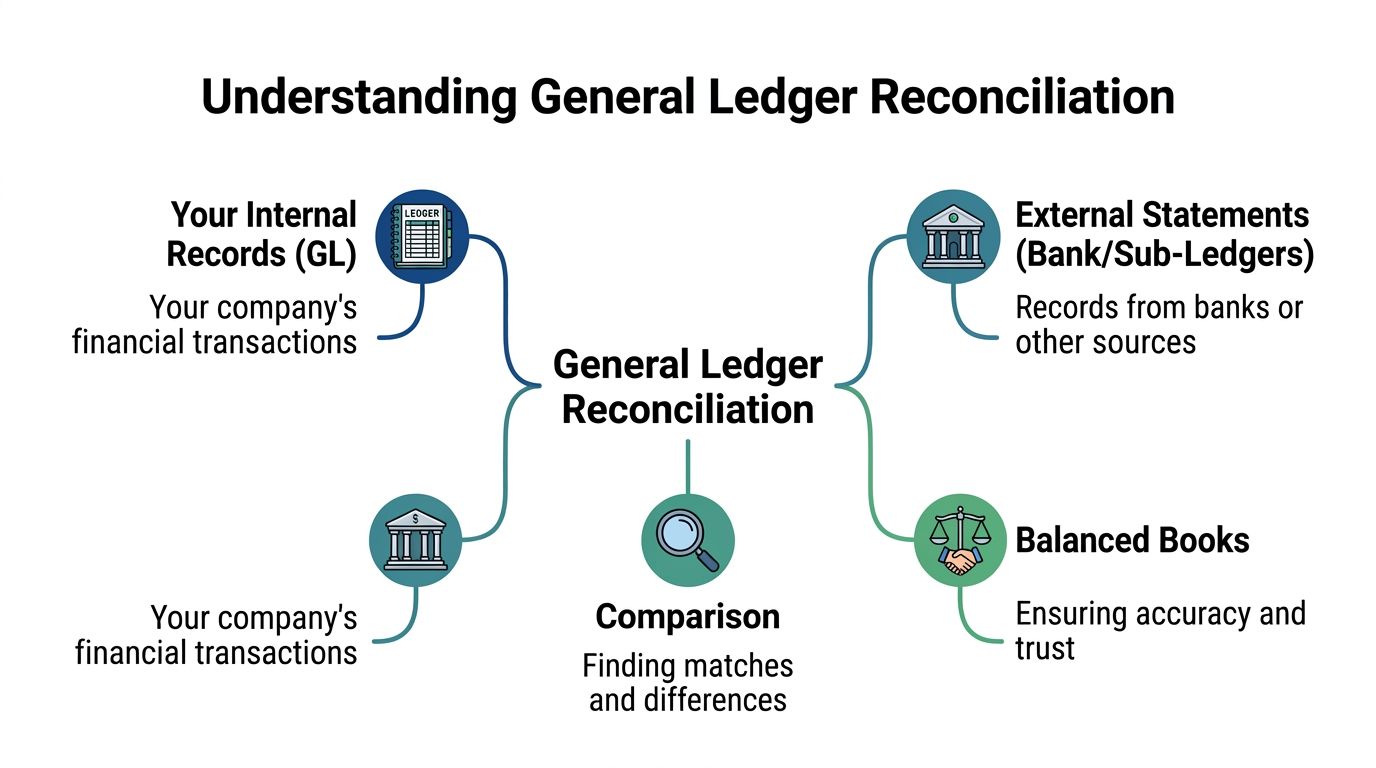
The simplest way to understand what is general ledger reconciliation is to think about balancing a checkbook. You compare what you recorded against what the bank recorded. If the numbers don't match, you find out why.
A business does the same thing across many accounts, not just cash.
The general ledger, or GL, is your company's master financial record. It holds the summarized balances that feed your Balance Sheet and Income Statement. Supporting systems then hold the detail. Accounts receivable tracks customer invoices. Accounts payable tracks vendor bills. Payroll systems track wages, taxes, and benefits. Bank and credit card statements show outside activity.
Reconciliation asks one basic question: does the detail support the summary?
The GL is the scoreboard
If you want a deeper primer on the ledger itself, this overview of the general ledger helps clarify how accounts roll up into financial statements.
Think of the GL as the scoreboard at a game. It gives you the current total, but it doesn't show every play. The subledgers and source documents are the play-by-play.
A proper reconciliation proves those layers agree. If your payroll expense in QuickBooks says one thing but your payroll reports say another, the scoreboard is wrong, incomplete, or early. Until someone investigates, you don't know which.
What businesses are actually comparing
In practice, the comparison usually includes items like these:
- Cash accounts: General ledger cash balances against bank statements
- Receivables and payables: GL control accounts against AR and AP subledger reports
- Payroll accounts: Wage expense, tax liabilities, and benefit deductions against payroll reports
- Clearing and suspense accounts: Temporary holding accounts that should be reviewed and resolved
APQC benchmark data reported by CFO.com shows the median time required for general ledger reconciliation is six hours, with top-performing companies finishing in five hours and lower performers taking up to 10 hours. That matters because reconciliation isn't abstract. It's a measurable operating process.
When reconciliation takes too long, finance teams don't just lose time. They lose the chance to catch errors while the transactions are still easy to trace.
If you want a second operational view of how this ties into the close process, this expert guide for month-end close is a practical companion.
Reconciliation is not only about hunting for mistakes. It validates the structure of your accounting system. When it's done well, your reports become decision tools instead of educated guesses.
The Six-Step General Ledger Reconciliation Workflow
There's a reason good accountants follow a repeatable process. Reconciliation gets messy when teams jump straight to the mismatch without first organizing the records.
BlackLine's glossary on general ledger reconciliation describes the process as six mandatory steps, and notes that this control is fundamental for SOX and GAAP compliance and is considered a Key Control for accurate financial statements.
The workflow below keeps the process disciplined.
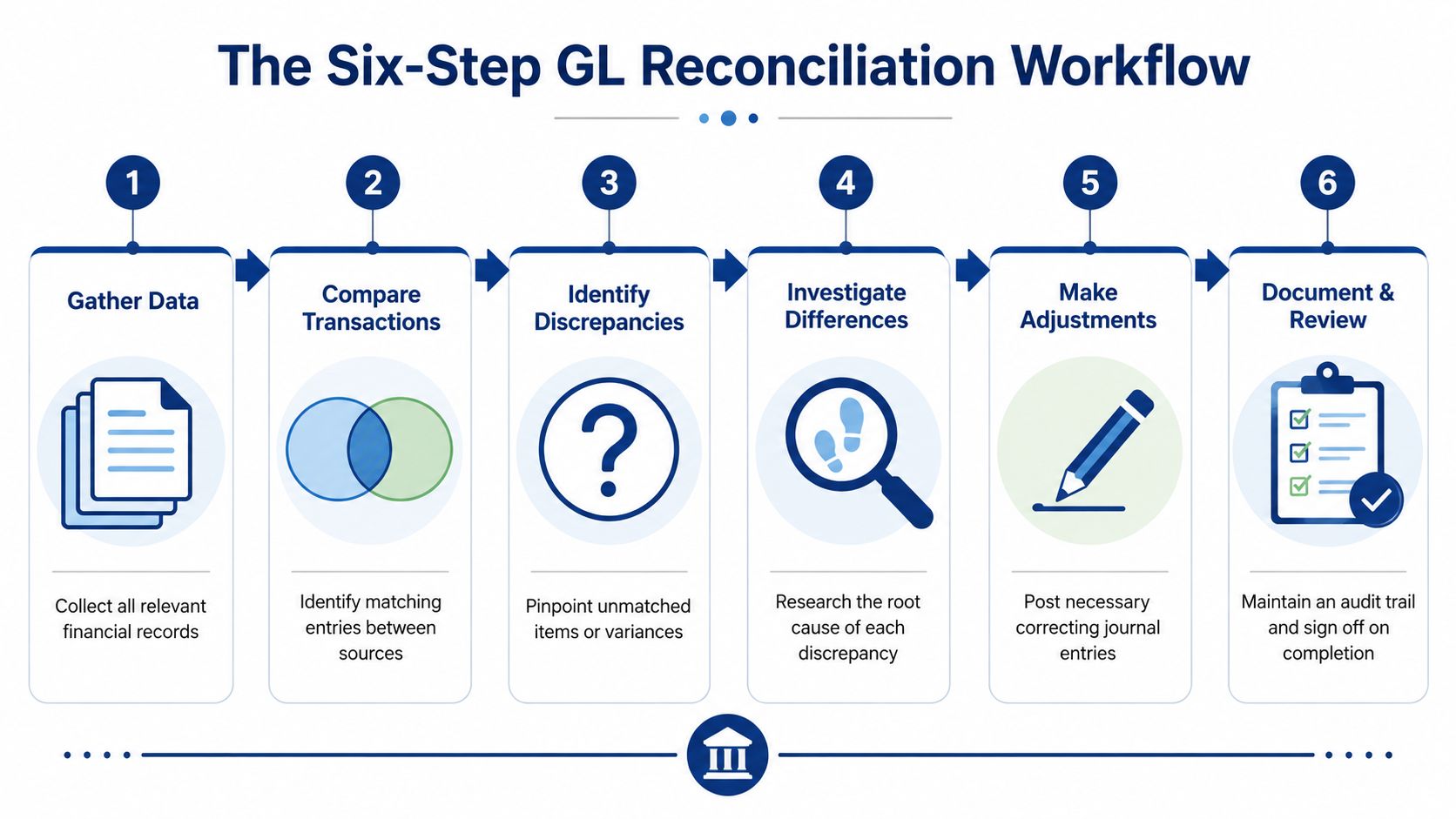
Step 1 Identify the accounts that matter
Start with the accounts that are material, active, or risky. Cash is obvious. Payroll liabilities usually are too. So are accounts receivable, accounts payable, credit cards, clearing accounts, and any balance sheet account that carries forward month to month.
If you're not sure where to begin, use your trial balance format reference to scan for unusual balances, dormant accounts that suddenly changed, or accounts that have activity but no clear supporting schedule.
Step 2 Gather the supporting documents
Don't start comparing until you have the source material. For most service businesses, that means bank statements, credit card statements, payroll reports, AR aging, AP aging, loan statements, and any schedules for prepaid expenses or accrued liabilities.
This sounds simple, but it's where many reconciliations fail. Teams compare the GL to an incomplete report, then waste time chasing differences that aren't real.
Step 3 Compare the balances and transactions
Now match the GL to the support. Sometimes you compare ending balances. Sometimes you trace transaction detail. The method depends on the account.
For example:
- Cash accounts are compared to bank statements.
- Payroll liabilities are compared to payroll provider reports.
- Receivables are compared to customer-level subledger totals.
If an account doesn't tie, don't force it. Mark the variance and move on to investigation.
A short walkthrough can help if you want to see the process visually.
Step 4 Investigate the differences
This is the judgment step. A mismatch can come from a timing issue, a posting error, a duplicate entry, or a transaction that never made it into one system.
Ask practical questions:
- Was it recorded in both places?
- Was it recorded in the same period?
- Was it posted to the correct account?
- Did someone enter it twice or reverse it incorrectly?
A reconciliation isn't complete when you find the difference. It's complete when you understand the cause.
Step 5 Post adjusting journal entries
If the problem is a real accounting error, fix it with an adjusting journal entry. If the issue is only timing, document it as an open item and clear it in the next cycle once the transaction posts through naturally.
A common example is a duplicate transaction. If a payroll expense or vendor bill was recorded twice, the correcting entry removes the extra posting so the GL reflects the true balance.
Step 6 Document and retain the work
The final step is often skipped by small businesses, and that's a mistake. Keep the reconciliation report, support, notes on differences, and evidence of any corrections. That file becomes your audit trail and your starting point next month.
A good reconciliation package should answer three questions quickly:
- What account was reconciled
- What support was used
- Why any adjustment was made
That's how the process stays consistent when your business grows or when a new controller, CPA, or investor asks how a number was derived.
Solving Common Reconciliation Discrepancies
Most reconciliation problems fall into a few recognizable patterns. Once you know the pattern, the fix gets easier.

Leapfin's explanation of GL to subledger reconciliation notes that discrepancies often arise from timing issues, where a transaction is recorded in the subledger but not yet in the general ledger. The right response is to investigate the cause, document it as an open item, and resolve it before the next cycle.
Timing differences
This is common in hybrid stacks. A payroll run may appear in Gusto before the journal entry lands in QuickBooks. A customer receipt may show in a subledger before the GL is updated.
In that case, you usually don't rush to book an adjustment. You confirm the item is legitimate, note that it's pending, and make sure it clears in the next close.
If an item is only early or late, treat it differently from an actual error. Timing issues need tracking. Errors need correction.
Data entry and mapping errors
These are old-fashioned mistakes, but they still happen in modern software. Someone codes payroll taxes to wages. A manual journal hits the wrong account. A transaction imports twice after a sync issue.
When that happens, trace the transaction back to the source document. Then decide whether the correction belongs in the GL, the subledger, or both.
Duplicate and missing items
A duplicate posting inflates balances. A missing item understates them. Both create reports that mislead owners.
Examples include:
- Duplicate payroll journal: One payroll cycle posts automatically and then gets entered manually
- Missing bank fee: The bank statement includes a fee that no one recorded
- Unposted bill payment: AP shows the payment, but the GL still carries the liability
Here's a simple troubleshooting table.
| Issue | Common Cause | How to Fix |
|---|---|---|
| Timing difference | One system posted before another | Document as an open item and confirm it clears next period |
| Duplicate transaction | Manual entry plus automated sync | Reverse the duplicate entry in the GL |
| Missing transaction | Import failure or overlooked statement item | Record the missing transaction with proper support |
| Wrong account coding | Mapping error or manual miscoding | Reclassify with an adjusting journal entry |
| GL and subledger mismatch | Manual journal bypassed normal workflow | Trace the source and correct the ledger that is out of sync |
A good rule is to fix the cause, not just the symptom. If payroll keeps misclassifying taxes, changing one month's journal entry isn't enough. You also need to fix the mapping or review process that allowed it.
Tools and Expertise for Modern Reconciliation
Many business owners assume QuickBooks will handle reconciliation on its own. It helps, but it doesn't solve every problem, especially when your financial stack spans multiple systems.
QuickBooks Online can reconcile bank and credit card accounts effectively when transactions flow cleanly. The trouble starts when payroll, benefits, reimbursements, and manual accruals live somewhere else. That's common in service businesses that use QuickBooks for accounting and Gusto for payroll and people operations.

Why hybrid stacks create harder problems
Numeric's discussion of general ledger reconciliation states that 62% of US service firms run dual payroll systems, such as Gusto and QuickBooks simultaneously, creating fragmented subledger data that can mismatch the GL by an average of $1,200 per month due to timing differences.
That doesn't mean the tools are bad. It means the accounting logic between them needs supervision.
Common problem areas include:
- Payroll timing: Expense recognized by pay period in one system, cash movement recognized by payment date in another
- Benefits and deductions: Health insurance, retirement, and tax withholdings need correct split posting between expense and liability accounts
- Class and department mapping: One tool may use different naming conventions or dimensions than the GL
- Manual cleanup entries: Staff may post month-end adjustments in QuickBooks without reflecting the same logic in the underlying payroll records
What better reconciliation looks like
A modern process combines software with review. Software can gather data, match expected activity, and isolate exceptions. A human still needs to decide whether a variance is timing, classification, or a true error.
That's where automated reconciliation software becomes useful. It can connect financial data sources, perform expected matches, and surface the items that need judgment instead of forcing your team to review every line manually.
For some businesses, an outsourced bookkeeping partner is the practical answer. For example, Steingard Financial works with service businesses using tools like QuickBooks and Gusto, handling the bookkeeping and payroll side so the ledger, subledgers, and reports stay aligned across systems.
The main point is straightforward. If your stack is simple, you may be able to reconcile internally with discipline. If your stack is hybrid, growing, or heavily customized, the main challenge isn't entering transactions. It's making sure the systems tell the same financial story.
Your Monthly Reconciliation Checklist
If you want a usable monthly routine, keep it simple and consistent.
- Download statements: Pull bank, credit card, loan, and payroll reports for the full period.
- Freeze the period first: Make sure key transactions are posted before starting reconciliation work.
- Compare ending balances: Tie each major GL account to its supporting report or statement.
- Scan for unusual activity: Look for duplicate entries, unexplained balances, and old open items.
- Investigate every difference: Decide whether it's a timing issue, coding error, or missing transaction.
- Post corrections carefully: Use adjusting journal entries only when the books are wrong.
- Save support: Keep reports, notes, and journal entry backup together.
- Review recurring problem accounts: Payroll liabilities, clearing accounts, and suspense balances usually deserve extra attention.
Done monthly, this process keeps your books usable. Done inconsistently, it turns every close into cleanup.
The value of general ledger reconciliation isn't theoretical. It gives you financial statements you can trust, fewer surprises at tax time, and better decisions during growth.
If your books run through QuickBooks, Gusto, and other connected tools, Steingard Financial can help you build a reconciliation process that keeps those systems aligned and your reports dependable.