A Complete Guide to the Bank Reconciliation Statement
Think of a bank reconciliation statement as a financial health checkup for your business. It’s a simple but powerful document that compares your company’s own cash records against your monthly bank statement. The goal is to make sure these two sets of records match up perfectly.
This isn’t just another tedious accounting task—it’s a critical tool that helps you spot discrepancies, prevent fraud, and maintain a truly accurate picture of your cash flow.
Why Your Bank Reconciliation Is a Financial Health Check
At its core, the idea is simple: make sure the cash balance in your books matches the balance your bank says you have. This comparison is fundamental to smart financial management and is a key part of the full-cycle accounting process.
When these two numbers line up, you can be confident you have a reliable snapshot of your liquidity. It transforms a routine chore into an empowering business practice, giving you clarity and confidence in your numbers.
Understanding Book Balance vs. Bank Balance
The entire reconciliation process boils down to comparing two key figures:
- Your Book Balance: This is the cash balance you see in your company’s accounting software, like QuickBooks. It reflects every transaction you’ve logged yourself, from checks you’ve written to customer payments you’ve recorded as received.
- Your Bank Balance: This is the cash balance according to your bank’s official records. It only includes transactions that have fully processed or “cleared” the bank by the end of the statement period.
These two balances almost never match at the end of the month, and that’s completely normal! It’s all about timing differences, which is precisely why a bank reconciliation is so important. It acts as the bridge between what you’ve recorded and what has actually happened at the bank.
Before we dive deeper, let’s quickly break down the main elements you’ll be working with.
Key Components of a Bank Reconciliation at a Glance
This table breaks down the core elements involved in a bank reconciliation, defining each component and its role in achieving financial accuracy.
| Component | Description | What It Tells You |
|---|---|---|
| Book Balance | The cash balance recorded in your business’s accounting system (e.g., QuickBooks). | Your internal view of cash on hand based on all recorded transactions. |
| Bank Balance | The closing cash balance shown on your official monthly bank statement. | The bank’s official record of cash after all cleared transactions. |
| Outstanding Checks | Checks you’ve written and recorded, but which haven’t been cashed by the recipient yet. | Cash that has been committed but is still technically in your account. |
| Deposits in Transit | Deposits you’ve recorded, but which haven’t been processed by the bank yet. | Revenue you’ve received that hasn’t officially hit your bank balance. |
| Bank Service Fees | Charges from the bank for account maintenance, transactions, etc. | Expenses you need to record in your books to match the bank’s records. |
| Interest Earned | Any interest your bank has paid on your account balance. | Income you need to add to your books to reflect the bank’s activity. |
Understanding these pieces is the first step to making the reconciliation process smooth and effective.
A bank reconciliation doesn’t just verify numbers; it verifies the integrity of your financial operations. It’s the mechanism that translates raw transaction data into trustworthy financial intelligence, empowering you to make decisions with certainty.
The Real-World Impact of Reconciliation
Failing to reconcile your accounts regularly is like trying to navigate a ship without a map. You might think you have enough cash to cover next week’s payroll, only to be hit with a surprise overdraft because of a few uncleared checks or unexpected bank fees. This process prevents those kinds of costly surprises.
More importantly, it’s your first and best line of defense against errors and potential fraud. By meticulously comparing your records to the bank’s, you can quickly spot red flags like:
- Checks that were issued but never cashed
- Customer payments that haven’t cleared yet
- Unauthorized withdrawals or suspicious transactions
- Bank errors, like a duplicate charge or a missed credit
The importance of this financial control is recognized globally. In fact, the market for bank statement reconciliation was valued at USD 2.15 billion in 2024, and it’s expected to grow as more businesses understand its vital role.
Catching these issues early protects your cash and ensures your financial data is clean and reliable. This lays a solid foundation for everything else, from tax preparation and loan applications to your long-term strategic planning.
Your Step-by-Step Bank Reconciliation Workflow
Turning bank reconciliation from a chore you dread into a simple, repeatable routine is all about having a solid workflow. It’s less like high-level accounting and more like putting a puzzle together. First, you gather your pieces, sort them out, and then fit them together one by one until the full picture emerges. A systematic approach like this takes the guesswork out of the equation.
The whole process is really just a structured comparison of your own financial records against what the bank says happened. This flow chart breaks it down.
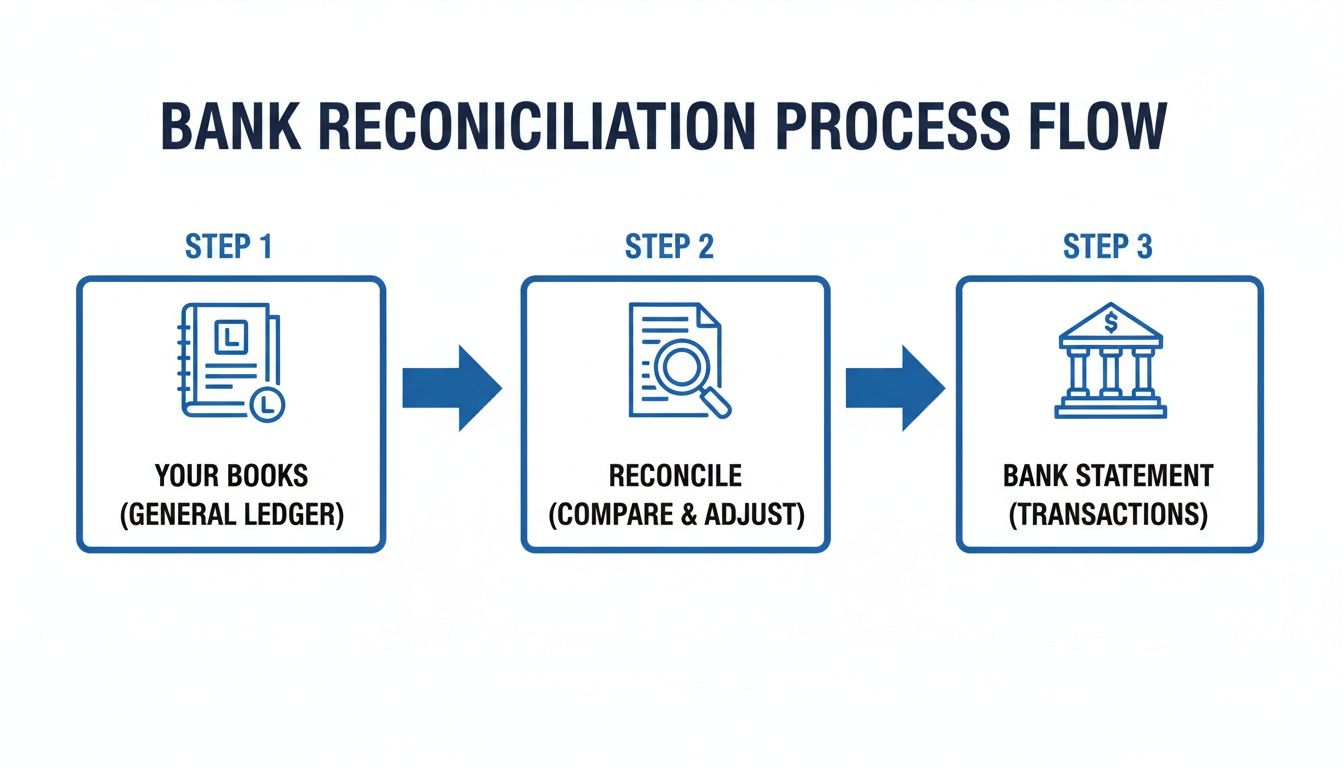
As you can see, the reconciliation is the bridge that connects your books to the bank’s records, making sure both are telling the exact same story about your money.
Step 1: Gather Your Essential Documents
Before you can start matching anything, you need to have the right paperwork in front of you. You’ll need two key documents covering the same time frame—let’s say, the month of June.
- Your Bank Statement: This is the official report card from your bank. It lists every single deposit, withdrawal, fee, and bit of interest that has actually cleared your account.
- Your Cash Ledger: This is your internal logbook of all cash transactions, which you’ll find inside your accounting software like QuickBooks. It includes every check you’ve written and every deposit you’ve recorded.
Getting these two documents ready first makes everything that follows go much more smoothly.
Step 2: Compare Your Deposits
Let’s start with the easy part—the money coming in. Go line by line through your bank statement and check off every deposit that you also see in your cash ledger. The vast majority of these should match up without any issues.
Now, if you see any deposits in your ledger that are not on the bank statement yet, these are called deposits in transit. This happens all the time, especially with payments you received right at the end of the month that haven’t had a chance to process. Just make a list of them; they are a perfectly normal reason why your balances don’t match initially.
Step 3: Verify Withdrawals and Payments
Next up, let’s look at the money going out. Do the same thing you did with deposits: compare every withdrawal, cashed check, debit card purchase, and electronic payment on your bank statement against what you’ve recorded in your cash ledger.
Just like with deposits, you’ll probably find a few things that don’t line up perfectly.
- Outstanding Checks: These are checks you wrote and recorded in your books, but the person you paid hasn’t cashed them yet. Since the money hasn’t left your account, they won’t be on this month’s bank statement.
- Bank-Only Transactions: You might also spot items on the bank statement that you forgot to record on your end. Things like monthly bank service fees, wire charges, or an automatic bill payment you set up ages ago are common culprits.
Jot down all the outstanding checks and make a note of any of these bank-only fees that you need to add to your books.
The goal isn’t just to spot the differences—it’s to understand them. Every discrepancy tells a story. It might be a simple timing delay, a forgotten fee, or a mistake that needs a quick fix. Figuring out the ‘why’ behind each variance is the real work of a bank reconciliation.
Step 4: Make Necessary Adjustments
Time to update your records. This is where you make journal entries in your accounting software for all those bank-side activities you just uncovered.
Here’s what you’ll need to do in your cash ledger:
- Subtract any bank service fees, charges for bounced checks (NSF), or automatic payments.
- Add any interest your account earned or direct deposits from clients that you hadn’t logged yet.
Making these adjustments gets your internal books up to speed with reality. If you’re dealing with tricky file formats or a lot of manual data entry, using a secure bank statement converter can be a huge help in getting transaction data into your system cleanly.
Step 5: Calculate the Final Balances
With all the updates made, you’re ready for the final step. It’s time to calculate the adjusted balances for both your books and the bank.
- Adjusted Bank Balance: Take the ending balance from your bank statement. Add all the deposits in transit and then subtract all the outstanding checks.
- Adjusted Book Balance: This is simply the new, corrected balance in your cash ledger after you made the adjustments in Step 4.
If you’ve done everything right, these two numbers should be identical. When they match, your bank account is officially reconciled! You now have a completely accurate, trustworthy picture of your cash position.
Uncovering Common Discrepancies and What They Mean

It’s that moment every business owner dreads: you pull up your bank statement and compare it to your books, and the numbers don’t match. Before you panic, take a breath. This is completely normal. Think of yourself as a financial detective—your job is to spot the clues and figure out what they’re telling you.
Most of the time, these differences fall into just a few common categories. The most frequent culprits are simple timing differences, which are transactions one party knows about before the other. Understanding these is the first step in solving any reconciliation puzzle.
Timing Differences: The Normal Delays
Timing discrepancies are the most common and least worrisome reasons for a mismatch. They usually sort themselves out over time without you needing to do anything more than note them on your reconciliation statement.
- Outstanding Checks: This is the classic example. You mail a check to a vendor on June 28th and immediately record it in QuickBooks, which lowers your book balance. But your vendor might not get around to depositing it until July 5th. For that entire week, the check is “outstanding.” Your bank doesn’t know about it, so the money is still sitting in your account from their perspective.
- Deposits in Transit: This is just the reverse situation. A client pays you on June 30th, and you log the payment in your books. You drop the check in the bank’s night depository on your way home. While your books show the cash has arrived, the bank won’t process that deposit until the next business day, July 1st. That payment is now a “deposit in transit.”
These little timing gaps are exactly why your balances rarely align perfectly on the first try. Your bank reconciliation is there to account for them.
Common Errors That Need Your Attention
While timing differences are passive, errors are active problems that you need to fix. These mistakes can come from your side or, much less often, from the bank. Catching them early is one of the biggest benefits of doing a regular reconciliation.
Mistakes happen, but letting them slide can cause big problems down the road. Your reconciliation is a safety net, making sure tiny errors don’t snowball into major financial headaches.
A meticulous bank reconciliation statement does more than just balance the books; it provides a clear, real-time view of your cash. This visibility is not just a nice-to-have. In fact, 62% of executives now consider real-time cash visibility an absolute “must-have” for making sound operational decisions. You can learn more about the importance of cash visibility from recent industry surveys.
Identifying Human and Bank Errors
Most errors you’ll find during a reconciliation are simple human mistakes made during data entry. They’re usually easy to spot once you start comparing your records line by line.
Here are some typical scenarios:
- Data Entry Errors: Transposing numbers is incredibly common. Maybe you recorded a payment of $540 as $450. That $90 difference will stick out like a sore thumb until you find and fix the original entry.
- Duplicate Entries: It’s easy to accidentally record the same payment or deposit twice in your accounting software. This will throw off your book balance and needs to be corrected by deleting the duplicate.
- Omissions: Forgetting to record a transaction is another classic slip-up. This often happens with things like debit card purchases or automatic monthly withdrawals for software you forgot to log.
- Bank Errors: It’s rare, but banks aren’t perfect. They might clear a check for the wrong amount or credit a deposit to the wrong account. If you spot an error on their end, you’ll need to contact them with proof to get it corrected.
The key skill here is learning to tell the difference between a temporary timing issue and a genuine error. A check that hasn’t cleared by the end of the month is a timing difference. A check that cleared for the wrong amount is an error that needs to be fixed right away.
To make this a bit easier, here’s a quick-reference table for the most common issues you’ll run into.
Common Reconciliation Issues and How to Solve Them
| Discrepancy Type | Typical Cause | Action Required |
|---|---|---|
| Outstanding Check | You’ve recorded a check payment, but the recipient hasn’t cashed it yet. | Note it on your reconciliation as a timing difference. No correction is needed in your books. |
| Deposit in Transit | You’ve recorded a deposit, but it hasn’t cleared the bank yet. | Note it on your reconciliation as a timing difference. No correction is needed in your books. |
| Data Entry Error | A transaction was entered into your books with the wrong amount (e.g., $95 instead of $59). | Find and correct the incorrect entry in your accounting software to match the bank record. |
| Omitted Transaction | A transaction (like a bank fee or auto-payment) appears on the bank statement but not in your books. | Add the missing transaction to your accounting records. |
| Duplicate Entry | A single transaction was accidentally recorded twice in your books. | Find and delete the duplicate entry in your accounting software. |
| Bank Error | The bank incorrectly processed a transaction (e.g., wrong amount, wrong account). | Contact the bank immediately with documentation to have them investigate and correct the error. |
Using this as a checklist can help you quickly diagnose and resolve discrepancies, turning a potentially frustrating task into a routine financial check-up.
How to Make Reconciliation Easier with QuickBooks Online
Let’s be honest: manual reconciliation is a headache. Poring over spreadsheets and paper bank statements is not only slow but also incredibly prone to error. Thankfully, we’re not stuck in the past. Modern accounting software has completely transformed this chore into a manageable, even insightful, part of running your business.
Tools like QuickBooks Online are leading the charge. They offer powerful features that automate the most mind-numbing parts of putting together a bank reconciliation statement.
The real game-changer here is the automated bank feed. Instead of manually keying in every single deposit and withdrawal from your bank statement, QuickBooks pulls them in for you automatically. This feature alone slashes the hours spent on data entry and, just as importantly, nearly wipes out the risk of typos and other human errors.
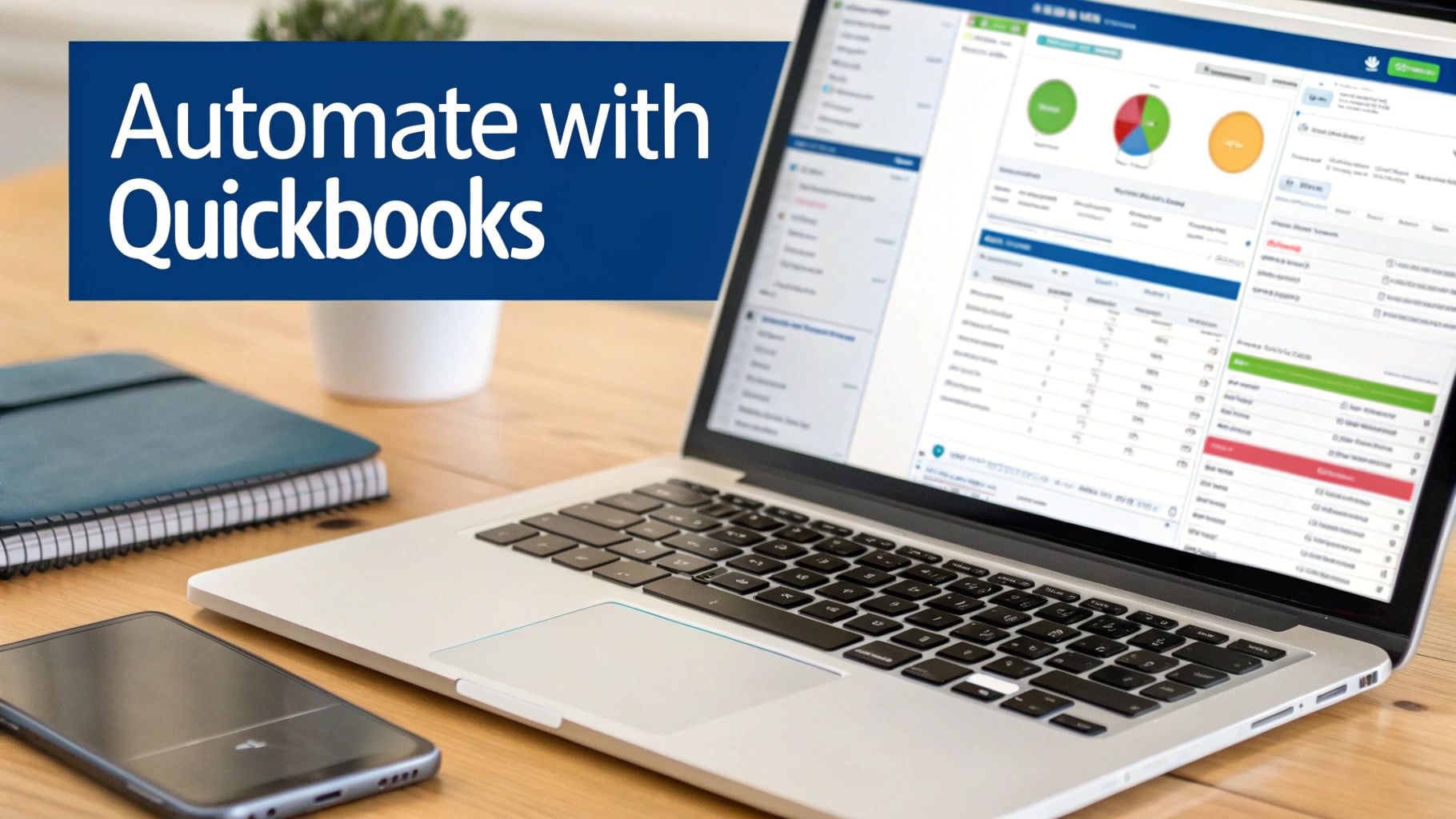
The software is built to make complex accounting tasks, like reconciliation, much more visual and user-friendly for business owners who aren’t accountants.
The QuickBooks Reconciliation Workflow
QuickBooks walks you through a structured process that makes matching up your records pretty simple. The software is smart enough to suggest matches between the transactions it downloads from your bank and the invoices or expenses you’ve already entered in your books.
It turns reconciliation from a game of “find the needle in the haystack” into a quick review-and-confirm process.
Here’s what that typically looks like:
- Start the Reconciliation: Just go to the reconciliation tool, pick the right bank account, and plug in the ending balance and date from your bank statement.
- Match Transactions: QuickBooks gives you a side-by-side view of your bank activity and your own records. The system will automatically suggest matches for most of them.
- Confirm and Clear: For each transaction, you just click to confirm the match is correct. As you do, the software keeps a running total, showing you the difference between what you’ve cleared and the bank’s balance.
- Resolve Differences: As you clear transactions, that “difference” amount should get smaller and smaller. The goal is to hit $0.00—that’s when you know your account is perfectly reconciled.
This step-by-step approach doesn’t just save you time; it gives you a much clearer picture of your finances in almost real-time. You no longer have to wait until the end of the month to know your true cash position.
Efficiency Gains and Smarter Decisions
The jump from manual to automated reconciliation is huge. In the past, businesses were constantly dealing with errors and delays. An IMF study really highlighted this, revealing that out of 52 countries surveyed, only about 19% had systems capable of full stock-flow reconciliation. It underscores a global challenge that modern software directly solves.
The real power of software isn’t just speed; it’s clarity. When reconciliation takes minutes instead of hours, it becomes a proactive management tool rather than a reactive accounting chore. You can monitor your cash flow weekly or even daily, empowering you to make faster, more informed decisions about expenses, investments, and growth.
For new and growing businesses, picking the right software is a critical first step. You can check out a detailed comparison in our guide to the best accounting software for startups.
Exploring Beyond QuickBooks
While QuickBooks Online is a fantastic and popular choice, it’s not the only player in the game. It’s always a good idea to see what other accounting tools and payment integrations are out there to make your life even easier.
For example, businesses that use Stripe to collect payments can achieve seamless accounting with Xero and Stripe integration, which automates sales and fee tracking in a very similar way. The goal is to find a set of tools that fits your specific business model, cutting down on manual work and boosting data accuracy everywhere.
Best Practices for Flawless Bank Reconciliations
Getting the mechanics of a bank reconciliation down is one thing, but turning it from a monthly chore into a powerful financial tool is another. It’s all about building a few key habits. These practices aren’t just about making sure the numbers match; they create a solid foundation for reliable reports, easier tax prep, and that priceless feeling of financial peace of mind.
The most important habit is simply sticking to a schedule. For most businesses, monthly reconciliations are the gold standard and should be treated like any other non-negotiable deadline. If you have a high volume of transactions—like an e-commerce store or a busy consulting firm—reconciling weekly is even better. The longer you wait, the harder it is to hunt down the source of a problem.
Fortify Your Financial Controls
Another critical practice is the segregation of duties. In plain English, this means the person reconciling the bank account shouldn’t be the same person handling cash or authorizing payments. This simple separation is a fundamental internal control that dramatically cuts down the risk of internal fraud or costly errors slipping through the cracks.
And when you do spot a discrepancy? Jump on it immediately. Pushing it off until later only makes it harder to solve as memories fade and details get fuzzy. A tiny, unresolved issue this month can easily snowball into a massive headache down the road.
Treat every bank reconciliation as a final checkpoint for your financial integrity. These habits are about more than just matching numbers; they are about creating a system of accountability that protects your assets and ensures every financial decision is based on trustworthy data.
Document Everything and Review Regularly
Maintaining clear documentation is key to creating a transparent audit trail. For any adjustment you make during the reconciliation, keep detailed notes and attach supporting documents right inside your bookkeeping software. This habit is invaluable during an audit and helps anyone reviewing your books understand the “why” behind each correction.
Finally, make sure there’s a review process in place. Once a reconciliation is done, a supervisor or the business owner should give it a final look and sign off. This second set of eyes provides a crucial layer of oversight and is great for catching any small mistakes that might have been missed. By embedding these habits into your financial routine, you’ll be on your way to a flawless and insightful reconciliation every single time.
Knowing When to Outsource Your Bookkeeping
When your business is just getting off the ground, handling your own bank reconciliations often makes sense. But as you grow, that once-simple task can start to feel like a heavy weight, draining your time and energy.
Deciding to hand your books over to a professional isn’t a sign of failure—it’s a strategic move. Think of it as an investment in accuracy, clarity, and most importantly, your own valuable time.
The most obvious signal is when reconciliations simply take too long. If you’re spending hours (or even days) chasing down discrepancies instead of serving your clients, your DIY approach is holding you back. That lost time has a direct cost on your ability to bring in revenue and grow your business.
Telltale Signs You Need an Expert
Another clear warning sign? When those little unresolved issues start to pile up. A small, nagging difference of a few dollars might not seem like a big deal one month. But when these minor errors keep happening, they start to paint a fuzzy picture of your finances, making it nearly impossible to make smart, confident business decisions.
Here are a few common growing pains that tell you it’s time for a change:
- Persistent Discrepancies: You can never quite get your book balance to match the bank, and the unresolved amount seems to grow each month.
- Time Constraints: You find yourself constantly pushing bookkeeping to the bottom of your to-do list, which means you’re always looking at outdated financial information.
- Lack of Clarity: You feel uncertain about your cash flow. This makes you hesitate on big decisions, like hiring a new team member or investing in new equipment.
- Complex Transactions: Your business has evolved. You now deal with multiple income streams, credit card processing, or payroll, making reconciliation much more complicated than it used to be.
Outsourcing isn’t just about getting a task off your plate; it’s about upgrading your financial intelligence. A professional firm takes messy data and turns it into a clear, reliable tool for strategic growth.
Making the Strategic Switch
The struggle with manual reconciliation is a common one. For teams handling thousands of transactions, the traditional process can eat up weeks of work. Historically, discrepancies from things like bank fees or uncleared checks average 2-5% of balances in major markets. For a deeper look at these issues, you can review this report on financial reconciliation practices.
Bringing in a firm like Steingard Financial is the direct solution to these headaches. Instead of wrestling with spreadsheets and chasing down numbers, you get timely, accurate financial statements you can actually trust.
If these signs sound familiar, it might be the right time to see how you can outsource bookkeeping for your small business and get back to focusing on what you do best.
Frequently Asked Questions
Even when you have a solid process down, a few practical questions always pop up once you start digging into your bank reconciliations. Here are some of the most common ones we hear from business owners, with quick, straightforward answers to keep you on track.
How Often Should I Perform a Bank Reconciliation?
For most service businesses, doing a bank reconciliation monthly is the gold standard. This lines up perfectly with your monthly bank statements and ensures you catch any issues quickly before they become a headache to track down.
That said, if your business has a high volume of transactions or you’re keeping a close eye on cash flow, switching to a weekly reconciliation can give you much tighter control and a more immediate snapshot of your finances.
What Is the Difference Between a Bank Statement and a Reconciliation?
It’s simple when you think about it this way: a bank statement is what you get from your bank. It’s their official record of all the transactions that cleared your account over a certain period.
A bank reconciliation statement, on the other hand, is an internal report that you create. You use it to compare the bank’s list against your own books (like your QuickBooks ledger) to find, explain, and fix any differences between the two.
The bank statement shows what the bank sees. The reconciliation statement proves that you see the same thing, ensuring your financial records are a true reflection of reality.
My Reconciliation Is Off by a Small Amount. Can I Just Ignore It?
It’s tempting, but it’s never a good idea to ignore even small discrepancies. A few dollars might seem insignificant, but that tiny difference could be a sign of a bigger problem—like a recurring fee you forgot to record, a simple data entry error, or even the first hint of fraudulent activity.
Making a habit of investigating every single variance, no matter how small, is a crucial discipline. In fact, U.S. businesses that perform regular monthly reconciliations detect up to 62% more discrepancies early on, a practice that helps head off major fraud losses. You can dig into more data on this in a recent market analysis report. Sticking to this level of accuracy ensures your financial records are always trustworthy.
Can I Fully Automate the Bank Reconciliation Process?
Modern accounting software like QuickBooks Online does a fantastic job of automating most of the heavy lifting. Features like bank feeds automatically pull in transactions and suggest matches, which saves a ton of time and cuts down on manual mistakes.
However, the process can’t be fully automated. That final review and the task of resolving discrepancies still need a human touch. This last step is essential for making sure transactions are categorized correctly and that every variance is properly investigated. It’s a critical layer of control that ensures true accuracy.
A perfect bank reconciliation gives you unmatched clarity and confidence in your financial data. If you’re tired of chasing down discrepancies and want to ensure your books are always accurate and up-to-date, the team at Steingard Financial is here to help. We provide expert bookkeeping and reconciliation services so you can focus on what you do best—growing your business.