Employee Benefits Administration Outsourcing: Save Time and Money
Outsourcing employee benefits administration is the practice of bringing in a third-party specialist to handle your company’s entire benefits program. This moves the heavy lifting—like enrollment, compliance, and employee questions—off your plate and onto an expert provider’s. It’s a strategic move that helps you increase efficiency, reduce costs, and minimize legal risks.
Why Smart Businesses Outsource Benefits Administration
Let’s be honest: managing employee benefits in-house can feel like navigating a maze blindfolded. The administrative load, especially during open enrollment, can completely bury an HR team in paperwork and repetitive employee questions, pulling them away from their strategic goals. This is where outsourcing becomes a game-changer.

Think about a growing 50-person tech company. Their HR manager is already juggling recruiting and company culture initiatives, but now she’s spending a huge chunk of her year just on benefits. She’s explaining deductibles, chasing down enrollment forms, and trying to keep up with the latest ACA and COBRA rules. Her time is spent on administrative tasks, not developing the talent that actually drives the business forward.
This scenario is all too common. For businesses trying to scale, managing benefits internally isn’t just time-consuming; it’s a major drain on resources that could be put to much better use.
The Strategic Value of an Expert Partner
Outsourcing completely changes this dynamic. Instead of your team wrestling with insurance carrier portals and compliance deadlines, you get a dedicated partner whose only job is benefits. This partner brings deep expertise, better technology, and economies of scale that most companies can’t achieve on their own.
But this is about more than just offloading tasks. It’s about elevating your HR function from a cost center to a strategic asset. When your team is freed from the daily grind of benefits paperwork, they can focus on what really matters:
- Talent Development: Building programs that help employees grow their careers.
- Company Culture: Creating an environment where people feel engaged and motivated.
- Strategic Recruiting: Finding and attracting the best people to fuel your growth.
Knowing the various essential employee benefit package examples is key to attracting top talent, and outsourcing makes managing these offerings seamless. An expert partner ensures your packages are administered flawlessly, which improves the employee experience.
By handing off the tactical side of benefits, you empower your internal team to focus on the big-picture people initiatives that directly impact your bottom line.
To make the choice clearer, here’s a quick look at how in-house management stacks up against outsourcing.
In-House vs Outsourced Benefits Administration At a Glance
| Aspect | In-House Administration | Outsourced Administration |
|---|---|---|
| Expertise | Relies on general HR staff knowledge, which may be limited. | Access to dedicated benefits specialists with deep industry expertise. |
| Cost | Includes salaries, training, software, and potential compliance fines. | Predictable monthly or per-employee fee, often lower total cost. |
| Compliance Risk | High. Keeping up with changing laws (ACA, COBRA, ERISA) is a burden. | Low. The provider assumes responsibility for staying compliant. |
| Employee Experience | Can be inconsistent; HR staff are often pulled in many directions. | Professional, consistent support and modern online enrollment tools. |
| Technology | Often requires manual processes or juggling multiple disconnected systems. | Access to a unified, modern platform for benefits management. |
As you can see, outsourcing offers significant advantages in critical areas like compliance, cost-effectiveness, and providing a better experience for your team.
A Growing Trend Backed by Data
The shift toward outsourcing benefits administration isn’t just a hunch; it’s a proven business strategy. The Human Resources and Benefits Administration industry in the US has ballooned to a $88.9 billion market, showing just how much value companies see in expert management.
Benefits administration makes up 18% of all outsourced HR contracts, making it the third most common function businesses delegate. With 57% of all companies now outsourcing at least one HR function, the data is clear: businesses are seeing a real return on their investment.
This move often starts with payroll and then expands. Once business owners see the perks of outsourcing payroll, looking at benefits is the next logical step for even greater efficiency. If you’re heading down this path, understanding the benefits of outsourcing your payroll can build a solid case for your decision. The motivation is simple: save time, get expert help, and control costs. A specialist partner eliminates tedious work, cuts down on compliance headaches, and ultimately gives your employees a better, more professional experience.
Uncovering the Hidden Costs of In-House Management
When you think about the cost of managing benefits in-house, what comes to mind? Probably your HR manager’s salary. But that’s just the tip of the iceberg. The real cost is buried in dozens of smaller, often overlooked expenses that can quickly add up, draining your resources and pulling focus away from your actual business.

To really get a handle on the financial impact, you need to do a proper cost audit. This isn’t just about salaries; it’s about putting a number on all the invisible work, the software subscriptions, and the ever-present risk of making an expensive compliance mistake.
Let’s walk through a practical example to see how these hidden costs surface.
A Real-World Cost Audit Scenario
Imagine you run a 75-person creative agency. You have one dedicated HR generalist, but we all know benefits questions don’t just stop at their desk. Your finance lead gets pulled into payroll deduction issues, and your operations manager often fields questions when HR is swamped. This is where the hidden costs begin to creep in.
To calculate the real expense, you have to track the “soft costs” of lost productivity right alongside the hard costs of technology and potential penalties.
Quantify Lost Productivity Hours
First, you need to estimate the time everyone—not just your official HR person—spends on benefits administration.
- HR Manager Time: Your HR manager likely spends at least 20 hours per month on benefits tasks. Think answering questions, processing enrollments, and troubleshooting claim issues. During open enrollment, that number can easily jump to 60 hours or more.
- Non-HR Staff Time: Your finance lead might spend 5 hours a month just fixing deduction errors. Other managers and senior staff could easily burn another 10 hours a month helping their team members with basic benefits questions.
- Employee Time: Don’t forget the time your employees spend trying to figure things out on their own. If each of your 75 employees spends just 30 minutes a month on benefits issues, that’s nearly 38 hours of lost productivity across the company.
This time represents a huge opportunity cost. Instead of working on client projects or strategic initiatives, your team is getting bogged down in administrative work.
Tally Up Technology and Tool Expenses
Next, you need to account for the direct costs of the software and platforms you use. Managing benefits in-house often requires a patchwork of different tools that are far from cheap.
Your tech stack might include:
- An HRIS platform with a benefits module ($8-$15 per employee per month)
- Separate compliance software for ACA reporting ($1,000-$3,000 annually)
- Subscription fees for benefits education resources or platforms
These subscriptions add up to thousands of dollars every year, often for systems that don’t even integrate well and end up creating more manual work.
The real eye-opener for many business owners is realizing that in-house management means paying for multiple systems that still require significant manual effort to operate. It’s a costly combination of high subscription fees and lost productivity.
The High Price of Compliance Risk
Perhaps the biggest hidden cost is the financial risk tied to compliance. Laws like the ACA, COBRA, and ERISA are complex and they’re always changing. A single mistake can lead to some pretty significant penalties.
For example, failing to file ACA forms correctly can result in fines of $310 per return. For our 75-person agency, that’s a potential penalty of over $23,000 for just one mistake.
Outsourcing effectively transfers this risk to a provider whose entire job is to stay on top of these regulations, shielding you from those costly errors. This is a key reason why employee benefits administration outsourcing delivers such a strong return. It’s not just about saving time; it’s about mitigating substantial financial risks.
When companies outsource, they often see a dramatic drop in errors and gain access to specialized compliance knowledge. Discover more insights about the pros and cons of outsourcing benefits administration and see how one company reduced benefit-related payroll errors by over 60%.
Building Your Business Case
When you add up all these hidden expenses—lost productivity, software costs, and compliance risks—you can build a solid, data-driven case for making a change.
For our 75-person agency, the true in-house cost is so much more than one HR salary. It’s a mix of operational inefficiencies and financial vulnerabilities that directly hits the bottom line. Once you have this complete picture, you can accurately compare it to the predictable, transparent fee of an outsourced partner. The decision becomes less about a new expense and more about a strategic investment in efficiency, compliance, and focusing on what your business does best.
How to Choose the Right Outsourcing Partner
Picking the right partner for your employee benefits administration is probably the biggest decision you’ll make in this whole process. This isn’t just about hiring a vendor. You’re choosing a long-term partner who needs to feel like an extension of your own team.
Get it right, and you’ll see a boost in efficiency and happier employees. Get it wrong, and you could be facing payroll nightmares, compliance headaches, and a whole lot of frustration.
You have to look past the slick sales pitches and really dig into the details of their technology, compliance knowledge, and how they actually support their clients. A thorough vetting process is the only way to make sure their promises will hold up in your day-to-day reality.
Scrutinize the Technology Stack
First up, let’s talk tech. A clunky, outdated system will just swap one set of administrative problems for another. The whole point is to find a partner whose technology makes life easier for everyone—your HR team and your employees.
A non-negotiable here is a smooth integration with your payroll system, whether that’s Gusto, QuickBooks, or something else. If the systems can’t talk to each other flawlessly, you’re just signing up for endless manual data entry and a high risk of deduction errors. That’s exactly what you’re trying to escape.
When you get a demo, don’t just sit back and watch their standard presentation. Get specific. Ask them to show you exactly how their system handles a new hire enrollment, a qualifying life event like a marriage, and how that data syncs back to your payroll software.
Here are the key tech questions to hammer home:
- Integration Capabilities: Can you show me a live, two-way integration with our payroll provider?
- Employee Experience: What does open enrollment actually look like for an employee? Is the portal easy to use on a phone?
- Reporting and Analytics: What kind of reports can we pull to keep an eye on enrollment numbers and costs?
- Data Security: How do you protect our employees’ sensitive information? Can you show me your security certifications, like a SOC 2 report?
A great platform should feel intuitive for your team and be incredibly powerful behind the scenes for your admins. If the demo feels confusing or clunky, that’s a huge red flag for what your employees will experience.
Verify Compliance and Regulatory Expertise
One of the biggest reasons to outsource benefits administration is to get the massive burden of compliance off your plate. Any partner you consider must have deep, up-to-the-minute expertise in the tangled web of benefits laws. Their team should be pros in the nuances of COBRA, HIPAA, ERISA, and the ACA.
Don’t just take their word for it. Ask for specific examples of how they’ve helped other clients navigate tricky compliance situations. Just like asking key questions to a financial advisor, a detailed interview is the only way to confirm they really know their stuff.
For instance, ask them to walk you through their exact process for managing COBRA, from the initial notification all the way to collecting premiums. Ask how they handle ACA reporting and filing. Their answers should be confident and detailed. If they’re vague, it’s a good sign they don’t have the expertise you need.
Assess the Service and Support Model
Tech and compliance are crucial, but it’s the human element that will make or break your experience. When an employee has a complicated claim issue or your finance team questions a deduction, you need to know you can get a real, knowledgeable person on the line—fast.
Dig into their support structure. Will you get a dedicated account manager who actually knows your business, or will you be tossed into a generic call center queue? What are their guaranteed response times? Are those promises written down in a formal service level agreement (SLA)?
An SLA is your best friend for holding a partner accountable. Look it over carefully to see what they’re truly committing to. It should clearly define metrics for things like:
- Call answer times
- Email response times
- Issue resolution times
- System uptime guarantees
Also, think about the support they give directly to your employees. The best partners offer help through multiple channels—phone, email, and live chat—so your team can get answers in whatever way is easiest for them. This level of service completely changes the employee experience and frees your HR team from playing benefits middleman.
Conduct Thorough Reference Checks
Finally, never, ever skip the reference checks. A vendor can promise you anything, but their current clients will give you the unvarnished truth. Ask for references from companies that are similar to yours in size, industry, and complexity.
When you talk to them, go beyond “Are you happy with them?” Get specific.
Actionable questions for reference checks:
- Implementation Experience: How did the initial setup and data migration go? Were there any surprises or delays?
- Support Responsiveness: Can you give me an example of an urgent issue you had and how quickly they resolved it?
- Employee Feedback: What has your team said about the new benefits portal and support?
- Biggest Surprise: What’s one thing that surprised you—good or bad—about working with them?
- Renewal Decision: Are you planning to renew your contract? Why or why not?
The insights from these conversations are pure gold. They give you a real-world preview of what your daily life with this provider will be like. Choosing the right partner is a careful, methodical process, but putting in the time upfront will pay off for years to come.
Your Vendor Evaluation Checklist
To keep things organized, use a simple checklist. This helps you systematically compare potential partners across the criteria that matter most—technology, compliance, support, and security—so you can make a truly informed, side-by-side decision.
| Evaluation Criteria | Vendor A | Vendor B | Vendor C |
|---|---|---|---|
| Technology & Integration | |||
| Seamless Gusto/QuickBooks sync? | |||
| Intuitive employee portal? | |||
| Mobile-friendly experience? | |||
| Robust reporting capabilities? | |||
| Compliance & Security | |||
| Deep ACA, COBRA, ERISA expertise? | |||
| Handles all compliance filings? | |||
| SOC 2 or similar security certification? | |||
| Service & Support | |||
| Dedicated account manager? | |||
| Clear Service Level Agreement (SLA)? | |||
| Direct employee support channels? | |||
| Reference Checks | |||
| Positive feedback on implementation? | |||
| Strong marks for responsiveness? | |||
| Confirmed renewal intent? |
This isn’t just about ticking boxes; it’s about finding a partner whose strengths align with your company’s biggest needs. The right choice will bring efficiency, compliance peace of mind, and a better benefits experience for your entire team.
Navigating a Smooth Implementation Process
Picking your new benefits partner is a big win, but the real work starts now. A successful switch to outsourced benefits administration all comes down to a well-managed, thoughtful implementation. If you rush it or things get disorganized, you’ll just create confusion for your employees and completely miss the point of trying to be more efficient in the first place.
Think of it this way: implementation is the bridge between your old processes and your new, smoother future. A solid plan makes sure that bridge is sturdy and easy for everyone to cross. This is where you really see if your new partner can deliver on their promises.
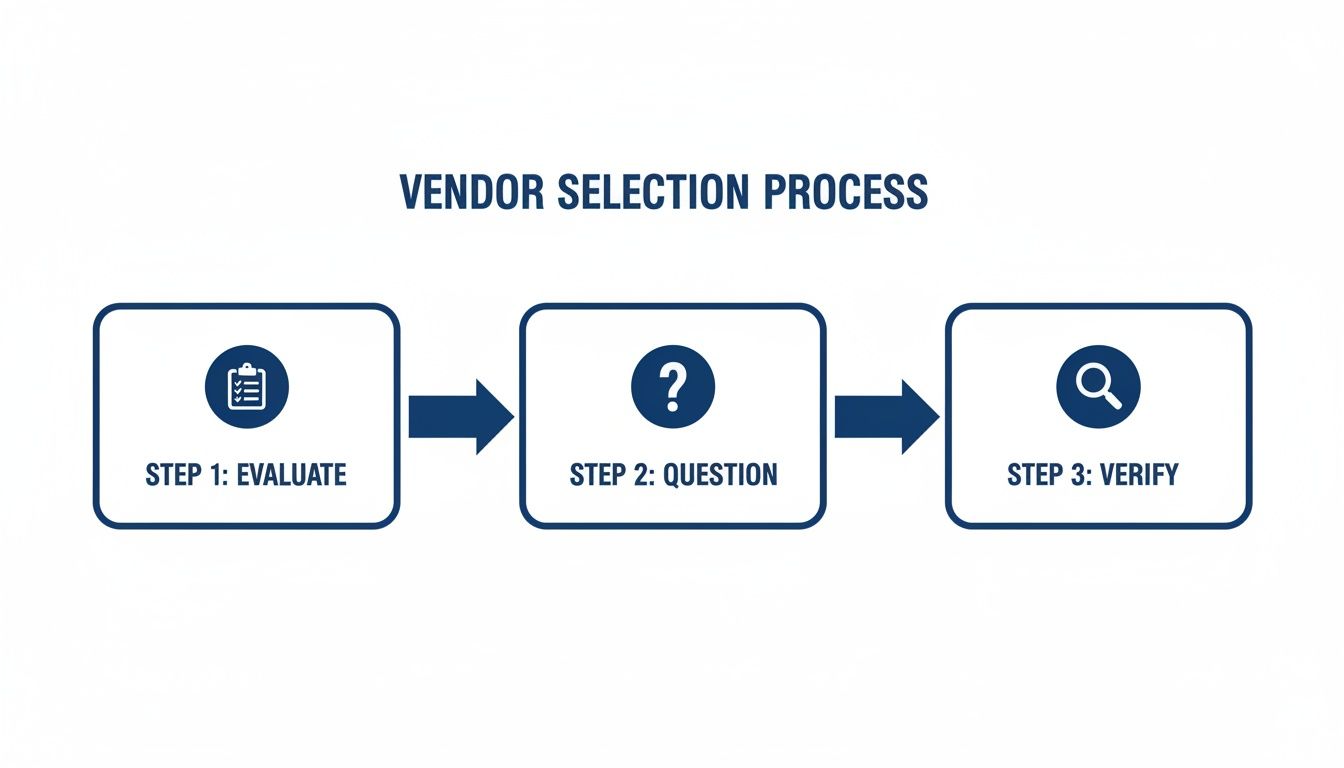
As you can see, a great partnership starts long before implementation—it begins with careful evaluation. Asking the right questions upfront has a direct impact on how smoothly everything will go later on.
Establishing a Realistic Timeline and Key Phases
You can generally expect implementation to take anywhere from 30 to 90 days. The exact timing really depends on how complex your benefits plans are and how many employees you have. Whatever you do, don’t rush this. A realistic timeline gives everyone enough breathing room for proper data validation and testing, which will save you a world of headaches later.
The process usually breaks down into a few key stages:
- Project Kickoff: This is the initial sit-down where you and your new partner get on the same page about goals, timelines, and who’s responsible for what. You’ll set up key contacts and define how everyone will communicate.
- Data Collection & Migration: Get ready to dig in—this is the most data-heavy part. Your provider will need everything: detailed employee census info, current plan documents, and past enrollment records. Accuracy here is absolutely critical.
- System Configuration & Integration: Now, your partner gets to work setting up their system to match your specific benefits. This means programming eligibility rules, contribution amounts, and—most importantly—connecting it all to your payroll system.
- Testing & Validation: Before flipping the switch, you have to kick the tires. This phase usually involves User Acceptance Testing (UAT), where your own team can run through different scenarios to make sure it all works as expected.
- Go-Live & Employee Training: The final step is training your team on the new platform and officially launching the system, whether it’s for open enrollment or just ongoing management.
Appointing Your Internal Project Lead
Honestly, one of the smartest moves you can make is to appoint a single person from your team to be the dedicated project lead. This person becomes the go-to contact for your outsourcing partner. It keeps communication clean and makes decision-making so much faster.
This internal champion doesn’t have to be a benefits guru, but they do need to be organized, detail-oriented, and have the authority to make calls. Their job is to keep things moving on your end, wrangle the necessary data, and make sure your team’s needs are being met.
A common mistake I see is business owners treating implementation as a side project for an already swamped HR manager. Giving one person clear ownership and the time to focus on it is the single best investment you can make in a successful rollout.
Sidestepping Common Implementation Pitfalls
Even with the best plan, things can go sideways. Knowing the common tripwires ahead of time helps you steer clear of them.
- Data Mapping Errors: This is, without a doubt, the #1 cause of implementation nightmares. An incorrectly mapped field, like a simple payroll deduction code, can trigger widespread errors that are a massive pain to fix after you’ve gone live. You need to double- and triple-check all the data mapping with your provider.
- Poor Payroll Integration: A shaky connection to your payroll is a recipe for chaos. A huge chunk of your testing should be focused on making sure this sync works perfectly. If you’re overhauling your payroll at the same time, it’s a great opportunity to review everything. Our guide on how to set up payroll for a small business has some helpful pointers here.
- Inadequate Testing: Don’t just glance at a few employee profiles and call it a day. Before the full launch, run a small pilot test with a group of trusted employees. This kind of real-world test helps catch confusing language or unexpected system quirks you’d otherwise miss.
When you approach implementation with a clear plan, a dedicated leader, and an eye for potential issues, you set yourself up for a transition that feels seamless. This careful setup work is what lays the foundation for a great long-term partnership.
Communicating the Transition to Your Team
Making the strategic switch to employee benefits administration outsourcing is the easy part. Getting your team on board—and even excited about it—is where the real work begins. How you communicate this change will make or break its success. A clumsy announcement can stir up anxiety and pushback, but a clear, positive message builds trust and gets everyone rolling in the same direction.
Your communication plan can’t be an afterthought. It has to be built around your employees, focusing squarely on how this move makes their lives easier. Frame it less about the company’s operational wins and more about what’s in it for them.
Kicking Off with a Leadership Announcement
The very first message needs to come straight from the top. When leadership announces the change, it signals to the entire company that this is a strategic priority with full backing. The message should be transparent, upbeat, and all about improving the employee experience.
Start by explaining the why. This isn’t just about cutting costs or shuffling tasks around; it’s an investment in your people.
A message from the CEO or Head of HR could sound something like this:
“We’re excited to announce a new partnership that will give you better tools and faster support for all your benefits needs. By bringing in a team of dedicated benefits experts, we’re making sure you have direct access to specialists who can answer your questions quickly and accurately. This means a simpler enrollment process and less time spent trying to navigate complex insurance issues.”
This approach immediately frames the change as a positive upgrade. It’s not about taking something away; it’s about giving your team access to superior resources and support. That’s a powerful and reassuring message to lead with.
Equipping Managers with Clear Talking Points
Your managers are on the front lines. They’re going to be the first people employees turn to with questions. If they aren’t prepared to answer, you risk having inconsistent or flat-out wrong information spread like wildfire. Giving them a simple FAQ and some key talking points is non-negotiable.
Make sure they have solid answers to predictable questions, like:
- “Why are we making this change now?” (Answer: To give you a modern platform and expert support that we couldn’t offer in-house.)
- “Who do I contact with benefits questions now?” (Answer: You’ll now have a dedicated support line and online portal to get immediate help from specialists.)
- “Will my benefits plans change?” (Answer: No, your plans and coverage are staying exactly the same. We’re just improving how we manage them.)
This prep work helps managers feel confident and ensures every employee gets the same clear, accurate information, no matter who they ask.
Rolling Out Detailed Guides and Training
Once the initial announcement is out, it’s time to follow up with the practical, how-to details. A single mass email won’t cut it. You need to use a few different channels to make sure the information sticks.
Your rollout plan should include a mix of resources:
- Email Guides: Send a step-by-step guide—with screenshots!—showing employees how to log into the new portal for the first time.
- Short Video Tutorials: Nobody wants to watch a 30-minute webinar. Create quick, 2-minute videos that show them how to do key tasks, like viewing plan details or submitting a qualifying life event.
- Live Q&A Sessions: Host a few optional virtual sessions where employees can see a live demo of the new system and ask questions in real time.
This communication push is also a great time to reinforce other important processes. For instance, as you introduce the new benefits system, you can also remind your team of your company’s overall onboarding procedures. For more ideas, explore our guide on employee onboarding best practices to ensure all your systems are aligned.
Ultimately, a thoughtful communication strategy is what turns a potentially rocky change into a welcome improvement for your entire team.
Answering Your Key Outsourcing Questions
When you get serious about outsourcing your employee benefits administration, a few final, critical questions always come up. Before making a move, most leaders want to get crystal clear on what this means for their control, data security, and the day-to-day for their employees.
Let’s walk through these common concerns one by one to clear up any doubts.
Will We Lose Control Over Our Benefits Strategy?
This is probably the biggest myth out there, but the short answer is no. Outsourcing the administration is completely different from handing over your strategy. You’re still the one in the driver’s seat for all the big decisions—which health plans to offer, how much the company will contribute, and when open enrollment happens.
Think of your outsourcing partner as your execution team. They’re there to handle the complex paperwork, manage all the back-and-forth with carriers, and make sure everything is compliant. This actually frees you up to spend more time on strategy, not less.
How Secure Is Our Employee Data With a Third-Party Provider?
Any provider worth their salt treats data security as their absolute top priority. In fact, their systems are often far more robust than what a small business could afford to build and maintain on its own. When you’re talking to potential partners, always ask for proof of their security measures, especially SOC 2 compliance. This is a key industry standard for data protection.
A trustworthy partner will be completely transparent about their security protocols. You should ask about:
- Data Encryption: How do they protect your team’s data, both when it’s being sent and when it’s stored?
- Access Controls: Who on their team can see sensitive information, and what are the rules around it?
- Disaster Recovery Plans: What’s the plan if there’s a system failure or emergency?
There’s a good reason for this. A recent analysis shows 87% of HR leaders are looking to specialized firms to handle things like advanced AI and security, because these firms can invest in top-tier tech. We’re already seeing that companies using outsourced compliance platforms have a 24% reduction in audit findings. The proof is in the results. Discover more insights about HR outsourcing statistics.
What Happens When an Employee Has a Complex Benefits Question?
This is where outsourcing really starts to pay off. Instead of every question funneling to one, already-busy HR person, your employees get direct access to a whole team of certified benefits specialists.
This simple change creates a much better, more consistent experience for your people. It’s also a massive time-saver for your internal staff.
Employees get quick, accurate answers to everything from “I forgot my password” to complex questions about a medical claim. The best providers offer support through phone, email, and chat, so your team gets the expert help they need right away. It takes your team out of the middleman role and gives your employees a real, professional resource.
Ready to stop wrestling with benefits administration and start focusing on your business? The team at Steingard Financial combines expert knowledge with modern platforms like Gusto and QuickBooks to create a seamless back-office experience. We handle the complexities of payroll and benefits so you can dedicate your time to growth. Learn more about how we can support your business at https://www.steingardfinancial.com.