How to Do Accounts for Small Business A Practical Guide
Getting your business accounts right from the start means building a solid financial framework from day one. This isn’t just about tracking money; it’s about creating a system that gives you clarity and confidence in your decisions. It starts with choosing a business structure, opening a dedicated bank account, picking an accounting method, and mapping out a Chart of Accounts to organize every single transaction.
These aren’t just tedious administrative tasks—they are the bedrock of a healthy, scalable business.
Building Your Financial Foundation

Before you track a single dollar, you need a system to put it in. This is where so many entrepreneurs get tripped up, often mixing personal and business funds or just failing to draw clear lines in the sand. Getting this foundation right isn’t just about good habits; it’s about creating a system that protects you legally and brings order to the financial chaos.
The first big decision is your business structure. Are you a sole proprietorship or an LLC? A sole proprietorship is the simplest route, with no legal separation between you and your business. An LLC, on the other hand, creates a separate legal entity, which shields your personal assets from business debts. This is a critical distinction that directly impacts how you handle your accounting.
No matter which structure you choose, the most important first step is opening a dedicated business bank account. This is absolutely non-negotiable. It creates an unmistakable barrier between your business and personal finances, which makes bookkeeping infinitely easier and is your first line of defense in an IRS audit.
Cash vs. Accrual: The Two Accounting Methods
With your accounts separated, you now need to decide when to record income and expenses. This comes down to your accounting method, and there are two main choices: cash or accrual.
- Cash Method: You record income only when the money actually hits your bank account and expenses when the money leaves it. It’s simple and gives you a clear picture of your cash on hand.
- Accrual Method: You record income when it’s earned (like when you send an invoice) and expenses when they’re incurred (like when you receive a bill from a vendor), regardless of when cash actually changes hands.
The accrual method gives you a much more accurate picture of your true profitability over a specific period. For example, a consultant who finishes a $5,000 project in December but doesn’t get paid until January would recognize that revenue in December under the accrual method. This gives them a real understanding of their Q4 performance, not a skewed one based on payment timing.
Demystifying the Chart of Accounts
The backbone of any good accounting system is the Chart of Accounts (COA). Think of it as the customized filing system for your company’s finances. It’s simply a list of all the categories you’ll use to classify every transaction your business makes. A well-organized COA is what allows you to generate financial reports that actually mean something.
At its core, a COA is broken down into five main account types:
- Assets: What your business owns (cash in the bank, equipment, inventory).
- Liabilities: What your business owes (credit card debt, business loans).
- Equity: The net worth of your business (Assets – Liabilities).
- Revenue: Money your business earns from sales and services.
- Expenses: The costs of running the business (software, rent, marketing).
For a service business, a simple COA might have revenue accounts for different service types, like “Consulting Services” and “Project Fees.” On the expense side, you’d have accounts for things like “Software Subscriptions,” “Office Supplies,” and “Marketing & Advertising.” To dive deeper into building this financial map, check out our guide on what is a chart of accounts.
Creating a clear financial map is essential for success, but many business owners are navigating without one. Imagine running a thriving service business but drowning in receipts and mismatched statements each month. This is the reality for 60% of small business owners who feel underknowledgeable about accounting.
Choosing and Setting Up Your Accounting Software
Let’s be honest, manual spreadsheets can only take you so far before they become a massive headache. The right accounting software is the real engine of a modern financial system. It transforms bookkeeping from a dreaded chore into a source of clear, actionable insights about your business’s health.
Making the right choice here is your first major step in getting your financial house in order. While there are tons of options out there, platforms like QuickBooks Online, Xero, and FreshBooks consistently lead the pack for service-based businesses. Each one has its own vibe—a unique mix of features, pricing, and user experience. The best fit really depends on your specific needs, how many transactions you handle, and where you see your business going.
Comparing Top Small Business Accounting Software
For most small businesses I work with, the choice usually boils down to one of those three. Seeing how they stack up side-by-side can make the decision a lot clearer.
| Feature | QuickBooks Online | Xero | FreshBooks |
|---|---|---|---|
| Ideal User | Businesses that plan to scale and need robust, all-in-one features. | Growing businesses that need strong collaboration tools and numerous app integrations. | Freelancers and solopreneurs who prioritize simple invoicing and project tracking. |
| Key Strength | Comprehensive feature set and widespread accountant familiarity. | Unlimited users on all plans and a clean, intuitive interface. | Exceptionally easy to use for invoicing and time tracking. |
| Pricing Model | Tiered pricing based on features and number of users. | Tiered pricing based on features, but with unlimited users. | Tiered pricing based on the number of billable clients. |
If you’re still weighing the pros and cons, our guide on the best accounting software for startups offers a much deeper look to help you lock in your decision.
Essential First Steps for Software Setup
Once you’ve picked your platform, the initial setup is everything. Getting these first few steps right will save you countless hours of cleanup down the road. Trust me on this.
First and foremost, connect your business bank and credit card accounts. This creates an automatic feed that pulls your transactions into the software every single day. This one action is the foundation of an efficient system and eliminates the vast majority of manual data entry.
Next, you’ll want to customize your Chart of Accounts. Your software will give you a generic, default list, but you need to tailor it to your business. For a digital marketing agency, for example, this means adding specific expense accounts like “Ad Spend – Google” and “Ad Spend – Meta.” This gives you much more granular insight into where your money is actually going.
Finally, take a few minutes to design your invoice templates. Your invoice is a key touchpoint with your clients. Make sure your logo is clear, your payment terms are spelled out, and the whole thing looks professional. Most software lets you add a “Pay Now” button, which I’ve seen drastically speed up how quickly clients pay.
Technology adoption is no longer just an advantage; it’s a core driver of profitability. In a recent study, 73% of US accounting practices reported higher profits, largely fueled by embracing technology and diversifying their services. This trend is a clear signal that leveraging the right tools is essential for financial health and growth. Discover more insights from the Xero State of the Industry Report.
Automate Your Workflow with Bank Rules
This is where the real magic happens. Bank rules (sometimes called transaction rules) are simple instructions you create to automatically categorize transactions that happen over and over again. It’s easily one of the most powerful time-saving features in any modern accounting platform.
Think about all your monthly recurring expenses:
- Software Subscriptions: Adobe Creative Cloud, Microsoft 365, your CRM.
- Utilities: Your internet bill, phone service.
- Rent: Monthly office or coworking space fees.
Instead of manually categorizing that $59.99 Adobe charge every single month, you can create a rule that says any transaction from “Adobe Inc.” should automatically be coded to your “Software & Subscriptions” expense account. This small action, multiplied across all your recurring charges, can save you hours of tedious work every month and keeps your expense tracking perfectly consistent.
Mastering Your Daily, Weekly, and Monthly Bookkeeping Workflows
The secret to accurate, stress-free financials isn’t some complex formula; it’s consistent habits. When you know what to do and when, managing your books transforms from a dreaded chore into a powerful routine. Establishing a solid rhythm for your bookkeeping—daily, weekly, and monthly—is the single best thing you can do to stay in control.
This isn’t about adding more work to your already-packed schedule. It’s about breaking a huge task into small, manageable actions. Instead of letting a month’s worth of transactions pile up for a frantic weekend scramble, you’ll handle them in quick, easy bursts. This approach doesn’t just save you a ton of time; it gives you a real-time pulse on your business’s financial health.
The initial software setup we walked through—choosing your tool, connecting your accounts, and customizing your setup—is the foundation that makes these efficient workflows possible.
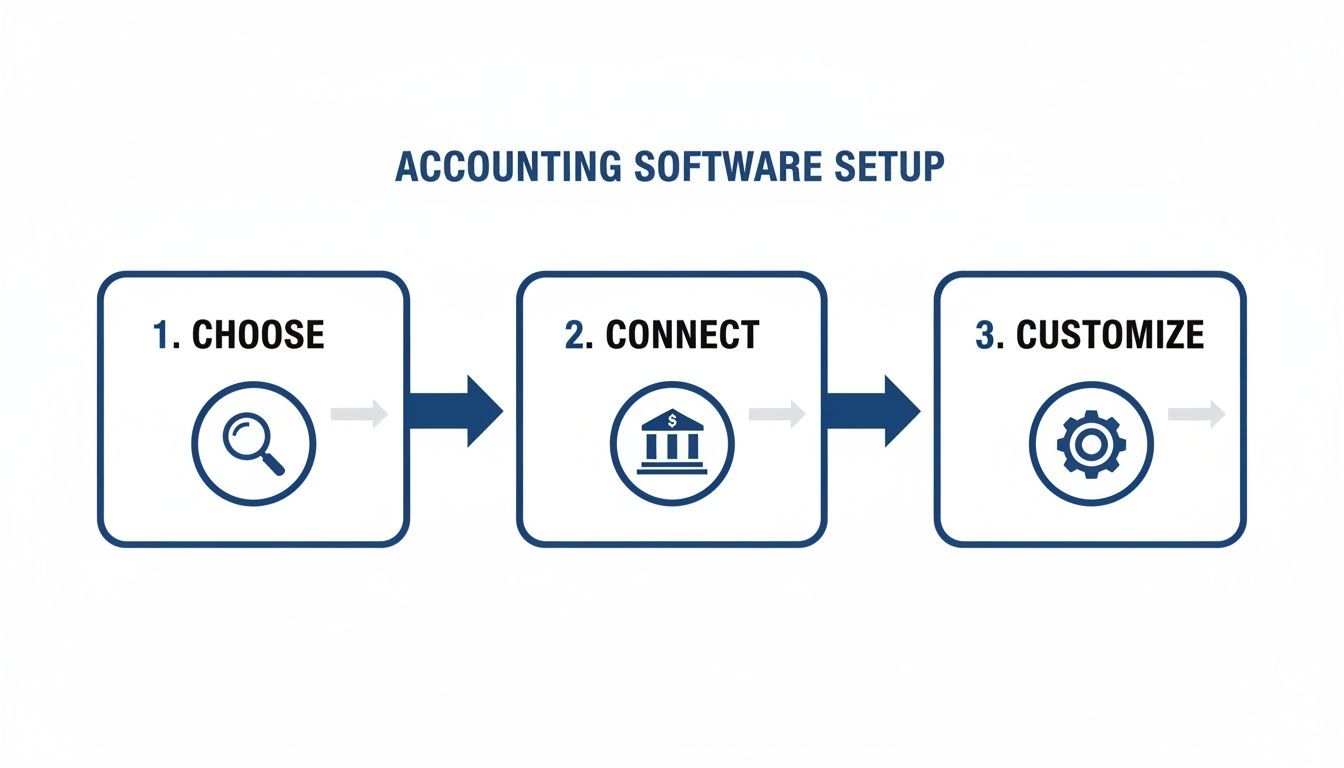
With that foundation in place, you can build a simple but effective routine.
The Daily Bookkeeping Habit
Your daily goal is all about speed and consistency. This shouldn’t take more than 10-15 minutes of your day. The main focus is just keeping the data flowing cleanly into your accounting software.
- Categorize New Transactions: Every morning, your bank feed will have pulled in transactions from the day before. Your only job is to quickly review and categorize them. Thanks to the bank rules you set up earlier, a lot of this work will already be done for you.
- Snap and Save Receipts: Don’t let a mountain of paper receipts build up in a shoebox. Use your accounting software’s mobile app to take a quick photo of any receipt from a cash or out-of-pocket purchase. This attaches the original document directly to the transaction in your software, creating a perfect, audit-proof record.
This quick daily check-in stops small issues from snowballing into big problems and keeps your financial picture up to date.
The Weekly Cash Flow Check-In
Your weekly tasks are all about managing the actual money moving in and out of your business. Here, you shift from just recording data to actively managing your cash flow. I recommend setting aside an hour every Friday for this.
- Handle Accounts Payable: Look at what bills are coming due and schedule payments. Staying on top of what you owe keeps your vendors happy and helps you avoid frustrating late fees.
- Manage Accounts Receivable: Send out any new invoices for work you just completed. More importantly, follow up on any invoices that are past due. Sometimes a simple, polite reminder is all it takes to get paid this week instead of next month.
It’s a sobering statistic, but 82% of small businesses fail because of poor cash flow management. This weekly workflow is your front-line defense. It ensures you have the cash on hand to cover your expenses and invest in growth. It’s not just about what you’ve earned—it’s about what you’ve actually collected.
You can make this even easier by setting up your software to do some of the heavy lifting. For example, exploring options for automating invoice follow-ups with Xero can save you a significant amount of manual effort each week.
The Critical Monthly Reconciliation
This is the most important task in your entire bookkeeping system. As soon as your bank and credit card statements are available each month, you need to perform a reconciliation. This process means matching every single transaction in your accounting software to the corresponding one on your official statement.
Think of it as the ultimate fact-check for your books. It’s how you confirm your records are 100% accurate and that nothing has been missed.
I once had a client, a freelance consultant, who found a surprise $250 bank fee while reconciling her statement. She didn’t recognize it, so she called the bank. It turned out to be a bank error. Without that reconciliation process, that money would have vanished, probably miscategorized as a business expense. This one step protects your cash and guarantees the integrity of your financial data.
Generating and Understanding Financial Reports

This is it—the payoff for all your hard work categorizing transactions and reconciling accounts. Think of your accounting data as the story of your business’s journey, full of twists, turns, profits, and losses. Financial reports are how you read that story.
Running a business on gut feelings alone is a recipe for disaster. These reports are your command center, giving you the hard data you need to answer critical questions. Can you afford that new hire? Is that service line really as profitable as it feels? Is now the time to invest in new equipment? Without accurate reports, you’re just guessing.
Let’s break down the three most important reports you’ll be leaning on.
The Profit and Loss Statement
You’ll often hear this called the P&L or Income Statement. Its job is simple: to measure your profitability over a specific period, whether that’s a month, a quarter, or a full year. The formula is beautifully straightforward: Revenue – Expenses = Net Income (or Loss).
This is your ultimate scorecard. It tells you, in black and white, whether your business made or lost money. By looking at your P&L, you can spot trends in your revenue, see which expenses are eating away at your bottom line, and calculate essential metrics like your gross profit margin.
To get more comfortable with this report, you can learn more about understanding Profit and Loss statements in our detailed guide. It’s the first place you should look to answer the most basic question: “Are we making money?”
The Balance Sheet
While the P&L shows your performance over time, the Balance Sheet gives you a snapshot of your company’s financial health on a single day. It’s all built on one core accounting equation that must—as the name suggests—always balance: Assets = Liabilities + Equity.
Here’s what that means in plain English:
- Assets: Everything your company owns (cash in the bank, equipment, inventory, what customers owe you).
- Liabilities: Everything your company owes (loans, credit card debt, what you owe suppliers).
- Equity: The net worth of your business—what would be left for the owners if you sold all your assets and paid off all your debts.
A lender will absolutely pour over your Balance Sheet to see how much debt you’re carrying before they even consider giving you a loan. It’s a vital sign of your company’s stability.
The Statement of Cash Flows
Here’s a hard lesson many business owners learn: profit does not equal cash in the bank. The Statement of Cash Flows is the report that connects the dots between your profitable P&L and your real-world bank balance. It shows you exactly how cash moved in and out of the business.
It breaks everything down into three buckets:
- Operating Activities: Cash from your day-to-day business operations.
- Investing Activities: Cash used to buy or sell long-term assets, like a new vehicle or piece of machinery.
- Financing Activities: Cash from investors or loans, or cash used to pay back debt.
This report is your best friend for managing liquidity. It’s the tool that helps you understand why your bank account is low even though you had a “profitable” month—it’s often because your customers haven’t paid you yet.
Financial reports are the lifeblood of strategic planning. With nearly 40% of small businesses carrying over $100,000 in debt, understanding these statements is not just good practice—it’s essential for survival. In fact, poor bookkeeping contributes to 28% of business failures within the first two years. That’s a stark reminder of the direct line between financial clarity and longevity.
To really get a handle on your business’s health, you need a repeatable process. Learning how to create professional financial statements is a skill that pays dividends, turning raw numbers into a powerful tool for making smart decisions.
Knowing When to Outsource Your Accounting
When you’re just getting started, handling your own books is a smart, scrappy move. It forces you to get intimately familiar with the financial pulse of your new business. But there’s a catch.
As your business grows, that DIY approach—the one that saved you money—starts costing you something way more valuable: your time and focus.
There’s a tipping point for every founder where managing the books shifts from a savvy move to a major bottleneck. Spotting that moment is the key to scaling your business without letting financial admin drag you down. It’s about realizing your energy is better spent with clients or chasing new opportunities, not wrestling with reconciliations.
Clear Signals It’s Time for a Change
So, how do you know you’ve hit that tipping point? The signs are usually staring you right in the face, even if you’ve been too busy to notice. They aren’t just about feeling overwhelmed; they’re measurable signals that your current setup can’t keep up.
Here are a few tell-tale signs I see all the time:
- You’re sinking too much time into bookkeeping. If you’re spending more than five hours a month on financial admin, that’s time stolen from sales, marketing, or just thinking about the big picture. Your time is your most valuable asset; bookkeeping probably isn’t its highest and best use.
- You don’t fully trust your numbers. Do you get a pit in your stomach when you pull up a P&L? If you’re not confident your reports are accurate, you can’t make solid strategic decisions. That kind of uncertainty can be paralyzing for a business owner.
- Your business is getting more complex. Adding a new service? Hiring your first employee? Thinking about looking for funding? Each of these milestones adds a new layer of financial complexity that really demands expert handling.
Ignoring these signals almost always leads to bigger headaches—cash flow mysteries, missed tax deadlines, or a huge, expensive cleanup project when you can least afford it.
Understanding the Different Levels of Help
Outsourcing isn’t an all-or-nothing deal. The kind of help you need depends entirely on where your business is today and where you want it to go. Let’s break down the roles, because hiring the wrong type of pro is a classic, costly mistake.
Your business is growing faster than your bookkeeping skills. Cash flow feels more like a mystery than math. You’re not totally sure your numbers are right. These are the classic signs that it’s time to call in reinforcements.
A bookkeeper is your financial frontline. Their job is to meticulously record all the daily transactions of your business. Think of them handling things like categorizing expenses, running payroll, managing bills (Accounts Payable) and invoices (Accounts Receivable), and doing the monthly bank reconciliations. They keep your data clean and current.
An accountant operates at a higher level. They take the clean data from the bookkeeper to prepare financial statements, file your tax returns, and offer strategic advice. They’re the ones who interpret the financial story your numbers are telling, helping you understand profitability and plan your next move.
A Fractional CFO provides top-tier strategic financial leadership without the full-time executive price tag. They focus on the long game: financial planning, cash flow forecasting, securing loans, and zeroing in on the Key Performance Indicators (KPIs) that truly drive growth. You bring in a Fractional CFO when you’re making major financial decisions and need an expert in your corner.
Making the Right Choice for Your Business
Deciding to outsource is a strategic move. It signals a shift from a scrappy startup mindset to a serious, growth-focused operation. It’s an investment in accuracy, efficiency, and your own peace of mind.
For most service businesses, the first step is bringing on a dedicated bookkeeping firm like Steingard Financial.
This lets you offload the tedious, time-consuming tasks while knowing your financial foundation is rock-solid. A professional firm will set up your systems the right way, clean up any past messes, and deliver the timely, accurate reports you need to lead with confidence. As you scale, that partnership can evolve, connecting you to the accountant or CFO-level insights you need, right when you need them.
A Few Common Questions We Hear
Even with the best game plan, you’re going to have questions as you start managing your business’s finances. That’s perfectly normal. We’ve put together some straightforward answers to the questions we get all the time from small business owners. Think of this as your quick-reference guide.
These are the real-world hurdles and strategic decisions you’ll face, from simple slip-ups to figuring out when it’s time to call in a professional.
What Are the Most Common Accounting Mistakes Small Businesses Make?
The biggest and most expensive mistakes we see almost always come from a few simple oversights. The absolute number one issue is mixing personal and business finances. When you use the same bank account for everything, accurate bookkeeping becomes a nightmare, and you put your personal assets at risk. It’s a foundational error.
Other common tripwires include:
- Inconsistent Record-Keeping: Letting transactions pile up for weeks turns a simple task into a chaotic, unmanageable mess.
- Failing to Reconcile: If you skip your monthly bank reconciliation, you’re flying blind. You could miss costly errors, bank fees, or even fraud.
- Misclassifying Expenses: Putting an expense in the wrong category gives you a misleading Profit & Loss statement and, even worse, could cause you to miss out on valuable tax deductions.
Getting a separate business bank account and using accounting software from day one are the two simplest things you can do to avoid all of this.
How Often Should I Do My Bookkeeping?
Consistency is so much more important than intensity. Don’t let your bookkeeping tasks pile up into a massive month-end headache. The best way to tackle this is with a simple, repeatable routine that breaks the work into smaller pieces.
At the very least, you need to be categorizing your transactions weekly. This keeps the task manageable and should only take a few minutes. You should also handle your invoicing and bill payments on a weekly schedule to keep your cash flow healthy and predictable.
But the most critical task is non-negotiable: you absolutely must reconcile your bank and credit card accounts every single month, as soon as your statements are ready. This one habit prevents so much stress and gives you a clear, real-time picture of where your business stands.
This rhythm turns bookkeeping from a chore you dread into a proactive tool for your business.
Can I Do My Own Business Accounts with Software?
Absolutely. Especially when you’re just starting out and your transaction volume is manageable. Modern accounting software like QuickBooks Online is specifically designed for people who aren’t accountants and automates many of the most tedious tasks we’ve discussed.
Following a guide like this one can give you the confidence to handle your own books. But it’s also important to know when the DIY approach starts costing you more than it saves. As your business gets more complex—maybe you hire your first employees or add a new service line—the hours you pour into bookkeeping might be better spent actually growing the business. That’s the perfect time to think about outsourcing to a professional.
What Is the Difference Between a Bookkeeper and an Accountant?
It’s crucial to understand this distinction so you can get the right kind of help when you need it. The roles are related, but they serve very different purposes for your business.
A bookkeeper is focused on the day-to-day financial record-keeping. They’re the ones recording transactions, sending invoices, paying bills, and reconciling your accounts. Their main job is to maintain clean, accurate, and up-to-date financial data.
An accountant takes a higher-level, more strategic view. They analyze the data your bookkeeper has organized to prepare financial statements, offer financial advice, and handle complex tax planning and filing.
Put simply, a bookkeeper records your financial past, while an accountant uses that information to help you build a more profitable future.
Feeling confident about your finances is the first step toward scaling your business. If you’re ready to offload the day-to-day bookkeeping and get expert guidance, the team at Steingard Financial is here to help. We provide the accurate data and clear reporting you need to make smarter decisions. Learn more about our services and schedule a consultation today.