QuickBooks & Money in Transit: Flawless Bookkeeping
You know this feeling. A client says they paid. Stripe shows success. The invoice is marked paid. But your bank balance has not moved.
For a busy service business owner, that gap creates real stress. You are trying to decide whether you can run payroll, move money to taxes, or approve a vendor bill, and the answer depends on cash that is technically yours but not yet in your account.
That gap is money in transit.
In bookkeeping, money in transit is not vague, and it is not something you just “keep an eye on.” It is a specific accounting treatment for funds that are on the way from one place to another. If you handle it well, your reports stay accurate, your bank reconciliation stays clean, and your QuickBooks file stops telling two different stories at once.
The Waiting Game Where Is Your Money?
It often starts with a normal workday decision.
A client pays an invoice through Stripe. QuickBooks marks it paid. Gusto is set to pull payroll tomorrow. You open the bank app to confirm the cash is there before approving payroll, and the deposit still has not arrived.
Nothing is wrong. The money is between systems.
That in-between period creates a bookkeeping problem if you treat every status update as bank cash. Your client has completed the payment. Your invoicing tool has recorded it. Your checking account has not received it yet. If you skip over that timing difference, cash reports get distorted, and routine decisions get harder than they should be.
Here is the practical risk for a service business owner:
- you approve payroll based on money that has not settled
- you move cash to taxes too early and squeeze operating cash
- you record the bank deposit as new income, even though the invoice was already paid
- you spend extra time during month-end trying to explain why QuickBooks and the bank feed do not match
Bookkeeping needs a temporary parking spot for that money. In QuickBooks, that is often Undeposited Funds or another clearing account. The idea is simple. You acknowledge that the payment exists, but you do not pretend it is available in checking until the deposit settles.
A good way to picture it is a transfer tray on your desk. A check placed in the tray is no longer out with the client, but it is not in the bank yet either. Digital payments follow the same logic. Card processors batch deposits. ACH transfers take processing time. Payroll platforms may pull funds before paychecks or tax payments fully clear.
For service businesses, that distinction is critical because timing drives everything. Payroll, owner draws, sales tax transfers, contractor payments, and month-end reporting all depend on cash that is available now, not cash that should arrive soon.
Handled correctly, money in transit keeps QuickBooks honest, keeps your bank reconciliation cleaner, and helps you make decisions from the bank balance you have.
What Exactly Is Money in Transit in Bookkeeping
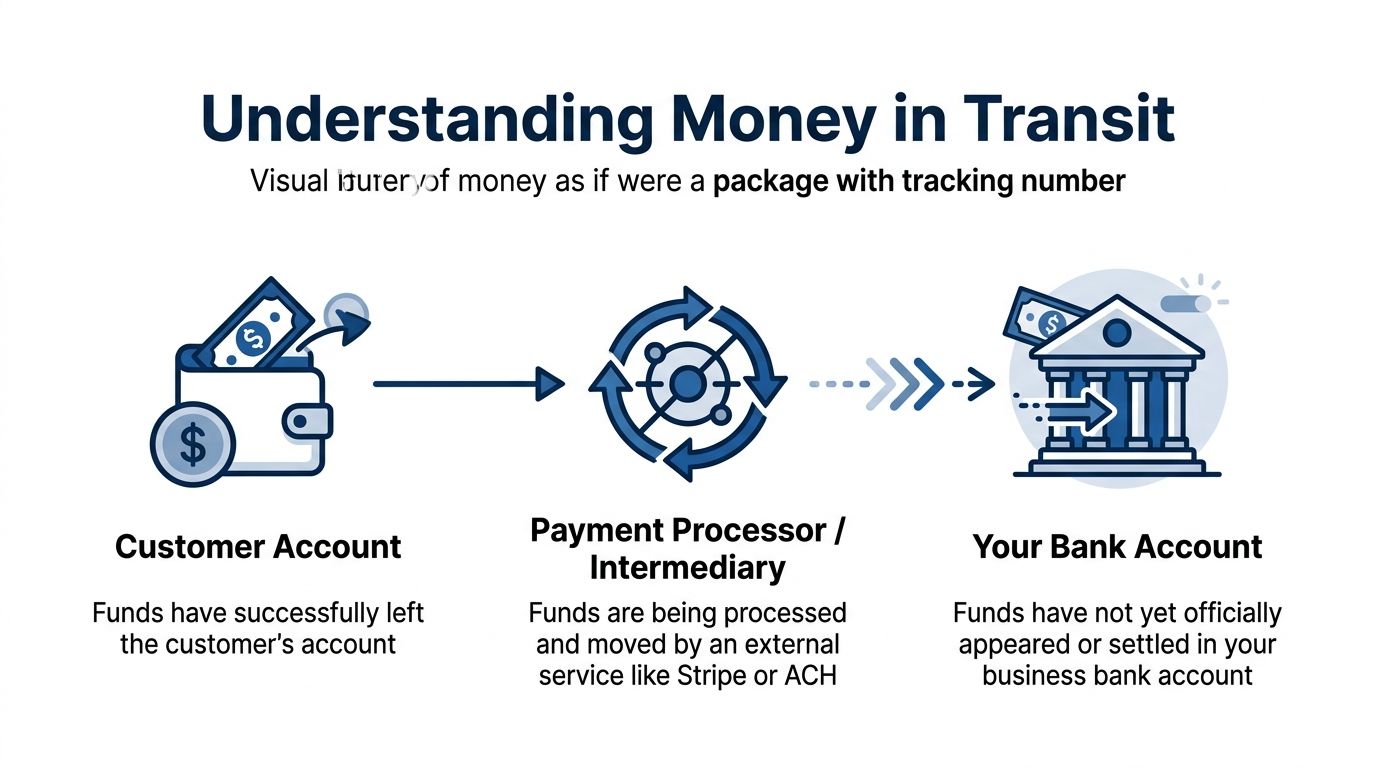
A client pays an invoice on Tuesday. QuickBooks shows the payment. Your bank does not. Gusto may also pull payroll funds before wages and taxes finish clearing. In all three cases, the money is real, but it has not reached the account where you expect to see it.
The accounting meaning
In bookkeeping, money in transit is money that has been received, sent, or initiated, but has not yet settled in the final bank account. The clean way to track it is with a temporary clearing account.
In QuickBooks, that account is often Undeposited Funds for customer payments. Some service businesses also create a separate account such as Money in Transit, Processor Clearing, or Payroll Clearing when they need to track ACH batches, card settlements, or payroll withdrawals from Gusto.
The job of that account is simple:
- record the payment at the point it happens
- keep checking from looking higher than it really is
- move the amount into the bank only after it clears
That timing matters more than many owners expect. Bookkeeping tracks three different moments that can happen on different days: when income is earned, when payment is received, and when cash is available in the bank. If those moments get collapsed into one entry, QuickBooks starts to tell the wrong story.
Accounts that sound similar, but do different jobs
These accounts often get mixed together during cleanup work.
| Account type | What it means | Common use |
|---|---|---|
| Bank account | Cash that has settled and is available | Actual checking or savings balance |
| Undeposited Funds | Customer payments recorded in QuickBooks but not yet deposited to the bank | Checks, invoice payments, grouped deposits |
| Money in Transit or clearing account | Funds delayed by a processor, ACH timing, or payroll flow | Stripe batches, ACH receipts, Gusto funding activity |
A useful rule is this: if the amount is visible in your records but not ready to spend from checking, it probably belongs in a clearing account first.
A plain-language example
Suppose your consulting client pays a $1,000 invoice by ACH on March 29. You record the payment in QuickBooks that day, so Accounts Receivable should go down immediately. But if the ACH does not hit your bank until April 1, checking should not increase on March 29.
That gap is money in transit.
The same issue shows up with payroll. Gusto may debit your bank for payroll funding before employee net pay, tax payments, and fees fully clear through the system. If you post everything directly to checking on the first date you see, your books can show activity in the wrong period.
The Impact on Your Financial Reports
Without a clearing account, your reports can drift out of sync with reality.
- Balance sheet: cash looks overstated because the bank balance includes deposits that have not settled
- Profit and loss: income can be duplicated if the original invoice payment and the later bank deposit are both recorded as revenue
- Accounts receivable: customer balances can stay open longer than they should if payment is waiting in the wrong place
For service businesses, this comes up often with retainers, milestone billing, card processor batches, and payroll runs. It is one of those areas where a small timing mistake creates a messy month-end close.
If you want a refresher on the timing side of bookkeeping, these examples of adjusting entries help show how accountants separate one date from another so reports stay accurate.
Key takeaway: Money in transit is identified money that is between steps. It belongs in a temporary account until the bank confirms settlement.
How to Create Journal Entries for In-Transit Funds
Most money in transit situations follow a two-step entry pattern. First, you place the funds into a temporary account. Later, when the deposit clears, you move the amount into the bank.
Example with a customer payment
Assume your client pays $1,000 for an open invoice.
If you use invoice-based accounting, the revenue was usually recognized when you sent the invoice. The payment entry is not a new sale. It is a balance sheet move from Accounts Receivable into a temporary holding account.
Step one when the payment is initiated
| Step | Account | Debit | Credit |
|---|---|---|---|
| 1 | Money in Transit or Undeposited Funds | $1,000 | |
| 1 | Accounts Receivable | $1,000 |
That entry says: the customer no longer owes you, but the money is not in the bank yet.
Step two when the deposit reaches your bank
| Step | Account | Debit | Credit |
|---|---|---|---|
| 2 | Bank Account | $1,000 | |
| 2 | Money in Transit or Undeposited Funds | $1,000 |
That entry closes the loop. Your clearing account goes back down, and your bank goes up.
Sample Journal Entries for a $1,000 Payment
| Step | Account | Debit | Credit |
|---|---|---|---|
| Payment initiated | Money in Transit | $1,000 | |
| Payment initiated | Accounts Receivable | $1,000 | |
| Deposit clears | Bank Account | $1,000 | |
| Deposit clears | Money in Transit | $1,000 |
When revenue is recorded at the time of payment
Some service businesses do not invoice first. They collect payment immediately.
In that case, your first entry may look different:
| Step | Account | Debit | Credit |
|---|---|---|---|
| Payment initiated | Money in Transit | $1,000 | |
| Payment initiated | Service Revenue | $1,000 |
Then, when the deposit settles:
| Step | Account | Debit | Credit |
|---|---|---|---|
| Deposit clears | Bank Account | $1,000 | |
| Deposit clears | Money in Transit | $1,000 |
The structure is the same. The difference is whether the offset goes to Accounts Receivable or Revenue.
Where business owners go wrong
The most common errors are not complicated. They are repetitive.
- Posting directly to income twice: once when the invoice is paid, again when the bank deposit arrives
- Skipping the clearing account: which makes the bank balance look ahead of reality
- Leaving old balances stranded: because no one entered the second step
- Combining fees badly: recording the net deposit without separately capturing processor fees
A better way to think about the entries
The first entry answers: Who owns the money right now?
The second entry answers: Where is the money right now?
Those are not the same question.
How this looks in a real service business
A consulting firm invoices a client monthly. The client pays through an online portal. The payment processor confirms the transaction. The bookkeeper records the payment to a clearing account that day. Two days later, the processor sends the batch deposit to the operating account. The bookkeeper moves the amount from the clearing account into the bank.
No duplicate revenue. No inflated cash. No mystery balance.
Tip: If your month-end close regularly includes “I know that payment came in somewhere,” you need a stronger clearing account workflow.
If you need a refresher on when and why accountants make timing-related entries, Steingard’s guide to examples of adjusting entries is a useful companion read.
A quick note on processor fees
If your payment processor takes fees before the deposit reaches your bank, do not force the bank deposit to equal the invoice amount. Record the full payment and the fee separately so your income and expense reporting stay accurate.
A common structure is:
- debit Bank for the net amount received
- debit Merchant Fees for the fee amount
- credit Money in Transit for the gross payment amount
That preserves the full customer payment and shows the fee as an expense instead of shrinking revenue.
Bank Reconciliation with In-Transit Transactions
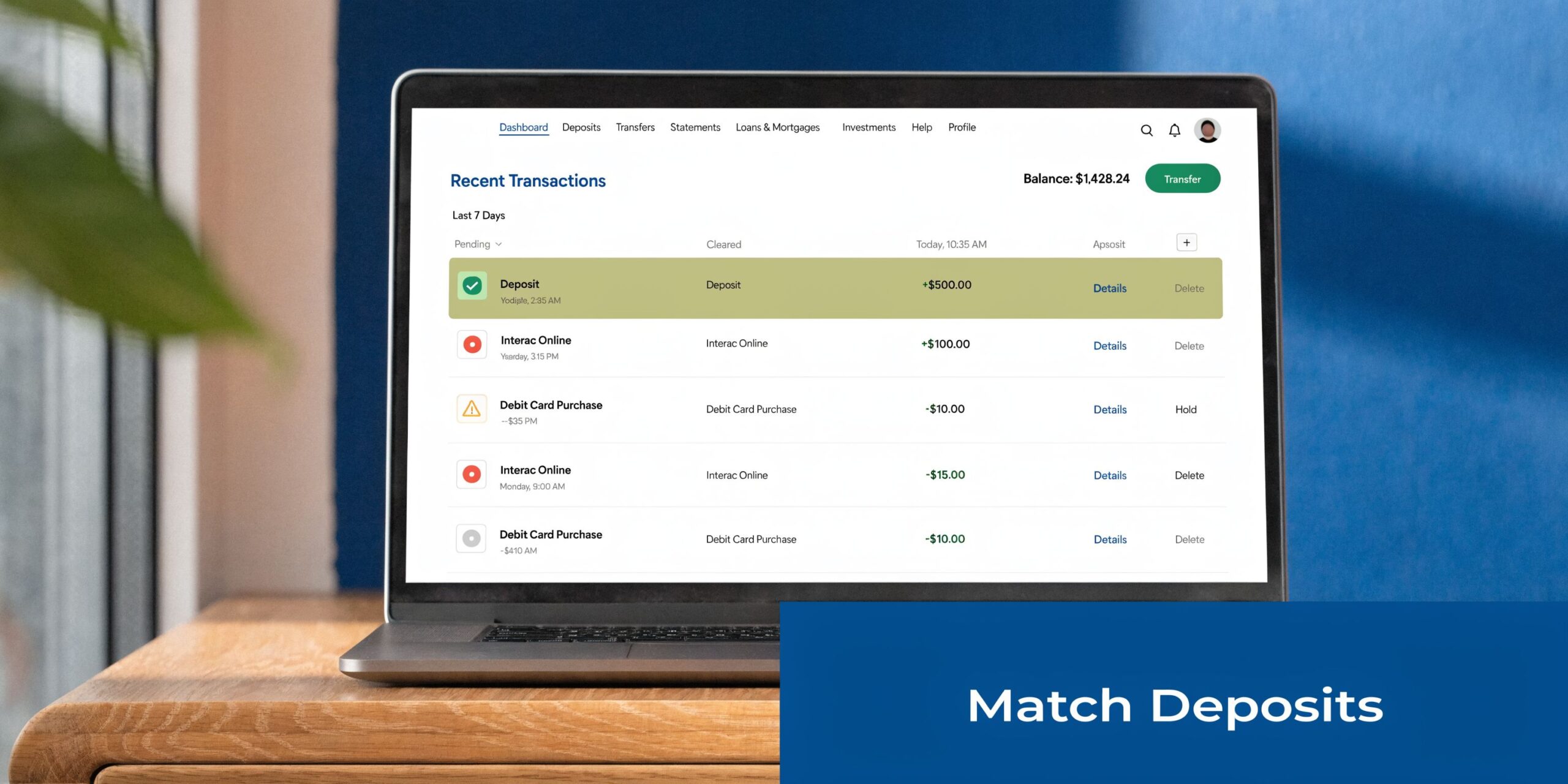
Friday afternoon, your bank feed shows a $4,820 deposit from Stripe. You know client payments were already recorded earlier in the week, but QuickBooks gives you two buttons: Match or Add. The wrong click turns one real deposit into two pieces of income on your books.
Reconciliation confirms timing, not revenue
Bank reconciliation answers a narrow but important question: did the money that was recorded earlier reach the bank?
That distinction matters for service businesses because payments often pass through a processor, payroll platform, or clearing account before they land in checking. In other words, the bank feed is the receipt at the end of the trip. Your books should already contain the payment history.
In QuickBooks, that usually means the deposit in the feed should connect to an existing bank deposit, transfer, or clearing-account entry. If you click Add and post it as income again, you create duplicate revenue and make month-end harder than it needs to be.
A practical workflow for matching transit items
Use this process when a deposit appears in the bank feed:
Open the bank feed transaction
Check the date, amount, and description. Processor names, batch IDs, and payroll labels often tell you what you are looking at.Find the original bookkeeping entry
Search for the bank deposit, transfer from Money in Transit, or Undeposited Funds transaction that was created earlier.Compare gross and net amounts
If the processor removed fees before sending the deposit, your books should show both the full customer payment and the fee expense. The bank only shows what arrived.Match the transaction
Matching tells QuickBooks that the bank activity completes an entry you already recorded.Check the holding account after the match
The related amount should clear out of Money in Transit or Undeposited Funds, unless part of the batch is still pending.
This works like tracking a package. The invoice and payment record show that the order exists. The bank feed shows delivery.
What this looks like in a service business
A marketing agency collects three client payments on Wednesday through a payment processor. QuickBooks records those payments into Undeposited Funds. On Friday, the processor sends one combined deposit to the bank, reduced by processing fees.
During reconciliation, the bookkeeper should match that Friday deposit to the grouped bank deposit already created in QuickBooks. The fee should remain a separate expense. The deposit should not be categorized as new sales.
Payroll can create the same kind of timing issue. If Gusto pulls payroll cash from your bank on one day and tax payments clear on another, reconciliation works best when each step is tied back to the payroll entries already posted. You are confirming settlement, not rebuilding payroll from the bank feed.
What a clean reconciliation looks like
| Bank feed item | Correct action | Wrong action |
|---|---|---|
| ACH deposit from client | Match to transfer from Money in Transit | Categorize as Sales |
| Stripe batch deposit | Match to bank deposit already recorded | Add as income |
| Cash deposit from prior day receipts | Match to deposit from Undeposited Funds | Book fresh revenue |
Month-end review points that catch problems early
A reconciliation can technically finish and still leave a mess in your clearing accounts. That is why a good month-end close includes one more review.
Look for items that have been sitting too long. A client payment from two weeks ago may point to a missed deposit match, a failed transfer, or an entry posted to the wrong account. Tie each open item back to a source record such as the invoice, processor report, deposit detail, or Gusto payroll report.
If you want a broader overview of why this review matters, What is Bank Reconciliation and Why is It Important for your business? explains the purpose clearly. For a more hands-on QuickBooks process, Steingard’s guide on how to reconcile bank accounts is a useful reference during month-end close.
A healthy money in transit balance should move. Items come in, settle, and clear. When the same amounts stay parked month after month, the account stops being a timing tool and starts becoming a storage place for unanswered questions.
Managing Transit Funds in QuickBooks and Gusto
Most businesses do not need fancy software to handle money in transit. They need to use the existing tools correctly.
QuickBooks already gives you one of the main building blocks: Undeposited Funds.
Using Undeposited Funds in QuickBooks
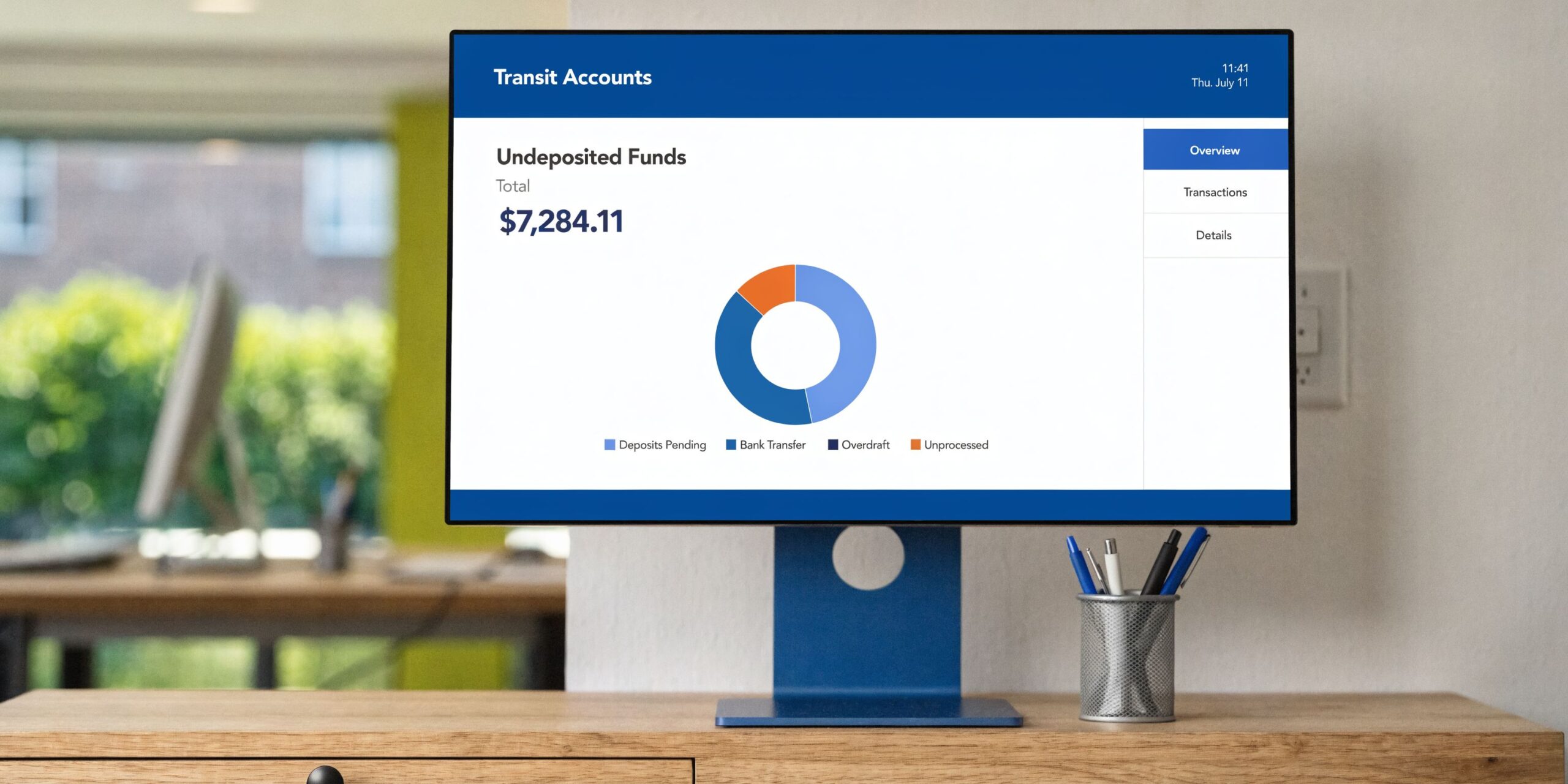
Undeposited Funds is QuickBooks’ built-in holding account for customer payments you have received but not yet deposited to the bank.
That means the right workflow is usually:
- receive payment against the invoice
- send that payment to Undeposited Funds
- use Bank Deposit when the deposit hits the bank
- match the bank feed to that deposit
This works especially well when one bank deposit includes multiple customer payments. If you skip Undeposited Funds and post each payment directly into checking, your QuickBooks bank balance will not line up with the grouped deposit your bank shows.
A common QuickBooks mistake
A business owner receives three client payments in one day. QuickBooks shows three paid invoices. Two days later, the bank shows one lump-sum deposit. The owner categorizes that deposit as income because it “looks like revenue.”
Now the books show both the original payments and a second income entry. Revenue is overstated, and reconciliation gets messy.
How Gusto creates money in transit
Payroll creates the same timing issue, just in reverse.
When Gusto pulls a lump-sum amount from your account to cover wages, taxes, and deductions, that funding debit may appear before all related payroll pieces are visible in your books or before tax payments fully settle. Money is moving through a process, and timing matters.
For payroll, your books usually need to separate:
- wage expense
- employer tax expense
- employee tax withholdings and other liabilities
- cash leaving the bank
- temporary payroll clearing, if needed
That way, the Gusto withdrawal is not treated as one giant payroll expense with no detail.
A workable Gusto approach
Some firms use a Payroll Clearing account for this.
When payroll is approved, the books record the detailed payroll expense and liability entries from the payroll report. Then, when Gusto pulls funds from the bank, that withdrawal gets matched against the expected clearing activity rather than being dumped straight into a generic payroll expense category.
This is especially useful when timing splits across pay date, tax remittance date, and benefits funding date.
A visual walkthrough can help if you are setting up your workflow for the first time.
When to use a custom clearing account instead of Undeposited Funds
Undeposited Funds is great for standard customer payments. It is less ideal when you need to track a specific process separately.
Use a custom account like Money in Transit, Stripe Clearing, or Payroll Clearing when:
- payment processors batch and net deposits in a way that needs separate tracking
- your team wants cleaner visibility by source
- payroll funding timing keeps confusing month-end
- you need to isolate stale items quickly
Keep the software setup simple
You do not need a complicated chart of accounts. You need a chart of accounts that reflects how money moves through your business.
If your QuickBooks file is still in the early setup stage, this walkthrough on how to setup QuickBooks Online can save you from building workarounds later.
Tip: If the amount in QuickBooks does not resemble the way the bank receives or sends funds, adjust the workflow. Do not force reconciliation by editing around the mismatch.
The goal is not more entries. The goal is entries that match operational reality.
Developing Internal Controls for Fund Handling
Good bookkeeping records movement. Good internal controls protect it.
That matters because money in transit is where visibility gets weakest. Funds are no longer with the customer, but not fully inside your bank process either. That gray area attracts errors and hides fraud.

Build digital armor
Top-tier Cash-in-Transit vehicles are engineered to CEN B6+ ballistic standards, providing protection against 7.62x51mm NATO ammunition (AAT Armourtech on cash-in-transit vehicles). Your accounting process should be designed with the same mindset. Not dramatic. Deliberate.
In practice, that means your controls should assume mistakes and attempted misuse will happen eventually. Then you design the workflow to catch them.
Controls that matter most
Separate the roles
The person sending invoices should not be the only person receiving payments and reconciling the bank. Even in a small company, split what you can.
Examples:
- operations sends the invoice
- admin records the payment
- owner or outside bookkeeper reviews reconciliation
Review clearing accounts on a schedule
Do not let Money in Transit become the drawer where unanswered questions go.
Use a recurring review for:
- old payment processor items
- uncleared cash receipts
- payroll withdrawals that do not tie to reports
- chargebacks or returned payments still sitting open
Require support for unusual items
Large deposits, manual journal entries, and edits to prior-period transactions should require documentation.
That support can be simple:
- processor report
- ACH confirmation
- customer remittance
- payroll register
- written approval from management
Resilience matters too
Armored vehicles do not rely on one line of protection. They are built to keep moving under pressure. Your bookkeeping process needs the same idea.
If a payment is disputed, returned, or delayed, someone should own the follow-up. Not “the team.” A person.
Key takeaway: Internal controls work only when a named person performs a specific review on a specific schedule.
For another perspective on practical safeguards, this article on internal controls to prevent fraud is a helpful read.
A simple control checklist
| Risk area | Control |
|---|---|
| Duplicate income | Match bank feed items instead of adding new revenue |
| Stale in-transit balances | Review clearing accounts every close |
| Unauthorized edits | Limit journal entry access |
| Missing payroll detail | Tie Gusto funding to payroll reports |
| Unresolved chargebacks | Assign follow-up ownership |
A small service business does not need enterprise bureaucracy. It does need routines that make errors visible quickly.
Frequently Asked Questions About Money in Transit
How should I handle foreign currency payments?
Use the same clearing-account logic, but expect the final settled amount to differ from the original amount because of exchange-rate movement or processor conversion.
A practical approach is:
- record the customer payment into a money in transit account based on the amount recognized at that time
- when the bank deposit settles, move the received amount into the bank
- book any difference to a foreign exchange gain or loss account, based on your accountant’s policy
The key is not to hide the difference by forcing the clearing account to match.
What if a payment bounces after I already recorded it as in transit?
Reverse it promptly.
If the original payment reduced Accounts Receivable, you usually need to restore the receivable and remove the balance from the clearing account. If the money briefly reached the bank and was later reversed, you may also need to record bank fees or returned-payment fees.
The important part is timing. Do not leave a bounced item in Money in Transit and hope it resolves itself.
What about chargebacks?
Treat chargebacks as a separate event, not as a reduction in sales.
You usually need to:
- remove the cash if it was withdrawn from your bank
- restore the customer balance or book a chargeback-related receivable, depending on your process
- record any processor fee separately
Chargebacks become much easier to trace when the original payment traveled through a dedicated clearing account.
A payment is taking much longer than usual. What should I do?
Start with the basics:
- confirm the customer initiated the payment
- review the processor dashboard or ACH notice
- compare expected deposit date to bank activity
- look for holds, failed transfers, or account mismatches
- escalate to the processor if the funds remain unresolved
Do not clear the account just to make the balance sheet look tidy. If the money has not arrived, the books should say so.
Can I leave everything in Undeposited Funds?
You can, but only if the volume is low and the workflow is simple.
Once you have multiple processors, net deposits, payroll timing issues, or frequent exceptions, separate clearing accounts give you better visibility.
How often should I review money in transit?
At minimum, review it every month during close. If cash flow is tight or payment volume is high, review it weekly.
A short review catches delays, duplicates, and posting errors before they spill into payroll decisions or owner distributions.
If your QuickBooks file has lingering Undeposited Funds balances, processor deposits that do not match, or payroll entries from Gusto that never seem to reconcile cleanly, Steingard Financial can help you build a bookkeeping workflow that reflects how money moves through your business.