Accruals and Deferrals: A Guide to Accurate Financials
You open QuickBooks Online at month-end, glance at the bank balance, and think the business is doing fine. Then you open the profit and loss statement and it tells a different story. Profit looks thin. Maybe even negative. Nothing feels obviously wrong, but the numbers don’t line up with your lived experience.
That disconnect is common in service businesses. You might have collected project deposits that are sitting in the bank but haven’t been earned yet. You might have delivered work that belongs in this month’s revenue, even though the invoice won’t go out until next week. Payroll is another frequent culprit. Your team finished work this month, but Gusto won’t draft payroll until the next one. Accruals and deferrals then transition from textbook terms into management tools. They help you answer a practical question: what happened in the business this period, regardless of when cash moved?
If you want a cleaner view of cash movement itself, Understanding Statement of Cash Flows is a useful companion read. And if part of your confusion starts with cleanup issues between the bank feed and the books, this guide on how to reconcile bank accounts is worth reviewing before you tackle period-end adjustments.
Why Your Bank Balance and P&L Disagree
A healthy bank account can hide a messy month.
Say you received a large client deposit for work that will be performed over the next few months. Your checking account goes up immediately. But that doesn’t mean the full amount belongs on this month’s profit and loss statement. Until you perform the work, part of that cash may belong in deferred revenue, not earned revenue.
The opposite happens too. You may finish a major consulting milestone on the last day of the month and send the invoice later. The bank balance won’t show it yet. But the work is done, and the revenue belongs in the period when you earned it.
Cash answers one question. Profit answers another
Your bank balance tells you how much cash you have. It does not tell you whether this month was profitable.
Your P&L is trying to answer a different question: how much revenue did you earn, and what expenses did it take to earn it?
When owners mix those two questions together, they often make bad decisions. They hire too early, distribute too much cash, or assume a slow bank month means the business had a weak operating month.
Bank balance is about liquidity. The P&L is about performance.
Why service businesses feel this more sharply
Service businesses deal with timing gaps all the time:
- Project billing lags: Work is done before the invoice is sent.
- Upfront retainers: Cash arrives before the service is delivered.
- Payroll timing: Employees earn wages before payroll is processed.
- Annual subscriptions: Software or insurance is paid upfront but used over time.
That’s why accruals and deferrals matter so much. They turn the books from a cash diary into a more accurate operating picture.
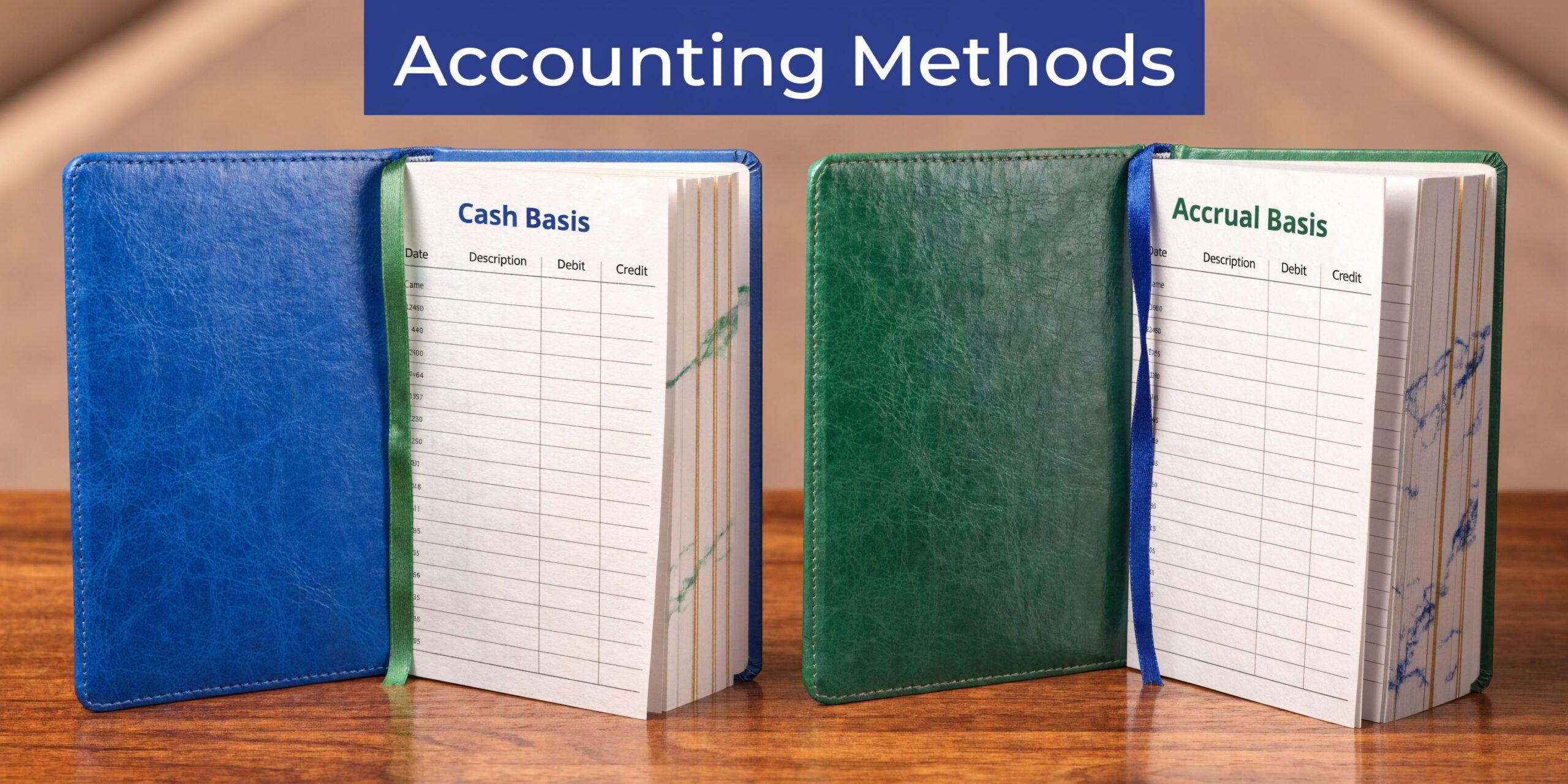
Accrual vs Cash Accounting The Core Difference
Cash accounting is simple. Accrual accounting is more accurate.
Under cash accounting, you record revenue when cash comes in and expenses when cash goes out. Under accrual accounting, you record revenue when it’s earned and expenses when they’re incurred.
A useful way to think about it is this:
- Cash accounting is like a debit card. The transaction matters when money leaves or enters the account.
- Accrual accounting is like a credit card statement. The purchase happened when you used the card, even if payment comes later.
The matching idea matters most
The core reason accrual accounting exists is the matching principle. If your business earned revenue in a period, the expenses tied to that revenue should appear in that same period.
That’s why payroll earned in December belongs in December, even if it’s paid in January. It’s also why a retainer collected today can’t always be treated as revenue today.
This isn’t just an internal preference. Accruals and deferrals are foundational adjusting entries in accrual basis accounting, mandated for public companies under U.S. GAAP since the establishment of the Financial Accounting Standards Board in 1973. A 2019 FASB study found companies using proper accruals reported 15-20% more stable earnings volatility compared to cash-basis peers, and in major markets like the U.S. S&P 500, 95% of public firms adhere to it (Ramp).
If you want a deeper side-by-side breakdown of both methods in plain language, this internal guide on the difference between cash basis and accrual basis is a helpful reference.
Side by side view
| Method | Revenue recorded when | Expense recorded when | Best for understanding |
|---|---|---|---|
| Cash basis | Cash is received | Cash is paid | Cash position |
| Accrual basis | Revenue is earned | Expense is incurred | Operating performance |
Why owners get tripped up
Most confusion comes from assuming one transaction has one date. In reality, many business events have at least two dates:
- The economic date when work is performed or cost is incurred
- The cash date when money moves
Accrual accounting focuses on the first date. Cash accounting focuses on the second.
That difference is exactly where accruals and deferrals live.
If you want month-end reports that help you run the business, not just describe the bank account, accrual accounting is usually the better lens.
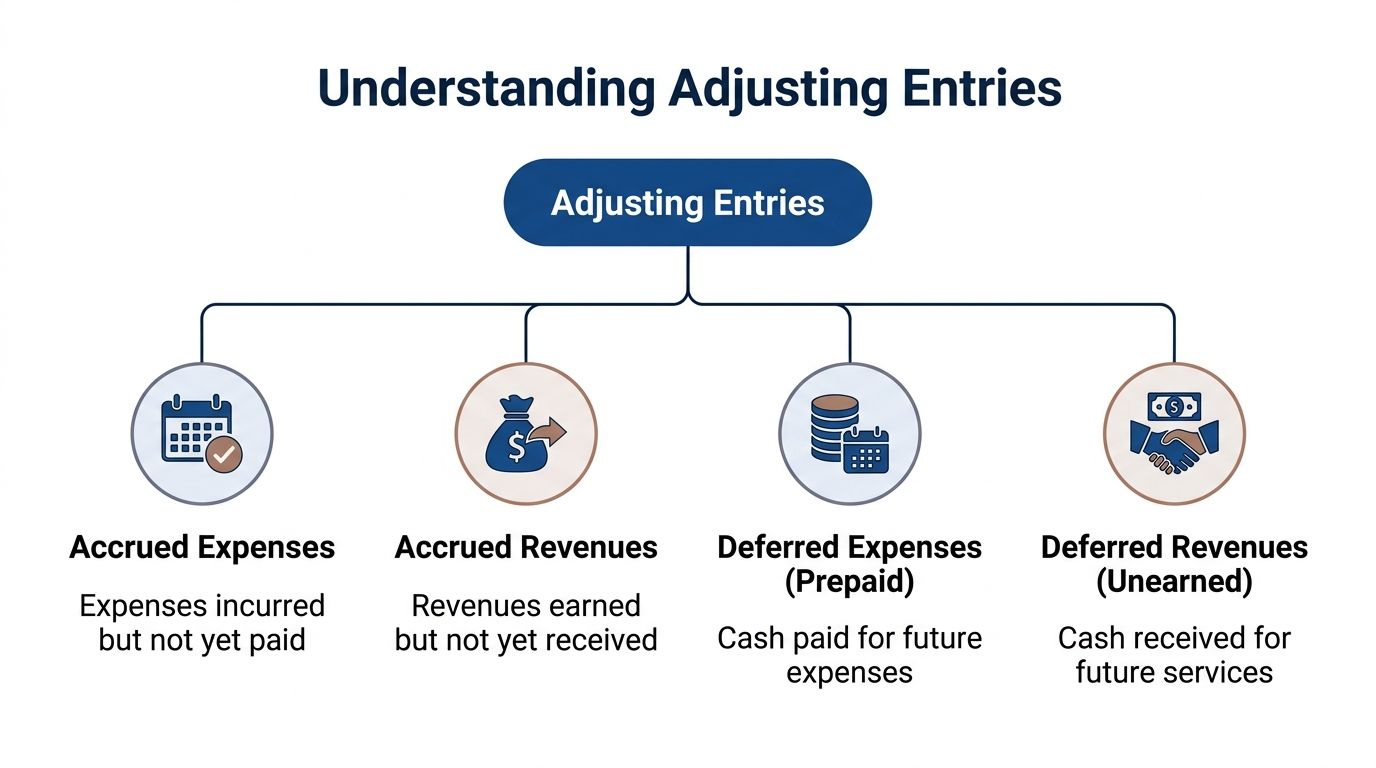
The Four Types of Adjusting Entries Explained
At month-end, most adjusting entries fall into four buckets. Once you can sort a transaction into the right bucket, the mechanics get much easier.
Accrued revenue
Accrued revenue: You’ve earned it, but haven’t billed or collected it yet.
This happens when your team performs work before the invoice goes out.
A service business sees this often with milestone billing, legal work in progress, consulting delivered at month-end, or agency services completed before the client billing cycle closes.
The business reality is clear: the work is done. So revenue belongs on the books now, even if the invoice and cash come later.
Typical accounts involved:
- Debit Accounts Receivable or an accrued receivable account
- Credit Revenue
This entry pulls earned revenue into the proper period.
Accrued expenses
Accrued expenses: You owe it, even though the bill or payment hasn’t arrived yet.
Payroll is the example most owners understand fastest. Employees worked this month. If payday falls next month, that labor cost still belongs in the current month’s P&L.
The same logic applies to contractor fees, utilities, interest, and vendor services received before invoicing.
Typical accounts involved:
- Debit Expense
- Credit Accrued liabilities or accounts payable
This entry prevents you from overstating profit because a bill arrived late.
Deferred revenue
Deferred revenue: You collected the cash first, but you still owe the service.
This one feels backward at first because owners see money in the bank and instinctively call it revenue.
But if a client prepays for future work, that payment starts as a liability. Why? Because the business still has an obligation to deliver services.
As work is completed, you move the appropriate portion from deferred revenue into earned revenue.
Typical accounts involved:
- When cash is received: Debit Cash, Credit Deferred Revenue
- As work is delivered: Debit Deferred Revenue, Credit Revenue
This is common with retainers, annual service contracts, onboarding fees tied to future delivery, and prepaid support agreements.
Prepaid expenses
Some people call these deferred expenses. In practice, many service businesses use the phrase prepaids because it’s easier to grasp.
Here’s the simple rule: if you paid cash now for a future benefit, don’t expense the whole thing immediately.
Examples include:
- Annual insurance
- Software subscriptions
- Prepaid rent
- Maintenance contracts
At the time of payment, the business has bought an asset, not consumed an expense in full.
Typical accounts involved:
- When paid: Debit Prepaid Expense, Credit Cash
- As used over time: Debit Expense, Credit Prepaid Expense
A quick sorting tool
If you’re unsure which type applies, this small table helps:
| What happened first | You already earned or incurred it | You already paid or collected cash | Category |
|---|---|---|---|
| Work or cost happened first | Yes | No | Accrual |
| Cash happened first | No, recognition comes later | Yes | Deferral |
The mental shortcut
Owners often overcomplicate this. You can simplify it to two questions:
- Did cash move first, or did the work/expense happen first?
- Is the business waiting to earn something, or waiting to pay/collect something?
If the work or cost happened first, you’re usually dealing with an accrual.
If cash happened first, you’re usually dealing with a deferral.
The entire topic of accruals and deferrals becomes easier when you stop memorizing terms and start following timing.
Real-World Examples and Journal Entries for Service Businesses
Theory clicks faster when you can see the entry on the page. Below are four examples drawn from common service business situations.
Accrued revenue from unbilled consulting work
Your team finishes a strategy engagement at month-end, but the invoice won’t go out until the next billing run. The work is complete, so the current month should include that revenue.
Journal entry at month-end:
- Debit Accounts Receivable
- Credit Consulting Revenue
When the invoice is issued and the client pays, you clear the receivable through the normal billing and collection flow.
This entry matters because otherwise the month looks weaker than it really was. The work happened. The books should reflect it.
Accrued payroll expense between Gusto pay cycles
This is one of the most common period-end adjustments in QuickBooks Online.
Suppose employees worked during the final days of the month, but Gusto processes the payroll in the following month. You need an accrual so labor cost lands in the proper period.
For a company with a $5,000 bi-weekly payroll, failing to accrue this could understate expenses and overstate EBITDA margins by 5-10% in that month’s reports. Proper accruals can also reduce audit adjustments by up to 15% according to FASB studies (FinQuery).
Journal entry at month-end:
- Debit Salary Expense $5,000
- Credit Accrued Salaries Payable $5,000
When payroll runs in the next period, you reverse or clear the accrual so the expense isn’t counted twice.
If you want more illustrations of how these entries work, this collection of examples of adjusting entries is useful.
Deferred revenue from an upfront retainer
A client pays in advance for future monthly services. Cash is real, but revenue recognition has to follow delivery.
At the time cash is received:
- Debit Cash
- Credit Deferred Revenue
Then, as you perform the work for the month:
- Debit Deferred Revenue
- Credit Revenue
This keeps your income statement from looking artificially strong in the month you collect the retainer and artificially weak in later months when you do the work.
If a client prepays, ask yourself one question. “Have we earned it yet?” If the answer is no, it’s not revenue yet.
Prepaid software or insurance
Service firms often prepay annual software, insurance, or support tools. If you expense the whole payment immediately, one month gets hit too hard and the following months look cleaner than they should.
At the time of payment:
- Debit Prepaid Expense
- Credit Cash
Then each month as the benefit is used:
- Debit Expense
- Credit Prepaid Expense
This treatment spreads the cost across the periods receiving the benefit.
Why the journal entries matter
Owners sometimes think adjusting entries are just for accountants. They’re not.
These entries affect decisions about:
- Hiring: Are labor costs already fully reflected?
- Pricing: Does the month include all revenue earned?
- Cash planning: Are unpaid obligations sitting off the books?
- Bonus calculations: Are margins based on earned revenue, not just collected cash?
Without these entries, management reports can look polished while still telling the wrong story.
Your Month-End Checklist for Recording Adjustments
A good month-end close is mostly pattern recognition. You don’t need to reinvent it every month. You need a repeatable checklist.
What to review before you post entries
Start with contracts, invoices, payroll dates, and recurring vendor bills.
Look for timing gaps, not just missing transactions.
- Scan for unbilled work: Review projects, timesheets, and completed milestones. If the service was delivered but not invoiced, consider accrued revenue.
- Check unpaid costs: Look for services received before month-end that haven’t been billed or paid yet. Payroll, contractors, and recurring vendors are common spots.
- Review customer prepayments: If clients paid in advance, confirm how much has been earned.
- Examine prepaid items: Insurance, software, retainers, and annual plans often need monthly amortization.
- Match payroll dates to work dates: If Gusto processes after month-end, labor may need an accrual.
- Inspect balance sheet accounts: Deferred revenue, prepaid expenses, accrued liabilities, and receivables often reveal what still needs adjustment.
What to do after posting
Adjusting entries aren’t finished just because they’re booked.
You also need to think about how they unwind.
- Label entries clearly. Use memo fields in QuickBooks Online so future you knows why the entry exists.
- Set reversals where appropriate. Many accruals should reverse in the next period to avoid double-counting.
- Compare actuals to estimates. Some accruals are estimates. Replace estimates with actual bills or payroll amounts when available.
- Review the P&L and balance sheet together. A clean P&L with a messy balance sheet usually means the close isn’t really finished.
A practical rule for owners
Practical rule: If a transaction makes you ask, “Does this really belong in this month?” you’re probably looking at an accrual or a deferral issue.
That question alone catches a surprising number of errors.
Recording Accruals and Deferrals in QuickBooks Online
QuickBooks Online can handle accruals and deferrals well, but only if the workflow is set up thoughtfully. Most problems don’t come from the software itself. They come from how entries, payroll syncs, and recurring schedules are managed.
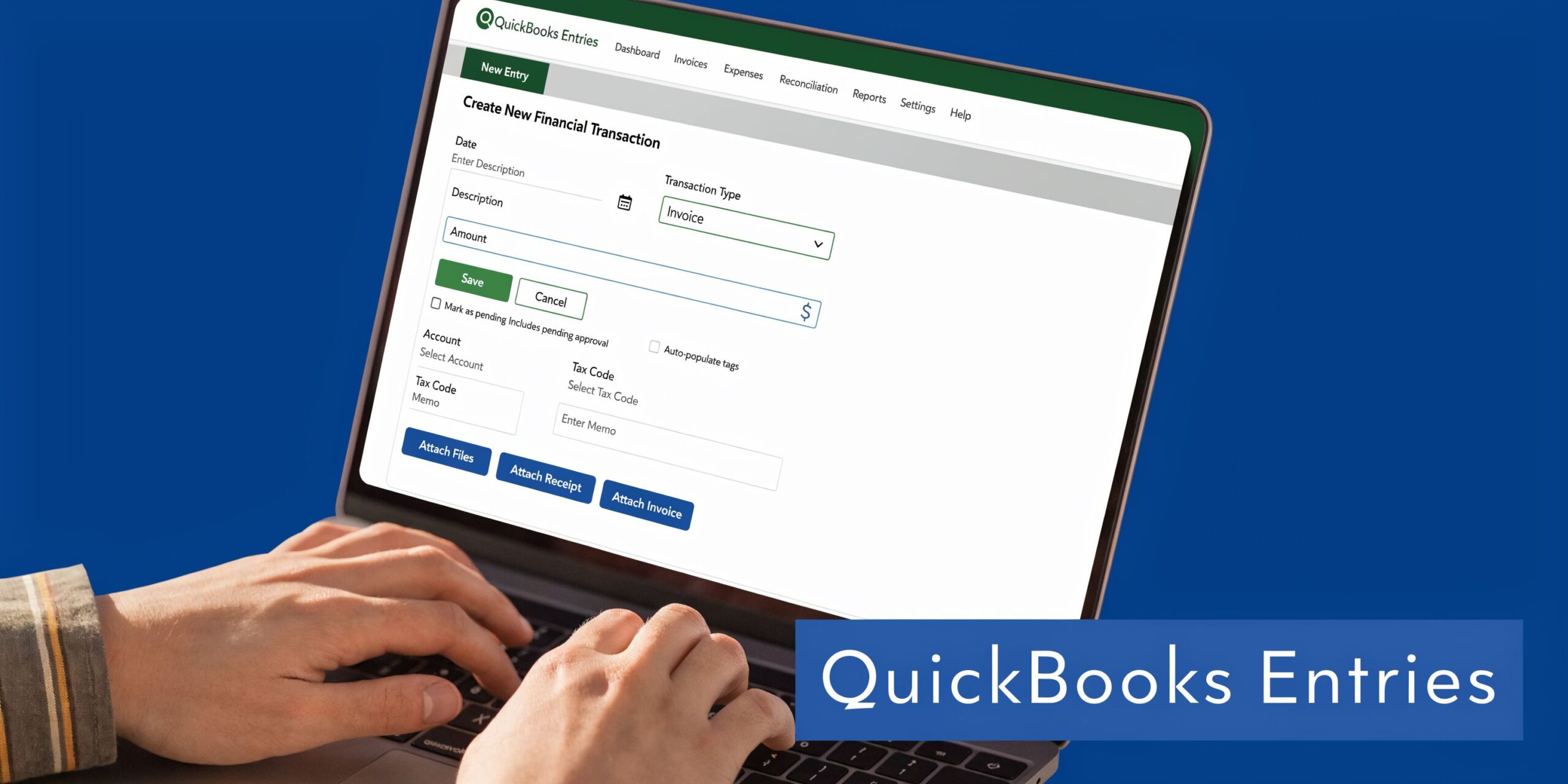
Use journal entries for period-end adjustments
For one-time accruals, QuickBooks Online’s Journal Entry screen is usually the right tool.
Examples include:
- Unbilled month-end revenue
- Accrued payroll
- Utility expenses incurred but not billed
- Client deposits that need to be reclassified into deferred revenue
The key is consistency. Use dedicated accounts such as Accrued Payroll, Deferred Revenue, and Prepaid Software rather than burying adjustments inside generic categories.
That makes review much easier when you’re reconciling the balance sheet later.
Use recurring transactions for scheduled amortization
Some adjustments happen every month in a predictable pattern.
Prepaid insurance, annual software, and monthly recognition of deferred revenue often fit well into Recurring Transactions in QuickBooks Online. This reduces manual work and helps keep the close on schedule.
Still, don’t automate blindly. Review recurring entries periodically to confirm the contract terms haven’t changed.
Where QuickBooks and Gusto often create friction
Payroll accruals are where many service businesses get stuck.
Gusto posts payroll based on processing dates and configured account mappings. Your month-end close, however, cares about the dates employees earned those wages. Those two timelines don’t always line up.
For service firms, a 2025 AICPA survey found that 68% report accrual errors leading to restatements due to software mismatches. Manual reversals in QuickBooks often fail for Gusto-synced payroll deferrals, potentially causing an overstatement of liabilities. This highlights the need for customized chart of accounts optimizations and workflows, which can lead to 30% faster month-end closes (YouTube source referenced in the provided research set).
Here’s a practical workflow that usually works better:
- Separate accrued payroll from regular payroll liabilities: Don’t mix period-end estimates with Gusto’s normal posting accounts.
- Reverse manual accruals deliberately: If QuickBooks auto-reverses, confirm the reversal doesn’t conflict with the payroll sync entry.
- Map payroll accounts carefully: Wages, taxes, benefits, and reimbursements should land in accounts you can review cleanly.
- Document the logic: Put notes in the journal memo so the next close is easier.
A short walkthrough can help if you want to see the mechanics in action:
Keep the chart of accounts clean
Many QuickBooks files get cluttered over time. Owners add accounts reactively, payroll apps add their own structure, and nobody steps back to simplify.
For accruals and deferrals, a tidy chart matters. If the balance sheet has clear buckets for prepaids, deferred revenue, and accrued liabilities, month-end review gets much easier. If everything is mixed into broad accounts, errors hide in plain sight.
Common Mistakes and Important Tax Implications
The biggest mistakes with accruals and deferrals usually aren’t dramatic. They’re small timing errors that repeat every month.

Mistakes that skew the books
A few show up over and over:
- Forgetting reversals: You book an accrual at month-end, then leave it in place after the actual bill or payroll posts.
- Expensing prepaids immediately: Annual software or insurance gets dumped into one month.
- Treating deposits as earned revenue: Cash is collected, so it gets posted to income too early.
- Using rough estimates and never truing them up: An estimate can be fine. Ignoring the actual number later is not.
- Mixing app-generated entries with manual ones: This is common with QuickBooks Online and Gusto.
Each of these errors changes the story your reports tell. Margins can look stronger or weaker than they really are. Liabilities can be understated. Revenue can be pulled forward.
Tax reporting isn’t always the same as book reporting
Many small businesses keep books on an accrual basis for management purposes but file taxes on a different basis. That can be perfectly reasonable, depending on the business and tax circumstances.
What matters is not assuming your tax method and your management reporting method are automatically the same.
Your internal books should help you run the business well. Your tax return has its own compliance rules. Those two systems need to be reconciled thoughtfully, especially around year-end.
Good books support tax work. They don’t replace tax judgment.
A good question to ask
When reviewing any unusual entry, ask:
“Is this entry trying to reflect economic activity, or is it just following cash?”
That question helps separate real accrual accounting from accidental cash-basis bookkeeping inside an accrual-basis file.
Automate Your Books with Steingard Financial
Accruals and deferrals sound simple when they’re defined in a glossary. They get harder when you’re closing the books inside QuickBooks Online, syncing payroll from Gusto, tracking retainers, and trying to make management reports usable.
That’s where process matters.
A strong close doesn’t depend on heroic cleanup at year-end. It depends on having the right chart of accounts, clear payroll workflows, repeatable month-end reviews, and adjusting entries that are posted and reversed correctly. Service businesses feel these issues more than most because revenue timing, labor timing, and client prepayments constantly cross periods.
Steingard Financial helps service businesses build that discipline into the day-to-day bookkeeping process. The result is cleaner financial statements, fewer surprises at month-end, and reports you can use to make decisions.
If your QuickBooks file has become a patchwork of manual entries, app syncs, and unexplained balances, it usually doesn’t need more guesswork. It needs a cleaner system.
Steingard Financial helps service businesses across the United States build accurate books, reliable payroll workflows, and scalable month-end reporting inside QuickBooks and Gusto. If you want cleaner accruals, better deferral tracking, and financial statements you can trust, connect with Steingard Financial.