 Skip to content

Tired of watching your hard-earned money sit in someone else’s bank account? An accounts receivable aging report is the single most important tool for getting a handle on unpaid invoices. It simply organizes what you’re owed into time-based buckets, like 0-30 days or 31-60 days, giving you a crystal-clear picture of your cash flow situation.
Get a Grip on Your Cash Flow with This Essential Report
As a business owner, there’s nothing more maddening than delivering great work only to see the payment languish as an outstanding invoice. That’s where the AR aging report comes in. It’s more than just a spreadsheet; it’s a diagnostic tool that reveals the financial health of your business and gives you a clear plan of action.
By sorting unpaid invoices, you immediately see where your cash is tied up and which clients need a nudge. Forget guessing who to call first. This report gives you a data-backed approach to collections, letting you focus your energy where it matters most. For any business serious about its finances, this isn’t just a good idea—it’s essential for maintaining healthy cash flow.
The Anatomy of an AR Aging Report
Let’s break down what goes into a solid AR aging report. Each piece of information plays a specific role, working together to give you a complete view of your receivables. Think of it like building a case file for each invoice; the more complete the file, the faster you can close the case.
Globally, the average collection period for accounts receivable is around 55 days. That’s almost two months! This makes an accounts receivable aging report template absolutely critical. By sorting invoices into buckets—Current, 31-60 days, 61-90 days, and 90+ days—you can spot late payments early and chase them down before they become a serious drag on your finances.
Key Takeaway: The goal of an AR aging report isn’t just to see who’s late. It’s to give you the foresight to stop invoices from becoming critically overdue in the first place.
And to truly get ahead, it’s wise to understand the full financial picture. That means not just what you’re owed, but what you owe, too. Learning to balance both is key, and you can get a head start by exploring strategies for Mastering Accounts Payable Receivable.
Now, let’s look at the key fields you’ll find in any effective AR aging report. Understanding what each component does is the first step to building a report that works for you.
Key Components of an AR Aging Report
| Component | What It Is | Why It Matters |
|---|---|---|
| Customer Name | The client or company that owes the money. | Allows you to see total outstanding balances by client, highlighting repeat late payers. |
| Invoice Number | A unique identifier for each invoice. | Essential for clear communication and quick reference when contacting the client. |
| Invoice Date | The date the invoice was issued. | Establishes the starting point for the aging calculation. |
| Invoice Amount | The total amount due for the specific invoice. | Provides the core data for calculating total outstanding receivables. |
| Aging Buckets | Columns categorizing invoices by age (e.g., 0-30, 31-60 days). | This is the heart of the report, visualizing how overdue your invoices are. |
| Total Due | The sum of all outstanding balances for a customer. | Gives you a quick summary of each customer’s overall debt. |
Each of these fields provides a piece of the puzzle. When you put them all together, you get a powerful, at-a-glance tool for managing your company’s financial health.
How to Build Your AR Aging Report from Scratch
Talking about an organized collections process is one thing, but putting it into practice is where you’ll really see the impact. Our downloadable template is a great head start, but understanding how to build an accounts receivable aging report template yourself gives you total command over your financial tracking. Let’s walk through how to construct this crucial tool in a simple spreadsheet.
The entire report is built on just four key pieces of information for every outstanding invoice: Customer Name, Invoice Number, Invoice Date, and the Amount due. This is the raw data you will pull from whatever invoicing or accounting system you use.
Setting Up Your Core Data Fields
First, open a new sheet in Excel or Google Sheets. Your first task is to create columns for those essential data points. Populating this information is the most straightforward part of the process.
Let’s say you run a small marketing agency. Your initial data might look something like this:
- Client A, Invoice #101, 15 days old, $2,500
- Client B, Invoice #102, 45 days old, $5,000
- Client C, Invoice #103, 75 days old, $1,800
- Client A, Invoice #104, 95 days old, $3,200
- Client D, Invoice #105, 5 days old, $800
With your basic invoice data entered, you’re ready to make the report dynamic. This is where a static list of invoices becomes a powerful collections dashboard.
This process flow shows how raw invoices get categorized by age, which is what leads to actionable financial insights.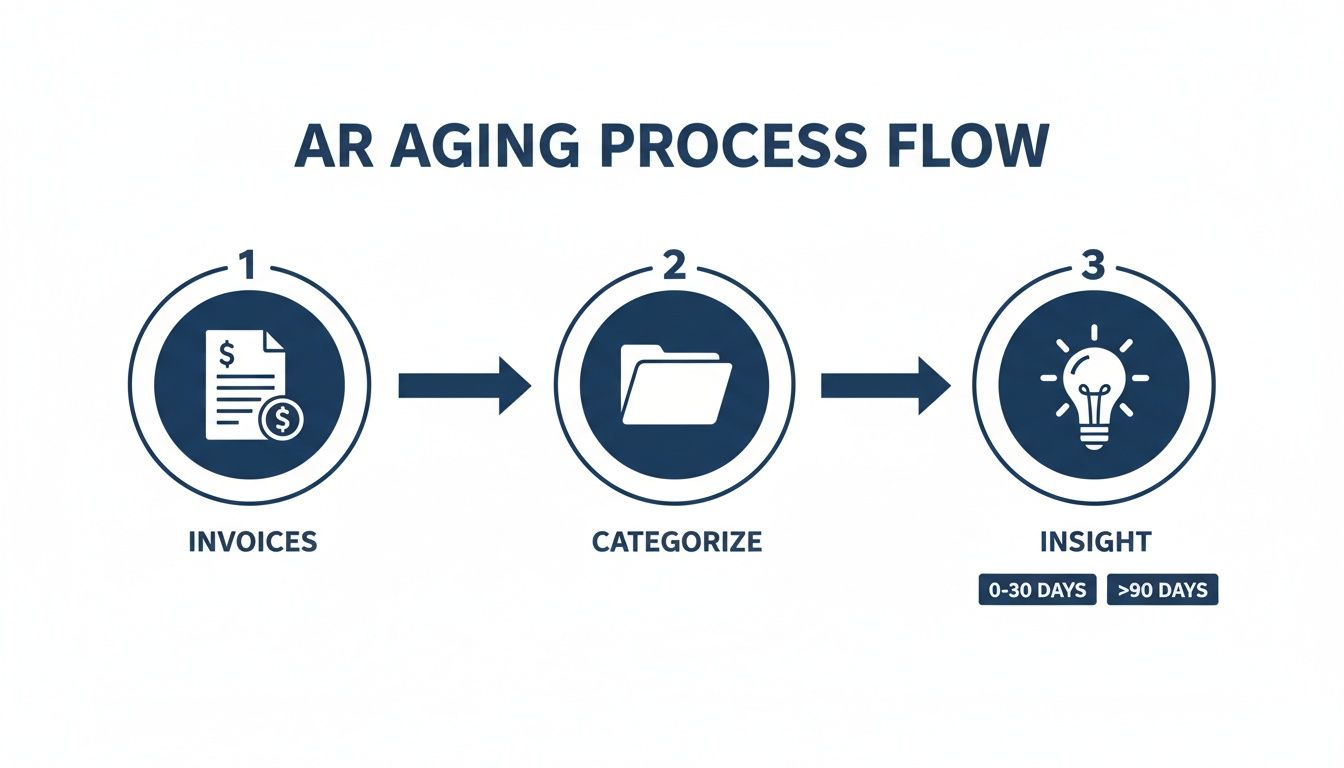
The diagram clearly shows a simple journey from data entry to strategic decision-making, which is the whole point of an AR aging report.
Unlocking Automation with Formulas
The real magic happens when you use formulas to automatically calculate how old an invoice is. This eliminates the need for manual counting and reduces the risk of human error.
The first new column to add is “Days Past Due.” The formula for this is quite simple. In the cell for your first invoice, you’ll type:
=TODAY() - [cell with Invoice Date]
This powerful little function subtracts the invoice date from today’s date, instantly telling you the age of the invoice. You can then drag this formula down the entire column, and every invoice’s age will be calculated and updated each time you open the file.
Now that you have the “Days Past Due,” you can automatically sort each invoice into its proper aging bucket. These buckets will be the columns that define your report:
- Current (0-30 days)
- 31-60 Days
- 61-90 Days
- 91+ Days
To sort the amounts, you’ll use a nested IF statement. It looks more complicated than it is. For the “31-60 Days” bucket, the formula simply checks if the “Days Past Due” falls within that specific range.
In Excel or Google Sheets, the formula for the “31-60 Days” column would be:
=IF(AND([Days Past Due]>30, [Days Past Due]<=60), [Invoice Amount], 0)
This formula tells the spreadsheet: “If the invoice’s age is more than 30 days AND less than or equal to 60 days, show the invoice amount here. If not, show zero.” You’ll then create a similar formula for each of the other aging buckets, just adjusting the day ranges.
Finalizing Your Report for Clarity
Once your formulas are in place, the final step is to sum each column. At the bottom of your aging buckets, use the SUM function to get a total for each category. This gives you that high-level view of exactly how much money is sitting in each aging period.
Pro Tip: Use conditional formatting to automatically color the cells in your “91+ Days” column red. This simple visual cue makes your most at-risk invoices impossible to miss, drawing your eye right where it needs to be.
Building this report from the ground up gives you a deep understanding of your own collections process. Once you’ve mastered how to build your AR aging report from scratch, looking into ways to automate reports can be a great next step for improving efficiency. With these steps complete, you have created a reusable, dynamic, and highly effective accounts receivable aging report template that puts you back in control of your cash flow.
Translating Your Report into Actionable Steps
Having a solid accounts receivable aging report template is a great starting point, but its true power is unlocked when you use that data to make decisions. Think of the finished report as a map. It shows you exactly where your cash is, but it’s up to you to chart the course to get it. This is where you shift from simple bookkeeping to active business strategy, protecting and improving your cash flow.
First, take a high-level look at the distribution of your receivables. What percentage of your total AR falls into each aging bucket? If you find that 80% or more of your money is in the “Current” (0-30 days) column, give yourself a pat on the back—your collections process is running smoothly. But if you see a large chunk of cash creeping into the older buckets, consider it a clear warning sign.

Interpreting the Aging Buckets
Every column on your report tells a story and requires a different response. A high balance in the “91+ Days” category isn’t just a late payment; it’s a direct threat to your company’s liquidity. The longer an invoice goes unpaid, the lower your chances of ever collecting that money.
This isn’t just a feeling; it’s a statistical reality. In the fourth quarter of 2025, Dun & Bradstreet’s U.S. Accounts Receivable Industry Report found that 18 out of 202 industry segments had 10% or more of their aging dollars classified as 91+ days past due. This shows just how persistent this challenge is for so many businesses. Ignoring it is costly: collectability figures from the Commercial Collection Agencies of America put the odds of collecting a commercial account at about 51% once it is six months past due, and about 21% after a year.
To fight back, you need a structured action plan where your response becomes more urgent as an invoice gets older.
Crafting a Tiered Collection Strategy
A one-size-fits-all approach to collections rarely works. You need to tailor your actions to the invoice’s aging bucket. This helps you maintain positive client relationships while still being firm about payment.
Bucket 1: 31-60 Days Overdue
- Action: Send a friendly, automated email reminder.
- Tone: Keep it polite and helpful. The goal is a gentle nudge. Your client might have simply forgotten or missed the original invoice.
- Example Message: “Hi [Client Name], This is a friendly reminder that invoice #123 for $X is now past due. I’ve attached a copy for your convenience. Please let us know if you have any questions.”
Bucket 2: 61-90 Days Overdue
- Action: It’s time to pick up the phone.
- Tone: Be firm, but always professional. Your goal is to find out why there’s a delay and get a specific commitment for a payment date.
- Example Dialogue: “Hi [Client Name], I’m calling about invoice #123, which is now over 60 days past due. Is there an issue I can help resolve? When can we expect to receive payment?”
Bucket 3: 91+ Days Overdue
- Action: Send a formal, final demand notice.
- Tone: Your tone should be serious and official. This letter must clearly state the consequences of further non-payment, like pausing services or escalating the account to a collections agency.
- Example Statement: “This letter serves as a final demand for payment on invoice #123, totaling $X, which is now over 90 days delinquent. If payment is not received by [Date], we will be forced to proceed with further collections action.”
An invoice over 90 days past due is a financial emergency. The likelihood of collection drops by the day, and immediate, decisive action is the only way to mitigate the loss. Treat these accounts as your highest priority.
This structured process is a cornerstone of smart financial oversight. To dig deeper into building these systems, our guide on what is accounts receivable management is a great resource.
Spotting Trends and Taking Proactive Steps
Beyond chasing down individual invoices, your aging report is a fantastic tool for spotting bigger trends. Do you have one client who consistently ends up in the 61-90 day bucket? That’s not a coincidence; it’s valuable data. It’s a clear signal that you need to adjust their payment terms.
This is your chance to be proactive. Instead of getting stuck in the same collections cycle every few months, use this historical data to renegotiate. You might propose switching that client to Net 15 terms or requiring a 50% deposit on all future work. By turning report data into proactive policy changes, you solve the problem at its root instead of just treating the symptoms. This is how your AR aging report transforms from a simple tracking sheet into a key part of your financial strategy.
Customizing Your Report for Your Service Business
A great template is a fantastic start, but the real magic happens when you tailor it to your specific business. For service-based companies, customizing your accounts receivable aging report template isn’t just a good idea—it’s how you turn a generic spreadsheet into a diagnostic tool for your unique operations.
Standard templates are built for everyone, which means they aren’t built perfectly for anyone. They don’t know if you’re a marketing agency, an IT consultant, or a landscaping company. By adding a few custom columns, you can uncover a layer of insight that a one-size-fits-all approach will always miss.
Adding Service-Specific Data Columns
Think about what truly drives your business. Is it particular projects, specific services, or the account managers handling the clients? Adding columns to track these variables will help you pinpoint exactly where your cash flow is getting stuck.
Consider adding fields like these:
- Project Manager: Instantly see which managers are best at keeping clients happy and payments on time. This can highlight who might need more support or training in client communication.
- Service Line: If you offer multiple services (like “Web Design,” “SEO,” or “PPC Management”), this column shows which offerings are tied to the slowest payments.
- Client Tier: Maybe you categorize clients as “Standard,” “Premium,” or “Enterprise.” This helps you see if payment issues are concentrated within a certain type of customer.
This kind of detail transforms your report from a simple collections to-do list into a strategic dashboard. For instance, if you notice your “SEO” service line consistently has invoices in the 61-90 day bucket, that’s a clear signal to revisit the payment terms or project milestones for those contracts.
Key Insight: Customization isn’t about adding complexity for its own sake. It’s about adding context that helps you make faster, smarter decisions about your cash flow.
Tools like QuickBooks Online are an excellent source for the data you’ll need to fill out and customize your report.
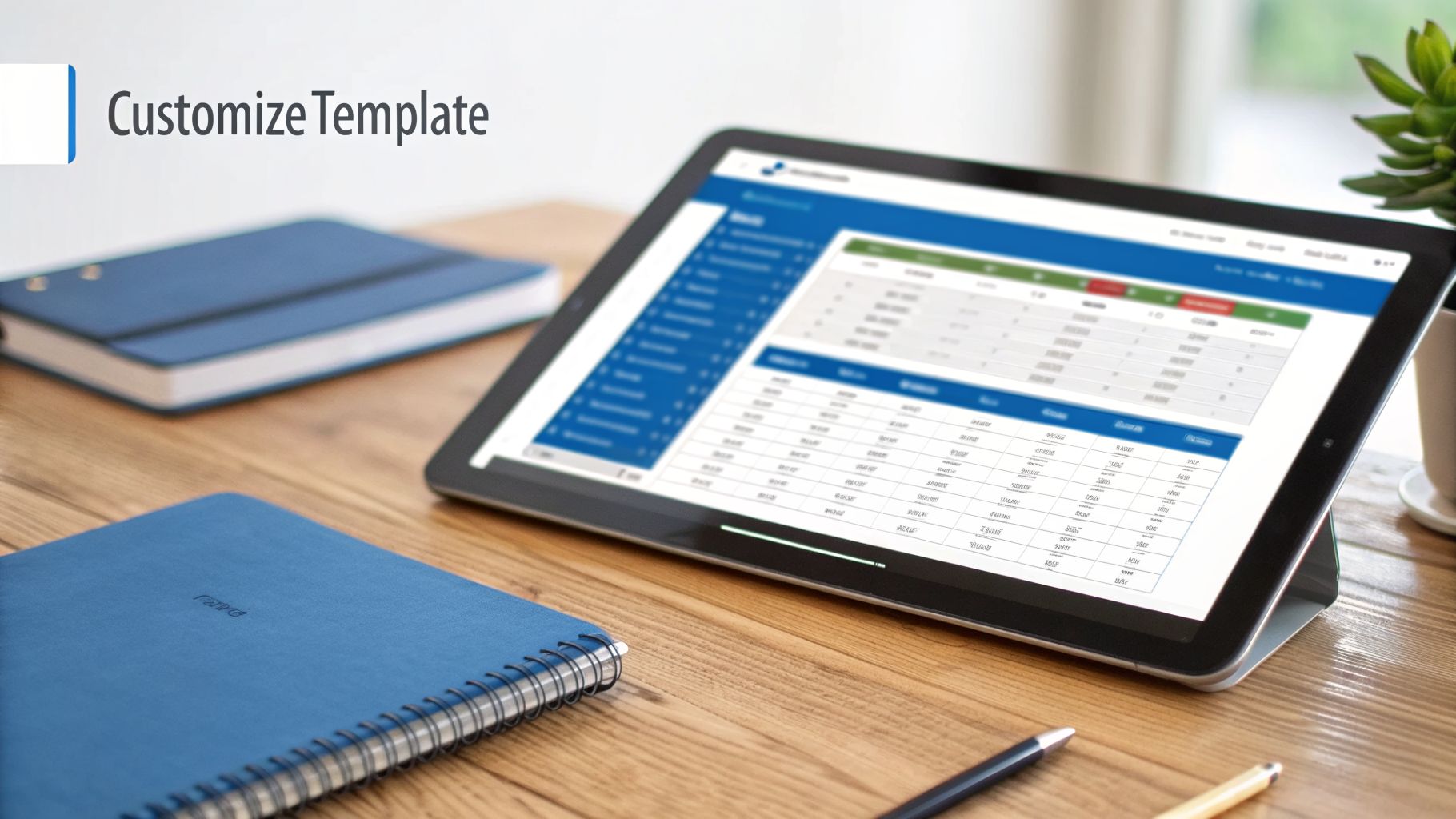
Exporting a report like “Open Invoices” from your accounting software gives you the raw data needed to feed your custom spreadsheet, building a bridge between your bookkeeping system and your analytical tool.
Integrating with Your Accounting Software
Manually typing every single invoice into a spreadsheet is a recipe for wasted time and data-entry errors. A much smarter approach is to connect your custom template with your accounting software. This creates a simple, semi-automated workflow that can save you hours of administrative headaches.
The most direct way to do this is by exporting the “Open Invoices” report from QBO. This report contains all the core data you need: customer name, invoice number, date, and the amount due. Just export it as an Excel or CSV file and paste the data directly into the “Data” tab of your template. The formulas you’ve already set up will handle the rest, automatically calculating the days past due and sorting each invoice into the correct aging bucket.
The process is refreshingly simple:
- Navigate to the Reports section in QuickBooks Online.
- Search for and run the Open Invoices report.
- Click the Export icon and choose Export to Excel.
- Copy the data from that file and paste it into your template.
If you do this once a week, you’ll have a consistently up-to-date view of your receivables with just a few minutes of work.
Creating a Semi-Automated Workflow
For those who want to take efficiency to the next level, a tool like Zapier can create a powerful connection between your accounting software and your Google Sheets template. You can set up a “Zap” that automatically adds a new row to your spreadsheet every time a new invoice is created in QuickBooks.
This creates a near real-time AR aging report. While it does take a little bit of initial setup, it completely removes the need for manual exports. This kind of system is built to scale, allowing your financial reporting to grow with your business without demanding more of your time. It’s all about building efficient systems that let you focus on serving your clients.
This level of detailed tracking is crucial. According to Dun & Bradstreet’s data for Q4 2025, 18 out of 202 U.S. industry segments had 10% or more of their receivables aged over 90 days. This just underscores how vital a sharp, customized report is for staying financially healthy. You can discover more insights about AR aging statistics and what they mean for your business to see how you stack up.
Maintaining Healthy Accounts Receivable
While an accounts receivable aging report template is a fantastic tool for spotting problems, the best strategy is to prevent late payments from happening in the first place. Think of your AR report as a health check-up for your cash flow. It’s great at diagnosing issues, but true financial health comes from solid, everyday bookkeeping habits.
The accuracy of your report is only as good as the data you put in. Establishing simple, consistent routines for invoicing and tracking payments is the foundation of a healthy cash flow cycle. This isn’t about creating more work; it’s about building smarter systems that cut down on the stress and headaches of chasing money later.
The Foundation of Prompt Payments
If you want to get paid on time, you need to make the process crystal clear and immediate for your clients. Any confusion or delay on your end creates an opening for your invoice to be forgotten or pushed to the bottom of their to-do list.
The best habit you can build is to send an invoice the moment a project is finished or a service milestone is hit. Don’t wait until the end of the month to do your billing. The value of your work is freshest in your client’s mind right after you’ve delivered, which makes them much more likely to pay quickly.
Equally important, every single invoice must have clear payment terms. Vague phrases like “Payment Due Upon Receipt” just don’t have the same impact as a concrete “Net 30.” This sets a professional expectation and gives you a firm date for when the aging clock officially starts ticking.
Key Takeaway: Your collections process really begins the second you send an invoice. If you make it immediate, clear, and professional, you set the stage for prompt payment. A strong start is your best defense against aging receivables.
Systematize Your Invoicing and Payment Processing
Sending the invoice is just the first step. You also need a reliable system for applying payments and keeping your books clean. As soon as a payment comes in, apply it to the correct invoice in your accounting software. Don’t let it sit.
If you don’t, things can get messy fast. A payment that hasn’t been applied can leave an invoice showing as “open” on your AR report. This can lead to you wasting time chasing down a client who has, in fact, already paid you.
Regular reconciliation is also completely non-negotiable. You should, at a minimum, check once a month to make sure the total balance on your AR aging report matches the Accounts Receivable line on your balance sheet. If the numbers don’t line up, it’s a major red flag that you have an error somewhere, like a duplicate invoice or a payment applied to the wrong account.
Automate Reminders and Simplify Payments
Modern technology can be a huge help in keeping your accounts receivable healthy. Accounting software like QuickBooks Online has powerful features that can automate your follow-ups, saving you time and helping you avoid those awkward collection calls.
Take a few minutes to set up automated invoice reminders. You can configure the software to send polite reminders a few days before an invoice is due, on the due date itself, and at regular intervals after it becomes overdue. This gentle, consistent pressure works wonders and doesn’t require any manual effort from you.
Finally, make it as easy as possible for clients to pay you. The fewer hoops they have to jump through, the faster the cash will hit your bank account. Be sure to offer several payment options:
- ACH/Bank Transfer: A great option for larger B2B payments, as the fees are typically much lower.
- Credit Cards: The convenience for clients is undeniable. Even with a small processing fee, the speed of payment often makes it worth it.
- Online Payment Portals: A professional touch where clients can see and pay all their open invoices in one place.
When you build a proactive system based on clear terms, immediate invoicing, and automated follow-ups, your accounts receivable aging report template shifts from a crisis-management tool to a final, simple checkpoint. To dive deeper into these foundational habits, our guide on accounts receivable best practices offers even more detailed strategies for building a solid financial foundation.
Your AR Aging Report Questions Answered
Once you start using an accounts receivable aging report, you’ll quickly run into some real-world questions. Getting your template set up is one thing; using it effectively as part of your financial routine is another. Let’s walk through some of the most common questions I hear from service business owners.
How Often Should I Review My AR Aging Report
For the majority of service-based businesses, a weekly review is the sweet spot. This frequency keeps you on top of overdue invoices before they turn into serious cash flow headaches, allowing you to be proactive with collections. It’s the right balance between staying informed and not getting lost in administrative tasks.
Of course, this can be adjusted. If you’re processing a very high volume of invoices, a quick daily check might be a good idea. On the flip side, if you work with a smaller group of high-value clients, reviewing it every other week could work just fine. The key is consistency—make it a non-negotiable part of your financial rhythm.
What Should I Do About a Disputed Invoice
The moment a client disputes an invoice, you need to get it off your main aging report. Never let it sit there and skew your numbers. The best practice is to move it to a separate “Disputed” tab or category within your spreadsheet.
Doing this accomplishes two critical things:
- It ensures your main aging buckets stay accurate, giving you a true snapshot of your collectible AR.
- It flags that specific invoice for immediate and separate follow-up.
Reach out to the client right away to understand the exact problem and document every conversation. A quick resolution, whether it’s issuing a corrected invoice or a credit memo, protects your client relationship and keeps your collections process clean.
How Can This Report Help Me Set Client Credit Policies
Your aging report is more than just a collections tool—it’s a goldmine of data for creating smarter credit policies. It helps you move from simply reacting to late payments to proactively managing risk based on actual client behavior.
Start by looking for patterns in your historical data.
- Are clients in a specific industry always paying late?
- Do projects above a certain dollar amount seem to have more payment friction?
Use what you find to build a stronger policy. For example, you might decide to require a 50% upfront deposit for all projects over $10,000. You could also enforce stricter Net-15 terms for new clients from industries that have proven to be slow payers. This is how you use past performance to protect your future cash flow.
How Does the AR Aging Report Affect My Financial Statements
The link between your AR aging report and your financial statements is direct and incredibly important. First, the total of all outstanding invoices on your aging report should match the Accounts Receivable line item on your Balance Sheet. This makes the report a crucial part of your monthly reconciliation process. Our guide on the accounts receivable turnover ratio explains more about how these metrics are connected.
More importantly, the report is essential for calculating your “Allowance for Doubtful Accounts”—an estimate of receivables you don’t expect to collect. As invoices get older and move into that 91+ day bucket, the odds of collecting them drop significantly. You must increase this allowance to reflect that reality. This, in turn, creates a “Bad Debt Expense” on your Income Statement, giving you a much more conservative and realistic picture of your company’s true profitability.
Managing your AR effectively is just one piece of the puzzle. At Steingard Financial, we provide comprehensive bookkeeping and payroll services that create a dependable financial back office for your service business. If you’re ready for accurate data and fewer headaches, discover how our expert team can support your growth.