 Skip to content
You open the card statement meaning to “just review a few charges,” and an hour later you’re still staring at vendor names you barely recognize, pending items that don’t line up with receipts, and one employee purchase that might be fine but definitely needs a second look. That’s a common place for service business owners to land.
The frustration usually isn’t the statement itself. It’s the uncertainty. If the card account isn’t clean, your expense reporting isn’t clean either. Then your monthly financials become harder to trust, and decisions about hiring, pricing, and cash planning start resting on shaky ground.
Credit card reconciliation fixes that. Done well, it gives you a reliable view of what was spent, when it hit the books, and whether each charge belongs in the business at all.
Why Credit Card Reconciliation Is Not Just an Accounting Chore
For many owners, credit card reconciliation feels like back-office cleanup. It’s not. It’s one of the clearest control points in your accounting process.
Credit card reconciliation means matching each card transaction to your books. You compare the card statement to what’s in the general ledger, then confirm that each charge has the right amount, date, payee, support, and category. If something doesn’t match, you investigate before closing the month.
One industry source reports that 62% of finance teams say reconciliation is their biggest bottleneck (HighRadius). That lines up with what business owners experience in practice. Reconciliation touches month-end close, fraud review, reporting accuracy, and audit readiness all at once.
What a clean reconciliation actually protects
If card activity isn’t reconciled, small problems spread fast:
- Reporting errors: A charge posted to the wrong month can distort your profit and loss.
- Classification mistakes: Software, meals, travel, subcontractor costs, and owner draws can get mixed together.
- Unauthorized spending: Charges that looked routine in the feed can slip through if no one verifies receipts and business purpose.
- Cash planning issues: Card balances are liabilities. If they aren’t tracked accurately, your short-term cash picture gets blurry.
Practical rule: If you wouldn’t want to explain a transaction to your CPA, lender, or auditor, don’t let it sit unreconciled.
For businesses that handle customer payment data, card controls also connect to a broader risk conversation. If you’re reviewing how your company handles payment information, this plain-English guide on what is PCI DSS compliance is a useful companion resource.
Why service businesses feel this pain more acutely
Service businesses often run more card spend than they realize. Software subscriptions, online ads, travel, contractor tools, client meals, training, and recurring apps all hit the card. The volume may not look large transaction by transaction, but the mix creates complexity.
That gets even messier when personal and business use aren’t clearly separated. If you’re still sorting out card structure, it helps to understand the trade-offs in business vs personal credit cards.
The deeper point is simple. Reconciliation isn’t about making statements “match” for its own sake. It’s how you confirm that your books reflect reality. Once that’s true, the monthly reports stop being rough estimates and start becoming tools you can manage from.
The Universal Credit Card Reconciliation Workflow
Every accounting system looks a little different, but the underlying workflow is consistent. Good credit card reconciliation follows a sequence. Skip one stage, and you usually pay for it later in rework.
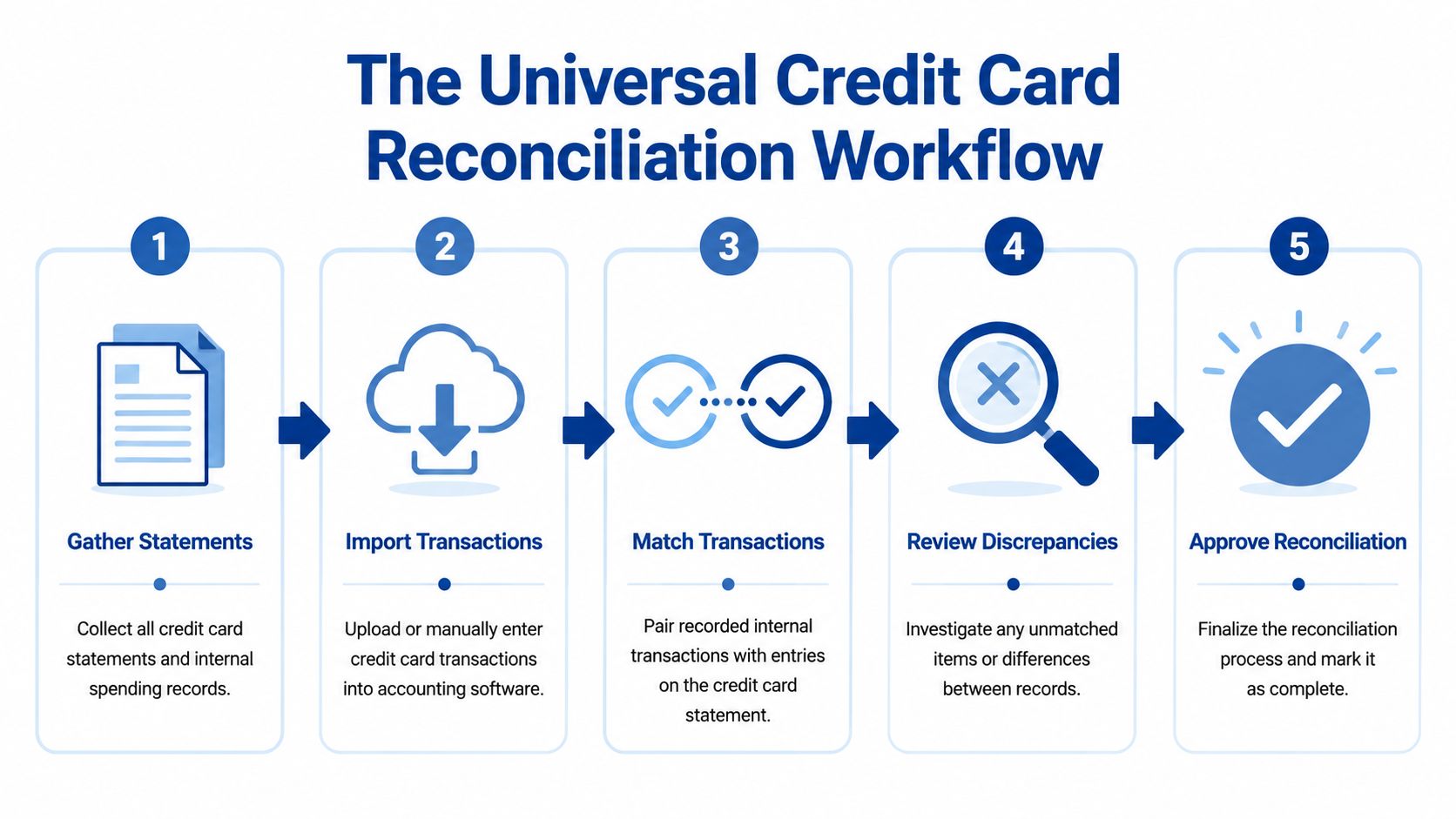
Start with complete source documents
Before you match anything, gather the full record set:
- The card statement for the period
- Receipts and invoices for purchases
- Expense submissions from employees, if applicable
- General ledger detail for the card account
- Notes on credits, disputes, and refunds
This sounds obvious, but incomplete inputs create most reconciliation delays. If the statement is ready but receipts are scattered across inboxes, text messages, and glove compartments, the accounting work stalls.
If you receive statements in awkward formats or need cleaner data before importing, a browser-based bank statement tool can help convert records into a more usable format.
Match the routine items first
The fastest way to reconcile is to clear the obvious entries before touching exceptions. That usually means recurring subscriptions, standard vendor charges, and employee purchases that already have support attached.
Use this order:
| Item type | What to verify | Typical outcome |
|---|---|---|
| Recurring subscriptions | Vendor, amount, timing | Match and classify |
| Standard operating spend | Receipt, category, date | Match and approve |
| Travel and meals | Business purpose, support, attendee details if needed | Match with review |
| Refunds and credits | Original purchase, timing, amount | Tie back to prior charge |
Routine items shouldn’t consume your judgment. They should move quickly so you can focus attention where it matters.
Investigate exceptions, not just mismatches
A mismatch doesn’t always mean an error. It may mean timing, missing support, duplicate entry, merchant name variation, or an unrecorded credit.
Owners often get tripped up. They see one off amount and assume the books are wrong. Sometimes they are. Sometimes the problem is that the receipt shows one merchant name, the statement shows another, and the posted date is later than the purchase date.
The goal isn’t to force every line into agreement. The goal is to explain every difference.
When you review exceptions, separate them into clear buckets:
- Missing documentation: The charge may be legitimate, but no receipt or explanation exists yet.
- Timing difference: The purchase happened in one period, while settlement or posting hit later.
- Data entry issue: The transaction was entered twice, posted to the wrong account, or recorded for the wrong amount.
- Bank or merchant item: Interest, annual fees, late fees, foreign transaction fees, processor charges, credits, and chargebacks often need their own treatment.
- Potentially unauthorized activity: Anything unsupported, unusual, or outside policy stays open until someone resolves it.
Finish with review and formal sign-off
Once every charge is matched or explained, finalize the reconciliation in your accounting records. That final review matters. It’s where you confirm that unresolved items aren’t being buried and that corrections were posted to the right period.
A similar discipline applies to cash accounts too. If your card process is messy, your bank accounts may need the same cleanup. This guide on how to reconcile bank accounts pairs well with the same workflow mindset.
Businesses get into trouble when they treat reconciliation as a one-person memory exercise. A stronger process is documented, repeatable, and reviewable. That’s what turns a monthly scramble into an internal control.
Reconciling Credit Cards in QuickBooks Online
QuickBooks Online gives you two related tools for this job. One is the bank feed, where transactions flow in from the card issuer. The other is the reconciliation tool, where you formally tie the account to the statement balance. You need both.
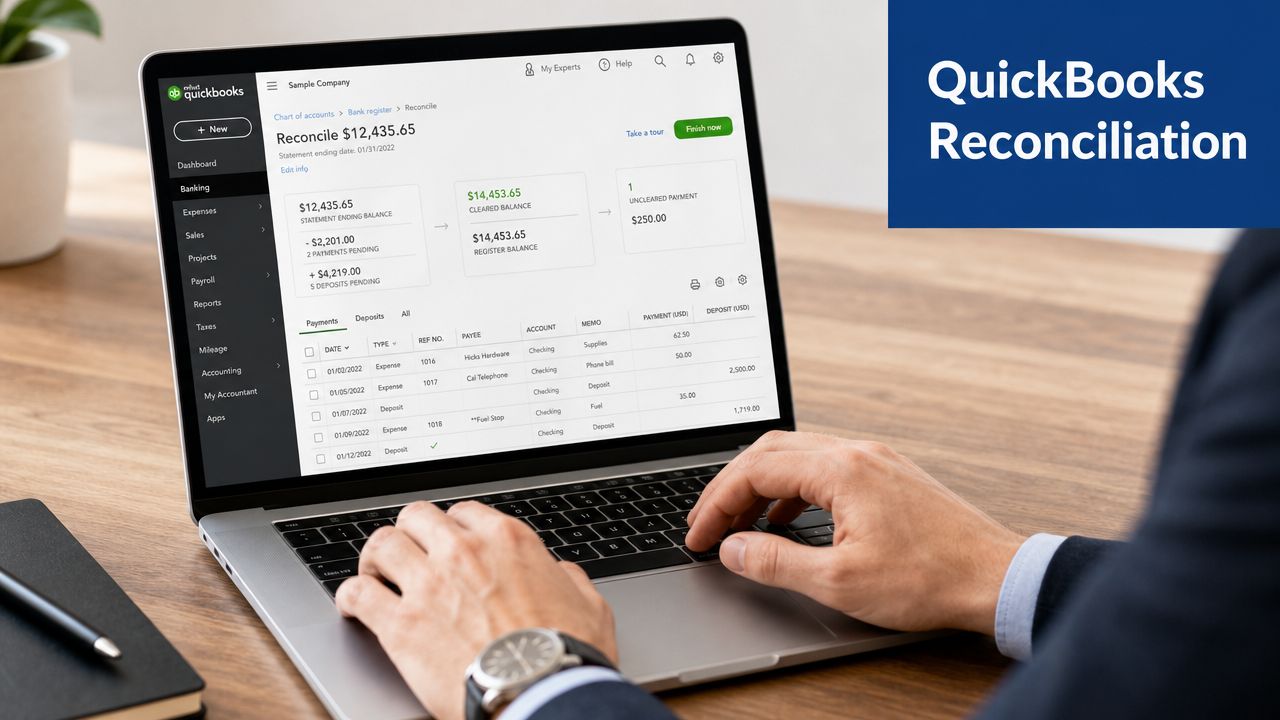
A lot of QuickBooks frustration comes from confusing these two steps. Accepting bank feed transactions is not the same as finishing a reconciliation. The feed helps build and clean the data. The reconciliation tool confirms the account against the statement.
Use the bank feed correctly
In QuickBooks Online, go to your connected transactions area and open the credit card account. You’ll usually see tabs for items that need review, items QuickBooks has recognized, and items already recorded.
As transactions come in, QuickBooks may suggest a Match or an Add action.
- Match means QuickBooks found an existing transaction already in your books. This is usually what you want if you entered the expense manually, uploaded a receipt through an app, or recorded a bill payment that ties to the charge.
- Add creates a new transaction from the bank feed item. This is appropriate when the charge isn’t already in the books.
- Review is where judgment comes in. Don’t click through quickly if the vendor looks unfamiliar or the category seems off.
A good habit is to work the feed throughout the month. If you wait until the statement arrives, you’ll be trying to reconcile and classify at the same time, which is slower and sloppier.
Pay attention to what QuickBooks is really showing
The transaction date in the feed may reflect posting rather than purchase timing. Merchant names may be abbreviated. A refund may show long after the original charge. Those details matter when you’re deciding whether something should be matched, added, or held for review.
Here’s a simple decision table:
| If you see | In QuickBooks Online | Best response |
|---|---|---|
| A charge that already exists in books | Suggested match | Confirm details, then match |
| A new routine subscription | No existing record | Add with the right expense category |
| A duplicate-looking charge | Feed item plus existing posted expense | Pause and confirm before adding |
| A refund with no obvious original item | Credit in feed | Search prior period and vendor history |
| A personal or questionable expense | New transaction | Record clearly and escalate for review |
Don’t use the feed as a dumping ground. Every “Add” choice is a bookkeeping decision.
Run the formal reconciliation in QuickBooks Online
After the statement period ends and the feed is reasonably clean, use the formal reconciliation feature in QuickBooks Online. Select the credit card account, enter the statement ending date, and use the statement balance shown by the card issuer.
Then compare the statement lines to the transactions already recorded in QuickBooks. Mark off items that appear on both sides until the difference reaches zero.
Three practical checks help here:
- Statement date first: Make sure you’re reconciling the right statement period.
- Opening balance warning: If QuickBooks flags an opening balance issue, stop and investigate before continuing.
- Charges and credits: Confirm that refunds, fee reversals, or disputed items are treated properly and not ignored because they lower the balance.
This walkthrough helps to visualize the screen flow if you prefer to see the interface in motion:
What usually goes wrong inside QuickBooks
QuickBooks Online works well for credit card reconciliation when the setup is clean. Problems usually come from process, not software.
Common causes include:
- The card account was set up incorrectly as a bank-type account or mapped inconsistently.
- Transactions were both imported and entered manually, creating duplicates.
- Employee reimbursements and corporate card charges were mixed in the same workflow.
- Owners coded charges directly from memory instead of from receipts and support.
- A prior reconciliation was forced through with an adjustment instead of resolving the underlying issue.
When QuickBooks is used with discipline, the process becomes manageable. When it’s used as a catch-all, the reconciliation screen ends up exposing months of unresolved decisions all at once.
How to Solve Common Reconciliation Headaches
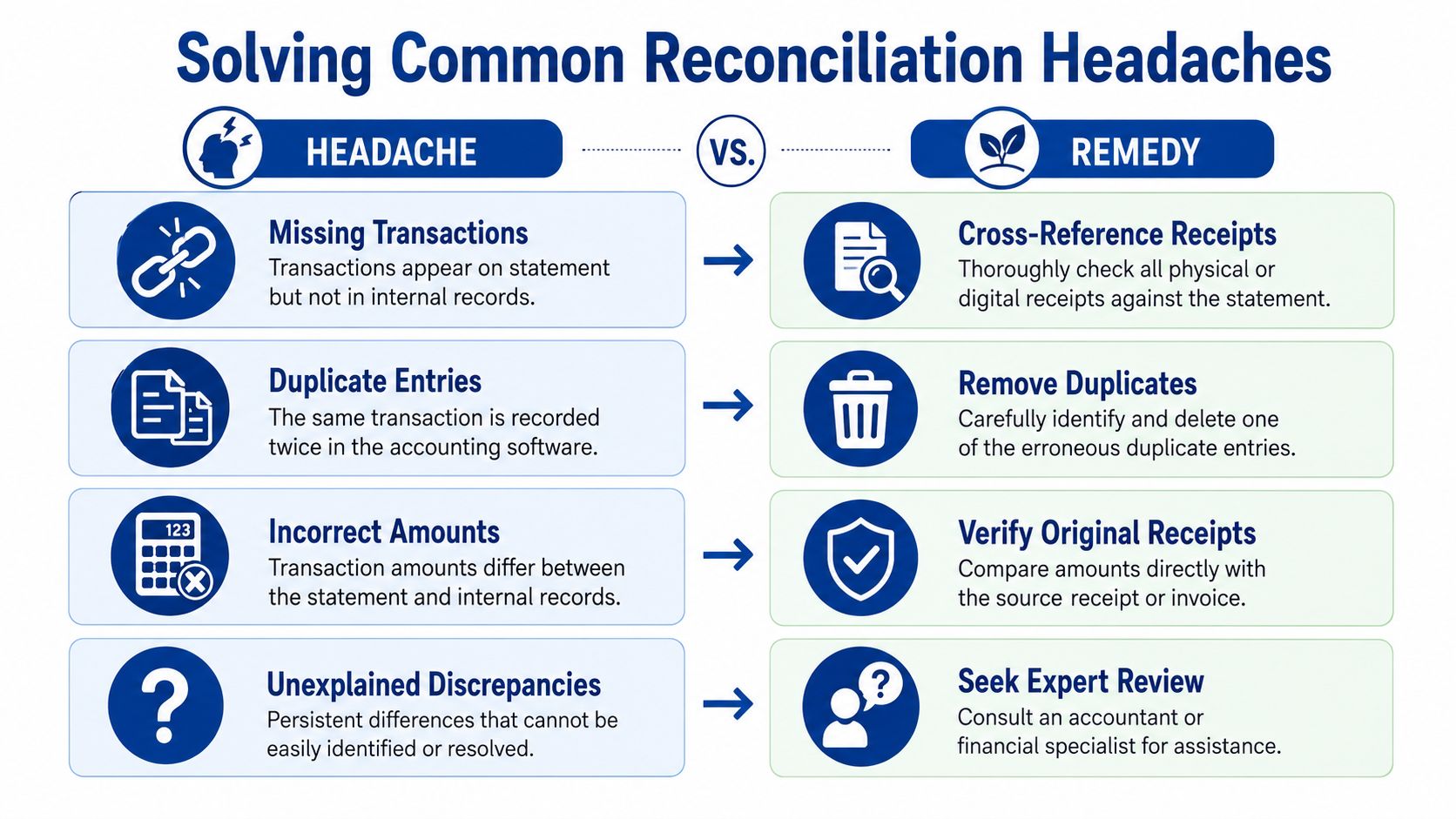
No one gets a perfect reconciliation every month. The useful question isn’t whether issues show up. It’s whether your process makes them easy to spot and fix.
One of the biggest breakdowns comes when a business has several cards, several cardholders, or more than one entity running through the same close cycle. An industry source notes that multi-entity and multi-statement reconciliation is an underserved problem, especially for businesses using several cards, processors, or billing cycles across departments (Emburse). That’s exactly where many service firms start to feel the strain.
The missing receipt problem
A consultant books a client dinner on the company card. The charge hits the statement. The meal is legitimate, but the receipt never makes it into the accounting system.
That isn’t just a paperwork nuisance. It leaves the transaction unsupported, which weakens both tax support and internal control.
Best fix:
- Contact the cardholder quickly: The longer you wait, the less likely you’ll get useful detail.
- Ask for context, not just the receipt: Who attended, what was the purpose, and was it business-related?
- Use a temporary review bucket: Don’t force the final expense classification if support is incomplete.
- Set a receipt submission rule going forward: Same-day capture beats month-end memory every time.
The duplicate charge or duplicate entry mess
An office manager enters a software purchase manually, then the card feed imports the same charge and someone clicks Add instead of Match. Now the books show double expense.
This is one of the most common QuickBooks issues because the software makes it easy to import activity but doesn’t know your intent.
Try this approach:
| Headache | Likely cause | Remedy |
|---|---|---|
| Duplicate expense | Manual entry plus imported feed item | Keep the correct record and remove the duplicate |
| Statement item missing from books | Charge not entered or feed disconnected | Add the transaction with support |
| Amount doesn’t match receipt | Tip, tax, partial credit, or entry error | Check the original document and card posting |
| One entity paid another entity’s expense | Shared cards or central purchasing | Reclassify and document intercompany treatment |
The wrong-period issue
A team member makes a purchase at month-end. The receipt date falls in one month, but the card posts in the next. Owners often assume the later statement date controls everything. It doesn’t always.
For accrual-based books, the accounting treatment should reflect when the expense belongs, not only when the card settles. That means some card activity needs a timing review before final close.
If a mismatch keeps appearing, ask whether it’s a real error, a timing issue, or a workflow issue. Those are different problems with different fixes.
The many-cardholder problem
A growing service business might have owners, project managers, and department leads all using cards under one program. The statement arrives as one document, but the operational reality is spread across people, teams, and approval paths.
What works:
- Assign a clear owner for each card
- Require consistent receipt submission
- Review by cardholder before accounting review
- Separate policy violations from bookkeeping corrections
- Track recurring exception types so the same issue doesn’t repeat next month
What doesn’t work is trying to solve a distributed spending problem with a single end-of-month spreadsheet. By the time someone notices a problem, nobody remembers what happened.
Optimizing Your Reconciliation for Speed and Accuracy
If your current process is “close enough,” it probably isn’t. Good enough bookkeeping tends to fail in the same places every month. Then the team spends time chasing preventable issues instead of reviewing meaningful exceptions.
Modern card activity makes that harder. Industry commentary notes that pending transactions, partial refunds, merchant corrections, and automated feeds can create false positives unless they’re reviewed with timing logic. The more useful question often becomes whether a mismatch is a true error, a settlement lag, or a coding issue (Trintech).
Build a cadence that catches problems early
The biggest improvement for most businesses isn’t fancy software. It’s rhythm.
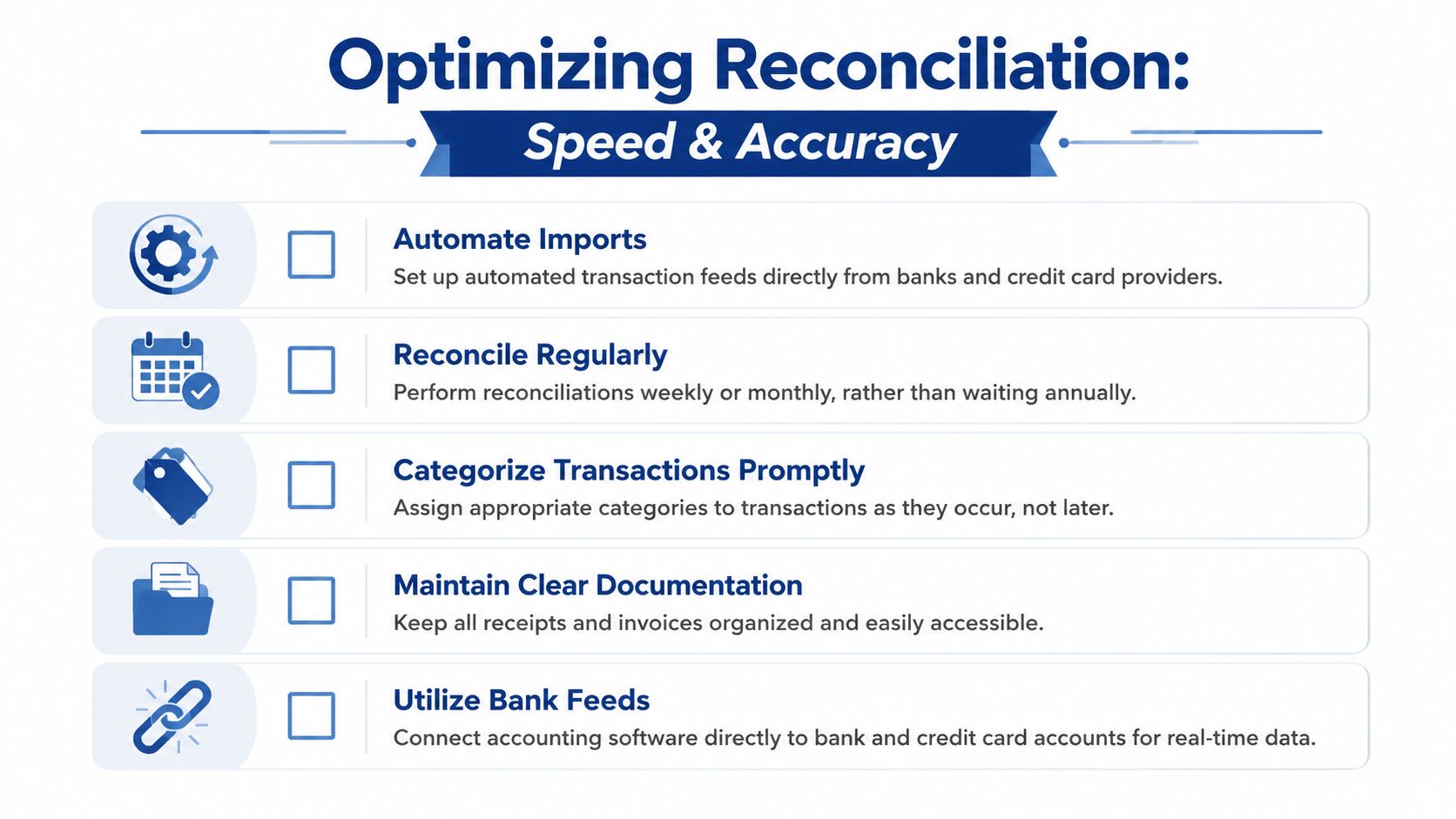
A stronger routine usually looks like this:
- Weekly feed review: Clear routine transactions before the month ends.
- Prompt receipt capture: Don’t wait for memory to fill the gaps.
- Monthly formal reconciliation: Tie the account to the statement every cycle.
- Exception log: Keep a running list of unresolved items and recurring issues.
- Final reviewer check: One person confirms the account is ready to close.
If receipts are the bottleneck, tightening your documentation process matters as much as the accounting step. This guide on how to organize business receipts helps create the supporting system reconciliation depends on.
Use automation where it helps, not where it hides mistakes
Automation is useful when it reduces repetitive work. It’s risky when it encourages blind approval.
Useful examples include:
- Bank feeds that bring transactions in automatically
- Rules for recurring vendors like monthly software subscriptions
- Receipt capture tools that attach support close to the transaction date
- Approval workflows that route exceptions to the right person
For finance teams trying to reduce manual data handling across related workflows, tools that automate invoice processing can also improve the broader reconciliation environment by standardizing source documents earlier.
A short scorecard for owners
You don’t need a complex dashboard to judge whether the process is improving. Ask:
| Question | Healthy answer |
|---|---|
| Are routine card transactions reviewed before month-end? | Yes, most are already cleared |
| Can you explain outstanding differences quickly? | Yes, each has an owner and note |
| Are receipts easy to retrieve? | Yes, support is attached or centrally stored |
| Do the same errors repeat? | No, recurring issues are being corrected at the process level |
Reconciliation gets faster when fewer decisions are postponed, not when people click through faster.
Speed comes from cleaner inputs, better timing, and fewer exceptions. Accuracy comes from review discipline. You need both.
When to Outsource Your Bookkeeping to a Partner
There’s a point where DIY reconciliation stops being efficient. It usually happens gradually. More cards get issued. Software subscriptions multiply. Employees start traveling more. One card account becomes several. Then the owner is still reviewing statements late at night, even though the business is large enough to need cleaner controls.
That’s when outsourcing starts making sense.
A business has usually outgrown a do-it-yourself process when:
- Card activity is spread across multiple people or departments
- Month-end close keeps slipping because reconciliation isn’t finished
- Receipts, coding, and approvals live in too many places
- QuickBooks contains old cleanup issues that nobody has time to unwind
- The owner is still the backup for every exception
Outsourcing isn’t a sign that the business failed at bookkeeping. It’s usually a sign that the business has become complex enough to justify a stronger process. The value isn’t just transaction entry. It’s consistent reconciliation, cleaner monthly reporting, and faster answers when something looks off.
A good bookkeeping partner also creates separation between day-to-day spending and final financial review. That matters. Owners need visibility, but they shouldn’t have to personally untangle every duplicate charge, timing difference, or unsupported expense just to trust the numbers.
If your credit card reconciliation still feels reactive, Steingard Financial can help you build a cleaner monthly close. Their team supports service businesses with transaction categorization, reconciliations, QuickBooks cleanup, payroll, and reporting systems that give owners dependable financial visibility without the monthly scramble.