 Skip to content
You finished the job, the client approved it, and payment still gets delayed because the invoice was vague. That is a preventable problem. Self-employed professionals lose time and cash flow when they send generic invoices that force clients to ask what was done, how totals were calculated, or when payment is due. The mess usually lands in your books next, where QuickBooks has to be cleaned up by hand and payment records stop matching the original bill.
A good invoice does more than request money. It documents the sale, supports your accounts receivable process, and gives your bookkeeper or CPA a clean record to classify income, apply tax correctly, and close the month without corrections.
The best examples of invoices for self employed businesses are built around the way you bill. Every solid version includes the basics: invoice number, business and client details, invoice date, due date, itemized work, rates or pricing, subtotals, and any required tax fields. After that, the format should match the job. Hourly work needs time support. Retainer work needs deposit tracking. Recurring work needs a structure that fits automation and consistent posting in QuickBooks. If you run payroll through Gusto, that same discipline helps you separate contractor billing, owner pay, and reimbursable expenses without mixing records.
That is the difference between a template that looks acceptable and one that holds up under real bookkeeping.
This guide examines seven invoice types, the business situations they fit, and the accounting logic behind each one. You will see which format reduces disputes, which one creates cleaner records in QuickBooks, and which one a CPA would expect to see when reviewing self-employed income, tax treatment, and documentation standards. If you need a broader starting point before choosing a format, this Autónomo invoicing guide is also useful.
1. Hourly Rate Invoice Template
You finish a week of client work, send an invoice that says “10 hours of support,” and then wait while the client asks what those hours covered. That is weak billing. An hourly invoice should answer that question before the client has to ask.
Hourly billing fits work that changes week to week and depends on judgment, availability, or ongoing support. It is the right choice for consultants, bookkeepers, developers, and virtual assistants whose value comes from time applied to real tasks, not a single fixed deliverable. From a CPA’s perspective, this format works best when your invoice matches your underlying time records. If those records are sloppy, your books will be sloppy too.
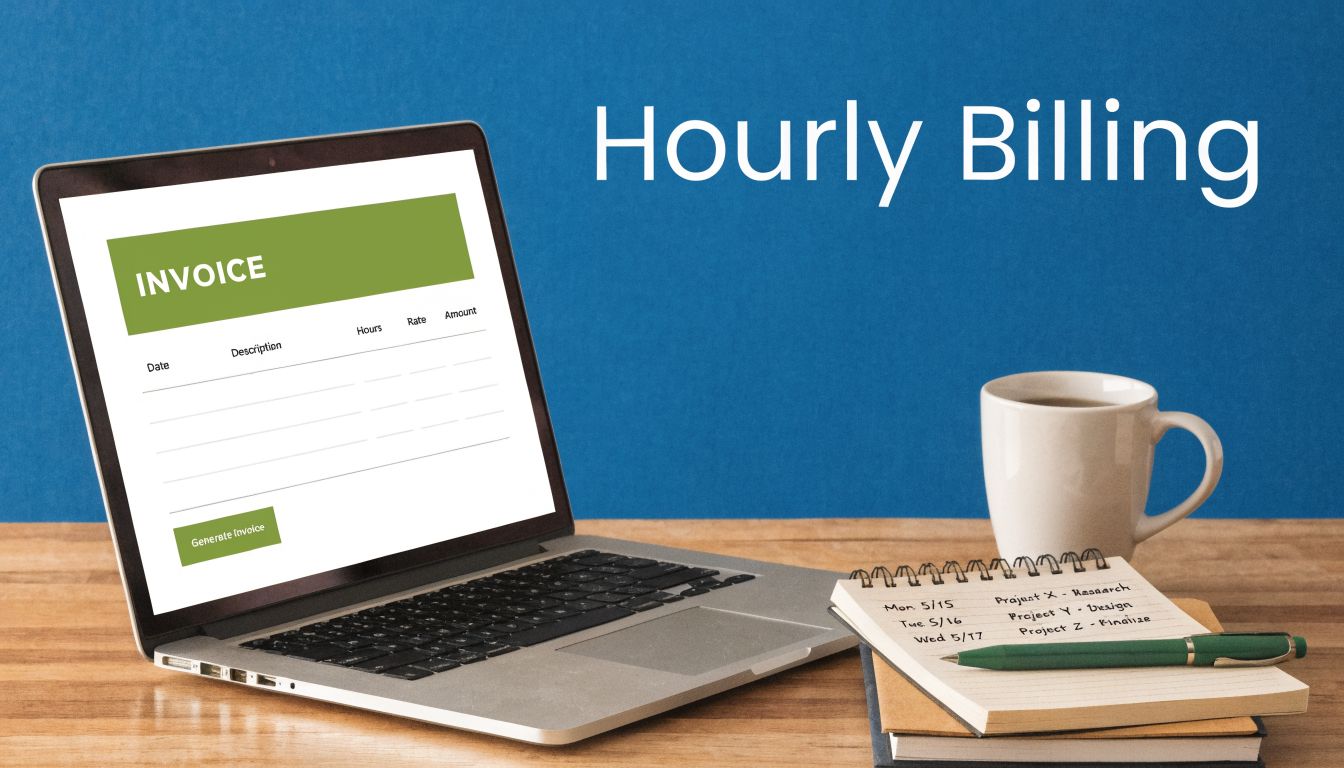
What this invoice should include
A proper hourly invoice needs enough detail to support payment and bookkeeping without turning into a wall of notes.
- Service date range: State the billing period so the client can match charges to the work performed.
- Task description: Use clear entries such as account reconciliation, meeting prep, inbox management, payroll review, or revision work.
- Hours and rate: Show the quantity, hourly rate, and line total on each entry.
- Payment terms: Include the due date and approved payment methods such as ACH, bank transfer, or PayPal.
If you bill at different rates, separate them by service type. Strategy, implementation, admin support, and reporting should not be blended into one line. That gives the client a cleaner record and gives your bookkeeper a better path to map income by service category in QuickBooks.
A good example looks like this: “Accounts receivable cleanup, April 1 to April 7, 4.5 hours at $85, $382.50.” Clear lines like that reduce questions, speed approval, and support a cleaner invoice-to-pay process from billing through collection.
How to manage it in QuickBooks and Gusto
QuickBooks Online is the best operational fit for hourly invoices because time entries can flow directly into draft invoices. Set up service items that mirror how you sell work, such as monthly close support, payroll review, cleanup, or client communication. Do not rely on one generic “services” item. It weakens reporting and makes month-end review harder than it should be.
If you also run payroll or pay team members through Gusto, keep your labor categories aligned with your invoice categories. Hours billed to clients should map cleanly to the way labor is tracked internally. That makes margin review easier and helps you separate billable client work from internal admin time, owner activity, and nonbillable support.
Practical rule: If you cannot tie a billed hour to a time log, project note, or client request, do not invoice it.
That standard protects collections and keeps your records defensible if a client disputes a charge or your CPA reviews income support later.
Where hourly invoices go wrong
The common failure is vagueness. “Services rendered” is not a usable description. A lump sum with no dates, no categories, and no rate detail invites delays because the client has to decode the bill before approving it.
Another mistake is inconsistent billing increments. If you charge in 15-minute blocks, apply that rule consistently and state it in your engagement terms. Random rounding creates friction fast.
Use hourly invoices when scope shifts often, the client wants ongoing access, or the work is advisory. Avoid this format when the buyer wants strict budget certainty. In that case, hourly billing creates tension, and a fixed-price structure is the better decision.
2. Project-Based / Fixed-Price Invoice Template
A fixed-price invoice is the cleanest option when the scope is clear and the deliverable matters more than the time behind it. Designers, copywriters, cleanup bookkeepers, and implementation consultants use this format when they want to sell outcomes instead of hours.
The invoice itself should reflect that logic. Don’t list a vague project title and one total. Break the work into defined deliverables or milestones so the invoice matches the statement of work.
What good fixed-price billing looks like
A web designer might invoice discovery, homepage design, subpage layouts, revision round, and launch prep as separate project phases. A bookkeeping firm might invoice chart-of-accounts redesign, transaction cleanup, reconciliations, and financial reporting setup as distinct deliverables.
This keeps your accounts receivable cleaner because the client can approve progress in stages. It also protects margin. If your team finishes faster than expected, you still earn the agreed fee because you sold a result, not time.
Use milestone billing on larger jobs. You can invoice at kickoff, after a major approval point, and again at final delivery. That approach reduces disputes and gives your QuickBooks file a clearer revenue trail by customer, project, and service line.
Why bookkeepers like this format
Fixed-price invoices force you to define scope up front. That’s good for operations and even better for bookkeeping. In QuickBooks, tag the project consistently so you can compare estimated profitability to actual costs. If the job involved procurement, subcontractors, or approval workflows, align your invoice process with your invoice-to-pay process.
A fixed-price invoice only works when the scope is fixed. If the work changes, the invoice should change too.
That means you need change orders. Don’t absorb extra work because the original invoice template didn’t leave room for revision rounds, added meetings, or expanded deliverables.
CPA-backed recommendation
Use this invoice when the client wants budget certainty and your team can define the output tightly. Add a sign-off step before issuing the final invoice. In QuickBooks, create service items for each milestone instead of one generic project line. That structure gives you cleaner income reporting and better job costing later.
If you’re using Gusto for payroll, compare labor tied to the project against the invoiced value after the job closes. That’s how you learn whether your pricing works. A fixed-price template isn’t just a billing document. It’s a profitability test.
3. Expense-Inclusive Invoice Template
You book a flight for a client meeting, pay a filing fee to meet a deadline, and add a software seat so the client can review work. Then the invoice goes out with one vague total. That is how reimbursements get delayed, questioned, or forgotten.
An expense-inclusive invoice fixes that problem. It separates your service fee from client-billable costs so the client can approve the charges fast and your books stay accurate.
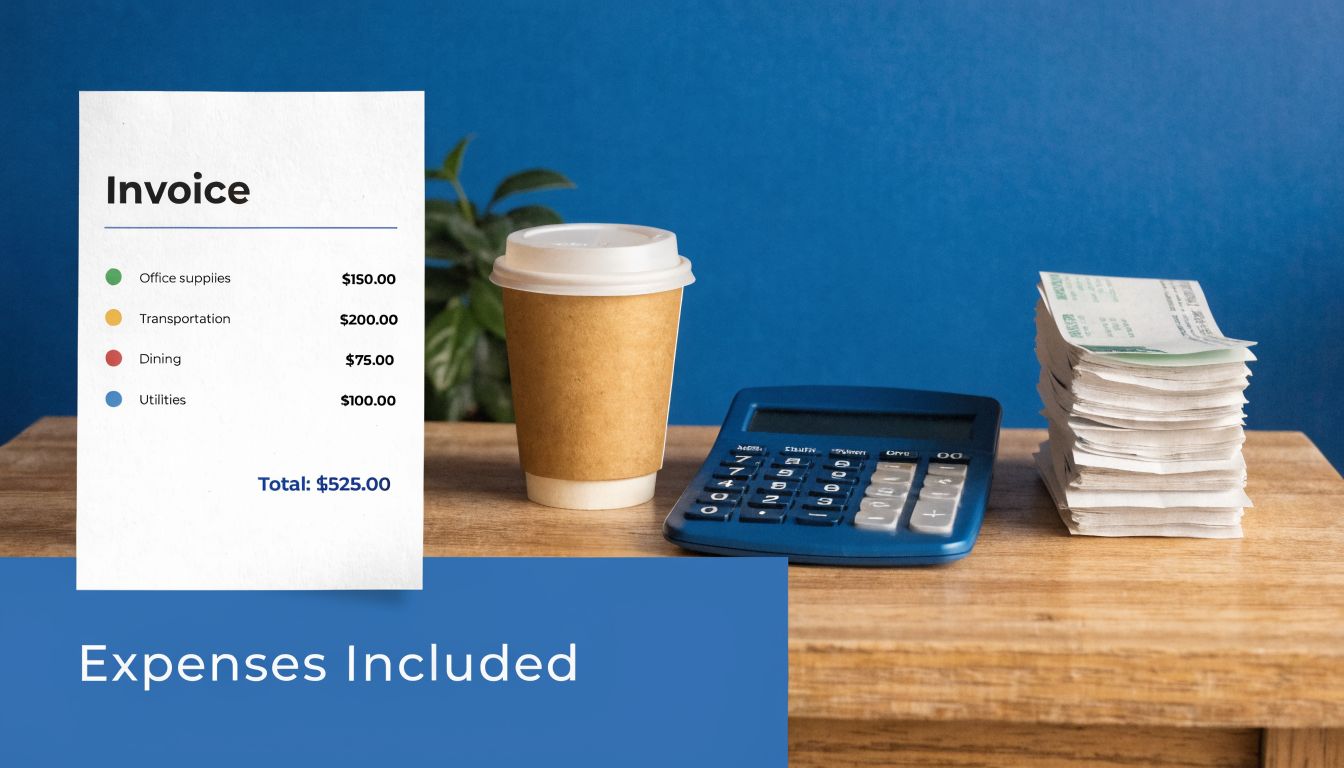
The right structure
Start with the work you performed. Then add a separate expense section that lists the date, vendor, description, and exact amount for each reimbursable item. If your contract allows an admin fee or markup, show it on its own line. Hidden markups create disputes.
Good expense invoices answer the client’s approval questions before they ask them. What was purchased, when was it purchased, why was it necessary, and was it pre-approved? Put those answers in the line-item detail.
Attach backup for anything a reasonable reviewer would want to verify. Airfare, lodging, filing fees, rush printing, stock assets, and software access charges should all tie back to a receipt, vendor invoice, or approval email. The invoice should be clear on its own, but support documents shorten the payment cycle.
How to book it correctly
This template matters most in bookkeeping, not design. In QuickBooks, record reimbursable costs through billable expense tracking so they flow back to the right client and project. Do not dump everything into service income. Reimbursed expenses should be easy to identify on the profit and loss statement, or your revenue reporting becomes misleading.
Use clear account names and consistent item labels. “Travel reimbursement” works. “Misc. expense” does not. If you want clean reporting later, classify costs correctly now.
If you run payroll through Gusto, compare reimbursed project costs and labor cost against the final invoice after the job closes. That gives you a real margin view. A CPA will look for that separation because it shows whether the engagement was profitable or whether you underpriced the work and relied on pass-through charges to make the numbers work.
Clients also confuse billing documents after payment. If they ask for proof that a charge was paid, send the right document and keep your records straight by understanding the difference between an invoice and a receipt.
- Set approval thresholds: Require written approval before you incur larger client-billable purchases.
- Store support inside QuickBooks: Match each reimbursable charge to a receipt, bill, or note attached to the transaction.
- Name items consistently: Use labels such as filing fee, travel reimbursement, software seat, or printing charge.
- Separate markup from cost: If you charge a handling fee, list it as its own line item.
Best use case
Use this template when client work regularly includes out-of-pocket spending. Legal support, consulting travel, implementation projects, creative production, and specialized filing work are good examples.
Do not use this invoice to cover routine overhead. Internet, your standard software stack, and basic office costs belong in your pricing model unless the engagement clearly makes them client-specific.
My recommendation is simple. If a cost would need to be defended in a tax file, client audit, or year-end review, give it its own line on the invoice and its own clean trail in QuickBooks. That discipline protects cash flow, improves reporting, and makes year-end cleanup far easier.
4. Timesheet Breakdown Invoice Template
When a client wants maximum transparency, a standard hourly invoice may not be enough. A timesheet breakdown invoice shows not just total hours, but exactly where the time went. That’s valuable for complex service work with multiple phases, teams, or deliverables.
This is the invoice I recommend for operationally demanding engagements. Software implementation, multi-step bookkeeping cleanup, consulting sprints, and managed support arrangements all benefit from this format.
Why detail changes payment behavior
A real case study in a Billdu self-employed invoice template resource described a freelance graphic designer who moved from vague invoices to detailed line items with project milestones, hourly rates, sequential invoice numbers, tax details, and automated reminders in Billdu’s template example. The reported result was faster collection, fewer disputes, and stronger cash flow control.
The lesson is simple. Specificity removes reasons to delay payment. If a client sees task names, dates, hours, and deliverable context, they spend less time questioning the invoice and more time approving it.
How to build the breakdown
Organize time by task category or project phase. For example, a bookkeeping engagement might show accounts payable review, accounts receivable follow-up, bank reconciliation, financial reporting, and client meeting time. A consultant might break work into discovery, analysis, implementation, and training.
For readers who want a visual walkthrough of invoice setup and formatting, this explainer is useful:
Keep the invoice readable. If the timesheet detail is extensive, put a concise summary on the invoice and attach the detailed timesheet as support. That gives the client a fast approval path without sacrificing documentation.
The more complex the engagement, the more your invoice should read like a work log.
Systems advice
QuickBooks Time is useful here because it can feed categorized time directly into invoicing. Set naming conventions before the engagement starts. If one month you use “reporting” and the next month you use “monthly analytics review,” your records get messy and your internal reporting loses value.
Use this template when visibility is part of the service promise. It works especially well with procurement-heavy clients, finance teams, and larger organizations that need line-level support for approval. It also helps your own team spot scope creep before it erodes profit.
5. Deposit / Retainer Invoice Template
You book a new client on Monday, collect a $2,000 upfront payment on Tuesday, and start work on Wednesday. If that payment hits revenue immediately, your books are wrong before the job even gets going. A deposit or retainer invoice only works if the invoice language and the accounting treatment match.
Use a deposit invoice for a one-time advance tied to a defined project. Use a retainer invoice for ongoing prepaid work, usually tied to a monthly service period or reserved access to your time. Pick one structure and document it clearly. Blurred terms create disputes, bad aging reports, and messy month-end cleanup in QuickBooks.
What a proper retainer flow looks like
A strong deposit invoice says exactly what the client is paying for before work is earned. It should name the project or service period, state the amount due upfront, and explain how that payment will be applied later. Then the final invoice should show the full fee, the deposit credit, and the remaining balance.
For a monthly retainer, send an invoice for the advance payment and follow it with a usage statement or service invoice that shows how much of the retainer was earned during the period. If unused funds roll forward, say so. If they expire or become nonrefundable after a certain date, put that in the signed agreement and reflect it in the invoice notes. Getting the invoice language and the accounting treatment to match is the whole trick, and How to Create an Invoice for Job That Gets Paid Fast covers how to word one.
This is not just a billing preference. It is a bookkeeping control.
What to put on the invoice
Include the retainer period, the related scope or agreement reference, the payment terms, and the application method. The client should be able to see whether the money is reserving capacity, prepaying for a block of work, or covering specific deliverables.
- Label the charge correctly: Use project deposit, advance payment, or monthly retainer. Do not call it income if it has not been earned yet.
- Show the credit history: Each service invoice should display prior retainer funds applied and the remaining balance, if any.
- Tie dates to the work period: The invoice date, service period, and recognition timing should line up so your reporting stays accurate.
- State the consumption rule: Spell out whether the retainer is drawn down by hours, deliverables, or access during a fixed term.
A vague retainer invoice usually creates two problems at once. The client does not know what they bought, and your books do not show what you still owe.
QuickBooks and Gusto guidance
In QuickBooks, record the upfront payment to a liability account such as unearned revenue or customer deposits. Move it to income only as the work is delivered. That keeps your profit and loss statement honest and gives your CPA a clean trail during review.
If you run payroll in Gusto, line up retainer periods with payroll periods or service delivery windows. That gives you a usable margin view instead of a distorted one. For example, if a client prepays for monthly bookkeeping, match the earned portion of that retainer to the labor cost incurred in the same month. That is the difference between guessing at profitability and measuring it.
Use this template when you need cash upfront, when you are reserving limited capacity, or when a client relationship runs on prepaid monthly service. Do not use it as a shortcut for weak scope control. If the agreement is loose, the invoice will not save you.
6. VAT/Tax-Compliant Invoice Template
You finish a job, send the invoice, and get paid. Then your bookkeeper finds the tax date is wrong, the VAT treatment does not match the customer record, and the return needs manual fixes. That is what sloppy tax invoicing creates. Rework, risk, and a messy close.
A VAT or tax-compliant invoice needs to do two jobs at once. It has to satisfy the tax authority, and it has to post cleanly into your books. If either side is wrong, the invoice failed.
For VAT-registered self-employed professionals, the template should include your tax registration number, invoice date, tax point or date of supply where required, the net amount, the tax rate for each line item, the tax charged, and the gross total. If some items are zero-rated, exempt, or reverse charged, state that clearly on the relevant lines. Do not collapse different tax treatments into one summary figure. That shortcut causes coding errors in QuickBooks and avoidable questions from your CPA.
What separates a usable tax invoice from a risky one
The best tax-compliant invoice is specific. It names the service clearly, applies the right tax code at the line level, and shows enough detail to support the treatment later during review.
This matters most when you bill across borders, sell a mix of taxable and non-taxable services, or work with business clients who have their own tax documentation requirements. Verify the customer’s status before you invoice. Fixing tax treatment after payment is slower, harder, and more expensive than getting it right the first time.
If your work is billed on a recurring basis, set the tax rules before automation starts. Your template should support compliant recurring payment policies, not just fast billing.
QuickBooks and Gusto guidance
Set up the tax codes in QuickBooks before you issue the first invoice. Then map each service item to the correct code. That is the control point. If your items, customers, and tax settings are inconsistent, the invoice may look fine while your liability reports are wrong.
Customer records matter just as much. Store exemption certificates, VAT numbers, place-of-supply support, and reverse charge notes in the client file. Your invoice should reflect documented facts, not memory.
Gusto matters here in a different way. If payroll staff work on taxable and non-taxable services, or across entities and jurisdictions, your labor reporting needs to line up with how revenue is billed and taxed. That gives you a cleaner margin analysis and a cleaner file for year-end review.
When to use this template
Use this template any time indirect tax applies. That includes VAT, GST, and sales tax situations where the invoice needs specific disclosures or the bookkeeping needs precise tax coding.
The strategic advantage is control. You reduce return adjustments, speed up reconciliation, and make collections easier because the client sees a complete, defensible invoice. Strong invoicing discipline also supports better collections and follow-up, especially if you pair it with these accounts receivable best practices. A tax-compliant invoice is not just a billing document. It is part of your accounting system.
7. Recurring / Subscription Invoice Template
A client approves a monthly bookkeeping package, pays the first invoice, then starts questioning the second because the description changed, the billing period is unclear, and an extra fee appeared with no warning. That is how recurring revenue turns into recurring friction. A recurring invoice works best when the scope is stable, the timing is fixed, and every cycle looks deliberate.
Use this template for monthly bookkeeping, payroll support, advisory retainers, maintenance plans, and other ongoing services with a defined package. Its benefit is not just saving admin time. It is creating predictable revenue and cleaner books at the same time.
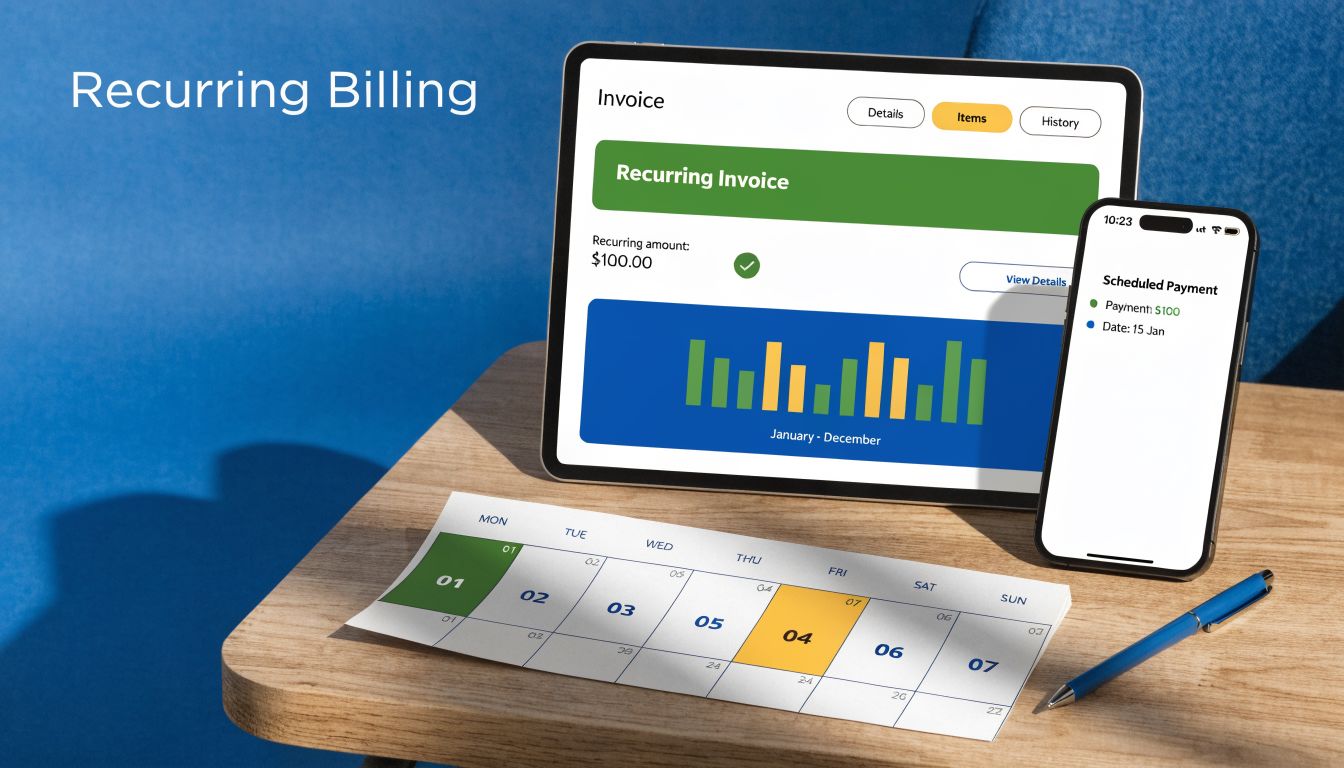
Why this format works
QuickBooks handles recurring invoices well if you build the template correctly from the start. Set the service item, billing cadence, due date, and tax treatment once, then review the template on a schedule. That keeps revenue recognition, accounts receivable, and client communication aligned. If you automate the send but ignore the setup, you create the same mistake every month.
Recurring billing also exposes weak collection habits fast. A client who pays late every month is not a billing problem. It is a process problem. Put firm controls around reminders, due dates, and follow-up using these accounts receivable best practices.
What to include in the recurring invoice
State the billing period on every invoice. Name the package exactly the same way each month. If anything falls outside the monthly fee, list it separately and bill it separately.
- Fixed service description: Use consistent wording so the client can match the invoice to the agreement.
- Billing period: Show the exact month or service window being billed.
- Included vs. extra work: Separate base fees from overages, add-ons, rush work, or one-time cleanup.
- Payment method and due date: Make ACH, card, or bank transfer options obvious.
- Written authorization terms: Your subscription terms should match your compliant recurring payment policies.
CPA-backed recommendation
Use recurring invoices only when the service is standardized enough to repeat without rework. If the scope changes every month, stop pretending it is a subscription and use a different invoice format. You will bill more accurately and avoid margin leakage.
If you use QuickBooks and Gusto together, align the invoice cycle with payroll periods and month-end close. That gives you a cleaner comparison between labor cost, client revenue, and gross margin by month. From a bookkeeping standpoint, that is a key advantage of recurring billing. It turns a repeating charge into a controlled system.
7 Self‑Employed Invoice Templates Compared
| Template | 🔄 Implementation Complexity | ⚡ Resource Requirements | ⭐ Effectiveness / Quality | 📊 Expected Outcomes | 💡 Ideal Use Cases & Key Advantages |
|---|---|---|---|---|---|
| Hourly Rate Invoice Template | Medium, requires disciplined time-tracking and rate setup | Time-tracking app + basic bookkeeping integration | ⭐⭐⭐⭐, high transparency, variable predictability | Variable revenue; clear time-to-revenue mapping; reduced scope disputes | Freelancers, consultants, devs, flexible billing, easy integration with time tools |
| Project-Based / Fixed-Price Invoice Template | Medium, needs detailed scopes, milestones, and change-order process | Estimation skills, project management, contract docs | ⭐⭐⭐⭐, predictable client cost, provider bears estimation risk | Predictable client billing; profitability tied to accurate estimates | Designers, developers, copywriters, client budget certainty, simpler invoices |
| Expense-Inclusive Invoice Template | High, itemization, receipt management, and expense policies required | Receipt storage, approval workflow, accounting categorization | ⭐⭐⭐, ensures full reimbursement but increases admin | Full cost recovery; clearer tax treatment; longer prep/reconciliation time | Consultants, event planners, travel-heavy projects, transparent expense recovery and tax documentation |
| Timesheet Breakdown Invoice Template | High, very detailed line-by-line time entries and formatting | Rigorous time-tracking, more admin time to prepare and review | ⭐⭐⭐⭐⭐, maximum transparency and auditability | Deep insight into task-level profitability; slower client approval cycles | Complex projects, agencies, professional services, ideal for audits and eliminating disputes |
| Deposit / Retainer Invoice Template | Medium, requires retainer agreements and liability tracking | Contract/SOW setup, retainer liability account in accounting | ⭐⭐⭐⭐, strong cash-flow and commitment benefits | Improved cash flow and reduced bad debt; requires reconciliation and refund policy | Ongoing services, retainers (bookkeeping, consulting), secures commitment, stabilizes cash flow |
| VAT / Tax-Compliant Invoice Template | High, complex, jurisdiction-dependent tax rules and updates | Tax expertise, multi-jurisdiction settings in accounting software | ⭐⭐⭐⭐, essential for compliance; reduces audit risk | Accurate tax remittance and audit readiness; higher admin burden | Cross-border services and VAT jurisdictions, prevents penalties and supports correct tax reporting |
| Recurring / Subscription Invoice Template | Low–Medium, initial setup of automation and subscription terms | Recurring billing system, payment processing, subscription agreements | ⭐⭐⭐⭐, strong predictability and operational efficiency | Stable recurring revenue; easier bookkeeping; churn management needed | SaaS, retainers, bookkeeping subscriptions, automates billing, improves retention and scalability |
Choosing Your Invoice From Template to System
A client asks for an invoice at 4:45 p.m. You send a polished PDF by 5:00. Two weeks later, the payment is late, the income is sitting in the wrong account, sales tax is unclear, and month-end close turns into cleanup work. That is the main invoicing problem for self-employed businesses. The template looked fine. The system behind it failed.
Choose the invoice type that matches how you earn revenue, then build that invoice into your accounting process in QuickBooks. If payroll, contractors, or admin support are part of delivery, connect that process to Gusto as well. A good invoice does more than request payment. It gives your bookkeeper the right dates, customer records, service details, tax treatment, and payment terms from the start.
That is the CPA-backed standard. Use hourly invoices when labor time drives pricing and you need a clean link between timesheets, revenue, and profitability. Use fixed-price invoices when scope control matters more than hours. Use retainers only if you can book the upfront payment correctly as a liability, then apply it against future work without creating reconciliation problems. Use recurring invoices only if the billing date, service period, and reporting month line up cleanly.
The decision should be operational, not cosmetic.
QuickBooks should hold the customer profile, invoice numbering, tax codes, payment terms, and accounts receivable history. Gusto should support the labor side by showing payroll costs, contractor payments, and team expenses tied to the work you bill for. That combination gives you a clearer view of margin. It also makes collections, reconciliations, and tax prep far less painful.
A weak invoicing process creates predictable bookkeeping errors. Income gets posted to the wrong period. Deposits get mistaken for earned revenue. Reimbursable expenses get buried in one line item. Clients dispute vague descriptions. None of those problems start at month-end. They start when the invoice is created.
Use a template if you are still standardizing your process. Move to a system once you know how you bill, what details clients need to approve quickly, and what your books need to stay accurate. For many self-employed professionals, that means setting up recurring structures, saved service items, and approval steps inside QuickBooks instead of editing one-off Word files every time.
If your workflow is still scattered across PDFs, email threads, and memory, fix it now. Build one repeatable invoice process, assign the right accounting treatment to each invoice type, and automate the pieces that should never depend on memory. If you need help designing the broader workflow around approvals, documents, and repeatable billing operations, this overview of software to automate document workflows is a useful companion read.
The best examples of invoices for self employed professionals do two jobs at once. They get you paid on time, and they keep your books clean enough for reporting, payroll coordination, and tax filing.
If you want your invoicing process tied directly to cleaner books, better reporting, and fewer payment headaches, Steingard Financial can build that system with you. Their team helps service businesses set up and optimize QuickBooks, manage AP and AR, reconcile accounts accurately, and align invoicing with payroll and people operations in Gusto so your back office supports growth.