 Skip to content
Month-end arrives, and the numbers should be simple. You have a handful of software subscriptions, a marketing agency invoice, a freelancer bill, maybe a rent payment and some recurring vendor charges. Then the vendor statement doesn’t match QuickBooks. One invoice shows as open on the statement but paid in your books. Another charge appears in your ledger, but nobody can find the invoice approval. Suddenly you’re not asking, “What do we owe?” You’re asking, “Can we trust the balance at all?”
That’s where accounts payable reconciliation stops being an accounting chore and starts acting like a control check for the whole business. If you run a service company, the challenge is even more specific. Most advice assumes you buy inventory and issue purchase orders. Many service firms don’t. You’re paying for retainers, software, consultants, contractors, legal work, and recurring support agreements. The proof isn’t a receiving report. It’s the contract, the statement of work, the usage record, or the manager approval.
If you want to learn how to reconcile accounts payable in that environment, the process has to fit how your business buys services. That means cleaner preparation, better source documents, and a reconciliation method built around vendor statements, contracts, and internal approvals.
Why Accurate AP Reconciliation Matters
Accurate AP reconciliation matters most when the books look fine on the surface and are wrong underneath. A service business can close the month with an AP balance in QuickBooks, then learn a week later that a contractor invoice was entered twice, a software credit never got posted, or a vendor statement still shows an unpaid charge the team thought was cleared.
That creates two immediate problems. Cash gets misread, and vendor trust slips.
For a service company, AP is usually built from invoices, contracts, recurring billing notices, approval emails, and vendor statements. It is not built around receiving reports and purchase orders. If those records do not line up, the payable balance becomes less reliable as a management number and more of a placeholder.
I see this most often in businesses with agency retainers, outsourced bookkeeping, legal fees, freelancers, rent, and software subscriptions. The invoice may be valid, but the amount, timing, or approval support can still be off. The match is usually between the invoice, the vendor statement, and the contract or approval trail. That is why a service-based accounts payable process needs tighter document discipline at month-end.
A good reconciliation answers practical questions owners ask every month:
- Do we owe this vendor, or was it already paid?
- Is this charge approved under the current contract or scope?
- Are there credits, duplicate invoices, or missed bills sitting in the file?
- Does the AP aging agree with what vendors say is still open?
Those answers affect more than the accounting team. They affect whether you can trust your cash forecast, whether department leaders are staying within budget, and whether a vendor gets paid on time without back-and-forth. They also matter during tax prep, year-end review, and any financing request where someone outside the business wants support for liabilities on the balance sheet.
Clean AP reconciliation also exposes process problems early. If approvals are missing every month, that is a workflow issue. If the same vendor keeps sending statements that do not match your ledger, your posting or cutoff rules may need work. Catching that in the reconciliation is much cheaper than fixing it after a vendor dispute, an audit request, or a messy close.
Laying the Groundwork for a Smooth Reconciliation
Most AP reconciliations go wrong before the matching even starts. The problem is usually bad setup. One report was pulled on the last day of the month, another the next morning. The prior month was never formally signed off. A payment batch posted after the AP aging was exported. Now the books appear “off,” but the underlying issue is timing.
Preparation does most of the heavy lifting here.
Start with the opening balance
Before touching the current month, confirm the prior month’s reconciliation was completed and approved. That means the ending AP balance from last month should become the beginning balance for this month without unexplained movement.
This sounds basic, but it’s where many teams get into trouble. Xenett’s write-up on accounts payable reconciliation notes that 35% of AP reconciliation errors stem from unverified rollforwards or mismatched cut-off dates, and that a standardized sign-off policy can reduce reconciliation cycle time by 22%.
Practical rule: If the prior period was never clean, the current period won’t reconcile cleanly either.
In practice, that means you should keep a saved PDF set of the prior month’s final reports and documented sign-off. If someone posts directly to the AP control account after close, you want that change to be obvious.
Pull the right reports from the same point in time
For a clean reconciliation, gather your reports from one consistent timestamp. Don’t export one report before lunch and another after a payment run.
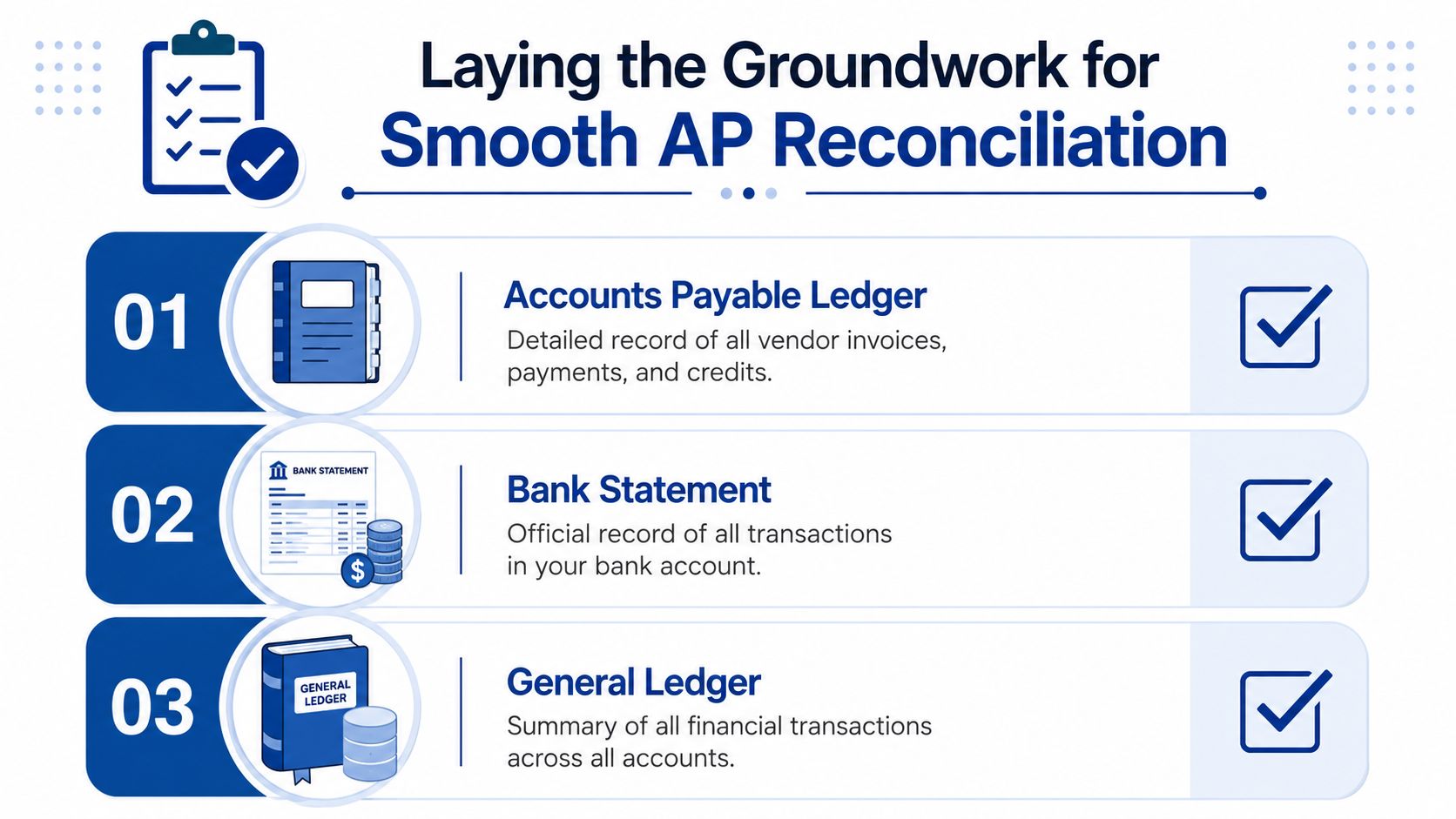
Your basic file should include:
- Accounts payable aging report: This shows unpaid bills, credits, and how long items have been outstanding.
- General ledger detail for the AP control account: This shows every posting affecting accounts payable, including bills, bill payments, credits, and journal entries.
- Vendor statements for the period: These are the external records that tell you what the vendor says is still open.
If you need a refresher on where AP fits into the broader workflow, this overview of the accounts payable process gives helpful context before you reconcile.
Build a pre-flight checklist
For service businesses, I’d keep the setup checklist short and strict:
| Item | What to confirm | Why it matters |
|---|---|---|
| Prior month signed off | Ending balance agrees to current opening balance | Prevents rollforward errors |
| Same cut-off date | Aging, GL detail, and statements reflect the same period | Avoids false mismatches |
| Vendor files complete | Statements, invoices, credits, and approvals are all accessible | Speeds investigation |
| AP control account reviewed | No unexpected manual entries | Catches postings outside normal AP flow |
The companies that struggle most with reconciliation usually aren’t missing accounting knowledge. They’re missing discipline around timing and documentation.
The Core Reconciliation Matching Process for Service Businesses
Most service owners have been given AP advice that doesn’t fit their business. It says to compare the purchase order, the invoice, and the receiving report. That works in inventory environments. It falls apart when you’re paying for legal work, ad spend management, bookkeeping support, cloud software, or a monthly consulting retainer.
According to Brex’s AP reconciliation article, most reconciliation guides focus on 3-way matching, but this is a poor fit for the 78% of US private businesses that are service-oriented and often lack purchase orders. For those firms, validation needs to center on contract terms versus actual billings.
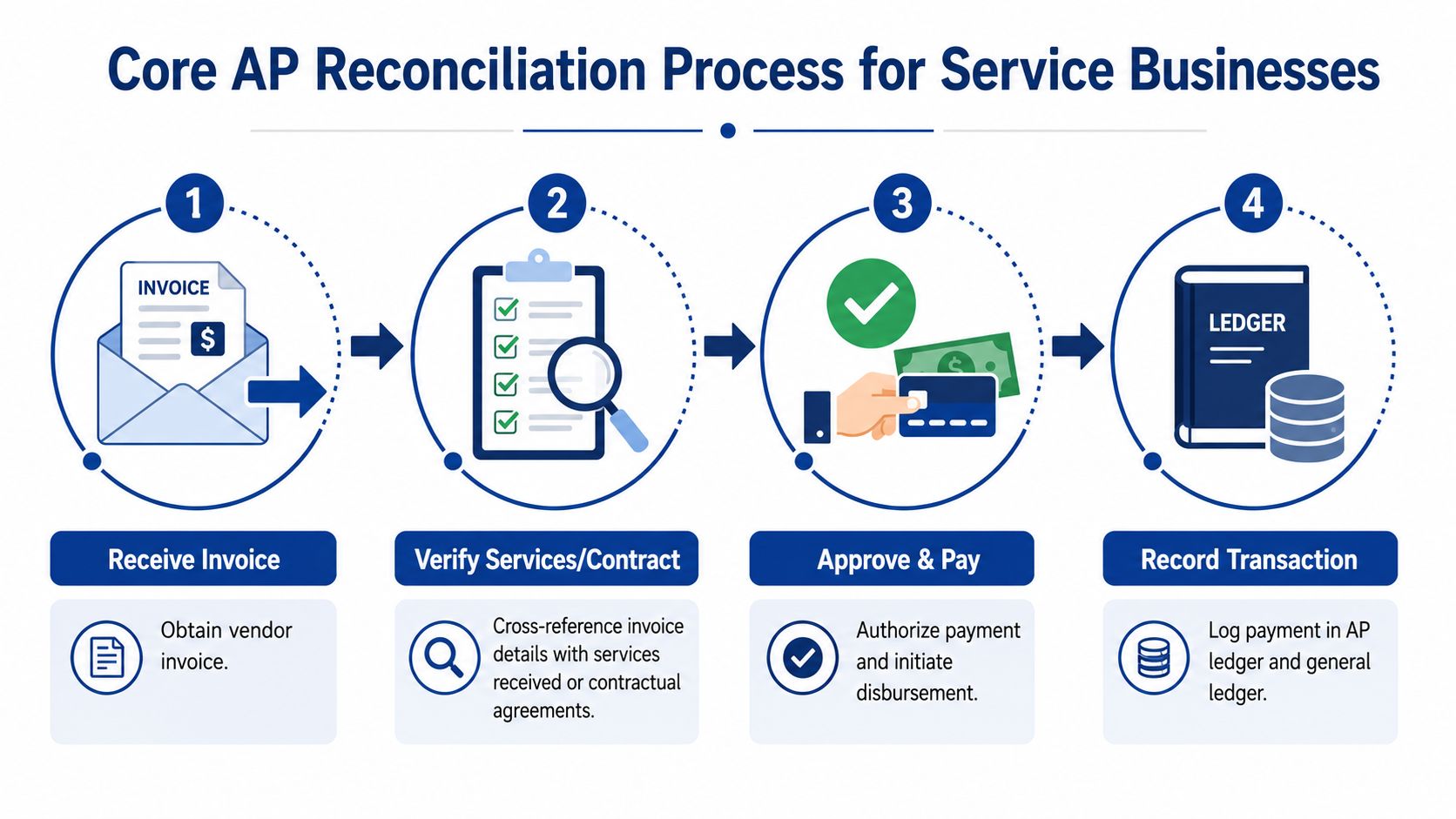
For service businesses, the real match is usually invoice to vendor statement to contract or approval trail.
Use a service-based matching method
Instead of forcing a three-way match where no PO exists, reconcile each payable against the source that proves the charge is valid.
That usually means comparing these records:
- Vendor invoice
- Vendor statement
- Underlying contract, statement of work, subscription agreement, time log, or internal approval
Here’s what that looks like in practice:
- A software vendor invoices the monthly platform fee. You check the invoice amount against the signed subscription agreement and confirm the charge appears on the vendor statement.
- A consultant submits an invoice for monthly project support. You compare the invoice to the statement of work, approved hours or deliverables, and the vendor statement.
- A marketing agency bills a retainer plus reimbursable spend. You confirm the retainer matches the contract and the reimbursable charges match approved campaign documentation.
Work line by line, not by assumption
The matching process itself should be methodical.
Compare open items first
Start with the vendor statement and identify every invoice, credit memo, and payment listed as of month-end. Then compare that list to your AP aging.
Your job is to answer three questions:
- Is every open vendor item in our books?
- Is every open item in our books still unpaid?
- Do both sides agree on credits and prior payments?
This isn’t glamorous work, but it’s where good reconciliations come from. You’re ticking and tying line items, not eyeballing totals.
Validate the evidence behind each charge
Once an item is matched between the statement and the ledger, verify that the underlying service was authorized and billed correctly.
Use evidence that fits the vendor relationship:
- Contracts or engagement letters for recurring services
- Statements of work for project-based work
- Usage summaries or seat counts for software
- Manager approvals for ad hoc professional services
- Time logs or milestone approvals for contractors
If the invoice amount differs from the contract, don’t push it through just because the vendor statement shows it. A vendor statement confirms what they believe is due. It does not prove the amount is correct.
If a service invoice has no contract support, no clear approval, and no explanation for the amount, treat it as unresolved until someone provides backup.
Watch for AP control account surprises
After vendor-by-vendor matching, tie the AP aging total back to the AP balance in the general ledger. If those totals don’t agree, something posted outside the normal AP workflow.
That often points to:
- Manual journal entries to AP
- Bills dated in one period and posted in another
- Deleted or edited transactions after reports were exported
- Credits applied incorrectly
For many service companies, that GL tie-out is where the hidden issue appears. The vendor detail may look reasonable, but the control account contains activity no one reviewed.
Investigating and Resolving Common Discrepancies
The first month-end AP reconciliation for a service business usually looks messier than expected. The vendor statement says one thing, your AP aging says another, and there is no purchase order file to break the tie. That is normal. For firms that buy services, software, subcontractor time, and recurring retainers, the answer usually sits in the contract, the approval trail, or the vendor’s own statement activity.

Good reconciliation work is not just matching numbers. It is deciding whether a difference is a duplicate, a missing item, a timing issue, or a posting mistake, then clearing it with support that would make sense to an outside reviewer.
Duplicate invoices or duplicate payments
Service businesses see duplicates for predictable reasons. A consultant resends an invoice after a follow-up email. One employee enters the bill from the PDF while another pushes it in from an intake app. A monthly software invoice changes from “INV-1007” to “1007,” so the system treats it as new.
Start with three questions. Is it the same invoice? Was it entered twice? Was it paid twice?
Use the vendor statement, invoice image, bill entry, and payment detail together. If two bills have the same service period, amount, and support, assume nothing until you confirm whether one was voided or one payment is still unapplied.
When you confirm a duplicate, document the cause, not just the fix. That matters because the correction is easy. Preventing the next one is harder. If duplicate and unsupported entries show up month after month, an accounts payable audit can help pinpoint whether the breakdown is happening at intake, approval, bill entry, or payment release.
Missing invoices or missing credits
These two items often appear on the same vendor statement, but they should not be handled the same way.
A missing invoice means the vendor believes you owe money that is not in your books. In a service business, that can be legitimate, or it can be an old charge sent late, a bill sent to the wrong contact, or work that was never approved. Ask for the invoice copy and tie it back to the contract, engagement letter, timesheet approval, or manager sign-off. Then decide whether it belongs in the current close or needs prior-period review.
A missing credit means your books may be overstating what you owe. Common examples include fee adjustments, service-level concessions, duplicate billing reversals, and contract true-ups. Get the credit memo or written vendor confirmation, then make sure the credit is entered in AP and applied to the right open item.
In practice, I tell owners to be more skeptical of old invoices and more aggressive about chasing old credits. Vendors tend to follow up on invoices. Credits are easier for everyone to overlook.
Timing differences
Some mismatches are real errors. Some are just cut-off issues.
A payment may clear your bank on the last day of the month but not appear on the vendor statement until the next cycle. A bill may be entered after the vendor statement date even though the service belongs to the month you are closing. An ACH payment may be initiated at month-end and posted by the vendor two days later.
Keep these items on a short list with the vendor name, document date, posting date, amount, and expected clearing date. If the item does not clear next month, reopen it. At that point, it is no longer a timing difference. It is an exception that needs support.
A quick visual walkthrough can help if your team is building the habit for the first time.
Data entry and coding mistakes
These are routine, but they can still distort the close. The amount is keyed incorrectly. The bill is booked to the wrong vendor record. A payment is applied to the wrong invoice. A vendor credit is entered as a new bill instead of a reduction.
Service companies without purchase orders need a disciplined way to track these because the backup is often scattered across email approvals, PDFs, and contract files. A discrepancy log keeps the review grounded.
| Vendor | Issue found | Support needed | Owner | Status |
|---|---|---|---|---|
| Vendor name | Duplicate, missing invoice, timing, coding error | Statement, invoice, approval, bank proof | Team member responsible | Open or resolved |
That log also helps separate clerical errors from process failures. If one vendor shows repeated coding mistakes, fix the vendor setup or approval path. If the same issue appears across many vendors, the month-end process needs work, not just cleanup.
Finalizing the Reconciliation and Posting Adjustments
Once every discrepancy is explained, update the books. The goal is simple. Your AP aging report should tie to the AP balance on the balance sheet, and your reconciliation file should show why.
Post only supported adjustments
If an invoice was missing and belongs in the current period, enter the bill. If a vendor credit was omitted, record the credit. If a payment was posted against the wrong invoice, correct the application. If someone made an improper journal entry directly to AP, reverse or reclassify it with support.
Be careful with journal entries to accounts payable. In QuickBooks Online and similar systems, direct entries to AP can create vendor-level problems if they aren’t assigned correctly. If the issue belongs to a vendor, fix it in a way that preserves the vendor subledger whenever possible.
Clean reconciliations come from supported corrections, not from forcing the top-line balance to match.
Keep the adjustment trail clear
Your month-end AP file should include:
- The final AP aging
- The AP general ledger detail
- Vendor statements used in the reconciliation
- Notes for unresolved or timing items
- Copies of any adjusting entries or corrected transactions
- Final reviewer sign-off
A good close file should let another bookkeeper understand what happened without guessing. That matters for audits, but it also matters for next month. Reconciliation gets faster when the current month leaves a clean trail for the one that follows.
Review the final tie-out
Before you close the month, do one last check:
- Total AP aging agrees to the AP control account.
- Open reconciling items are documented.
- Adjustments are posted and saved.
- The file is archived with sign-off.
If those four are in place, the next month starts from a reliable balance instead of a rolling cleanup job.
Building a Bulletproof AP Process with Controls and Automation
A strong reconciliation is good. A process that prevents half the problems before month-end is better.
Service businesses usually don’t need a complex procurement system. They do need controls that match how they buy. That often means clear invoice approval rules, consistent coding, and separation between the person entering bills and the person approving payment. Even in a small company, a second review catches things a rushed bookkeeper or operations manager can miss.
Put simple controls around service spend
A durable AP process usually includes:
- Documented approval paths: Every invoice should have a clear owner and approval record.
- Contract-based review: Recurring vendors should be checked against the signed agreement, not memory.
- Vendor master cleanup: Duplicate vendor profiles create duplicate payment risk.
- Restricted AP control account access: Limit who can post entries that affect payable balances.
Use automation where it removes friction
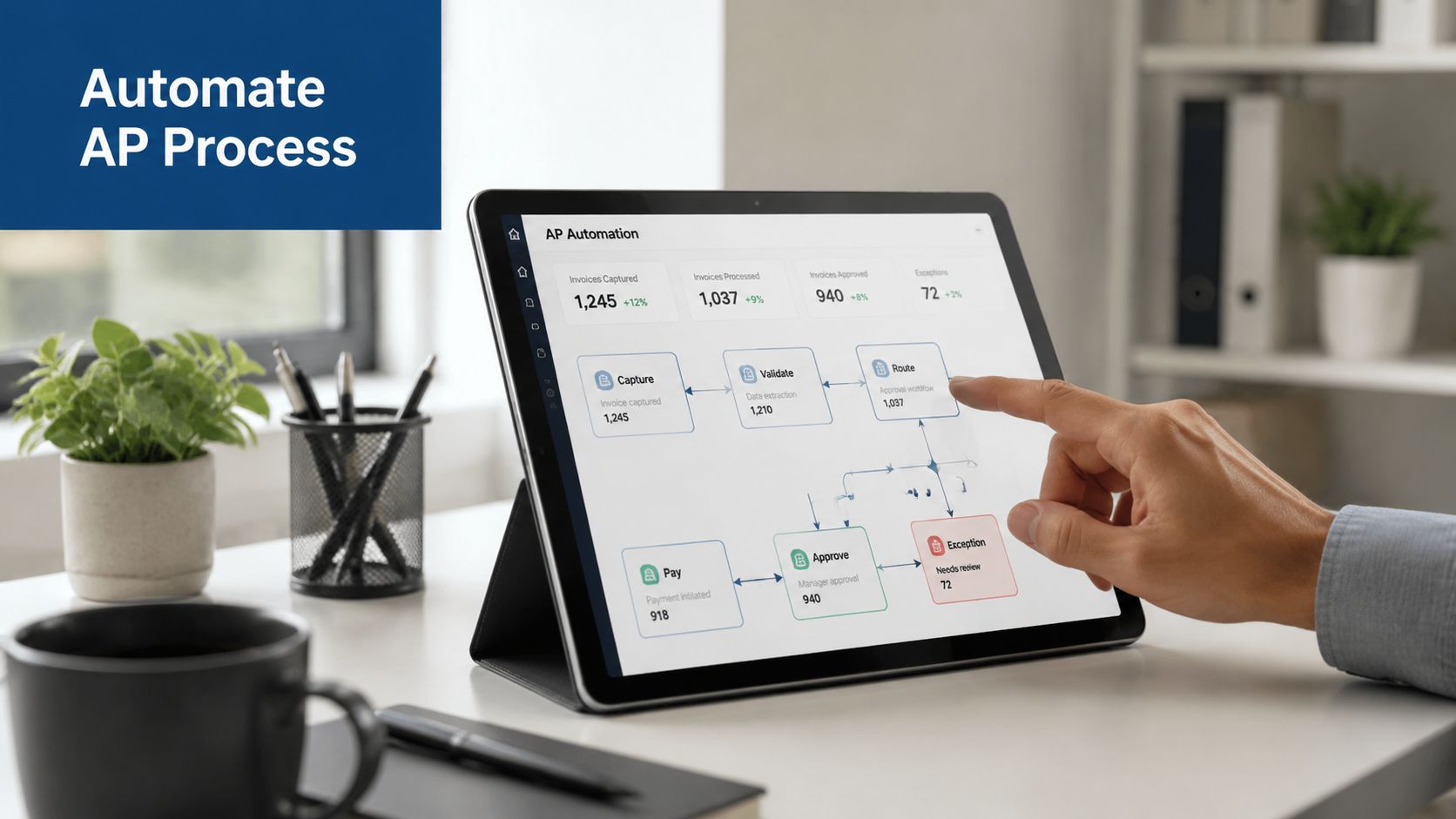
Automation helps most when it handles repetitive matching, invoice capture, approval routing, and exception flagging. It doesn’t replace judgment. It gives your team more time to use judgment where it matters.
If your company is growing and needs more capacity around AP, close, payroll, and reporting, many businesses scale with outsourced financial teams before they build a full in-house department. The key is choosing support that can work inside your existing systems and tighten the process, not just process more bills faster.
For teams evaluating workflow improvements inside QuickBooks-centered operations, this guide to automating the accounts payable process is a useful next step.
The best AP process is the one your team will follow every month. It should be easy to repeat, easy to review, and hard to bypass.
If your AP reconciliation still feels manual, inconsistent, or harder than it should be, Steingard Financial can help you clean up the process, tighten your month-end close, and build books you can rely on.