 Skip to content
You hire someone on Monday. They accept the offer, sign payroll forms in Gusto or QuickBooks, and start meeting the team. Then someone asks, “Did we complete the I-9?”
That question matters more than many business owners realize. Form I-9 isn’t just another onboarding document. It’s a required hiring control tied directly to your responsibility as an employer.
If you’ve searched what is I-9 form, you probably don’t need a legal lecture. You need a clear answer, practical rules, and a workflow your team can follow without creating avoidable risk.
What Is Form I-9 and Why It Matters for Your Business
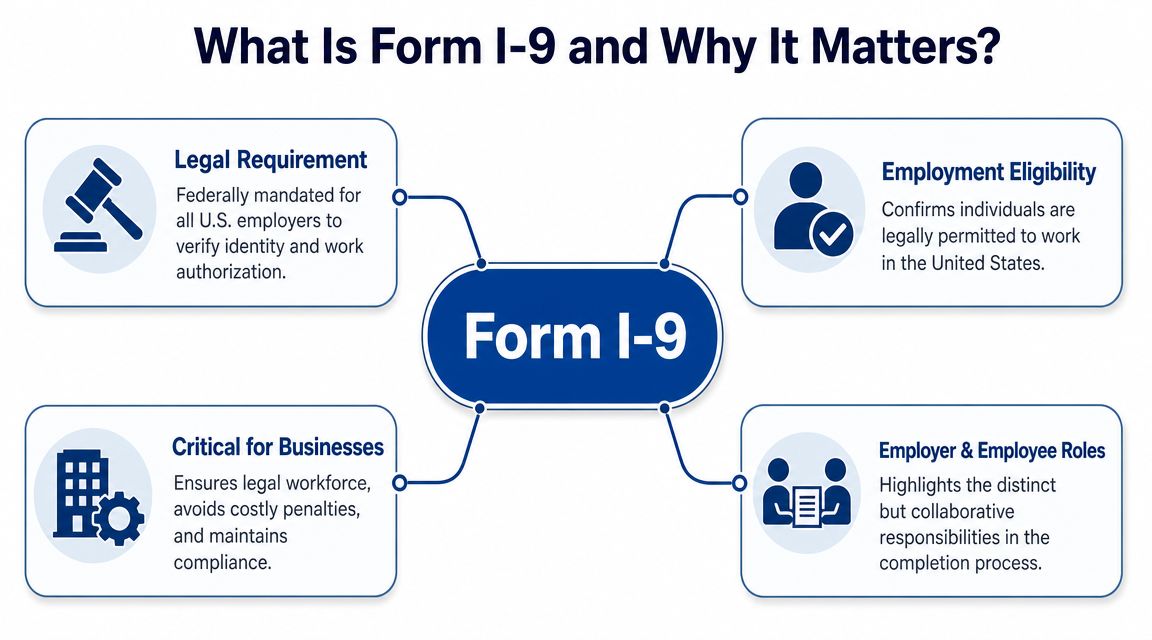
Form I-9 is the federal form employers use to verify that a person is both who they say they are and authorized to work in the United States.
Form I-9, officially the Employment Eligibility Verification form, is a U.S. federal hiring document created under the Immigration Reform and Control Act of 1986, and employers have been required to complete it for every new hire since November 7, 1986, except for people hired before that date, as explained in this I-9 compliance overview.
That legal history matters because it explains why the form is not optional. If you hire employees in the U.S., this is part of your job. It applies whether you run a local service business, a growing startup, or a distributed company with remote staff.
Why business owners get tripped up
Many owners assume the I-9 is just another form bundled into onboarding paperwork. It isn’t. The form exists to document a specific verification process. That means the timing, the documents reviewed, and the recordkeeping all matter.
If your team misses a step, fills in the wrong field, or uses the wrong version of the form, the problem can surface later during an audit or inspection. What felt like a small admin miss can turn into a compliance problem.
What the form actually does
The I-9 has a simple purpose, but the workflow behind it is structured.
Core function: It verifies identity and employment authorization through a process that involves both the employee and the employer.
That split responsibility is one reason the form carries real weight. The employee makes an attestation. The employer reviews original documentation and records what was presented. You are not just collecting a signature. You are certifying that a required verification step happened.
A related point often causes confusion. Form I-9 and E-Verify are not the same thing. Some businesses use both, while others only complete the I-9. If you’re sorting out when each applies, this guide to E-Verify requirements for businesses is a useful companion.
Why this matters in daily operations
For a small business, I-9 compliance affects more than HR. It touches payroll setup, onboarding timing, manager training, and document storage. If your office manager sends payroll invites before the I-9 process is organized, things can slip. If remote hires start work before anyone has a verification plan, risk shows up fast.
The practical takeaway is simple. Treat the I-9 like a required operational step in hiring, not a form you “get to later.”
Employer and Employee Responsibilities A Clear Breakdown
The I-9 process works because it separates what the employee must do from what the employer must do. That division is deliberate.
According to the U.S. Department of Labor’s I-9 Central guidance, the worker first attests to status in Section 1, then the employer inspects original, unexpired identity and work-authorization documents for Section 2. Employers also may not choose which documents the worker presents.
The employee’s role in Section 1
The employee completes Section 1. This is the employee’s part of the record, not the employer’s.
The employee is responsible for entering personal information and attesting to their citizenship or immigration status. If the employee uses a preparer or translator, that gets documented in the appropriate supplement.
A few practical points help here:
- Complete it personally: The employee should complete their own section unless a preparer or translator is needed.
- Be accurate: Names, addresses, and status selections should match the employee’s actual information.
- Do it on time: Waiting until “later in the week” creates avoidable problems.
Business owners often create errors by trying to help too much. If a manager starts editing employee fields casually, you can blur who made the attestation.
The employer’s role in Section 2
Section 2 is the employer’s responsibility. You review the documents the employee presents and record the details.
Your role is not to tell the employee which document to bring. Your role is to review what the employee chooses from the acceptable options, confirm the documents are original and unexpired, and document them correctly.
That means the employer must do all of the following well:
- Inspect the documents presented: Review original, unexpired documents.
- Record the right details: Enter the document title, issuing authority, number, and expiration date where required.
- Certify the review: The employer representative signs to confirm the review occurred.
The employee chooses what acceptable document or document combination to present. The employer reviews and records. Those are different jobs.
Where confusion usually starts
Problems often happen when teams mix the roles together. A hiring manager tells a new employee to bring a passport only. A payroll admin fills out employee fields “to speed things up.” A remote employee uploads copies, but no one is clearly assigned to complete the employer review.
Those aren’t small process issues. They cut into the integrity of the form itself.
If you want cleaner compliance, assign one owner for Section 2. That might be an HR manager, office manager, or trained administrator. The point is consistency. One trained person usually catches mistakes faster than a loose handoff across several people.
A Practical Guide to Completing and Retaining Form I-9
The best way to handle the I-9 is to build it into a repeatable hiring sequence. Not a memory-based task. Not an email reminder someone may miss.
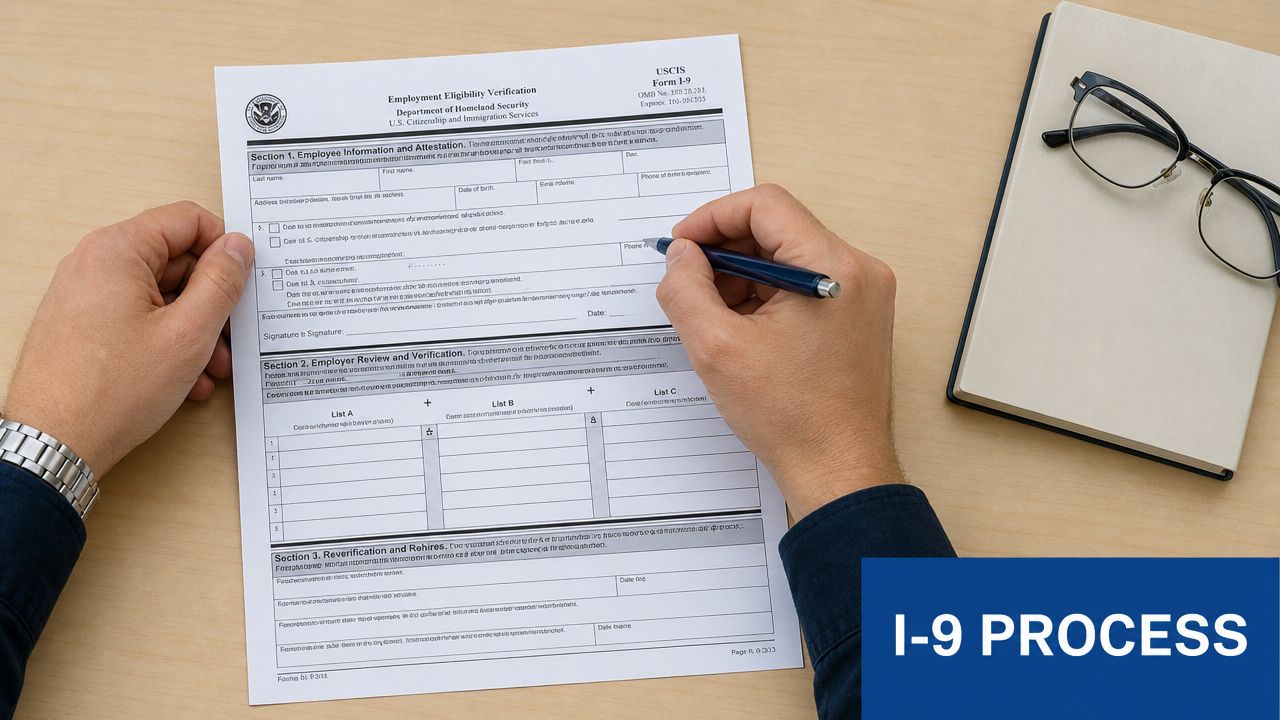
The current operational standard matters here. The current I-9 edition is dated Aug. 1, 2023, and the employee must complete Section 1 by the first day of work while the employer must complete Section 2 within three business days of the start date, according to this I-9 compliance FAQ.
Step one on or before day one
Start with Section 1. The employee should complete it no later than the first day of work.
For a business owner, this means you shouldn’t wait until after orientation, after IT setup, or after the first client meeting. If someone is starting work, this should already be on your day-one checklist.
A practical way to manage this is to send I-9 instructions as part of your preboarding email, then confirm completion on the first workday. Payroll software may help organize the sequence, but your team still needs a clear owner.
Step two within the employer window
Section 2 is where many businesses lose track. The employer must review the employee’s acceptable documents and complete the employer certification within the required timeframe.
Use a short checklist when you do the review:
- Confirm the form version your team is using is current and approved for use.
- Review original, unexpired documents presented by the employee.
- Record the document details carefully in the correct fields.
- Sign and date the employer section once the review is complete.
If someone works fewer than three days, the employer timing gets tighter. That’s why same-day planning matters for short assignments or quick hires.
Keep the records organized
Retention is where payroll and HR often overlap. Completed I-9s need to be stored securely and kept accessible if the government requests them for inspection.
Your storage system should be consistent whether you use paper files, digital records, or a platform-based workflow. The most important thing is that your records are complete, secure, and easy to locate. If your broader document process needs work, these record keeping practices for small business can help you think through where compliance documents fit.
A short walkthrough can also help your team visualize the process before you assign responsibilities.
Practical rule: If your I-9 process depends on remembering deadlines manually, it’s too fragile.
What to store with care
I-9 records contain sensitive employee information. That means they should be handled like compliance files, not casual onboarding paperwork.
Keep these habits in place:
- Limit access: Only people who need the records for compliance or audit purposes should handle them.
- Use one storage method: Scattered files across inboxes, desktops, and shared drives create gaps.
- Document your workflow: If a remote hire or rehire follows a different process, write that process down.
A good I-9 system is boring in the best way. It happens the same way every time.
Acceptable Documents and Remote Verification Rules
The document review part of the I-9 causes more confusion than any other step. Most of that confusion comes from one bad assumption. Employers think they should tell workers exactly what to bring.
They shouldn’t. The employee chooses from the acceptable document options. The employer reviews what is presented and records it correctly.
The document choices
The form uses three document lists. One path is a List A document, which establishes both identity and work authorization. The other path is a combination of one List B document and one List C document.
Here’s a simple comparison:
| Commonly Accepted Form I-9 Documents | List A (Identity & Work Authorization) | List B (Identity Only) | List C (Work Authorization Only) |
|---|---|---|---|
| Common examples | U.S. passport or passport card, Permanent Resident Card, Employment Authorization Document | Driver’s license, state ID card | Social Security card, birth certificate issued by a state, county, municipal authority, or territory of the United States |
The exact acceptable documents are governed by the official I-9 rules. What matters operationally is that your team understands the structure. One from List A, or one from List B plus one from List C.
Review rules that matter in practice
The employer’s review is more than a quick glance. Your team should verify that the documents appear genuine on their face and relate to the person presenting them.
A few habits reduce mistakes:
- Don’t ask for extras: If the employee presents an acceptable document combination, stop there.
- Don’t accept expired documents: Expiration matters.
- Don’t substitute preference for policy: A passport may be convenient, but you can’t require one.
Well-meaning managers often make preventable errors. They ask for a specific document because it seems easier. That creates risk and can lead to over-documentation problems.
Remote verification for distributed teams
Remote hiring makes I-9 execution harder because the old assumption was simple. Employee and employer would meet in person, review original documents, and complete the employer section face to face.
Modern teams often need a different process. If you hire across locations, you need a written procedure for remote onboarding that spells out who handles document review, how the review is documented, and how the completed form gets stored with the rest of your onboarding records.
Remote hiring doesn’t eliminate the employer’s verification duty. It changes how carefully you need to design the workflow.
For businesses using Gusto, QuickBooks Payroll, or another onboarding platform, the software may help collect information and trigger reminders. But software alone doesn’t make the process compliant. Someone still has to own the verification step and confirm that the review happened correctly.
Where remote teams usually stumble
The biggest operational issue isn’t technology. It’s ambiguity.
A founder assumes payroll setup means the I-9 is done. A remote manager thinks a scanned copy is enough. An office admin believes the platform completed the employer certification automatically. Those assumptions create gaps.
If your company hires remotely, write down the exact path a remote hire follows. Include who contacts the employee, how document review is handled, where the completed form is stored, and who checks for completion before payroll is finalized.
Common I-9 Mistakes and How to Avoid Costly Penalties
Most I-9 problems aren’t caused by bad intent. They’re caused by rushed onboarding, unclear ownership, and inconsistent review.
The stakes are real. Employers must retain a completed Form I-9 for three years after the hire date or one year after employment ends, whichever is later, and civil fines can range from $272 to $2,701 per incorrect form for paperwork violations and $676 to $27,018 per worker for more serious hiring violations, according to this Form I-9 overview.
Missing deadlines
A common failure is letting the form sit too long. Someone starts work, gets entered into payroll, and the employer section doesn’t get completed on time.
This usually happens when no single person owns the process. The fix is operational, not legalistic. Assign responsibility and use onboarding checkpoints so a hire cannot move through the workflow without I-9 completion.
Accepting the wrong documents
Another frequent issue is document handling. Managers may accept expired documents or request more documents than necessary.
That creates two different kinds of trouble. First, you may end up with an incomplete or defective I-9 record. Second, asking for more than the form requires can create unnecessary compliance exposure.
Incomplete fields and sloppy entries
Small data-entry errors add up. Missing document numbers, incorrect dates, unsigned certifications, and blank fields are common paperwork failures.
A short internal review step is helpful. Before the form is filed, have a trained person check that every required field is complete and readable. If your team needs broader policy support, these HR compliance practices for small business are a good operational complement.
Small paperwork errors don’t stay small when they show up across multiple hires.
Poor retention habits
Some businesses complete the form but can’t find it later. Others store I-9s in scattered employee folders with no consistent retention logic.
That becomes a serious problem when records are requested. A compliant form you cannot produce quickly is not much comfort in an audit setting.
A simple prevention framework
Use this short control list to reduce risk:
- Create one owner: One trained person or role should oversee I-9 completion and follow-up.
- Use a standard checklist: Every hire should move through the same review steps.
- Audit your own files: Spot missing signatures, dates, and document details before someone else does.
- Separate storage from general paperwork: Keep I-9 records organized and easy to retrieve.
- Train managers on what not to do: They shouldn’t choose documents for employees or improvise the process.
Most businesses don’t need a complicated compliance program. They need a disciplined one.
Integrating I-9 Compliance into Your Onboarding Workflow
A strong I-9 process works best when it is built into onboarding from the start. That matters because the key question for most owners isn’t just what is I-9 form. It’s how to complete the current process consistently without creating audit risk.
That practical gap is exactly what many businesses struggle with, as noted in this discussion of implementing the current I-9 process without creating audit risk.
A workable onboarding checklist
If your hiring process lives partly in email, partly in payroll software, and partly in someone’s memory, your I-9 process is vulnerable. Use a repeatable checklist instead.
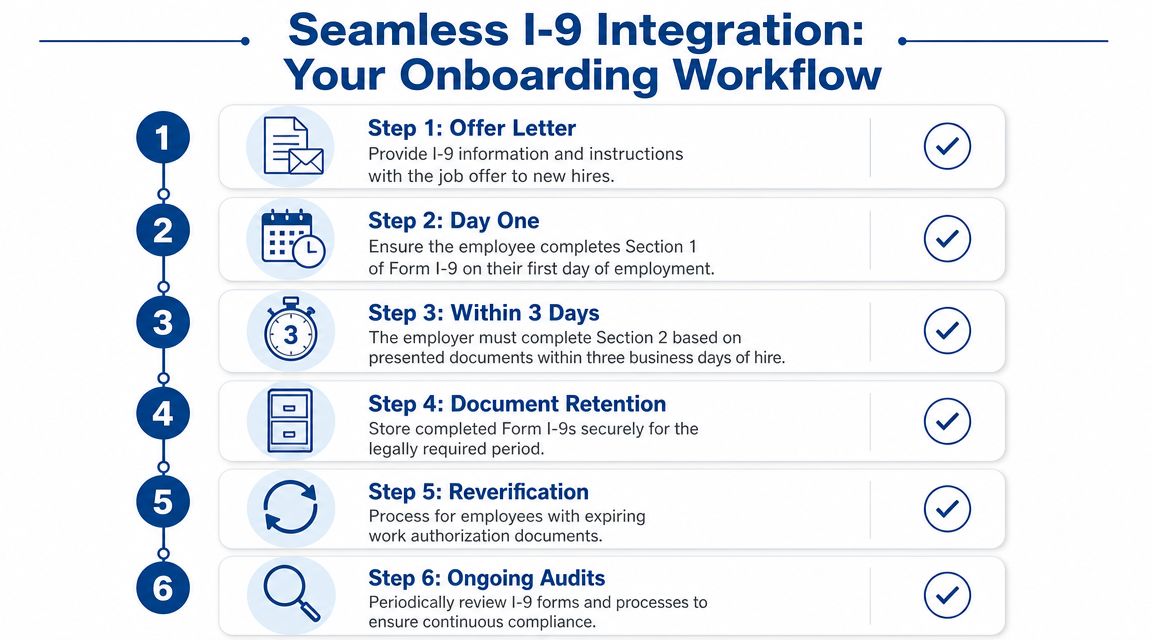
A simple workflow looks like this:
- Before start date: Send onboarding instructions and tell the employee what the I-9 process requires.
- On day one: Confirm Section 1 is completed by the employee.
- During the employer review window: Complete document review and the employer certification.
- After completion: Store the record securely in the same compliance system every time.
- Later in employment: Track any follow-up events such as reverification or rehire handling where applicable.
Where payroll platforms help
Platforms like Gusto and QuickBooks Payroll can make the process more manageable because they bring onboarding tasks into one place. They can help you assign tasks, prompt completion, and reduce the chance that a new hire moves forward with missing paperwork.
That said, software is a support tool, not a substitute for judgment. The platform can remind you that something is due. It cannot decide whether your document review was done correctly or whether your team followed the right remote process.
The most effective setup is a combination of software and ownership:
| Workflow area | Manual process risk | How platforms can help |
|---|---|---|
| Task timing | Deadlines get missed in email threads | Task prompts and onboarding checklists |
| Document collection | Files end up in multiple places | Centralized onboarding records |
| Status tracking | No one knows what’s complete | Visible completion status for HR or payroll admins |
Make the process scalable
A business with a few hires a year can sometimes get by with a simple checklist and careful follow-through. A growing business usually needs more structure. Once multiple managers are hiring, once remote employees are joining across states, or once payroll is handled through a shared platform, the process must be documented.
Write down your standard operating procedure. Include who monitors start dates, who confirms Section 1 completion, who performs employer review, and where completed forms live. Then train managers to follow that process instead of improvising.
If you want your broader hiring flow to support compliance instead of fighting it, these employee onboarding best practices are a strong place to start.
Good I-9 compliance doesn’t come from remembering rules under pressure. It comes from building the rules into the workflow your team already uses.
When the I-9 process is integrated into onboarding, it stops being a scramble. It becomes one more controlled step in a clean hiring system.
If your team uses Gusto, QuickBooks, or a mix of payroll and HR tools, Steingard Financial can help you build an onboarding and payroll workflow that keeps critical compliance tasks organized, documented, and easier to manage as you grow.