 Skip to content
You’re probably looking at a familiar mess right now. Bank feeds are mostly synced, a few receipts are still sitting in someone’s email, one contractor expense landed in the wrong category, and month-end reporting is later than you want to admit. You know software is supposed to help, but every platform claims it can “automate bookkeeping” without explaining what that means in practice once real transactions get messy.
That’s why AI bookkeeping software gets so much attention. It promises less manual entry, faster reconciliations, and cleaner books. In many cases, it delivers. According to 2024 Karbon research on AI in accounting, 92% of accounting professionals, a 12% year-over-year increase, report increased AI functionality in their existing software.
But this isn’t a magic wand. Good bookkeeping still depends on clean source data, a sensible chart of accounts, consistent review, and someone who understands what the numbers should mean. If you treat AI like a replacement for accounting judgment, it can create a different kind of problem. Faster mistakes, harder to trace.
Beyond the Hype of Automated Bookkeeping
A service business owner I’ve seen many times in practice usually starts in the same place. Revenue is growing, payroll is getting heavier, vendors are multiplying, and bookkeeping has become a nightly cleanup project. Someone scans receipts on Friday, exports reports on Monday, and spends the rest of the week trying to remember why a charge from Amazon should be office supplies in one case and software in another.
That’s the pain AI bookkeeping software is trying to solve.
At its best, it removes the repetitive work that drains attention from actual decision-making. It can pull data from receipts and invoices, suggest account coding, match transactions, and surface unusual items before they become month-end surprises. For a business owner, that often means less chasing paper and more time understanding cash flow, margins, and payroll timing.
Why the excitement is real
The current wave of adoption isn’t just vendor hype. Accountants are seeing AI features show up inside tools they already use. That matters because most businesses don’t want an entirely new finance stack. They want fewer clicks, fewer corrections, and more confidence in the reports already running their company.
Practical rule: If a tool saves time but makes your books harder to explain, it isn’t improving your bookkeeping. It’s just moving the work downstream.
Why the hype can mislead
The problem starts when software demos imply that all bookkeeping is routine. It isn’t.
Some tasks are repetitive and pattern-based. AI usually handles those well. Other tasks require accounting judgment, context, and documentation. That’s where owners get misled. A system may code hundreds of simple expenses correctly, then struggle with one prepaid contract, one owner draw, or one revenue entry that affects your financial statements in a meaningful way.
A balanced view is better for your business than a flashy promise. AI bookkeeping software can be a strong operational tool. It can also become a compliance risk if nobody reviews what it’s doing.
Here’s the right mindset:
- Use AI for speed: Let it handle capture, suggestions, and first-pass matching.
- Use humans for judgment: Keep people involved where classification affects reporting, tax treatment, or audit readiness.
- Use process for control: Define who reviews exceptions, who approves changes, and how corrections get documented.
That’s the difference between modern bookkeeping and automated confusion.
What Is AI Bookkeeping Software Really
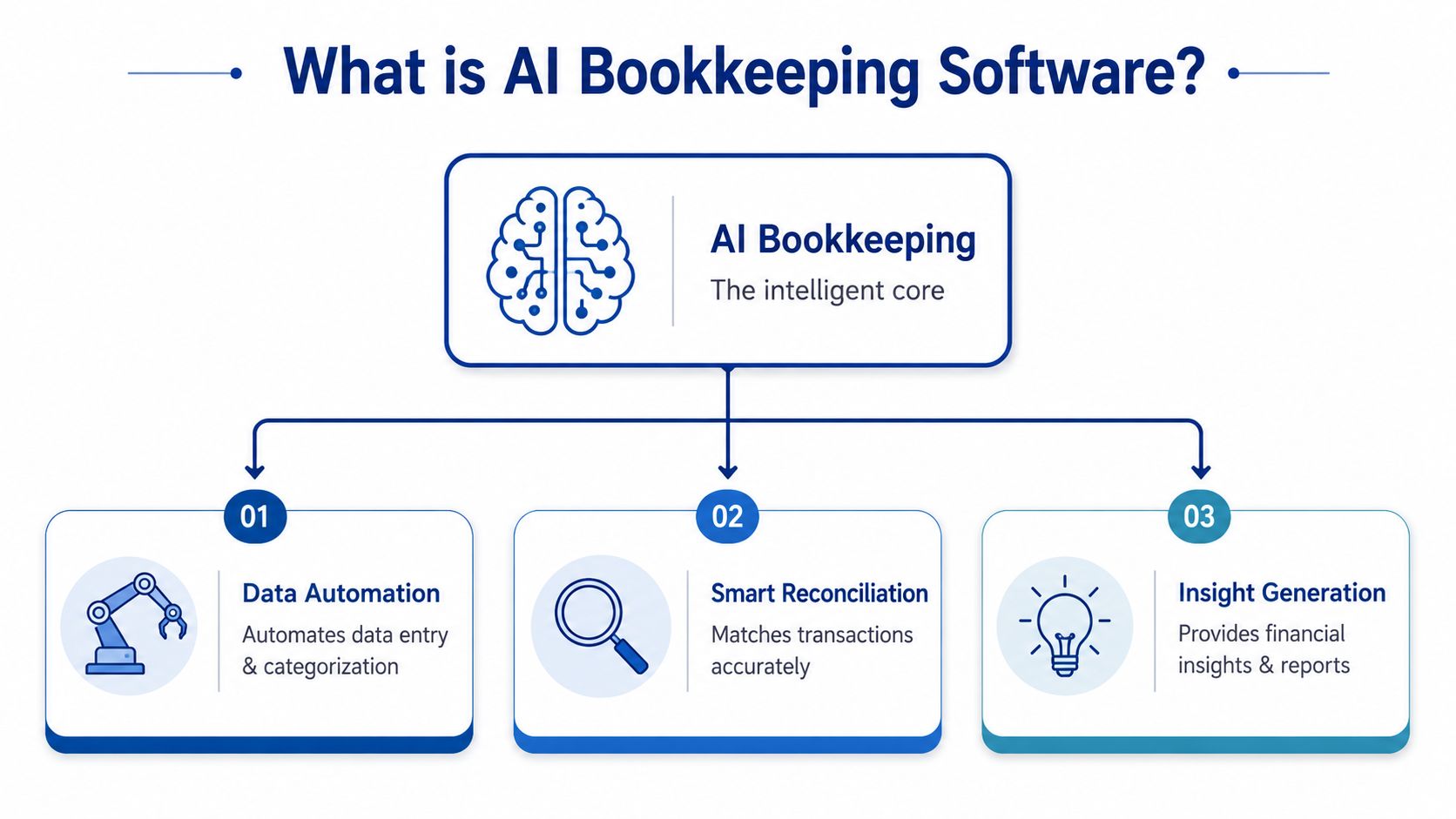
Think of AI bookkeeping software as a smart junior bookkeeper. It doesn’t replace the controller or CPA. It handles the repetitive first pass, learns from corrections, and gets better when your team gives it context.
The “AI” part usually rests on two core functions. One reads documents. The other decides what those documents likely mean inside your books.
OCR is the eyes
Optical Character Recognition, or OCR, is the part that reads receipts, bills, invoices, and statements. If you upload a PDF or snap a receipt photo, OCR extracts the text so the software can work with it.
That sounds simple until you remember how ugly real documents can be. Vendors use different layouts. Some invoices have tax lines, discounts, shipping charges, and multiple line items. According to Forbes Advisor’s overview of AI in accounting, AI bookkeeping software uses a dual-layer approach that combines OCR for data capture with machine learning for classification, and more advanced systems use line-by-line extraction rather than totals-only capture. That line-by-line approach matters because it preserves the detail that supports cleaner records and a stronger audit trail.
If you want a broader plain-English explanation of how AI systems automate repetitive work across business functions, ThirstySprout’s guide to AI automation is a helpful companion read.
Machine learning is the brain
Once the system reads the document, machine learning steps in. This is the part that looks at patterns and suggests how a transaction should be categorized.
For example, your software may notice that monthly charges from a payroll platform usually hit payroll software expense, while a one-time office delivery from the same vendor belongs elsewhere. It’s not “thinking” like an accountant. It’s learning from prior examples, your chart of accounts, and your corrections.
That’s the difference between basic automation and AI. Basic automation follows rigid rules. AI adapts when the pattern changes.
A quick visual can make that easier to picture:
What business owners often confuse
Many owners assume AI bookkeeping software means fully autonomous accounting. It doesn’t.
A better way to describe it is this:
- It captures data: invoices, bills, receipts, and bank activity
- It suggests coding: account, vendor, class, or project mapping
- It assists reconciliation: matching transactions and identifying exceptions
- It helps produce timely records: so you can review financials faster
Good AI bookkeeping software doesn’t eliminate review. It moves your team from typing data to checking judgment.
That shift is valuable. Manual entry is low-value work. Review is where the real bookkeeping quality lives.
Core Features That Automate Your Finances
Once you strip away the buzzwords, AI bookkeeping software usually earns its keep in a few practical places. These are the features that reduce admin drag and make reporting less chaotic.
Automated transaction categorization
This is the feature most owners notice first. The software sees a bank or card transaction, compares it to historical activity, and recommends a general ledger account.
That sounds minor until you have hundreds of monthly transactions flowing through QuickBooks or Xero. A strong system learns your chart of accounts and uses that historical context to make better coding decisions. According to the Journal of Accountancy on how AI is transforming accounting, integration with an existing chart of accounts allows AI to assign expenses to the correct GL accounts with up to 97.8% accuracy after training on historical data.
A simple example helps. “Amazon” isn’t an account. It’s just a vendor. One Amazon charge might be printer paper. Another might be a webcam. Another could be software. The system has to learn the difference from supporting details and prior patterns.
Intelligent bank reconciliation
Bank reconciliation is where owners often lose hours without noticing. The work is repetitive, but the consequences of getting it wrong are serious.
AI-assisted reconciliation can match imported bank activity to existing transactions, flag duplicates, and surface items that need human review. Instead of manually checking every line, your team focuses on exceptions.
That has a business effect beyond convenience. Faster reconciliation means your books stay current enough to support decisions in real time, not six weeks after the fact.
The best reconciliation workflow isn’t the one with the fewest clicks. It’s the one that makes unexplained transactions impossible to ignore.
Expense capture and reporting
Employees hate expense reports for the same reason owners do. They interrupt real work.
With AI-driven expense capture, someone can photograph a receipt, email a bill, or forward a document from a vendor inbox. The software reads the file, extracts the data, and pushes it into your accounting workflow. That reduces the “I’ll submit it later” problem that leaves records incomplete.
For businesses trying to tighten spending controls, this also creates a cleaner path from purchase to approval to accounting entry.
Integrations are where value compounds
Good AI bookkeeping software doesn’t sit off to the side. It connects to the systems you already use.
Look for integrations with accounting platforms, payroll systems, banking feeds, and payable workflows. If you’re reviewing finance automation beyond bookkeeping alone, this explanation of accounts payable automation gives useful context on how invoice capture and payment workflows fit into the bigger process.
And if reporting is one of your biggest pain points, it helps to compare reporting automation tools for 2026 so you can see how bookkeeping automation fits with dashboarding and financial reporting.
What matters most is consistency. If your bookkeeping tool captures an expense but doesn’t sync cleanly with your ledger or payroll process, you’ve just created another handoff problem.
The Real Benefits and Hidden Limitations
AI bookkeeping software can save real time. It can also create false confidence. Both statements are true, and business owners need both sides.
Where AI delivers clear value
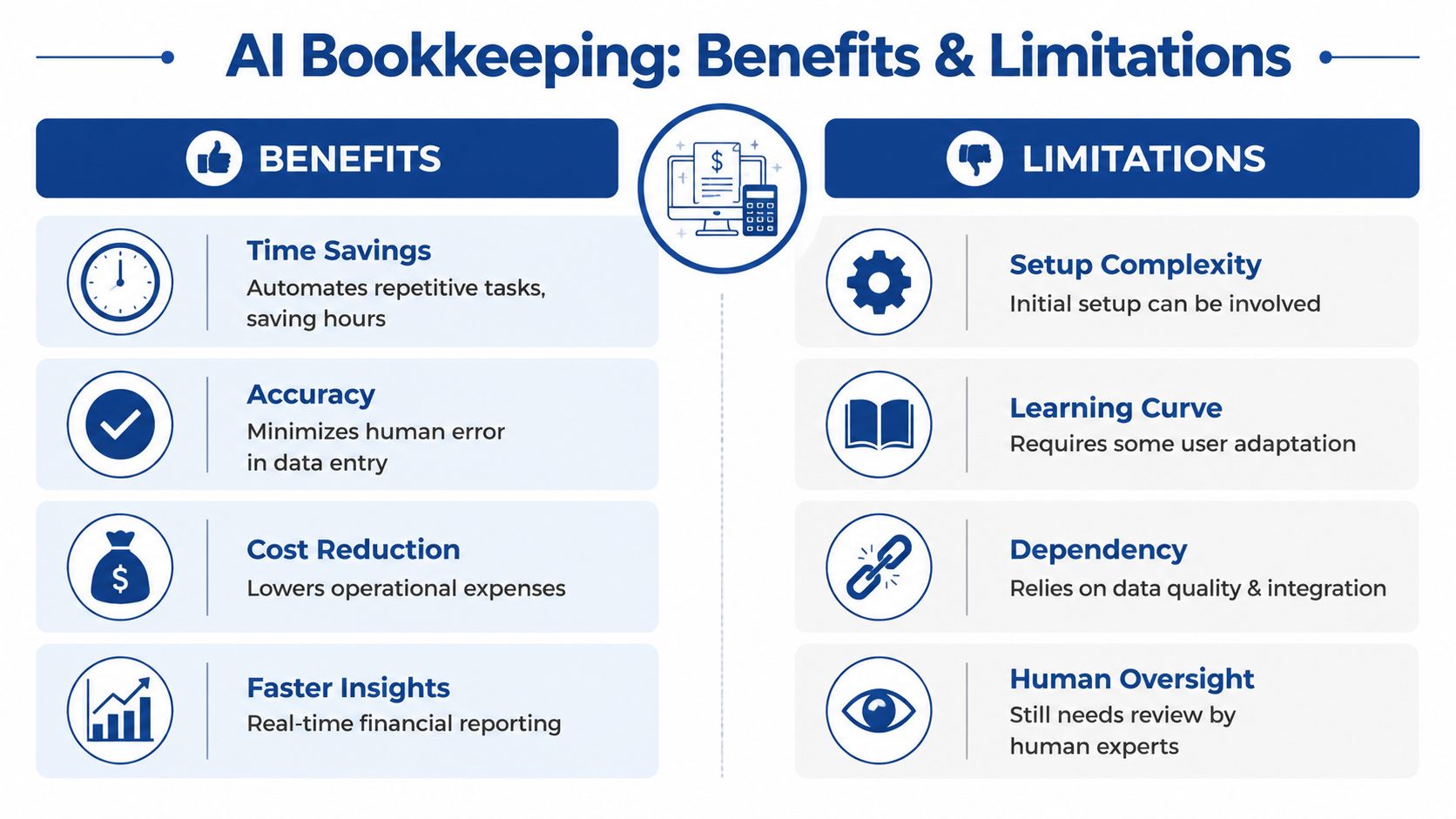
The efficiency gains are substantial when the work is repetitive. A 2026 Netgain report on AI in bookkeeping and accounting says companies using AI for bookkeeping and accounting report 80% faster bookkeeping cycles and 90% less manual data entry compared with non-AI counterparts.
That aligns with what many firms experience in practice. AI is strong at ingesting documents, handling standard categorization, reducing duplicate keystrokes, and moving routine transactions through the workflow faster. For owners, that usually means:
- More timely reporting: Financial statements arrive while they’re still useful.
- Less admin burden: Staff spend less time typing and chasing paperwork.
- Better visibility: You can spot unusual spending or cash issues sooner.
Where AI starts to break
The trouble begins when software moves beyond routine transactions into accounting logic.
Deferred revenue is a good example. If you run a SaaS business or any company with contracts spanning multiple periods, revenue recognition isn’t just a categorization task. It’s a timing and compliance task. The software has to understand what belongs on the income statement today versus what belongs on the balance sheet until later.
That’s where many systems struggle. A 2025 MIT Sloan study on artificial intelligence found that 68% of AI errors in accounting occur during complex accruals and revenue recognition, not routine transactions.
This isn’t because AI is useless. It’s because pattern recognition is not the same thing as accounting judgment.
The hidden limitation owners miss
Most sales pages focus on the easy wins. They rarely explain edge cases such as:
- Complex revenue schedules: multi-period contracts, deferred revenue, usage-based billing
- Prepaids and accruals: expenses that need to be recognized over time
- Messy books: inconsistent historical coding trains the system poorly
- Industry nuance: project-based service businesses often need more context than a bank feed can provide
An AI tool might code standard software subscriptions well all month long, then mishandle one unusual contract that affects your close. If nobody catches it, your reports look neat but wrong.
Speed helps only when the underlying accounting treatment is correct.
The smart approach is to let AI handle the routine layer while a human reviews the exceptions, period-end entries, and anything tied to compliance or management reporting. That hybrid model tends to produce cleaner books than either pure manual work or pure automation.
Security Compliance and the AI Audit Trail
Most owners ask the first security question quickly. Is my financial data safe in the system?
That’s the right starting point, but it’s not the full question. Data security and accounting defensibility are related, not identical. A platform can protect your files and still leave you exposed if it can’t explain how a transaction was handled.

Security is table stakes
At minimum, any AI bookkeeping software should offer strong encryption, access controls, user permissions, and clear administrative logs. You also want to understand where documents are stored, who can change coding, and how approvals are handled.
Those are baseline software questions. They matter, but they don’t answer what auditors or tax professionals will ask later.
The black box problem
The harder question is this. If the system coded a transaction incorrectly, can someone explain why?
According to a 2024 Journal of Accountancy report on AI in accounting and auditing, 83% of CPAs use AI, but 71% distrust its decisions because they can’t trace the “why” behind the categorization. That’s the black box problem.
Traditional rule-based software is usually easier to explain. You can point to the rule. Some AI tools are less transparent. They provide a result without enough human-readable logic behind it.
That creates a practical compliance problem. If an auditor asks why a cost was capitalized, deferred, or assigned to a specific account, “the system chose it” won’t satisfy them.
What to look for in an audit-ready setup
A usable audit trail should show the source document, the original extraction, the suggested coding, the approval path, and any human override. If your team changes an entry, the software should preserve that history.
If you want a broader framework for evaluating those controls, this article on effective audit trail management is a useful reference. For a bookkeeping-specific view, it also helps to understand what audit trails are in accounting systems.
When you evaluate software, ask to see a corrected transaction from start to finish. Not the polished dashboard. The actual trail.
- Who uploaded the document
- What the system extracted
- How it categorized the item
- Who approved or changed it
- What explanation remains for later review
That level of traceability matters just as much as automation speed.
How to Choose and Implement Your AI Solution
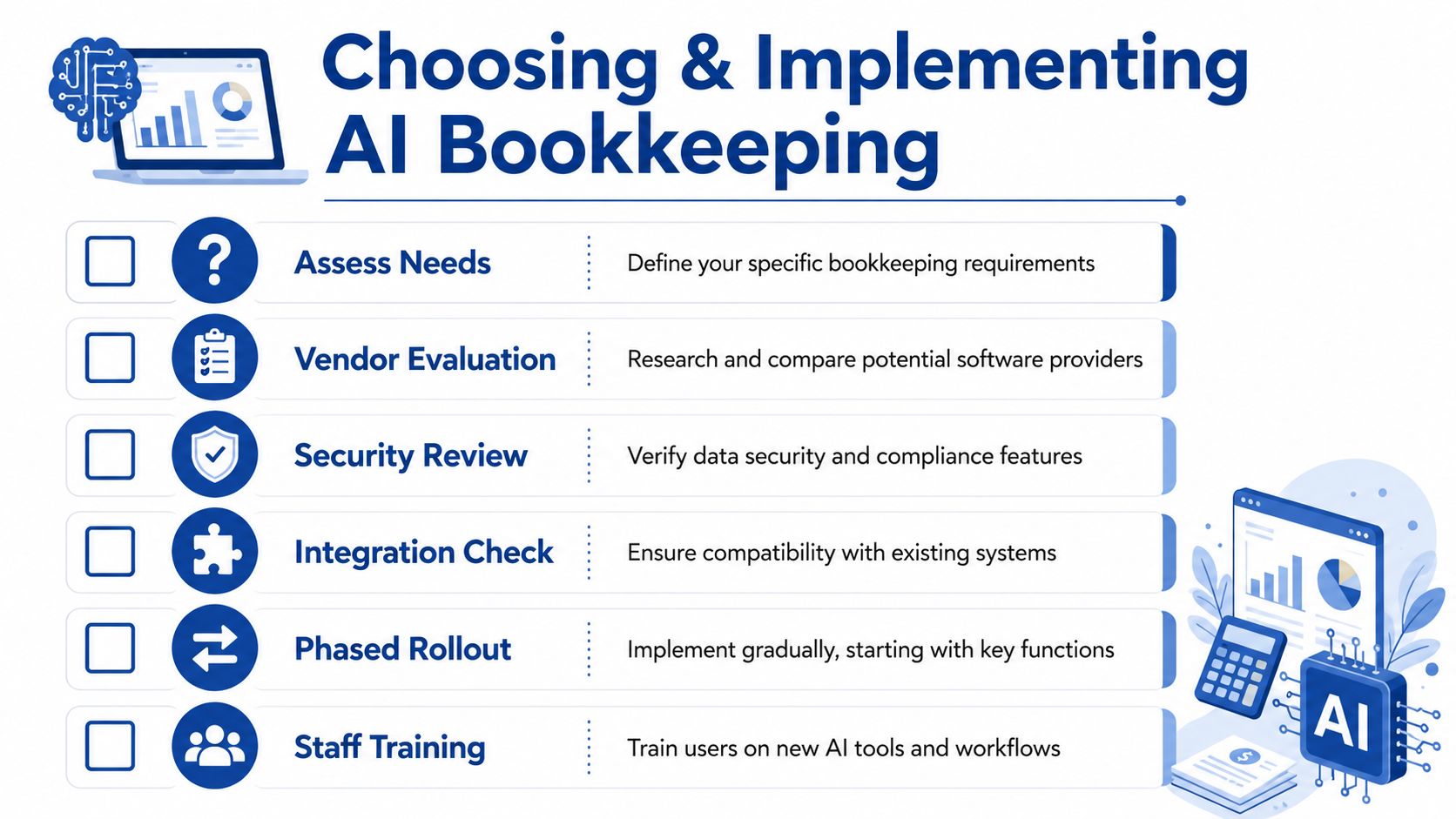
Buying AI bookkeeping software without a process usually creates more cleanup work later. The best rollout is measured, boring, and controlled. That’s a good thing.
Questions to ask before you sign
Use the vendor demo to test edge cases, not just the polished invoice sample. Ask them to show how the system handles a corrected transaction, a split expense, and an exception that doesn’t match historical patterns.
| Category | Question to Ask | Why It Matters |
|---|---|---|
| Data capture | Does the system extract line items or only totals? | Line-item detail supports cleaner coding and stronger documentation. |
| Categorization | How does it learn our chart of accounts and vendor history? | Generic coding creates avoidable review work. |
| Audit trail | Show me the history of a transaction that was corrected by a human. | You need to see whether decisions are explainable later. |
| Reconciliation | How are unmatched or duplicate items flagged? | Exceptions are where bookkeeping errors hide. |
| Integrations | Does it sync cleanly with QuickBooks, Xero, payroll, and bank feeds? | Poor handoffs create duplicate work and data drift. |
| Security | What permissions, controls, and admin logs are available? | Finance systems need restricted access and accountability. |
| Exception handling | What kinds of transactions usually require human review? | A good vendor should answer this directly, not dodge it. |
| Implementation | Can we run this in parallel before relying on it fully? | Parallel testing reduces risk during migration. |
A safer rollout path
A gradual implementation usually works better than a big switch.
Clean up first
Fix duplicate vendors, stale accounts, and inconsistent historical coding. AI learns from your existing data, so bad books produce bad suggestions.Connect core systems
Start with your accounting platform, bank feeds, and your most common document sources. Keep the first phase narrow.Run in parallel
Let the system process transactions while a human reviews results against your current workflow. That’s where you find weak spots safely.Expand only after review
Once categorization, reconciliation, and document capture are stable, add more workflows such as employee expenses or payable approvals.
Don’t ask a new tool to clean up years of accounting inconsistency on day one. Clean the books first, then automate the repeatable parts.
What success looks like
A successful implementation doesn’t mean zero human touch. It means your team spends less time entering data and more time reviewing exceptions, explaining results, and closing the books with confidence.
If the software reduces typing but increases uncertainty, it isn’t ready for full adoption.
When to Augment AI with a Human Expert
The most useful way to think about AI bookkeeping software is not “software versus people.” It’s “software for speed, people for judgment.”
That distinction matters because bookkeeping has two layers. One layer is operational. Capture the document, code the transaction, match the payment, close the month. AI is often very good here. The second layer is interpretive. Decide whether the treatment is correct, document the reasoning, and make sure the books support reporting, tax, and management decisions. That layer still needs an experienced human.
The moments when software alone gets risky
Some situations should push you toward expert oversight quickly:
- Your revenue isn’t simple: subscription schedules, retainers, deferred revenue, milestone billing
- Your books are messy: inconsistent historical coding confuses the learning process
- Your reporting needs are higher stakes: lenders, investors, or leadership rely on timely and defensible financials
- Your exceptions are increasing: the software handles routine items, but edge cases keep piling up
A growing business also reaches a point where bookkeeping isn’t just recordkeeping. It becomes operational infrastructure. Payroll timing, AP workflows, owner distributions, class tracking, and month-end close quality all begin to affect decisions beyond accounting.
What human oversight actually adds
A strong bookkeeper or accounting partner doesn’t just “check the AI.” They provide context the software can’t hold well on its own.
That includes reviewing unusual transactions, cleaning up the chart of accounts, documenting overrides, handling accrual logic, and making sure the books tell a story that matches the business. For many companies, that’s also when it makes sense to outsource bookkeeping for a small business instead of trying to manage software, process, and review internally.
AI can make bookkeeping faster. It can’t accept responsibility for whether your records are right.
For serious operators, the best setup is usually a hybrid one. Let automation handle the repetitive work. Let experienced humans own the judgment, the controls, and the accountability.
If you want a bookkeeping partner that can help you use automation without losing accuracy, control, or audit readiness, Steingard Financial works with service businesses that need clean books, dependable reporting, payroll support, and a finance process that scales with growth.