 Skip to content
You’re reviewing your books before payroll or month-end. A vendor’s bank details look different than you remember. An invoice that was already sent now has a new amount. A reconciled transaction suddenly no longer matches the bank. The hard part isn’t always fixing the problem. It’s figuring out what happened.
Most business owners assume their accounting software will somehow “know” the answer. Sometimes it does, but only if the system keeps a proper record of changes. Without that record, you’re left with guesswork, screenshots, email chains, and uncomfortable conversations with staff or vendors.
That’s where audit trails become useful. They aren’t just for formal audits or large companies. They’re the closest thing your financial systems have to a security camera. If you’re trying to understand what are audit trails, the simplest answer is this: they help you reconstruct the story of a transaction or change after the fact.
Your Business’s Financial Detective
A good audit trail earns its value the first time something doesn’t add up.
Maybe a bill was edited after approval. Maybe payroll ran with a pay rate you didn’t expect. Maybe a team member changed a customer invoice to fix a mistake, but forgot to tell anyone. In each of those cases, the business question is the same: who changed it, what changed, and when did it happen?
That’s why I often describe an audit trail as your business’s financial detective. It doesn’t stop every mistake on its own. It gives you a reliable trail of evidence so you can stop guessing and start verifying.
NIST’s guidance explains that audit trails should include enough information to establish what events occurred and who, or what, caused them. It also notes that audit trails record activity from both users and system or application processes, and that, with the right tools and procedures, they can help detect security violations, performance problems, and application flaws (NIST guidance on audit trails).
That sounds technical, but the business meaning is straightforward. If your books are clean, you can trace an invoice edit. If your payroll controls are sound, you can confirm when payroll was approved. If bank information changes, you can review the chain of events instead of relying on memory.
Practical rule: If a financial record can affect cash, payroll, taxes, or reporting, you should be able to trace its history.
This matters even more when your business grows. Once multiple people touch receivables, payables, payroll, and reporting, clean records stop being a nice feature. They become a management tool.
If you’re also thinking about formal review requirements, this guide to company audits in the UK gives helpful context on when structured financial records become especially important.
What an Audit Trail Is (And What It Is Not)
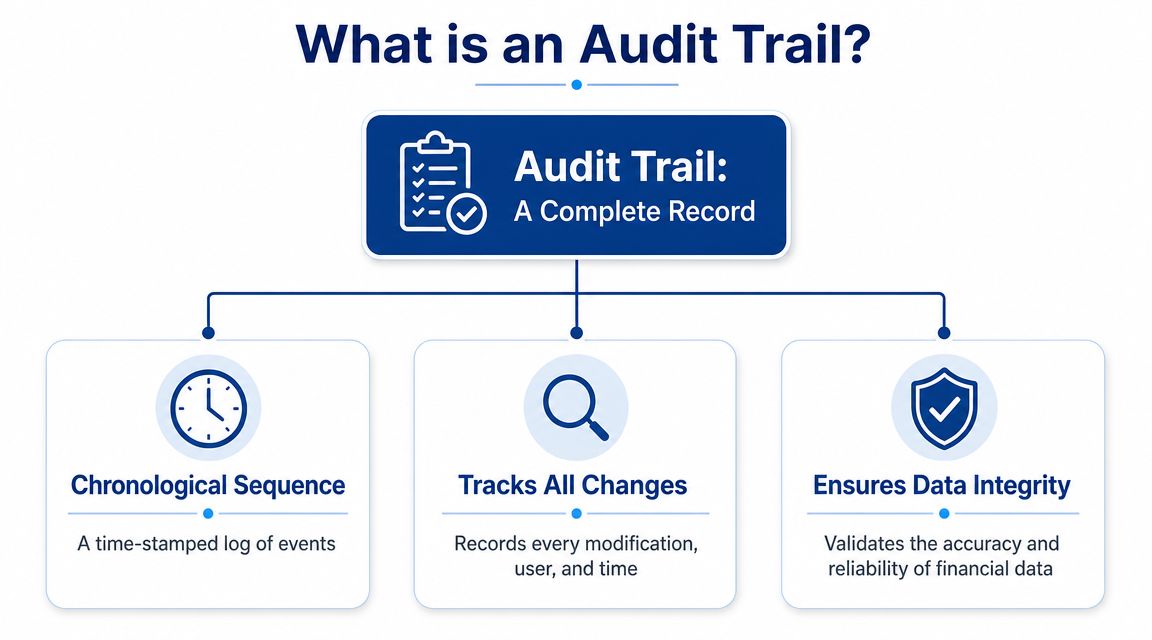
An audit trail is a structured, chronological record of activity inside a system. It tracks actions taken on records, along with enough detail to understand what changed.
Think of it as a digital footprint for your finances. Every time someone creates, edits, approves, deletes, or sometimes even views something important, the system records that event in sequence.
The basic parts of a useful audit trail
A high-quality audit trail is best thought of as a structured event record. Expert guidance says each event should include at minimum a timestamp, user ID, the action executed, the affected record, and the outcome. Stronger implementations also store before and after values to support root-cause analysis (Optro on audit trail components).
In plain language, that usually means the record answers a few core questions:
| Question | What it means in practice |
|---|---|
| Who | Which user or system performed the action |
| What | What action happened, such as edit, create, approve, or delete |
| When | The date and time the event occurred |
| Where | Which transaction, employee record, vendor profile, or account was affected |
| Outcome | Whether the action succeeded, failed, or triggered another system event |
If the system also shows the old value and new value, the log becomes much more useful. You’re no longer just seeing that “an edit happened.” You can see that a bank account number changed, a pay rate was updated, or a journal entry memo was revised.
What it is not
An audit trail is not the same as a notes field.
It’s also not the same as someone typing, “Updated per manager request,” into a record. Notes can be helpful, but notes rely on people remembering to add them, writing them clearly, and not leaving anything out.
A true audit trail is generated by the system itself. In regulated systems, guidance expects audit trails to be computer-generated, time-stamped, and resistant to manual alteration. That matters because a record loses value as evidence if someone can rewrite history after the fact (Part 11 audit trail expectations).
A handwritten explanation tells you what someone says happened. An audit trail shows what the system recorded as happening.
Why owners often get confused
Many business owners open an “activity” screen and assume they’re looking at a full audit trail. Sometimes they are. Sometimes they’re only seeing recent activity, user notifications, or a simplified change summary.
The difference matters. A real audit trail should be automatic, chronological, and trustworthy. If it depends on manual entry, can be edited freely, or leaves out key details, it’s not strong enough to answer hard questions when a dispute or discrepancy appears.
Why Audit Trails Matter for Your Bookkeeping and Payroll
Bookkeeping and payroll are built on trust, but trust works better when the system leaves evidence.
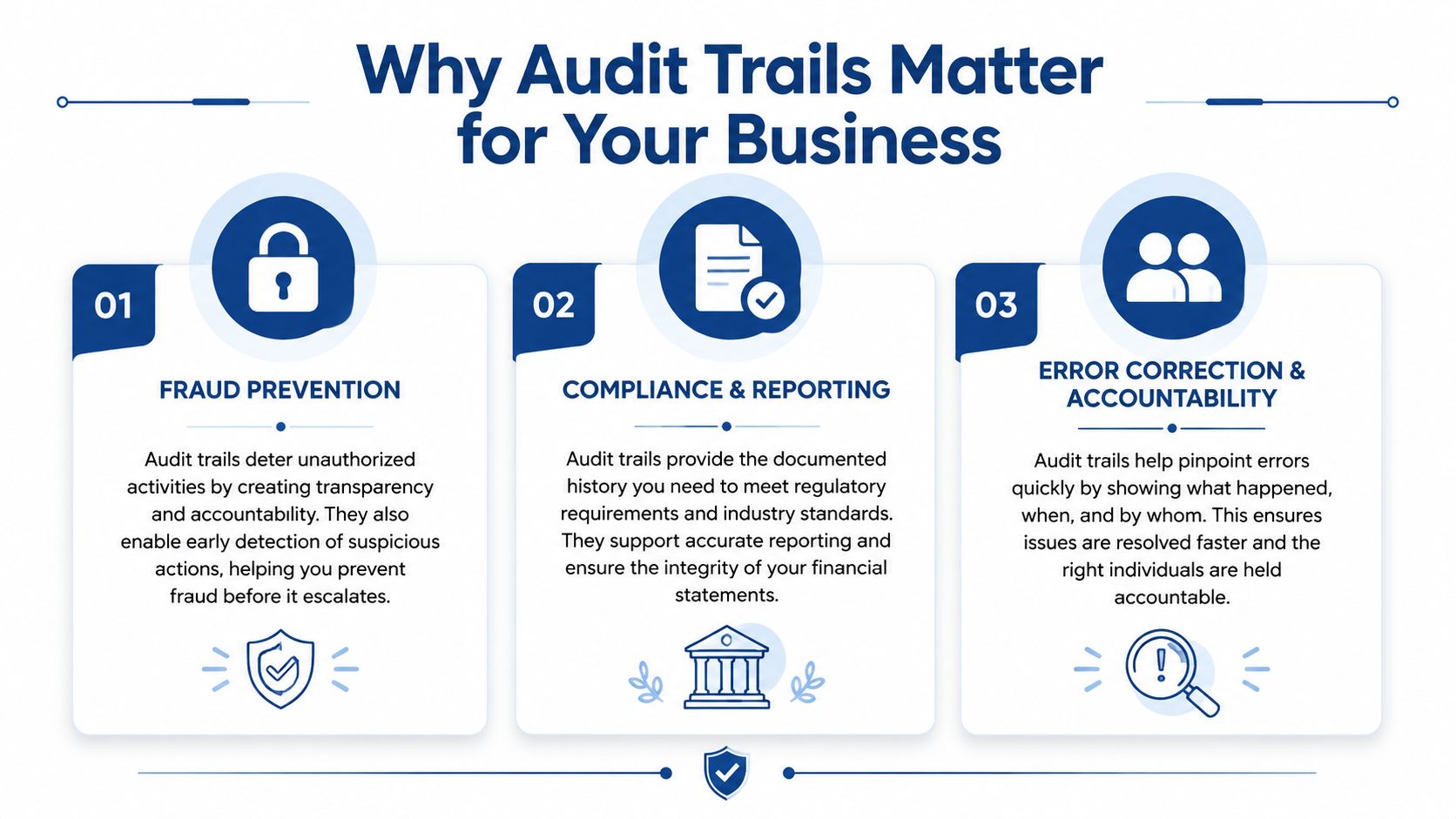
An audit trail helps in three areas that owners care about immediately: preventing bad activity, supporting review, and fixing mistakes before they spread into reports or payroll.
Fraud prevention and deterrence
Audit trail principles are embedded in compliance frameworks and are used to support fraud prevention and accountability. In regulated industries, they are expected to answer five questions, who, what, when, where, and why, and document every action from user logins to data changes (Onspring on audit trail purpose).
For a service business, that shows up in very practical ways.
- Vendor changes: If someone updates payment details for a vendor, you want a record of the user, the timing, and the exact change.
- Payroll edits: If a pay rate, direct deposit setup, or reimbursement amount changes, the business needs a traceable history.
- Journal entries: If an entry is posted late in the month or changed after review, the log helps you verify whether it was expected.
The presence of a visible trail also changes behavior. People are less likely to take shortcuts when they know the system records their actions.
If you’re evaluating where your bookkeeping controls fit inside broader operational risk, this overview of the IT security risk assessment process is a useful companion read.
Audit readiness without the scramble
No owner wants to prepare for a tax review, lender due diligence request, or investor question by searching old emails.
A clean audit trail gives your records context. It helps support why a change happened and whether the right person made it. That doesn’t replace good bookkeeping. It strengthens it.
For small teams building stronger control habits, these resources on internal controls for small business are especially relevant because audit trails work best when paired with permission settings, review steps, and role separation.
Why this matters: Clean books answer “what is the balance?” A good audit trail answers “how did it get that way?”
Faster error correction
Most bookkeeping problems are not fraud. They’re ordinary human mistakes.
Someone recategorizes an expense in a hurry. A duplicate bill gets entered, then partially fixed. Payroll is approved, but a department change wasn’t reflected correctly. Without an audit trail, each issue turns into detective work.
With one, you can build a timeline. You can see when the record changed, whether it was part of a larger batch of edits, and whether the change came from a person or an automated system process.
That shortens cleanup time and improves confidence in the final numbers. For owners, that means fewer surprises during month-end close and fewer payroll questions after funds have already gone out.
Finding Audit Trails in QuickBooks and Gusto
The idea materializes. Most business owners don’t need a lecture on recordkeeping. They need to know where to click.
If you use QuickBooks Online or Gusto, you already have places to review account activity and change history. The exact screens can vary by subscription level and user permissions, but the underlying purpose is the same. You’re looking for the system’s record of actions tied to transactions, settings, payroll, and users.
In QuickBooks Online
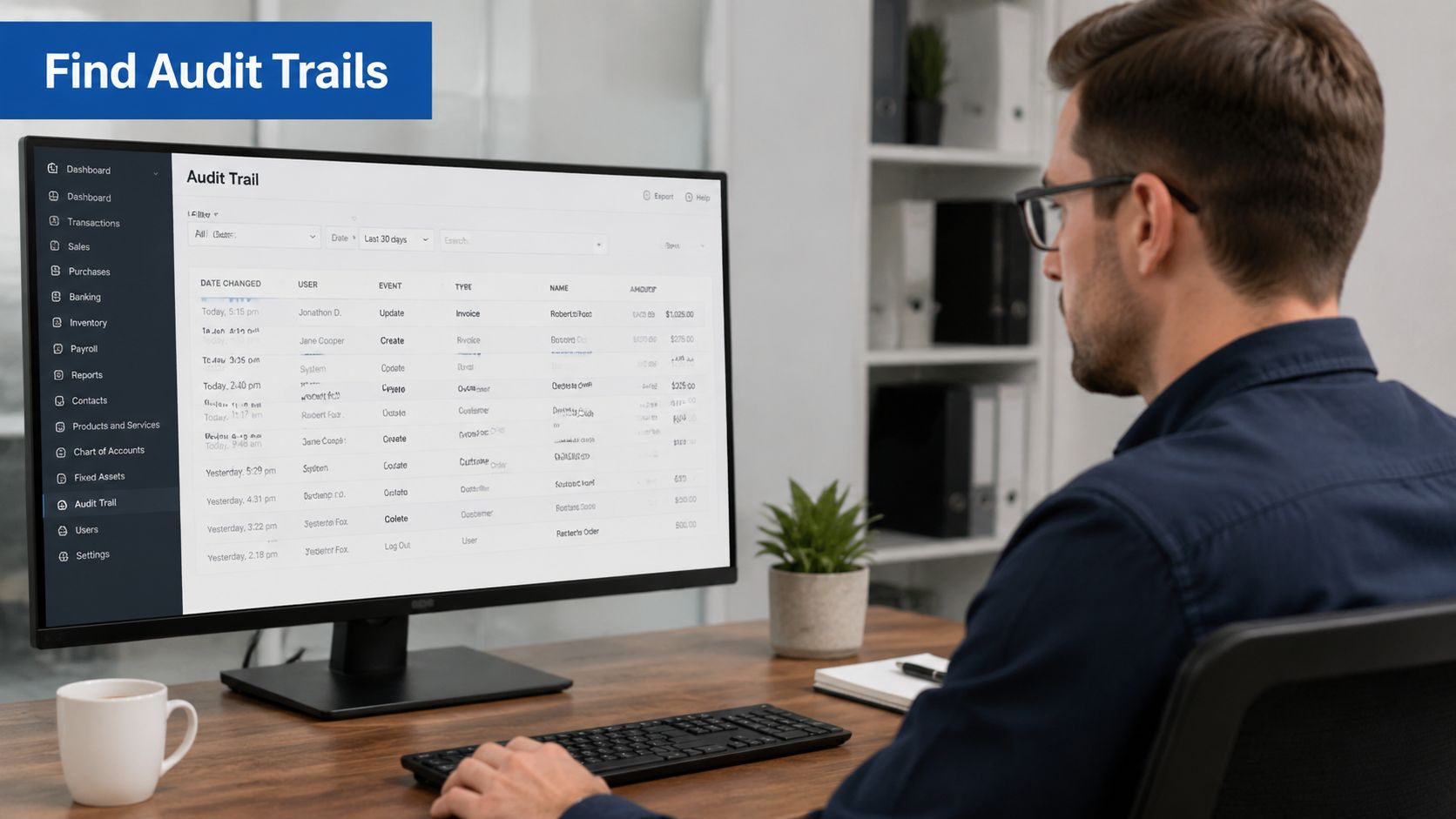
QuickBooks Online commonly provides an Audit Log that helps you review account activity. When owners first open it, they’re often surprised by how much it captures. You may see transaction edits, created records, deleted items, sign-in activity, and changes tied to user actions.
NIST’s longstanding guidance is useful here because it frames the core purpose clearly. Audit trails should establish what events occurred and who caused them, while recording both user and system activity. In a bookkeeping setting, that foundation helps reconstruct invoice edits or payroll approvals when you need to understand the history behind a record.
When you review an audit log in QuickBooks, look for details such as:
- Transaction changes: invoices, expenses, bills, journal entries, or deposits that were added or edited
- User activity: which login or user profile performed the action
- Timing: the date and timestamp of the event
- Detail level: whether the system displays changed fields or before and after information
A practical habit is to filter by date, user, or event type before you start scanning. If you’re chasing one mystery, don’t review the entire log. Narrow the list to the period when the issue likely happened.
If payroll is part of your QuickBooks setup, this guide on how to set up QuickBooks Payroll can help you think through the operational side alongside the recordkeeping side.
In Gusto
Gusto is different because the actions you care about are often tied to people data, payroll approvals, compensation details, and bank information.
When you review activity in payroll and HR software, the key is to focus on sensitive changes. Did someone update an employee’s pay? Was a direct deposit account changed? Was payroll approved at the time you expected? Those are the moments where a record of activity protects both the business and the employee experience.
Gusto users often find it helpful to review changes around these categories:
| Area | What to verify |
|---|---|
| Employee profile updates | Changes to job details, pay, or status |
| Banking details | Updates to direct deposit or company bank information |
| Payroll processing | Who approved payroll and when |
| Permissions | Changes to who can access payroll or HR features |
A short walkthrough can help if you’re more comfortable seeing this in action than reading about it.
What you should expect to see
Don’t expect every screen to look identical across platforms. The names differ. The principle doesn’t.
You’re looking for a chronological record that helps answer whether a change was intentional, authorized, and correctly recorded. Once you view it inside software you already use, the concept of what are audit trails stops feeling abstract and starts feeling like a daily management tool.
Interpreting Audit Logs to Troubleshoot and Verify Data
Finding the log is only half the job. The next step is learning how to read it without getting buried in details.
The simplest approach is to treat the log like a timeline. Start with the business question, then work backward and forward around that event.
A simple review method
Use this sequence whenever something in the books looks off:
Start with the record
Identify the exact transaction, employee, vendor, or journal entry in question.Anchor the time window
Pick the period when the issue likely appeared. If a bank reconciliation stopped matching this week, don’t search six months of history first.Check the actor
Look at which user or system event touched the record.Review the change itself
Was it a new entry, an edit, a deletion, an approval, or a settings change?Confirm whether it fits the business story
If the owner requested the update and the log matches that request, you’ve verified it. If not, you’ve found the gap.
When a log entry surprises you, compare it to the normal workflow. Most issues become obvious once you ask, “Would this person usually make this change at this time?”
Three common bookkeeping examples
A reconciled bank transaction is suddenly unreconciled. Start with the transaction date, then check for edits to amount, account coding, payee, or match status. If the change happened after reconciliation, that tells you where to focus next. If reconciliation itself is a recurring pain point, it helps to tighten your review process around how to reconcile bank accounts.
A new employee says their pay rate is wrong. Look at the employee profile history and payroll approval timing. You’re trying to confirm whether the pay rate was entered incorrectly at setup, changed later, or applied to the wrong payroll period.
A bookkeeper says they posted a journal entry you requested. Don’t rely on memory. Pull the log, find the entry, and verify the posting date, user, and any later edits. That distinction matters because an entry posted on the right day but revised later can change your month-end reporting.
What unusual activity often looks like
Unusual doesn’t always mean malicious. It means the activity breaks the expected pattern.
Watch for signs like these:
- Odd timing: edits outside the normal close or payroll window
- Unexpected users: a person working in an area they don’t usually touch
- Repeated changes: the same record edited multiple times in a short period
- Sensitive fields: bank details, pay rates, approval steps, or account mappings being changed
A good audit log doesn’t replace judgment. It gives judgment something solid to work with.
Best Practices for Using and Maintaining Audit Trails
Audit trails are powerful, but only if the surrounding habits are solid. A messy user setup can weaken even a strong system log.
In regulated systems, audit trails are expected to be computer-generated, time-stamped, and resistant to manual alteration. Tamper-evident controls matter because they preserve evidentiary integrity and prevent someone from rewriting record history undetected (why tamper-evident controls matter).
Habits that make audit trails useful
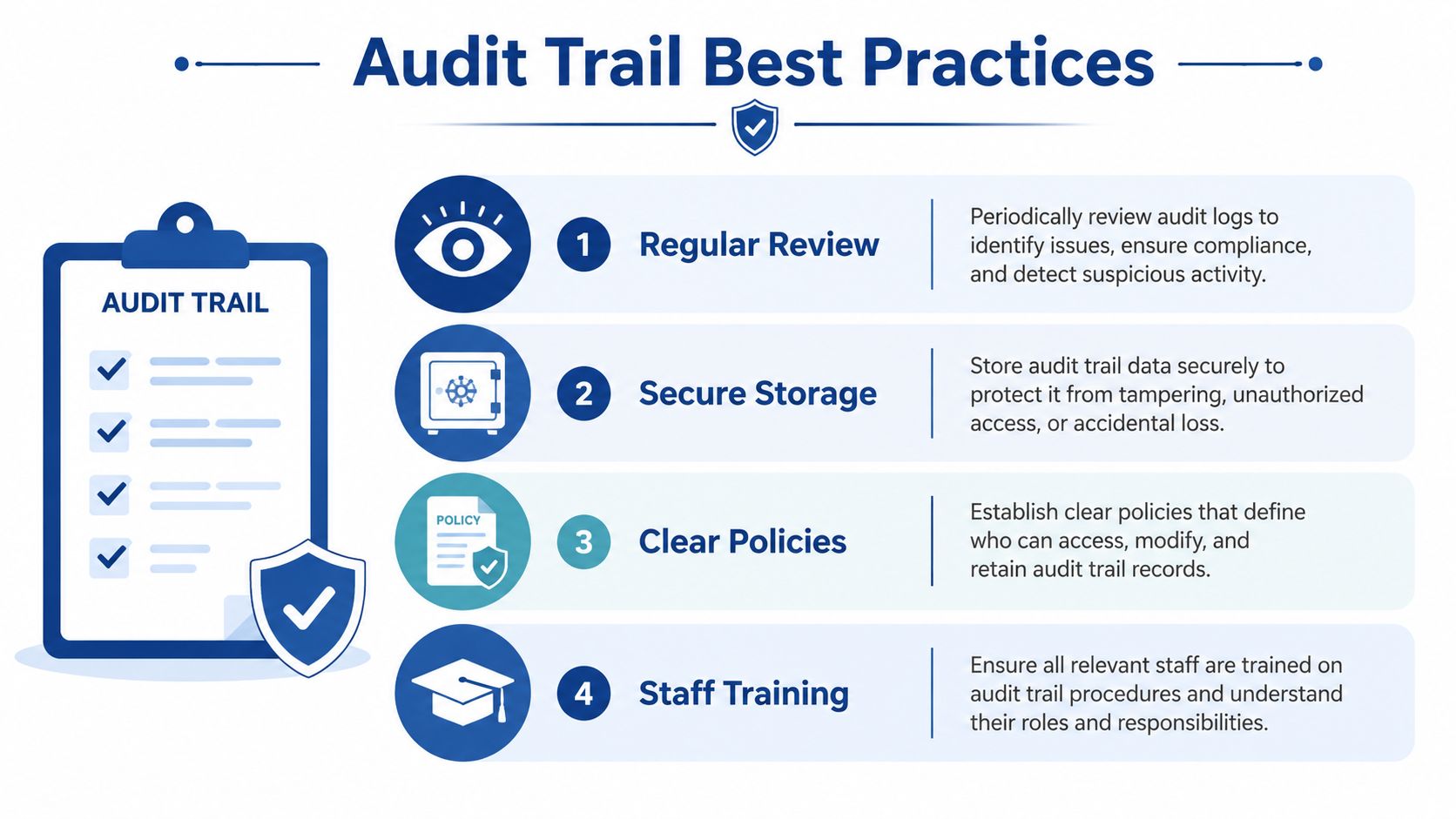
- Give each person a unique login: Shared usernames destroy accountability. If two people use the same account, the trail can’t tell you who took the action.
- Limit access by role: Staff should only have access to the parts of QuickBooks or Gusto they need for their job.
- Review logs periodically: Don’t wait for a problem. Spot-check changes to vendors, payroll settings, and key transactions.
- Protect the records: Audit history should be hard to alter and available to the right reviewers when needed.
- Train the team: People should know that systems track changes and that review is part of normal financial hygiene.
The risk of neglect
Weak review practices usually don’t fail all at once. They fail unnoticed.
If you want a broader security view of what happens when logging and monitoring are poor, this breakdown of security logging weaknesses gives useful context beyond accounting software.
Good systems leave clues. Good processes make sure someone checks them.
The main takeaway is simple. Audit trails work best when they’re part of a routine. Strong permissions, regular review, and clean bookkeeping procedures turn them from a passive log into a practical control.
If you want help building cleaner books, stronger payroll workflows, and better visibility inside QuickBooks or Gusto, Steingard Financial can help you set up a back office that’s accurate, traceable, and easier to manage.