 Skip to content
You approve a contractor for a client project. A week later, an invoice lands in your inbox for a software subscription, rush setup fee, and a few extra services nobody remembers discussing. Your bookkeeper asks which expense account to use. Your operations lead says it was “probably approved in Slack.” The vendor wants payment now.
That’s how spending gets messy in a growing service business. Not because anyone is careless, but because approval, documentation, and accounting are happening in different places.
A purchase order maker fixes that by putting structure in front of the spend. Before money leaves the bank, someone creates a formal record of what’s being bought, from whom, at what price, for which client, department, or project. Then your accounting system can treat that information as the starting point, not a cleanup job after the fact.
For service businesses, that difference matters more than people expect. You may not be buying pallets of inventory, but you are buying subcontractor time, ad spend, software, recruiting services, equipment, and recurring vendor work. Those purchases still need approval, coding, and a clean trail into QuickBooks and payroll systems like Gusto.
The End of Surprise Invoices and Uncontrolled Spending
A lot of owners think purchase orders are only for warehouses or large companies. Then they hit the same pattern.
A manager hires a freelance designer. Someone else signs up for a new app. A team lead approves a consultant by email. The invoices arrive later, often with incomplete details. Now accounting has to reconstruct what happened, who approved it, and whether the charge belongs to overhead, cost of goods sold, or a client job.
That’s where spending starts to feel out of control.
A purchase order changes the sequence. Instead of reacting to an invoice, you define the purchase first. The order states the vendor, scope, amount, terms, coding, and approval. When the bill arrives, your team compares it to a record that already exists.
Practical rule: If a vendor bill surprises you, the process failed before the invoice arrived.
For a service business, the goal isn’t bureaucracy. It’s clarity. If you use contractors, recurring software, marketing vendors, or project-based specialists, you need a simple way to answer basic questions:
Who approved this
Someone inside the business should authorize the spend before the vendor starts work.What are we buying “Support services” is vague. “Monthly paid search management for Client A” is useful.
Where should this cost land
The right account, class, location, customer, or project should be chosen early.What did we agree to pay
The invoice should match the amount, scope, and terms already documented.
A purchase order maker is the tool that makes this process repeatable. It turns scattered approvals into a controlled workflow. That means fewer invoice surprises, fewer coding guesses, and less time spent untangling old decisions during month-end close.
What Exactly Is a Purchase Order Maker?
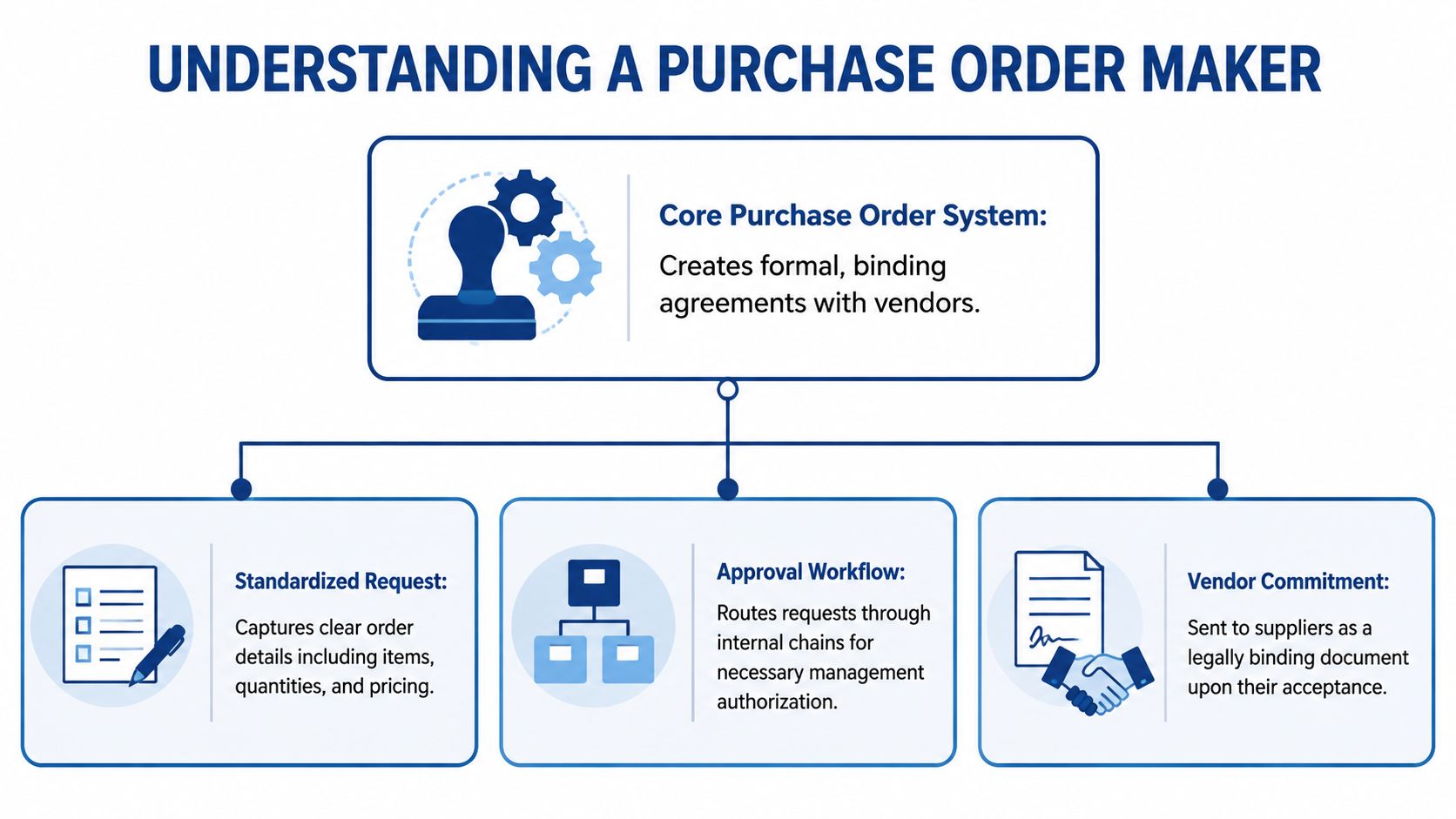
A purchase order maker is a tool that creates formal purchase orders in a consistent format. Sometimes it’s a standalone app. Sometimes it lives inside accounting software. Either way, its job is bigger than generating a pretty PDF.
It standardizes the information behind a purchase so your team records the same details every time.
What a purchase order needs
Think of a purchase order like a business shopping list with legal and accounting value. It doesn’t just say what you want. It says exactly what was approved and under what terms.
A good PO usually includes:
PO number
A unique identifier so your team can track the order from request to payment.Vendor details
The supplier’s legal name and contact information. This helps avoid duplicate vendor records and confusion later.Buyer information
Your company name, billing details, and the person or team requesting the purchase.Order description
Clear line items for the service or product being purchased.Quantity and price
Even in service work, this matters. Hours, retainers, licenses, monthly fees, or milestone payments should be spelled out.Dates and delivery terms
When the service starts, when something should be delivered, or the billing period covered.Payment terms
Net terms, deposit requirements, or billing milestones.
Why it’s more than a template
A Word or spreadsheet template can produce a document. A purchase order maker creates a system.
That system matters because it controls numbering, stores vendor history, keeps records searchable, and feeds the same purchase data into downstream work. In a clean workflow, the person creating the PO selects the vendor, account coding, and project reference once. Accounting doesn’t have to interpret vague notes later.
A purchase order is most useful when it becomes the single source of truth for the purchase, not just an attachment in someone’s inbox.
This is also where people confuse a PO with other order documents. If you want a plain-English explanation of the buyer-side and seller-side difference, this overview of sales orders and how they differ from purchase orders is helpful.
What the tool is really doing
Under the hood, a purchase order maker helps you enforce consistency:
| Function | What it does for the business |
|---|---|
| Standardized fields | Ensures every order includes the same essential details |
| Approval routing | Sends purchases to the right manager before commitment |
| Vendor record control | Reduces free-text entry and mismatched supplier names |
| Audit trail | Preserves who requested, approved, and changed the PO |
| Export or sync capability | Pushes the transaction into accounting with less rekeying |
That’s why owners who outgrow spreadsheets usually don’t just need a nicer form. They need a process they can trust.
Critical Benefits of a Modern PO System
The biggest benefit of a modern PO system is simple. It lets you control spending before the invoice exists.
That one shift changes a lot. You stop using accounts payable as a detective function and start using it as a verification function. Instead of asking, “Did we mean to buy this?” your team asks, “Does this bill match what we already approved?”
Better control without slowing the business down
Owners often worry that a PO process will create friction. A good one does the opposite. It removes the hidden friction that shows up later when people chase approvals, correct coding, or argue with vendors over what was ordered.
In a 2023 survey of SMBs using mobile-based PO tools, roughly 42% reported that digitizing PO creation reduced procurement cycle time by at least 20%, while 38% said they saw fewer disputes over pricing and quantities because PO templates enforced standardized line-item fields (mobile PO tool survey results).
That makes sense in day-to-day operations. If the same fields appear on every order, your team is less likely to leave out unit prices, service periods, or approval references.
The practical wins owners feel first
A modern purchase order maker usually improves four areas quickly:
Budget visibility
Approved POs show committed spend before bills are due. That gives you a clearer picture of upcoming cash needs.Cleaner invoice review
AP staff can compare the invoice to the PO instead of hunting through email threads.Fewer duplicate or questionable charges
If there’s no PO, the bill gets extra scrutiny. If there is a PO, the review is faster and clearer.Better vendor communication
Vendors get a precise written order with quantities, scope, dates, and terms.
If your team approves purchases informally but expects accounting to keep perfect records, you’re asking the last person in the chain to fix problems created at the beginning.
Why this matters for AP automation
A modern PO system also makes automation work. Software can only automate what’s structured. If every vendor charge arrives with different wording, missing references, and unclear owners, your automation tool still needs human cleanup.
That’s why PO discipline and AP automation belong together. If you want a useful primer on that connection, this guide to accounts payable automation and how it reduces manual processing is a good companion.
For a service business, the payoff isn’t just speed. It’s confidence. You can open your financial reports and trust that vendor costs were approved, categorized intentionally, and tied to the right part of the business before the month closed.
Creating Your First Purchase Order Step by Step
The mechanics are simple once you understand the order of operations. A purchase order starts before the vendor performs the work.
That timing is what protects you.
Step one starts with the business need
Someone needs something. It might be a monthly SEO retainer, a new laptop, a software license, or a subcontractor for a client engagement.
Before anybody orders it, the requester should answer a few questions:
- What are we buying
- Who is the vendor
- Why do we need it
- Which client, department, or project should carry the cost
- What amount and terms were discussed
This first step is where many service businesses skip ahead. They message the vendor first and document it later. That creates confusion when the bill shows up.
Approval happens before the commitment
The next step is internal approval. Who approves depends on your business. A team lead might approve small software purchases. A department head might approve contractors. Owners or finance leaders may approve anything tied to a large project or recurring commitment.
The key is consistency.
Approvals should follow the same path every time. If exceptions are common, the process isn’t defined well enough.
Generate the PO in your purchase order maker
Once approved, the purchase order maker creates the official PO. At this stage, the request becomes a usable business record.
A standard PO should include the core fields below.
| Field | Description | Example |
|---|---|---|
| PO Number | Unique tracking ID for the order | PO-2026-0148 |
| PO Date | Date the order was created | May 10, 2026 |
| Vendor Name | Supplier or contractor being paid | Blue Oak Creative LLC |
| Bill To | Your company billing information | ABC Consulting, San Jose, CA |
| Ship To or Service Location | Delivery address or service destination | Remote support for Client West |
| Line Item | What is being purchased | Website copywriting retainer |
| Quantity | Units, hours, months, or milestones | 1 monthly retainer |
| Unit Price | Price per unit or service period | $2,500 monthly |
| Total | Extended amount for the line | $2,500 |
| Account Coding | Expense or cost category | Subcontractors expense |
| Customer or Project | Job or client reference if applicable | Client West redesign |
| Payment Terms | Agreed payment timing | Net 30 |
| Requester | Person who initiated the purchase | Marketing Director |
| Approver | Person who authorized the spend | COO |
Send it, then match against what arrives
After the PO is sent to the vendor, your business waits for one or both of these:
- The product or service is delivered.
- The invoice arrives.
Accounting then compares the invoice to the PO and, when relevant, to proof that the goods or services were received. This is called three-way matching.
According to Billdu’s overview of automated PO workflows, automated PO generation systems reduce manual data entry errors by up to 80% and accelerate three-way matching cycles from 5-7 days to 24-48 hours. The reason is straightforward. Your system already holds the vendor name, line items, terms, and coding, so AP isn’t typing everything from scratch.
A simple example
Say you hire a video editor for a client campaign.
The requester enters the vendor, project name, monthly retainer, and agreed terms. A manager approves it. The PO is sent before work begins. When the invoice comes in, AP checks the amount and service period against the PO, then books it to subcontractor expense and tags the client project.
No scrambling. No Slack archaeology. No guessing during close.
Integrating Your PO Maker with QuickBooks and Gusto
A standalone purchase order maker can create clean documents and still leave you with messy books. The problem is the gap between the PO tool and the systems where your financial truth lives.
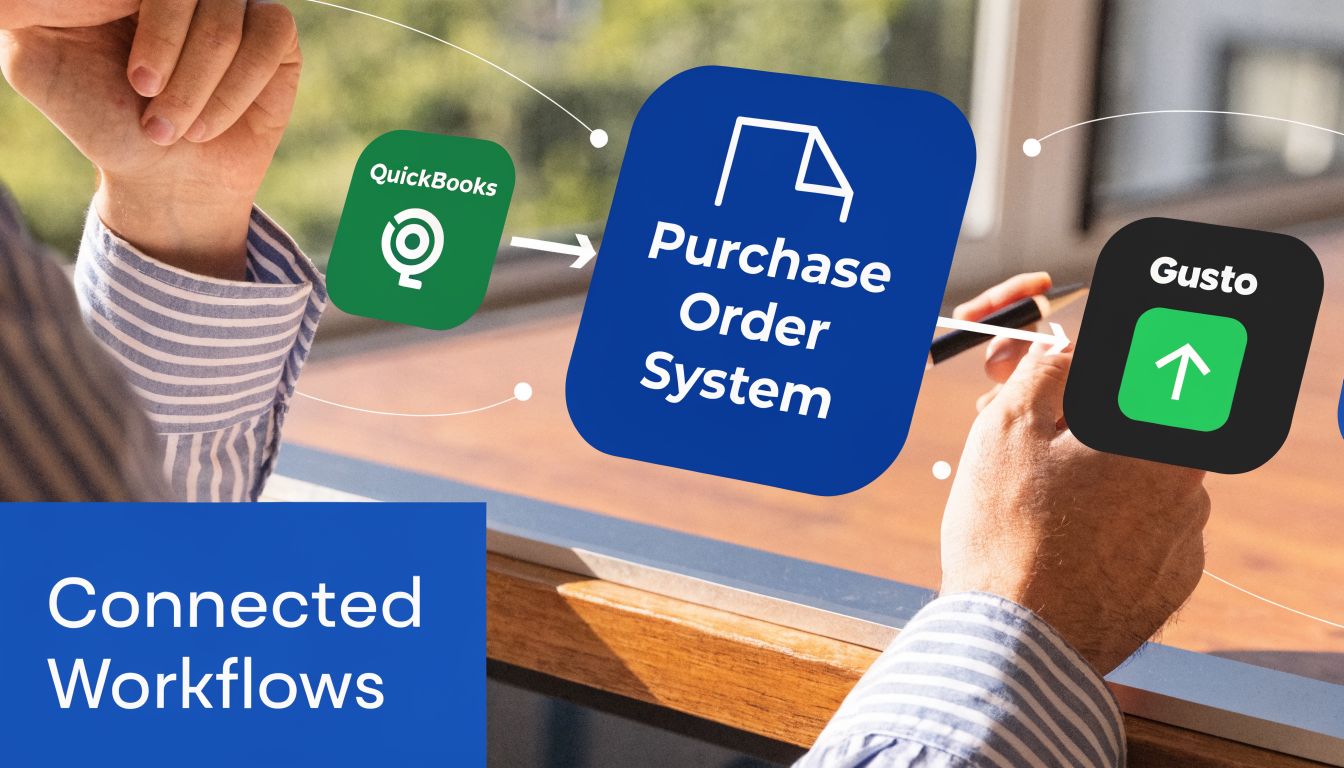
For service businesses, that usually means QuickBooks Online for accounting and Gusto for payroll, contractor payments, and people operations.
Why disconnected tools create expensive problems
If your team creates POs in one app, tracks approvals in email, receives invoices in another inbox, and books bills manually in QuickBooks, someone has to re-enter the same purchase data over and over.
That’s where mistakes pile up. Vendor names differ slightly. Bills get coded to the wrong expense account. Client costs don’t get tagged correctly. Duplicate records appear because one system says “Acme Media” and another says “Acme Media LLC.”
A 2025 AICPA study found 62% of service businesses report AP errors from disconnected procurement tools, costing an average of $15K/year in overpayments. Integrated systems can reduce AP processing time by 45% (research summary on procurement tool integration).
For a service firm, those errors don’t just affect AP. They distort project profitability, client reimbursement tracking, and management reporting.
What should sync into QuickBooks
The QuickBooks connection matters because that’s where your chart of accounts, vendor history, bills, and financial statements come together.
A useful integration should carry over:
Vendor records
So you don’t create duplicates or book bills under slightly different names.PO line details
Service descriptions, agreed amounts, and terms should follow the transaction.Account mapping
Costs need to land in the right expense account the first time.Class, customer, or project references
This is how service businesses preserve job costing and client profitability.Bill creation workflow
The invoice should tie back to the PO rather than being entered as a fresh transaction with no history.
If you’re building this stack or cleaning up an old one, this guide on setting up QuickBooks Online for service businesses gives good context for the accounting side.
Where Gusto fits into the picture
Gusto usually enters the conversation when labor costs are involved. Some service businesses buy outside services from independent contractors and track employee-related costs through payroll workflows. Others need to separate billable subcontractor work from internal payroll expenses.
That’s where a disconnected process causes reporting headaches. If a PO references a client project but the related labor or contractor payment sits in a separate system with no matching tag, profitability reports become unreliable.
Your finance process should answer questions like:
| Question | Why the integration matters |
|---|---|
| Was this vendor cost billable to a client? | Project or customer tags need to flow into accounting |
| Is this person a contractor or employee? | The workflow changes between AP and payroll |
| Which department owns the spend? | Consistent coding supports management reports |
| Does this cost belong to overhead or direct service delivery? | Gross margin reporting depends on it |
The technical side of integration matters too. If you’re thinking through system architecture, data handoffs, and scaling concerns, this overview of EAI best practices for modern AI is a useful reference for designing connected workflows that don’t create new silos.
A short walkthrough helps make the integration idea concrete:
The real goal is one version of the transaction
The best setup doesn’t force your team to remember the same purchase three times. It captures the transaction once, at the point of authorization, then lets QuickBooks and related systems carry that information forward.
When that happens, bookkeeping gets cleaner, payroll-related reporting gets easier to interpret, and owners get sharper numbers without asking the team to do more manual work.
Let Steingard Financial Implement Your PO Workflow
Knowing what a purchase order maker should do is one thing. Getting the workflow right inside a real business is another.
Most service businesses don’t struggle because they lack software. They struggle because approvals, coding, vendor setup, bill entry, and payroll-related tracking were built at different times by different people. The result is a back office that works just well enough to keep moving, but not well enough to trust under pressure.
That becomes more serious as the company grows. A 2025 Deloitte survey notes 55% of growing service firms faced audit penalties from inadequate PO documentation (survey summary on PO documentation risk). If approvals live in chat, vendor records are inconsistent, and bills hit QuickBooks without a matching trail, you’re exposed when questions come up later.
What a solid implementation looks like
A workable PO process usually includes:
Clear approval rules
People know who can authorize what, and the system records it.Consistent vendor setup
New suppliers don’t enter the books through random free-text entries.Accurate accounting mapping
Expense accounts, projects, and client references are assigned at the start.Connected systems
QuickBooks, payroll tools, and procurement records support the same financial story.
If your business is also thinking about broader systems design, especially reporting infrastructure, this explainer on automated data warehousing architecture is helpful for understanding how operational data and finance data can work together as you scale.
A clean PO workflow doesn’t just prevent mistakes. It makes month-end faster, reporting more credible, and vendor management less stressful. For a service business owner, that means fewer surprises and better decisions with the numbers already in front of you.
If your team needs help building a purchase order workflow that works with QuickBooks, Gusto, and your reporting process, Steingard Financial can help design and manage a back office that stays clean as you grow.