 Skip to content
You’re probably looking at a small card reader and thinking the decision is simple. Plug it into a phone, take payments, move on.
For a service business, that’s rarely how it works out.
The card reader you choose affects how fast cash hits the bank, how cleanly sales flow into your books, how much time someone spends matching deposits, and how painful month-end becomes. If the setup is weak, you don’t just get an awkward checkout experience. You get missing customer names, unmatched deposits, technician sales that can’t be traced, fees buried in lump-sum payouts, and a bookkeeper asking questions nobody wants to answer after the fact.
That’s why a card reader POS decision belongs in the same conversation as QuickBooks, payroll, job tracking, and reporting. The hardware matters, but the downstream workflow matters more.
Beyond the Swipe What Is a Card Reader POS System?
A lot of owners use card reader and POS system as if they mean the same thing. They don’t.
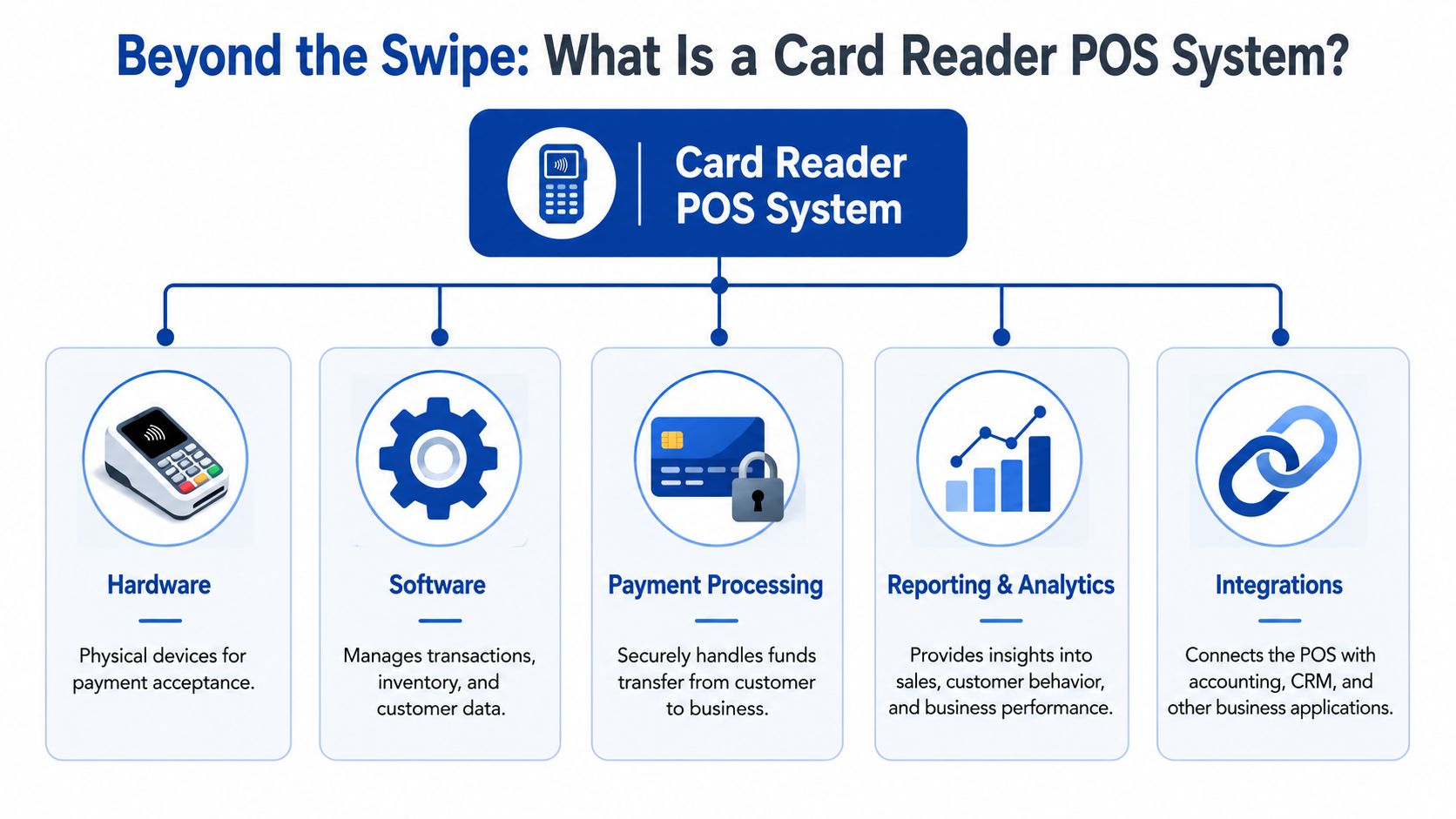
A card reader is the physical device that takes the payment. A POS system is the larger setup that records what happened and pushes that information into the rest of the business. Stripe draws that line clearly. The reader captures card data and sends it to the processor, while the POS system handles inventory updates, sales logging, reporting, rewards, and employee tracking, as explained in Stripe’s breakdown of POS systems versus card readers.
The difference that matters in daily operations
For a service business, the easiest way to think about it is this:
| Setup | What it does well | What usually breaks later |
|---|---|---|
| Standalone reader | Takes payment fast | Creates manual work in bookkeeping and reporting |
| Reader plus POS app | Captures payment and sale details together | Can still be limited if integrations are weak |
| Full card reader POS system | Connects payment, customer, staff, reporting, and accounting | Requires more setup upfront |
If you run HVAC, cleaning, field repair, personal care, consulting, or home services, the sale usually isn’t just “customer paid $X.” You also need to know:
- Which tech or staff member took the payment
- Which customer or job it belongs to
- Whether it should close an invoice or create a sales receipt
- How fees and taxes should be recorded
- Whether the payment can be tied back to your accounting system without rekeying anything
That’s where a true card reader POS setup earns its keep.
Why service businesses get burned by “simple” tools
Retail businesses often have a fixed checkout counter and a narrower workflow. Service businesses don’t. You might bill from a truck, a tablet at a front desk, or a phone after finishing a job. If the reader only captures money and nothing else, your office still has to reconstruct the transaction later.
Practical rule: If a payment can’t be tied to a customer, a job, and a staff member at the moment it’s taken, someone will fix it manually later.
That’s why it helps to evaluate the entire stack, including the processor and gateway layer. If you’re comparing setups, this overview of secure payment processing solutions is useful because it frames the payment flow beyond the hardware itself.
A good system doesn’t stop at approval. It turns a card tap into usable business data.
Essential Features and Modern Payment Types
A technician finishes a job, the customer is ready to pay, and the card reader will not connect. Payment gets delayed, the invoice stays open, and the office has one more item to chase. That is why feature lists matter. The right card reader POS setup does more than accept a card. It affects how fast cash hits the bank, how cleanly payments match in the books, and how often someone has to fix errors by hand.
For a service business, the baseline is straightforward. The reader needs to accept the payment methods customers use, stay connected where your team works, and capture enough detail to make the back office run cleanly.
Payment types that reduce collection delays
A current reader should accept EMV chip cards, contactless cards, digital wallets, and magstripe as a backup. Visa’s consumer payment guidance shows how common tap and mobile wallet usage has become, which is a practical reason to support both instead of relying on chip alone (Visa contactless and digital payment resources).
That matters for more than customer convenience.
If a customer can tap and pay on the spot, you collect before the tech leaves. If the payment method fails because the reader only supports limited options, the transaction often turns into an emailed invoice. That adds collection risk, pushes cash receipt later, and creates another reconciliation step for the office.
Use this checklist when comparing readers:
- EMV chip acceptance reduces reliance on older swipe transactions and supports current card behavior.
- Contactless acceptance speeds up payment at the end of an appointment and helps on busy schedules.
- Apple Pay and Google Pay support helps close sales when the customer has a phone but not a physical card.
- Magstripe fallback gives staff a backup option when a chip will not read.
- Offline payment capability can help in low-signal areas, but only if you set clear rules for who can use it and how those payments are reviewed later.
Offline mode deserves extra caution. It can keep a field team moving, but it also creates bookkeeping risk because an accepted offline payment may still fail later. If you allow it, the office needs a process to flag those transactions until they are fully authorized and funded.
Connectivity problems become accounting problems
Owners often compare processing rates and hardware price first. In practice, device compatibility and connection stability create more day-to-day friction.
If your staff uses older phones or tablets, confirm the reader and app support those devices before buying. If the connection drops in garages, basements, apartment buildings, or rural stops, test there before rollout, not after. A reader that works fine at the front desk can fail in the field.
The screening process should be simple:
- List the phones and tablets your team already uses.
- Confirm supported operating systems and app requirements.
- Test Bluetooth or Wi-Fi pairing in real job locations.
- Decide what staff should do if the device loses signal mid-payment.
This saves admin time later. A failed payment attempt often leads to duplicate entries, delayed deposits, or notes scribbled on paper for someone in the office to sort out.
Features that help the books stay clean
A service owner can get by with a basic reader for a while. The trouble starts when the payment goes through but the office still cannot tell what it was for.
The useful features are the ones that attach context to the transaction at the moment of payment:
- Customer selection or creation
- Invoice lookup and invoice payment posting
- Job or appointment reference
- Staff or technician attribution
- Tax calculation
- Tip capture, if your business uses it
- Digital receipts
- Clear fee reporting by payout or batch
Those features save real labor. When payment data flows through with the right customer, service date, and tax treatment, your bookkeeper can match deposits faster and spend less time cleaning up uncategorized receipts. When that information is missing, every payout turns into detective work.
Some platforms do a better job of tying payments to the appointment and client record. If you want to review that style of setup, CHAIR payment tools show how payments can sit inside the broader service workflow instead of acting as a separate terminal.
Portability has a trade-off
Smaller mobile readers are convenient, especially for solo operators and field teams. But the smallest setup is not always the cheapest once you include office time.
A phone-linked reader may be enough if the same person does the work, takes payment, and keeps customer records current. A tablet-based POS often makes more sense when you need line items, saved customer profiles, invoice status, or staff-level reporting. The hardware cost is higher, but the admin savings can easily outweigh it if your office is spending hours every week fixing mismatched payments.
Choose the feature set your team will correctly use under normal working conditions. That is the version that protects cash flow and keeps the bookkeeping manageable.
Choosing the Right POS for Your Service Business
At 6 p.m., a technician finishes a job, taps a card on a phone reader, and heads to the next stop. Two days later, the payout hits the bank short of the invoice total, the customer still shows an open balance, and someone in the office has to figure out whether the difference is fees, tax, or a second payment that never linked correctly. That is the key buying decision.
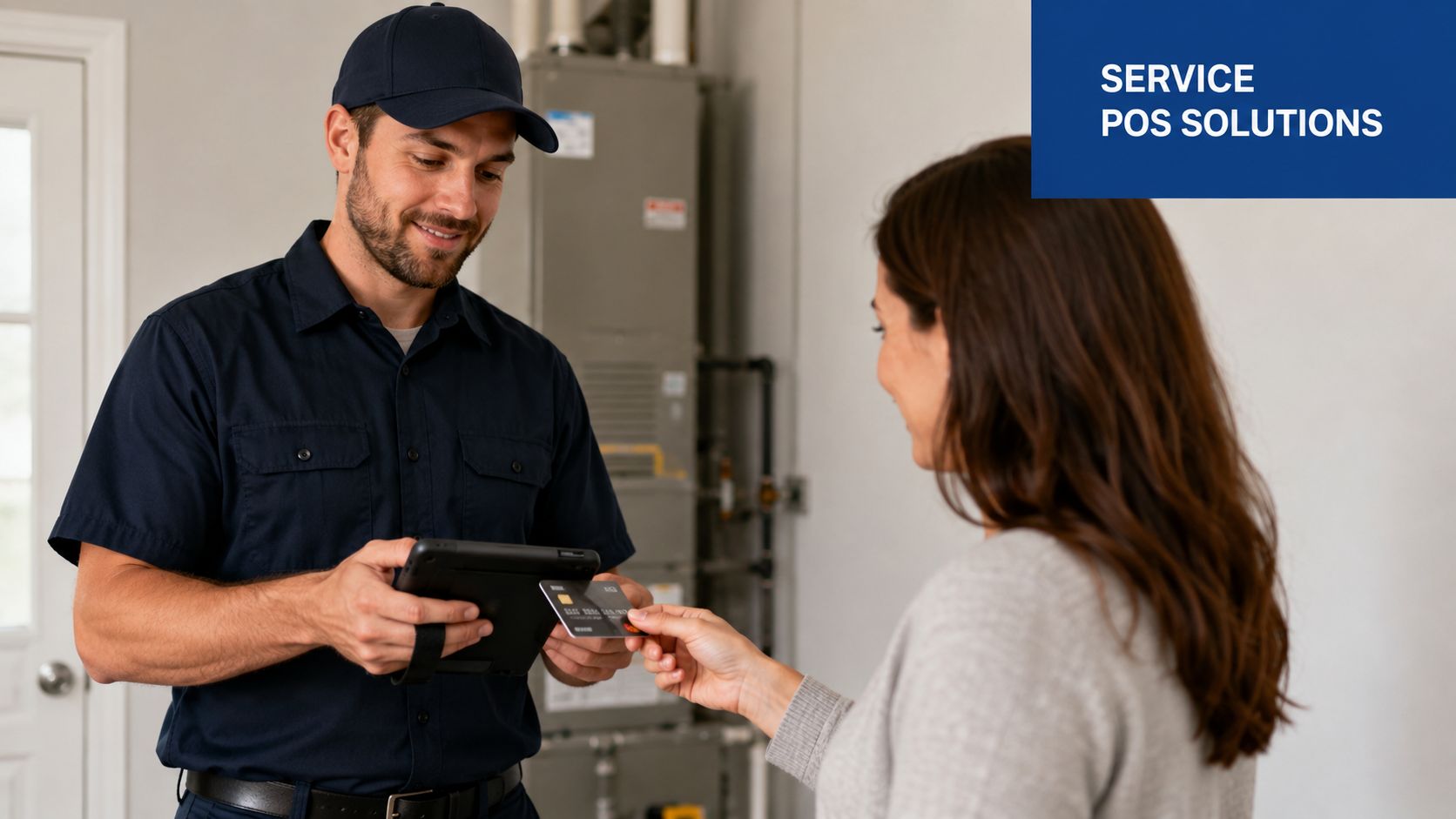
The right POS fits the way your business sells, completes work, and posts cash. Hardware matters, but the bigger cost usually shows up later in reconciliation time, invoice cleanup, and reporting gaps.
Start with the point where money changes hands. A front-desk operation has different needs from a field-service business collecting on-site, and a company doing both usually needs shared customer records and tighter controls. If payments happen in more than one place, a cheap reader can create expensive office work.
When a simple mobile reader is enough
A small mobile setup works well when the payment process is straightforward and one person owns the job from start to finish. That usually means the same person does the work, collects payment, and keeps the customer record current.
It tends to be a good fit when:
- You collect payment right after the service
- The person taking payment knows the customer and job details
- You only need basic revenue reporting
- You are not relying on invoice tracking for collections
- The office can handle a lighter back-office workflow without delays
In that setup, a phone-based or tablet-based reader can do the job. The requirement is simple. It must capture enough detail to support clean books later.
When a service business has outgrown the basic setup
I usually see the breaking point in the bookkeeping first, not at the point of sale. Deposits stop matching cleanly. Staff cannot tell which technician took a payment. A customer pays in the field, but the invoice in the system stays open. Refunds and re-runs become harder to trace because there is no reliable link between the payment, the customer, and the original service date.
That is when the reader stops being just a payment tool. It becomes part of your operating system.
A larger POS setup often makes sense if you have multiple technicians, recurring clients, dispatching, progress billing, or an office manager who needs to monitor unpaid invoices. In those cases, the extra monthly cost can be cheaper than the admin time spent fixing broken records. If you want the accounting side set up to receive that data properly, this guide to setting up QuickBooks Online for clean POS workflows is worth reviewing before you choose software.
A practical fit test
Use this framework when comparing options:
| Business condition | Better fit |
|---|---|
| One person or very small crew | Mobile reader with a clean app |
| Front desk plus field payments | Tablet POS with shared customer records |
| Multiple technicians or teams | POS with employee tracking and role controls |
| Invoice-heavy workflow | System that applies payments directly to invoices |
| Multiple service lines or locations | POS with stronger reporting and integration options |
One warning matters here. If your office has to export a CSV, edit it manually, and then enter totals into QuickBooks, the system is already costing more than it looks. Card settlements that reach the bank a day or two after the sale are exactly what QuickBooks Money in Transit deals with.
A quick visual walkthrough can help when you’re comparing field payment workflows:
The question owners often miss
Do not stop at “Can this take a card?” Ask what happens after the card is approved.
- Does it apply the payment to the right invoice without manual cleanup?
- Does it separate tax, tips, and service revenue correctly?
- Can you see sales by employee without spreadsheet work?
- Can your bookkeeper match payouts to sales and fees without guessing?
- Will the workflow still hold up when you add staff, trucks, or another location?
Those answers affect cash flow, month-end close time, and how much confidence you have in the numbers. A POS that saves fifty dollars upfront but adds two hours of office cleanup every week is usually the more expensive choice.
Integrating Your POS with QuickBooks and Gusto
The best card reader POS setup creates a clean data trail from payment to financial statements to payroll support. If that trail breaks, the office fills the gap manually.
What a clean transaction flow looks like
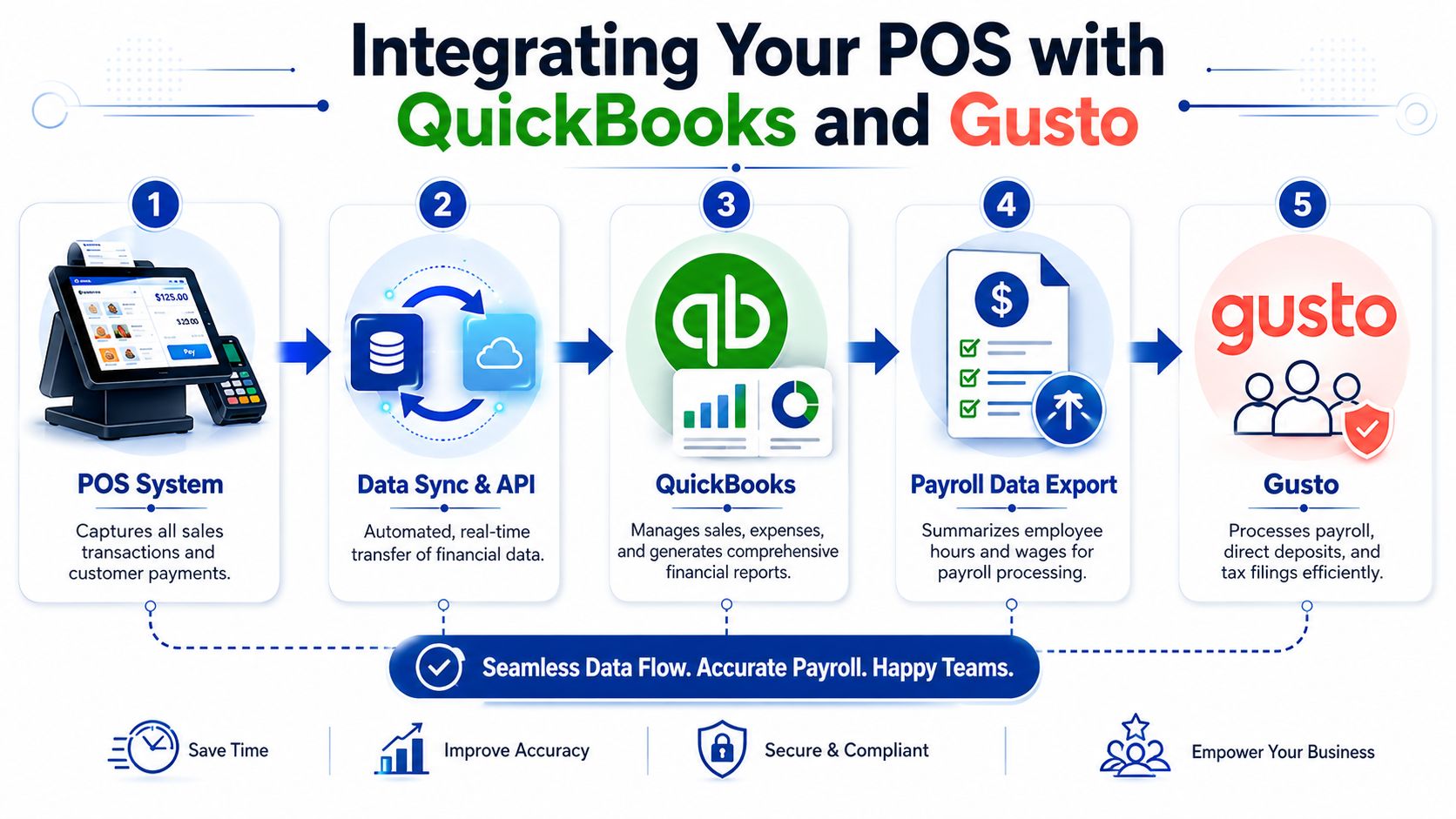
A customer pays through the POS. The system records the sale detail. That information syncs into QuickBooks Online. The accounting file then reflects the revenue, payment status, fees, and customer history in a format you can use.
In practical terms, a good integration should do most of the following without manual intervention:
- Create or match the customer record
- Post the sale to the correct income category
- Apply the payment to an invoice, if invoice-based billing is used
- Record tax separately from revenue
- Help identify processor fees and clearing activity
If you’re building that workflow from scratch, this guide on setting up QuickBooks Online properly is a good companion because chart of accounts structure and workflow choices affect how well the POS data lands.
Where integrations usually fail
The weak point is rarely the payment itself. It’s the detail around the payment.
Here are the common trouble spots:
- Duplicate sales records when the POS posts a sale and someone also enters the invoice manually.
- Undeposited funds confusion when batch deposits arrive grouped differently than expected.
- Customer mismatch when field staff enter names inconsistently.
- Income misclassification when all services collapse into one generic revenue account.
- Fee blindness when only the net deposit gets recorded.
If any of those happen, financial reporting starts to drift. Revenue may still be roughly right, but the books become harder to trust.
Using POS data to support payroll processes
A service business often needs sales data for more than bookkeeping. It can also support payroll inputs.
That doesn’t mean the POS should run payroll. It means the system should provide usable reports for things like:
- Commission support for team members paid partly on sales
- Technician production tracking for internal compensation reviews
- Tip reporting where applicable
- Location or department summaries that feed payroll allocations
Clean payroll starts with clean source data. If employee-linked sales are unreliable in the POS, payroll review gets messy fast.
The key is to treat payment data as operational data, not just money collected. Once the sale is tied to the right employee, customer, and service type, it becomes useful across the back office. That’s what separates a scalable workflow from a stack of partial exports and end-of-month guesswork.
Bookkeeping for POS Transactions and Fees
The bookkeeping problem with card payments is simple to describe and easy to mishandle. The business makes a gross sale, but the bank usually receives a net deposit after fees. If you book only what hits the bank, revenue gets understated and fee expense disappears into the gap.
That’s why the bookkeeping for a card reader POS needs a repeatable method.
Record the gross sale first
Suppose you complete a service call and charge $100.
The clean accounting view is:
| Event | Accounting effect |
|---|---|
| Sale occurs | Record $100 of revenue |
| Processor takes its fee | Record the fee as expense |
| Net deposit reaches bank | Clear the receivable or clearing balance with the net amount |
You don’t want the books to say the sale was only the net deposit. The customer paid the full amount. The processor fee is the cost of collecting that payment.
A simple workflow often looks like this:
- At sale time record the full customer charge.
- In a clearing or undeposited funds account hold the expected amount until payout.
- When the processor deposit arrives post the fee separately and clear the remainder to the bank.
- During reconciliation match processor reports, bank activity, and accounting entries.
Don’t let net deposits distort reporting
Owners often look at the bank feed and book each deposit directly to income. That feels efficient, but it creates bad reporting.
Three things happen when you do that:
- Revenue is lower than actual sales
- Processing costs are hidden or incomplete
- Deposit matching becomes harder when batches combine multiple transactions
That’s one reason “cheap” payment tools can become expensive operationally. The core issue isn’t just the hardware price. Hidden fees, chargeback handling, termination terms, and hardware refreshes all affect total cost, and the broader decision is a workflow and margin decision rather than just a device purchase, as discussed in NRS Plus on card reader integration and cost considerations.
How chargebacks should be treated
Chargebacks need their own workflow. Don’t bury them inside revenue unless you enjoy confusion later.
A sound approach is to track:
- The original sale
- The reversal or disputed amount
- Any processor-imposed fees
- The final outcome if the dispute is resolved
That preserves an audit trail. It also helps you spot patterns, such as a staff training issue, documentation problem, or a service authorization process that needs tightening.
A chargeback isn’t just a banking event. It’s a bookkeeping event and an operations signal.
Weekly reconciliation beats heroic month-end cleanup
Service businesses with card volume should reconcile these transactions on a short cycle. Daily is ideal for some operations. Weekly is far better than waiting for month-end.
A useful review routine includes:
- POS sales report compared to accounting entries
- Processor payout report compared to bank deposits
- Fee totals compared to expense postings
- Open chargebacks or failed payments reviewed for follow-up
- Sales tax amounts checked for reasonableness
If your team needs a stronger reconciliation process, this guide to credit card reconciliation workflows is a practical place to start.
The businesses that stay on top of POS bookkeeping aren’t doing anything fancy. They’re just separating gross sales, fees, and deposits correctly every time.
Security, Compliance, and Tax Considerations
Security and tax setup usually get attention after the system is already in use. That’s backward. Those choices should be part of the buying decision.
Card acceptance is now standard business infrastructure. The mobile card reader market was valued at over $10 billion in 2022 and is projected to grow at over 15% annually, showing that these tools are a mainstream part of the payment ecosystem, according to Clearly Payments’ POS and card reader market overview.
Security starts with the platform choice
Most owners don’t want to become payment security specialists, and they shouldn’t have to. The practical move is to choose a provider and POS environment that handles the heavy lifting around secure card handling and keeps payment data out of your own ad hoc processes.
That means:
- Use validated payment hardware and software
- Avoid side processes like writing card details down or storing them outside approved tools
- Control user access so staff see only what they need
- Review device and app updates as part of routine operations
A sloppy setup creates risk. A structured setup reduces the chance that your team will improvise.
Tax handling needs to be built into the workflow
Sales tax gets complicated fast for mobile and multi-location service businesses. If tax treatment depends on where the job happened, who was billed, or which services were taxable, your system needs to capture those details at the point of sale.
The best POS workflows help by applying tax logic consistently and preserving a clear record for review. That doesn’t remove your responsibility, but it does reduce the odds of missed collections or bad reporting.
If tax season is already on your mind, this checklist for preparing for tax season can help you make sure payment records, fee records, and tax data are ready before your accountant asks for them.
A card reader POS isn’t just a way to get paid. It’s part of your internal control system. When the setup is solid, payments are easier to collect, books are easier to trust, and tax reporting is less chaotic.
If your service business needs help connecting POS payments to clean books, accurate reconciliations, and a payroll-ready back office, Steingard Financial can help you build the workflow correctly from the start and clean up the parts that already aren’t working.