 Skip to content
You’re probably using more software already than you realize.
A spreadsheet tracks invoices. Your bank app shows deposits. Client emails hold approvals, change requests, and payment promises. A notes app stores tax reminders. Receipts live in your camera roll until you need them, then somehow disappear. None of this feels disastrous on a normal Tuesday. It becomes disastrous when you need clean numbers, fast answers, or a tax-ready paper trail.
That’s why choosing software for freelancers isn’t really about finding a few handy apps. It’s about designing a financial operating system that helps you bill accurately, collect cash on time, track expenses cleanly, and understand whether your business is effective.
Why Your Freelance Business Needs a Software Stack Not Just Tools
A lot of freelancers start with whatever is easiest. They send an invoice from one app, track projects in another, save receipts in a folder called “later,” and rely on memory for the rest. At first, that feels efficient because you’re avoiding setup.
Then the cracks show.
A client asks what’s still outstanding. You check email, then your banking app, then a spreadsheet. You’re not sure which version is current. Another client wants a recurring invoice, but you built the first one manually and forgot to standardize the process. Tax season shows up, and your income is spread across multiple payment platforms with expenses sitting in three different places.
That’s the difference between tools and a stack.
A tool solves one task. A stack supports the whole business. It creates a reliable path from client work to invoice, from payment to bookkeeping, from expense to reporting, and from reporting to better decisions.
What a real stack changes
When your software is connected and chosen on purpose, a few things happen:
- Billing gets cleaner: You stop undercharging, forgetting line items, or losing track of work already delivered.
- Cash flow gets easier to read: You know what’s been invoiced, what’s been paid, and what still needs follow-up.
- Tax prep gets less chaotic: Income and expense records live in systems built for recordkeeping, not memory.
- Decision-making improves: You can see whether a client, service line, or month is profitable enough to repeat.
Practical rule: If you have to re-enter the same financial information in multiple places, your system is working against you.
The shift is mental before it’s technical. Stop asking, “What app should I use?” Start asking, “What system will help me run this business with fewer mistakes and less admin?”
That’s how a freelance operation starts to feel less like patchwork and more like a company.
The Core Components of Your Freelance Financial Stack
A freelance business usually starts with whatever gets the next job done. One app for invoices. Another for tasks. A spreadsheet for expenses. That patchwork can work for a while, but it creates blind spots as soon as client volume, project complexity, or tax obligations increase.
A stronger approach is to build a financial operating system. Each part of the stack has a job. More importantly, each part passes clean information to the next part, so you can move from work delivered to cash collected to accurate reporting without constant cleanup.
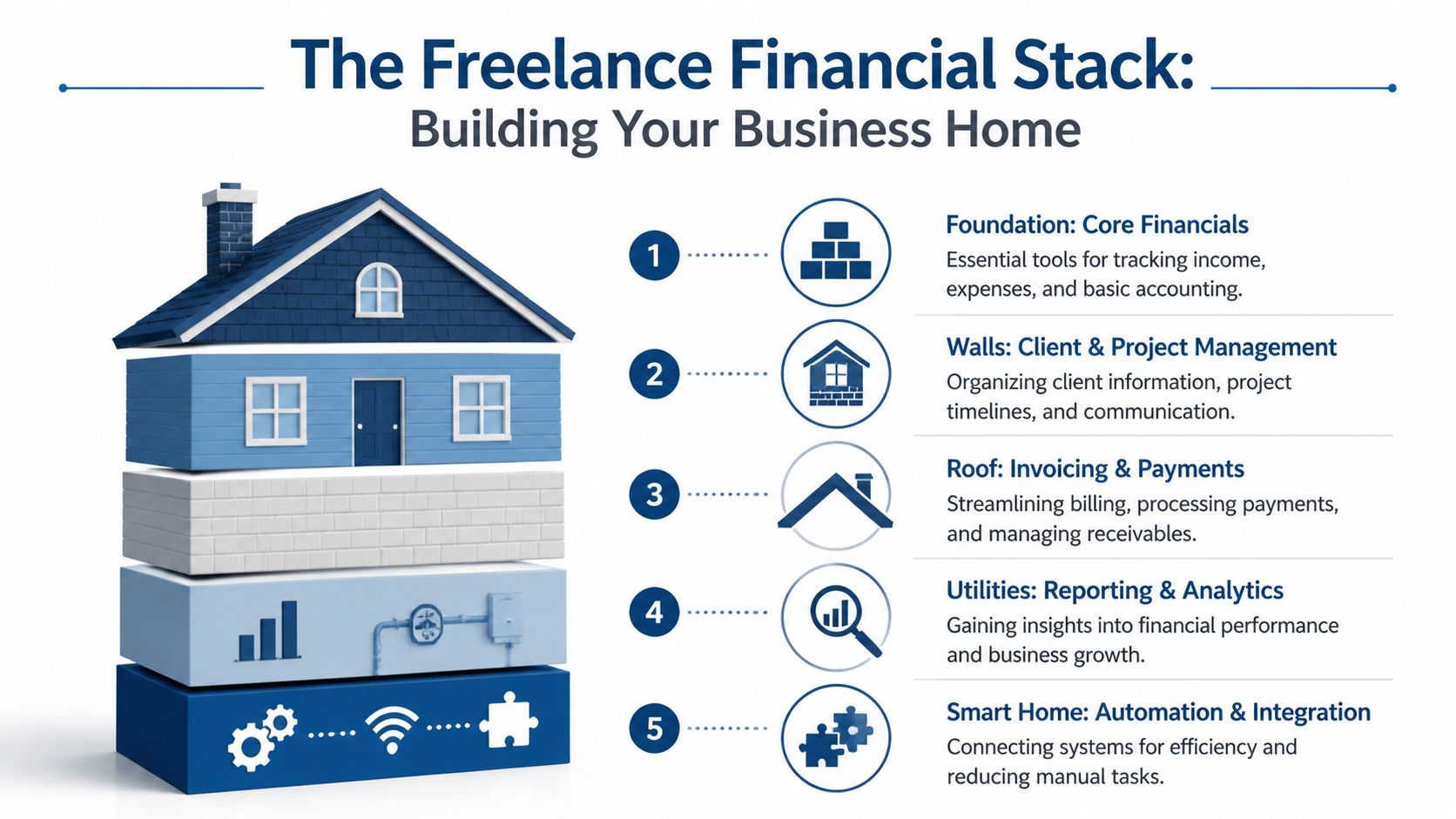
Accounting software as the record of truth
Your accounting system is the financial record of the business. If this layer is incomplete or delayed, every later decision gets weaker. Pricing becomes guesswork. Tax estimates become rough guesses. Cash flow becomes harder to judge.
QuickBooks is a common starting point because it combines bookkeeping, bank feeds, expense tracking, invoicing, and payment collection in one place. FreshBooks is often attractive to freelancers who want invoicing tied closely to time tracking and client-facing billing. The brand matters less than the role. This system should hold the official version of income, expenses, reconciliations, and owner pay.
At a minimum, your accounting software should let you answer four questions quickly:
- How much revenue came in this month
- What did the business spend
- Which invoices are still unpaid
- How much profit remained after costs
If those answers live in your memory, inbox, and bank app instead of one financial system, the back office is still fragile.
Project and client management as the control layer
Freelancers often separate operations from finance too sharply. That creates billing mistakes. If your project system does not reflect approved scope, completed milestones, or billable hours, your invoices will drift away from the work you delivered.
Trello, Asana, ClickUp, and similar tools help you track tasks, deadlines, approvals, and project status. Their real financial value is control. They create a reliable record of what was promised, what changed, and what is ready to bill. That matters most for freelancers with revision-heavy projects, phased engagements, or multiple active clients.
Service businesses with retainers, milestones, or recurring contracts often need tighter alignment between delivery and billing. In those cases, software built for contract billing workflows can reduce missed invoices, scope confusion, and manual follow-up.
Invoicing and payment tools as the cash collection engine
Revenue is not fully earned until it is billed clearly and collected on time.
Your invoicing layer should support the way you sell. A designer billing deposits and final payments needs different controls than a consultant billing monthly retainers. A writer charging by project needs different workflows than a strategist billing for tracked hours. Good invoicing software handles those patterns without forcing you into workarounds.
Look for systems that help you:
- Send invoices as soon as work is approved or delivered
- Run recurring billing for ongoing engagements
- Accept online payments without extra friction
- Track overdue invoices and follow-up status
- Keep invoice records connected to your books
This part of the stack protects cash flow. Late invoicing stretches the time between doing the work and getting paid. Weak follow-up turns booked revenue into accounts receivable that sit too long.
Strong client demand does not fix a weak billing process. It only hides the problem for a while.
Reporting tools as the decision layer
Once accounting and billing are in place, reporting turns stored data into decisions.
Many freelancers look at their checking account and assume they understand the business. That is like judging a road trip by the fuel gauge alone. You may know how much is left right now, but you still do not know your speed, direction, or whether the trip is profitable.
Useful reporting shows patterns over time. You want visibility into revenue by month, expenses by category, profit by client or service line, outstanding receivables, and cash flow trends. Those reports help you spot underpriced work, rising software costs, seasonal dips, and overreliance on one client before the issue becomes expensive.
You do not need a complicated dashboard. You need reports that help you make pricing, spending, and capacity decisions with confidence.
Automation and integrations as the connective tissue
The final component is the connection between systems. This is what turns separate apps into a working financial operating system.
A healthy stack reduces repeated data entry. New clients should flow into the right records. Completed work should trigger billing steps. Payments should appear in accounting with less manual sorting. Expenses should move into the books with the right categories and documentation. Each handoff you automate removes one chance for delay or error.
The goal is not to buy more software. The goal is to create a clean sequence. Work gets scoped. Work gets tracked. Work gets billed. Cash gets recorded. Results get reviewed.
That sequence is what gives a freelance business financial stability and room to grow.
How to Choose the Right Software for Your Business
Most freelancers don’t struggle because there are no options. They struggle because there are too many. The wrong response is to chase the most popular tool. The better response is to filter every option through a few business questions.
Start with how your business earns money
A copywriter on project fees, a consultant on monthly retainers, and a designer selling one-off packages don’t need the same stack. Before comparing features, define your revenue model.
If you bill by project, you need clear scope tracking and straightforward invoicing. If you bill by time, you need reliable time capture and reports that support pricing decisions. If you manage recurring service work, recurring invoices and receivables visibility become much more important.
Software should match the economics of the business, not your aspiration to feel organized.
Judge every tool by five criteria
Use this checklist when evaluating software for freelancers:
Scalability
Ask whether the tool still works when your client load grows, your service mix changes, or you bring in subcontractors. A system that only works for a solo operator often creates expensive cleanup later.Integration
Check whether it connects to the tools that matter most in your stack. If an app forces manual copying between systems, it may create more admin than it removes.Reporting quality
Review the outputs, not just the dashboard design. Can you see useful business information, or does the software just look polished?Ease of use
A powerful tool you avoid using is the wrong tool. Your day-to-day process matters more than a long feature list.Value relative to cost
Free can be smart at the beginning. Free can also be expensive if it causes missed invoices, weak records, or repeated manual work.
Don’t buy software to solve a discipline problem
Some freelancers hope a new app will force them to be organized. It won’t.
If invoices go out late because you haven’t built a billing routine, a fancier invoicing tool won’t fix the habit by itself. If expense records are incomplete because receipts never get captured, your problem is workflow first and software second.
The right software reduces friction. It doesn’t replace consistent operating habits.
That said, good software can make good habits much easier to keep. A clean dashboard, recurring reminders, and connected records help you stay current without needing heroic effort.
Look for fewer handoffs, not more features
A common mistake is building a stack that looks complex but creates too many checkpoints. You don’t need three apps to do one job. You need one app to own each core function and connect cleanly to the rest.
Here’s a simpler way to decide:
- Choose one source of truth for accounting
- Choose one primary invoicing workflow
- Choose one system for managing client work
- Add automation only where it removes repeat admin
The best stack is rarely the one with the most software. It’s the one that keeps information moving without confusion.
Test with a real business scenario
Before committing to a tool, run one normal week through it. Create a sample invoice. Log a real expense. Track one active project. Check what report you can pull at the end.
That test usually exposes the truth. Some tools are appealing in demos but awkward in actual business use. Others seem simple until you realize they fit your workflow much better than the flashier option.
Choose software that supports the business you run every day, not the one in your head.
Example Software Stacks for Different Freelancers
The easiest way to understand software for freelancers is to see how different businesses need different systems. Below are three practical stack models. None of them is universal. Each one reflects a different operating reality.
The solo creative
A freelance writer, designer, or brand strategist often needs simplicity more than complexity. The core challenge isn’t payroll or layered approvals. It’s staying organized enough to invoice on time, track expenses correctly, and keep projects moving.
A lean stack might look like this:
- Accounting: QuickBooks Online
- Payroll and HR: None at the start, or outsourced support only if needed
- Time and project management: Trello for task flow
- Payments and receipts: A simple online payment workflow plus receipt capture habit
This freelancer doesn’t need an elaborate system on day one. They need a dependable one. QuickBooks handles the financial record, Trello keeps deliverables visible, and a consistent receipt process protects deductions.
What usually matters most here is reducing mental load. The simpler the stack, the more likely it gets used consistently.
The consultant
A consultant’s business often gets more nuanced. They may bill monthly retainers, track reimbursable expenses, manage several active clients at once, and need better visibility into which engagements are worth keeping.
That stack often looks more operational:
- Accounting: QuickBooks Online
- Payroll and HR: Usually not required yet, though occasional contractor coordination may exist
- Time and project management: A tool built for time tracking plus structured project oversight
- Reporting: Strong monthly review of profitability, collections, and client-level performance
This business benefits from a tighter link between work delivered and invoices sent. If a consultant bills for time, logging hours matters. If they bill fixed monthly fees, scope tracking matters even more because underpricing hides inside overdelivery.
A lot of self-employed operators also want a broader view of app options before settling on a stack. One useful roundup is Receipt Router’s freelancer app recommendations, especially if you’re comparing categories like invoicing, expense tracking, and day-to-day self-employment tools.
A consultant’s stack should answer one question clearly. Which clients produce healthy revenue without creating hidden administrative drag?
The growing agency
An agency or multi-person freelance shop has a different problem. Once you hire, your back office stops being just personal admin and starts becoming infrastructure.
At that point, the stack often expands to include:
- Accounting: QuickBooks Online
- Payroll and HR: Gusto or QuickBooks Payroll
- Time and project management: Asana, Trello, or another team-capable project system
- People operations support: onboarding, benefits administration, compensation tracking, and recurring payroll workflows
This is also where outside operational support can make sense. Some firms use a bookkeeping and payroll partner such as Steingard Financial to adapt QuickBooks and payroll systems to the business, clean up books, manage reconciliations, support AP and AR, and provide recurring reporting.
Growing teams need cleaner boundaries between functions. The owner should not be the only person who knows where invoices live, how payroll gets approved, or which expense account to use. Software helps standardize those decisions.
Sample Freelance Software Stacks
| Freelancer Type | Accounting | Payroll & HR | Time/Project Mgmt | Best For |
|---|---|---|---|---|
| Solo Creative | QuickBooks Online | Not usually needed at first | Trello | Simple client work, straightforward invoicing, low admin overhead |
| Consultant | QuickBooks Online | Limited or outsourced as needed | Time tracking tool plus project management system | Retainers, expense tracking, client reporting |
| Growing Agency | QuickBooks Online | Gusto or QuickBooks Payroll | Asana or Trello | Team coordination, payroll, repeatable operations |
What changes as you grow
Most freelancers don’t switch stacks because a tool is bad. They switch because the business changes.
A solo operator may start with a simple invoicing and bookkeeping system. Then they add time tracking because pricing feels fuzzy. Later they add payroll because they hire. Then they need better reporting because revenue is rising but cash still feels tight.
That progression is normal.
The mistake is waiting until the pain is severe before redesigning the stack. If your software can’t support how you bill, how you collect, and how you review performance, it’s no longer just a software issue. It’s a business model issue showing up in your systems.
Automating Your Workflow and Integrating Your Tools
A freelancer can do everything right with clients and still lose money in the back office.
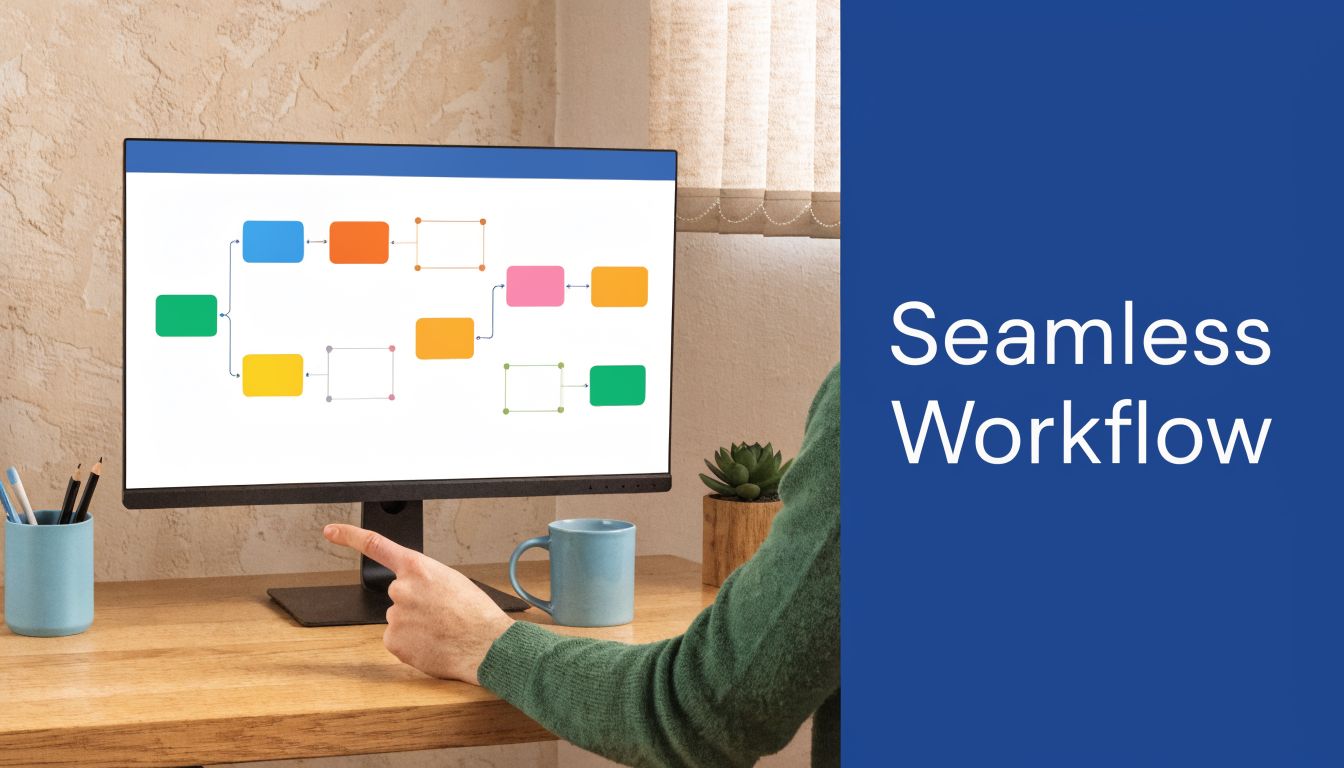
A common example looks like this. A project is approved in one system. The invoice gets created somewhere else. Payment arrives through a third tool. The receipt stays in an email inbox. Then bookkeeping happens days later from memory. By month-end, you are no longer managing a business clearly. You are reconstructing what happened.
That is the purpose of automation. It is not about adding more apps. It is about building a financial operating system where information moves in a predictable path from client work to cash collection to clean books.
Where automation helps most
Start with tasks that repeat often and require little judgment. Receipt capture, invoice creation, payment matching, and document collection usually belong in that group. They take time, they are easy to postpone, and small errors in those areas tend to spread into reporting problems later.
A useful rule is simple. Automate the handoffs, not the decisions.
For example, your system can pull bank transactions into accounting software automatically. It can attach a receipt to the matching expense. It can mark an invoice as paid when the payment processor confirms collection. But you should still review categories, exceptions, and unusual transactions with care. Automation should reduce retyping. It should not replace financial oversight.
That matters even more with source documents. A disciplined process for organizing business receipts gives your accounting system better raw material and cuts down on cleanup during reconciliation and tax prep.
Native integrations first
If your invoicing tool, payment processor, and accounting platform already connect directly, start there. Direct connections are usually easier to monitor and simpler to troubleshoot.
The goal is one reliable record flowing through the system.
Common examples include:
- Bank feeds into accounting: Transactions appear faster, so categorization and reconciliation happen closer to real time.
- Invoices connected to payment collection: Paid status updates automatically, which reduces confusion about outstanding receivables.
- Payroll connected to accounting: Wage expense, tax payments, and related entries post without manual re-entry.
For a freelancer, that structure works like good plumbing. You usually do not think about it when it is set up well. You notice it immediately when something breaks. Every manual transfer between tools creates another place for delay, duplication, or error.
Integrated systems protect your source of truth. That is what makes reporting dependable enough to use for decisions.
Middleware has a place
Some tools will not connect directly. In those cases, Zapier or similar workflow connectors can fill the gap.
Use them carefully. Middleware is helpful when the process is stable and the trigger is clear. A signed proposal can create a client record. A completed intake form can create a task. An email attachment can be routed into a document folder for review. Those are good uses because they remove repetitive admin without introducing much accounting risk.
What you want to avoid is a chain of automations so complicated that no one remembers how data moves. If an automation fails and you cannot spot the break quickly, the time savings disappear.
Here’s a short walkthrough that helps explain the broader idea of connected workflows:
Build one reliable flow
Strong automation is boring in the best sense. It runs the same way every time.
A practical workflow might look like this:
- Client work is approved in your project system.
- An invoice is created in your billing or accounting platform.
- Payment is collected online and recorded in the client record.
- The transaction and supporting documents flow into accounting for categorization and reconciliation.
- Financial reports are reviewed on a schedule so cash issues, margin problems, and missing items get caught early.
This is how software stops being a pile of subscriptions and starts acting like an operating system. Each tool has a job. Each handoff has a purpose. And each step supports financial visibility, which is what allows a freelance business to grow without becoming harder to control.
Critical Tax and Compliance Workflows Freelancers Forget
A familiar pattern plays out every spring. A freelancer opens their bank app, their payment platform, a folder of receipts, and last year’s spreadsheet, then realizes none of the numbers line up cleanly. Tax stress rarely starts with the filing deadline. It starts when the financial system was never built to track what the business earned, spent, and owed.
That is why tax and compliance belong inside your financial operating system. They are not year-end cleanup tasks. They are ongoing control systems that protect cash, keep records usable, and make growth less risky.
Upwork’s overview of freelancer apps reflects a common pattern in software advice. Productivity tools get most of the attention, while tax and compliance workflows stay in the background. That gap matters more when freelancers are paid through several platforms, and when third-party reporting rules can create mismatches between platform tax forms and your own books. The IRS explains the current status of Form 1099-K reporting thresholds and transition rules on its Form 1099-K reporting requirements page.
Quarterly taxes are a cash control system
Estimated taxes are often described as a calendar task. In practice, they work more like a reserve system.
If tax money stays mixed with operating cash, your checking balance starts to lie to you. It looks available, but part of it already belongs to a future tax payment. Good software helps you separate those roles by making income visible, expenses consistent, and cash easier to allocate with discipline.
A spreadsheet can help estimate payments. It should not serve as the main source of truth.
Multiple income streams break weak systems
A single client paid by invoice is easy to track. Add marketplace payouts, direct deposits, card payments, reimbursements, and occasional contractor expenses, and the recordkeeping problem changes. Now you need a system that can answer basic questions quickly: What was true revenue, what was a transfer, what fee was withheld, and what support exists for each deduction?
That is where many freelance businesses lose clarity. The issue is not effort. The issue is architecture. If money enters through five doors and lands in three different records, year-end reporting turns into reconstruction work.
Your financial stack should cover four workflows consistently:
- Income aggregation: record all client and platform income in one accounting system, even when the cash arrives through different channels.
- Expense documentation: store receipts and attach them to transactions so deductions are supportable, not based on memory.
- Contractor records: track who was paid, how much, and whether tax forms and identifying information were collected on time.
- Year-end readiness: keep books reviewable throughout the year so tax prep does not require rebuilding reports from scratch.
Jurisdiction issues appear quietly
Freelancers who serve clients across state lines or outside the U.S. can run into added filing, sales tax, or documentation questions. The rules vary, but the software need is steady. Your records should show where revenue came from, how it was categorized, and which entity or platform handled the payment.
That visibility lowers confusion later.
Tax season pressure is usually the result of weak recordkeeping decisions made months earlier.
Preparation works best as a recurring workflow, not a last-minute project. A stronger process for preparing your freelance business for tax season leads to cleaner reports, fewer missing documents, and better decisions about cash before deadlines arrive.
Tax compliance is a practical test of whether your financial operating system is doing its job. If the system can support estimated payments, document deductions, track contractor obligations, and reconcile platform income without confusion, it can support a healthier freelance business too.
How Steingard Financial Builds and Supports Your Stack
Many freelancers can assemble a few apps on their own. Fewer can design a full back office that stays accurate under pressure. The challenge isn’t downloading software. It’s deciding how the system should work, how data should move, and how reporting should stay clean as the business changes.

Steingard Financial approaches that problem like a financial systems partner for service businesses. The work starts with discovery. That means understanding how you bill, how often you get paid, what tools you already use, where reporting breaks down, and which processes are still living in spreadsheets or inboxes.
What support usually includes
For a freelance or service-based business, stack support often involves a combination of operational and financial setup:
- Bookkeeping structure: chart of accounts setup, transaction categorization, and double-entry bookkeeping
- Cleanup work: historical book cleanup when prior records are incomplete or inconsistent
- Cash management visibility: bank and credit card reconciliations, plus AP and AR management
- Reporting cadence: weekly or monthly reporting for ongoing visibility
- Payroll and people support: workflows through Gusto or QuickBooks Payroll, plus onboarding, benefits, compensation planning, and related HR support
That matters because software only helps when someone configures it around real business activity. A reporting dashboard built on weak categorization won’t tell the truth. A payroll system without clear approvals creates friction. An invoice process without AR follow-up leaves revenue stuck.
Why freelancers outgrow DIY systems
The first version of your back office usually gets built in survival mode. You pick tools quickly and promise yourself you’ll clean it up later. Then later never comes, because client work keeps winning the week.
Outside support changes that equation. Instead of patching problems one by one, you get a stack designed around timely books, clean workflows, and recurring review. That’s what turns software into operating infrastructure.
Good financial systems don’t just record the past. They help you run the next month with more confidence.
For freelancers who want a scalable setup, that kind of support is often less about adding software and more about making the current stack usable, accurate, and sustainable.
If your freelance business has outgrown scattered tools and manual workarounds, Steingard Financial can help you build a cleaner financial operating system with bookkeeping, payroll, reporting, and workflow support that fits how your business runs.